> ## Documentation Index
> Fetch the complete documentation index at: https://notes.kodekloud.com/llms.txt
> Use this file to discover all available pages before exploring further.
# Solution RBAC
> This lesson covers implementing Kubernetes Role-Based Access Control to manage permissions for users and services.
In this lesson, we’ll dive into Kubernetes Role-Based Access Control (RBAC) to manage permissions for users and services. We’ll cover:
1. Inspecting API server authorization modes
2. Counting existing Roles
3. Examining the built-in `kube-proxy` Role
4. Reviewing RoleBindings for `kube-proxy`
5. Verifying `dev-user` permissions
6. Granting Pod permissions to `dev-user`
7. Fixing Pod permissions in the `blue` namespace
8. Granting Deployment permissions in the `blue` namespace
***
## 1. Inspect API Server Authorization Modes
To confirm that RBAC is enabled, inspect the API server manifest:
```bash theme={null}
kubectl -n kube-system get pod kube-apiserver -o yaml
```
Look for the `--authorization-mode` flag:
```yaml theme={null}
- --authorization-mode=Node,RBAC
```
Alternatively, on the control-plane node:
```bash theme={null}
ps aux | grep kube-apiserver
```
```bash theme={null}
... --authorization-mode=Node,RBAC ...
```
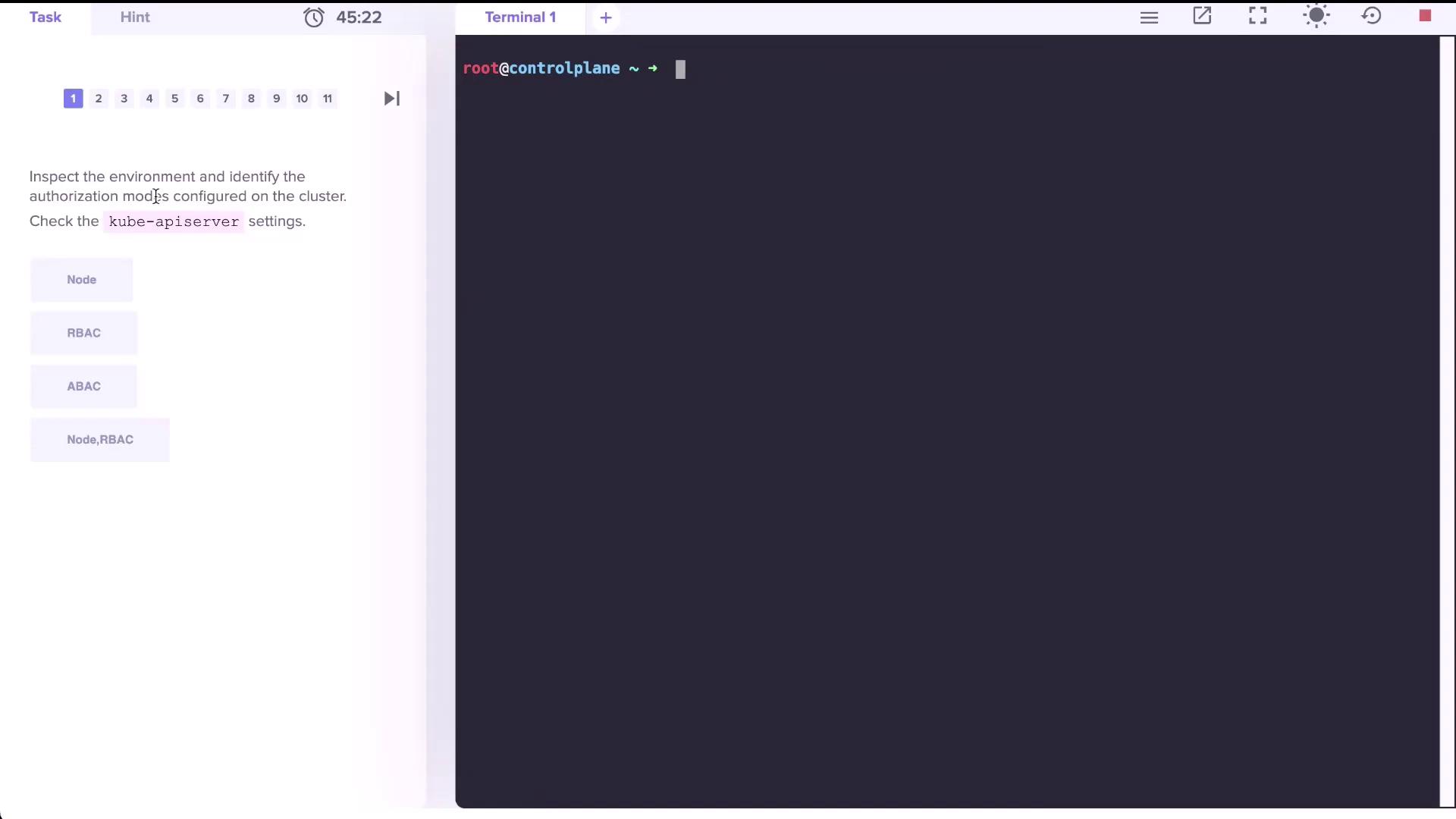
RBAC must be enabled on your API server for Roles and RoleBindings to function correctly.
***
## 2. Count Existing Roles
List Roles in the `default` namespace:
```bash theme={null}
kubectl get roles -n default
```
```text theme={null}
No resources found in default namespace.
```
Count all Roles across namespaces:
```bash theme={null}
kubectl get roles --all-namespaces --no-headers | wc -l
```
```text theme={null}
12
```
| Namespace | Role Count |
| --------- | ---------- |
| default | 0 |
| all | 12 |
***
## 3. Examine the kube-proxy Role
View the `kube-proxy` Role in `kube-system`:
```bash theme={null}
kubectl describe role kube-proxy -n kube-system
```
| Resource | Non-Resource URLs | Resource Names | Verbs |
| ---------- | ----------------- | -------------- | ------ |
| configmaps | \[] | \[kube-proxy] | \[get] |
True/False:
* **True**: It can **get** the ConfigMap named `kube-proxy`.
* **False**: It cannot delete or update the ConfigMap.
* **False**: It cannot list or watch ConfigMaps.
***
## 4. Identify the Subject of the kube-proxy RoleBinding
List RoleBindings in `kube-system`:
```bash theme={null}
kubectl get rolebindings -n kube-system
```
```text theme={null}
NAME ROLE
kube-proxy Role/kube-proxy
```
Describe the `kube-proxy` RoleBinding:
```bash theme={null}
kubectl describe rolebinding kube-proxy -n kube-system
```
| Kind | Name |
| ----- | ---------------------------------------------------- |
| Group | system bootstrappers kube command default node token |
***
## 5. Verify dev-user Permissions
After adding `dev-user` to your kubeconfig:
```bash theme={null}
kubectl config view
```
Attempt to list Pods in `default`:
```bash theme={null}
kubectl get pods --as dev-user
```
```text theme={null}
Error from server (Forbidden): pods is forbidden: User "dev-user" cannot list resource "pods" in API group "" in the namespace "default"
```
`dev-user` currently has no permissions in `default`. You must create Roles and RoleBindings to grant access.
***
## 6. Grant Pod Permissions to dev-user
### 6.1 Create the `developer` Role
```bash theme={null}
kubectl create role developer \
--verb=list,create,delete \
--resource=pods \
-n default
```
Verify:
```bash theme={null}
kubectl describe role developer -n default
```
### 6.2 Bind `dev-user` to the Role
```bash theme={null}
kubectl create rolebinding dev-user-binding \
--role=developer \
--user=dev-user \
-n default
```
Confirm:
```bash theme={null}
kubectl describe rolebinding dev-user-binding -n default
```
Now `dev-user` can list Pods:
```bash theme={null}
kubectl get pods --as dev-user -n default
```
***
## 7. Fix Permissions for a Pod in the blue Namespace
1. Inspect existing Roles and RoleBindings:
```bash theme={null}
kubectl get roles,rolebindings -n blue
```
2. Describe the `developer` Role:
```bash theme={null}
kubectl describe role developer -n blue
```
3. Edit the Role to match the actual Pod name:
```bash theme={null}
kubectl edit role developer -n blue
```
Update to:
```yaml theme={null}
rules:
- apiGroups: ['']
resources:
- pods
resourceNames:
- dark-blue-app
verbs:
- get
- watch
- create
- delete
```
4. Verify access:
```bash theme={null}
kubectl get pod dark-blue-app -n blue --as dev-user
```
***
## 8. Grant Deployment Permissions in the blue Namespace
1. Edit the `developer` Role again:
```bash theme={null}
kubectl edit role developer -n blue
```
2. Add a rule for `deployments` in the `apps` API group:
```yaml theme={null}
rules:
- apiGroups: ['']
resources:
- pods
resourceNames:
- dark-blue-app
verbs:
- get
- watch
- create
- delete
- apiGroups: ['apps']
resources:
- deployments
verbs:
- get
- watch
- create
- delete
```
3. Verify:
```bash theme={null}
kubectl describe role developer -n blue
```
4. Create a Deployment as `dev-user`:
```bash theme={null}
kubectl create deployment nginx \
--image=nginx \
-n blue \
--as dev-user
```
***
## Links and References
* [Kubernetes RBAC Documentation](https://kubernetes.io/docs/reference/access-authn-authz/rbac/)
* [kubectl Cheat Sheet](https://kubernetes.io/docs/reference/kubectl/cheatsheet/)
* [Configuring Service Accounts](https://kubernetes.io/docs/tasks/configure-pod-container/configure-service-account/)