> ## Documentation Index
> Fetch the complete documentation index at: https://notes.kodekloud.com/llms.txt
> Use this file to discover all available pages before exploring further.
# Kubernetes Isolation Techniques
> This guide walks through five key isolation strategies for maintaining security and stability in Kubernetes clusters.
Ensuring robust isolation within Kubernetes clusters is crucial for maintaining security and stability across production (prod), development (dev), and testing (test) environments. In multi-tenant clusters, proper isolation prevents one team’s workload from impacting another. This guide walks through five key isolation strategies.
***
## 1. Namespace Separation
Namespaces partition cluster resources and faults, enabling logical separation and multitenancy. By isolating environments into distinct namespaces, you limit blast radius and simplify resource management.
```bash theme={null}
kubectl create namespace prod
kubectl create namespace test
kubectl create namespace dev
kubectl create namespace team-a
kubectl create namespace team-b
```
Each team or project operates independently within its own namespace.
Use descriptive naming conventions (e.g., `team-a`, `team-b`) to keep namespaces organized and easy to manage.
***
## 2. Network Policies
By default, Pods can communicate across namespaces without restriction. Kubernetes [NetworkPolicy](https://kubernetes.io/docs/concepts/services-networking/network-policies/) resources let you define fine-grained ingress and egress rules.
Example: Allow only Pods in the `prod` namespace to receive ingress traffic from peers within `prod`:
```yaml theme={null}
apiVersion: networking.k8s.io/v1
kind: NetworkPolicy
metadata:
name: allow-internal-prod-namespace
namespace: prod
spec:
podSelector: {} # Select all Pods in prod
policyTypes:
- Ingress
ingress:
- from:
- podSelector: {} # Only Pods in the same namespace
```
| Field | Description |
| ------------- | -------------------------------------- |
| `podSelector` | Targets all Pods in a namespace |
| `policyTypes` | Specifies `Ingress`, `Egress`, or both |
| `ingress` | Defines allowed incoming sources |
***
## 3. Role-Based Access Control (RBAC)
RBAC enforces the principle of least privilege, reducing accidental or malicious changes. Define Roles and RoleBindings to grant only the permissions required.
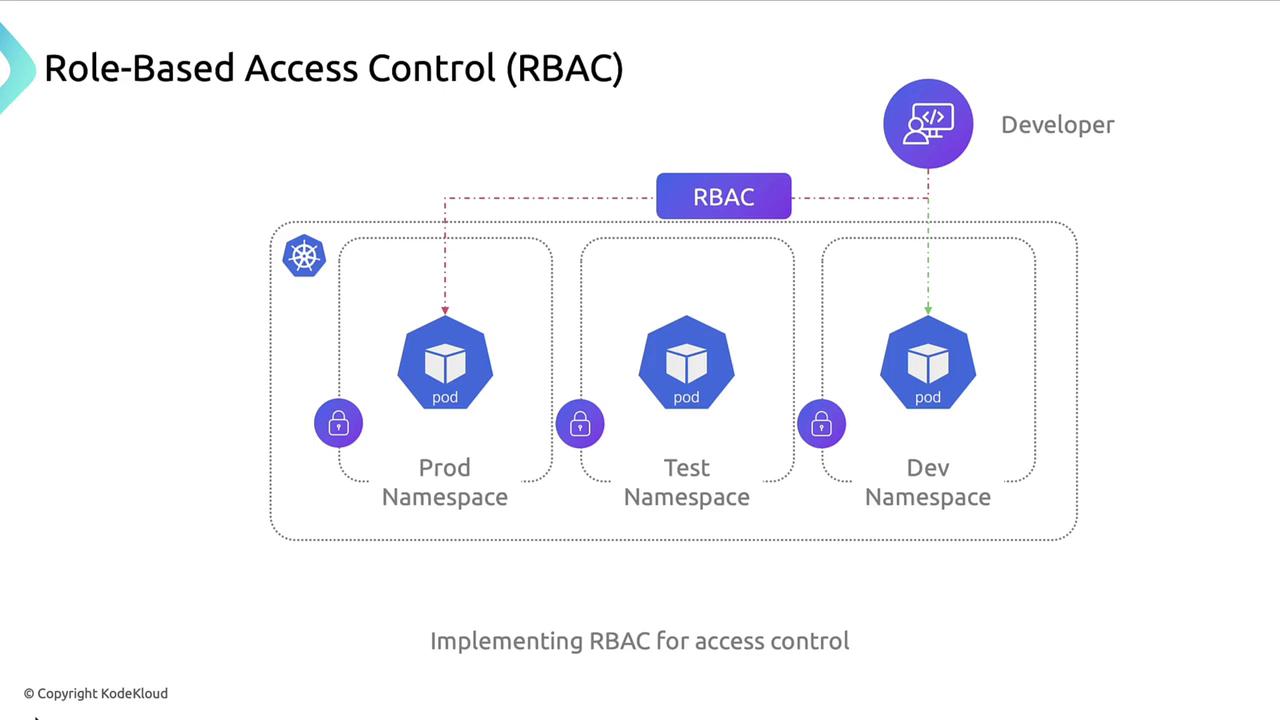
Example use cases:
* Developers: **read-only** access to `prod`
* Developers: **full** access to `dev`
In multi-tenant clusters, RBAC isolates teams:
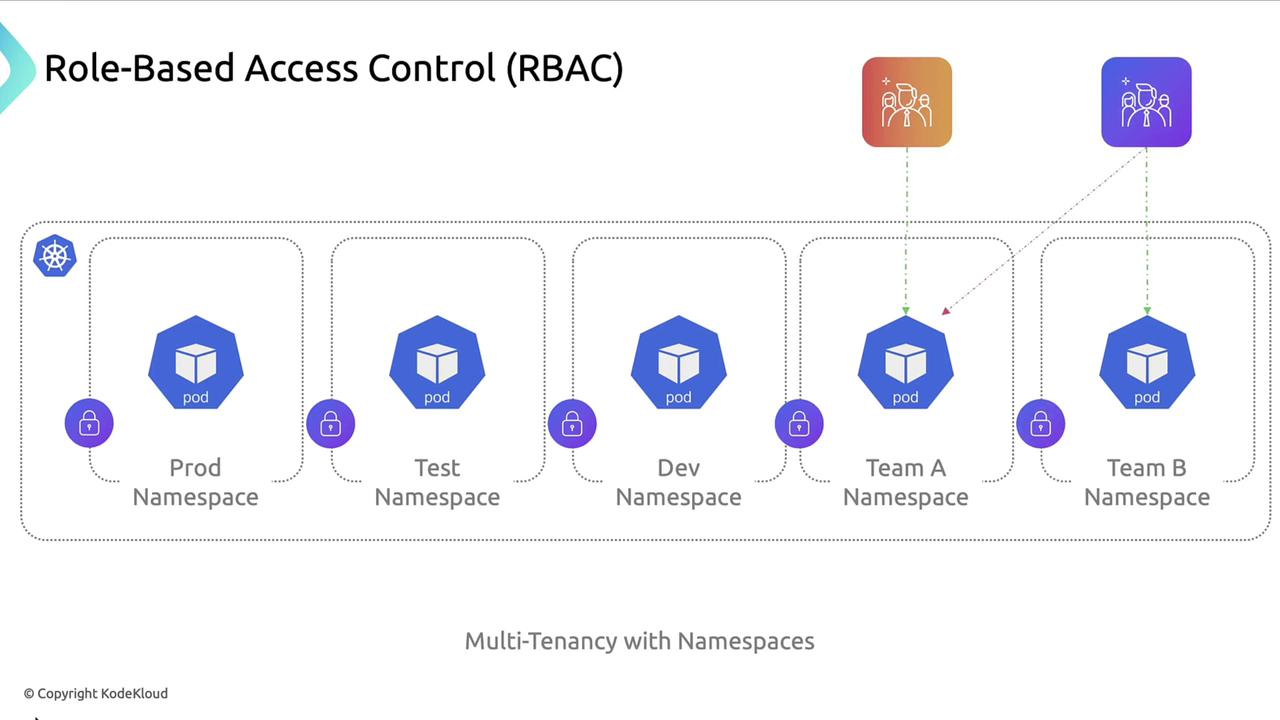
| Role | Namespace | Permissions |
| ------------ | --------- | ---------------------------- |
| `dev-reader` | prod | `get`, `list` |
| `dev-admin` | dev | `create`, `delete`, `update` |
***
## 4. Resource Quotas and Limits
ResourceQuotas control overall resource consumption per namespace. Pod-level resource requests and limits prevent individual workloads from exhausting CPU or memory.
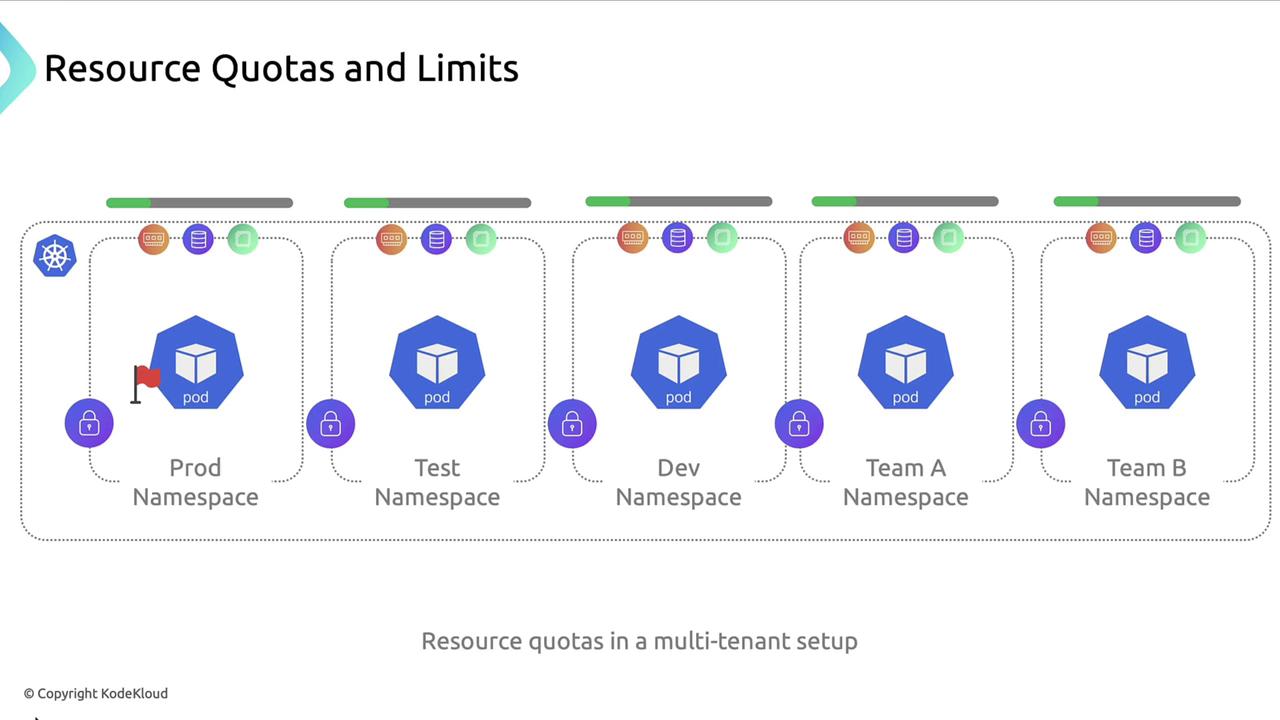
Example `ResourceQuota`:
```yaml theme={null}
apiVersion: v1
kind: ResourceQuota
metadata:
name: team-a-quota
namespace: team-a
spec:
hard:
requests.cpu: "4"
requests.memory: "8Gi"
limits.cpu: "8"
limits.memory: "16Gi"
```
| Quota Type | Purpose |
| --------------- | --------------------------------------- |
| `requests.cpu` | Guaranteed CPU resources per namespace |
| `limits.memory` | Maximum memory usage for that namespace |
***
## 5. Security Context
By default, containers may run as root, which heightens risk if compromised. Use a `securityContext` to enforce non-root execution and restrict privileges.
```yaml theme={null}
apiVersion: v1
kind: Pod
metadata:
name: backend-pod
namespace: dev
spec:
securityContext:
runAsUser: 1000
runAsGroup: 3000
fsGroup: 2000
containers:
- name: backend-container
image: nginx:latest
securityContext:
allowPrivilegeEscalation: false
```
Always verify that your container images support non-root users and drop unnecessary Linux capabilities.
***
## Summary of Isolation Techniques
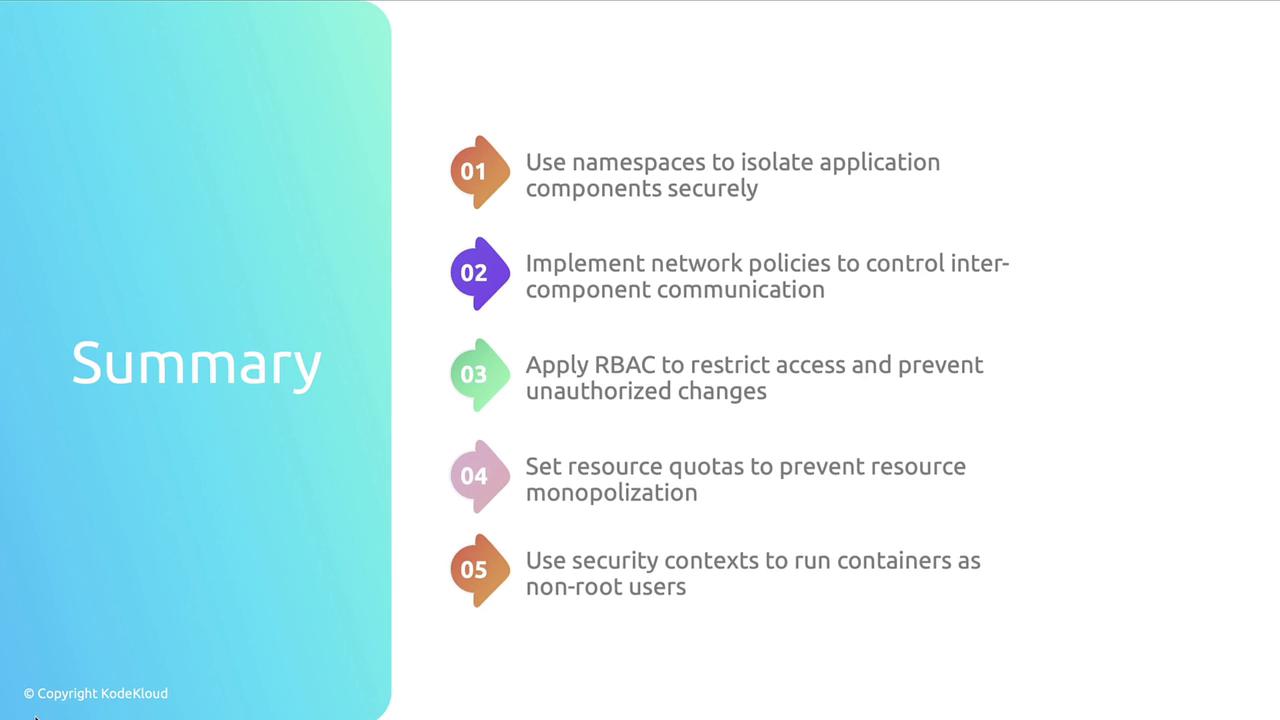
| Technique | Benefit |
| ------------------------- | ----------------------------------------------- |
| Namespace Separation | Logical isolation and resource partitioning |
| Network Policies | Fine-grained pod-to-pod communication control |
| Role-Based Access Control | Least-privilege access management |
| Resource Quotas & Limits | Prevent resource monopolization |
| Security Contexts | Enforce non-root execution and capability drops |
***
## Further Reading
* [Kubernetes Namespaces](https://kubernetes.io/docs/concepts/overview/working-with-objects/namespaces/)
* [NetworkPolicy Documentation](https://kubernetes.io/docs/concepts/services-networking/network-policies/)
* [RBAC Authorization](https://kubernetes.io/docs/reference/access-authn-authz/rbac/)
* [Resource Quotas](https://kubernetes.io/docs/concepts/policy/resource-quotas/)
* [Security Context](https://kubernetes.io/docs/tasks/configure-pod-container/security-context/)