> ## Documentation Index
> Fetch the complete documentation index at: https://notes.kodekloud.com/llms.txt
> Use this file to discover all available pages before exploring further.
# Kubernetes Setup Kubeadm
> This article explains how to set up a Kubernetes cluster using the
In this lesson, we explore the kubeadm tool—a powerful utility that simplifies bootstrapping a Kubernetes cluster. Kubeadm automates essential tasks such as component installation, configuration file setup, and secure certificate generation, ensuring your multi-node cluster adheres to Kubernetes best practices.
Kubernetes clusters comprise several key components, including the kube-apiserver, etcd, and various controllers that collaborate to manage cluster operations.
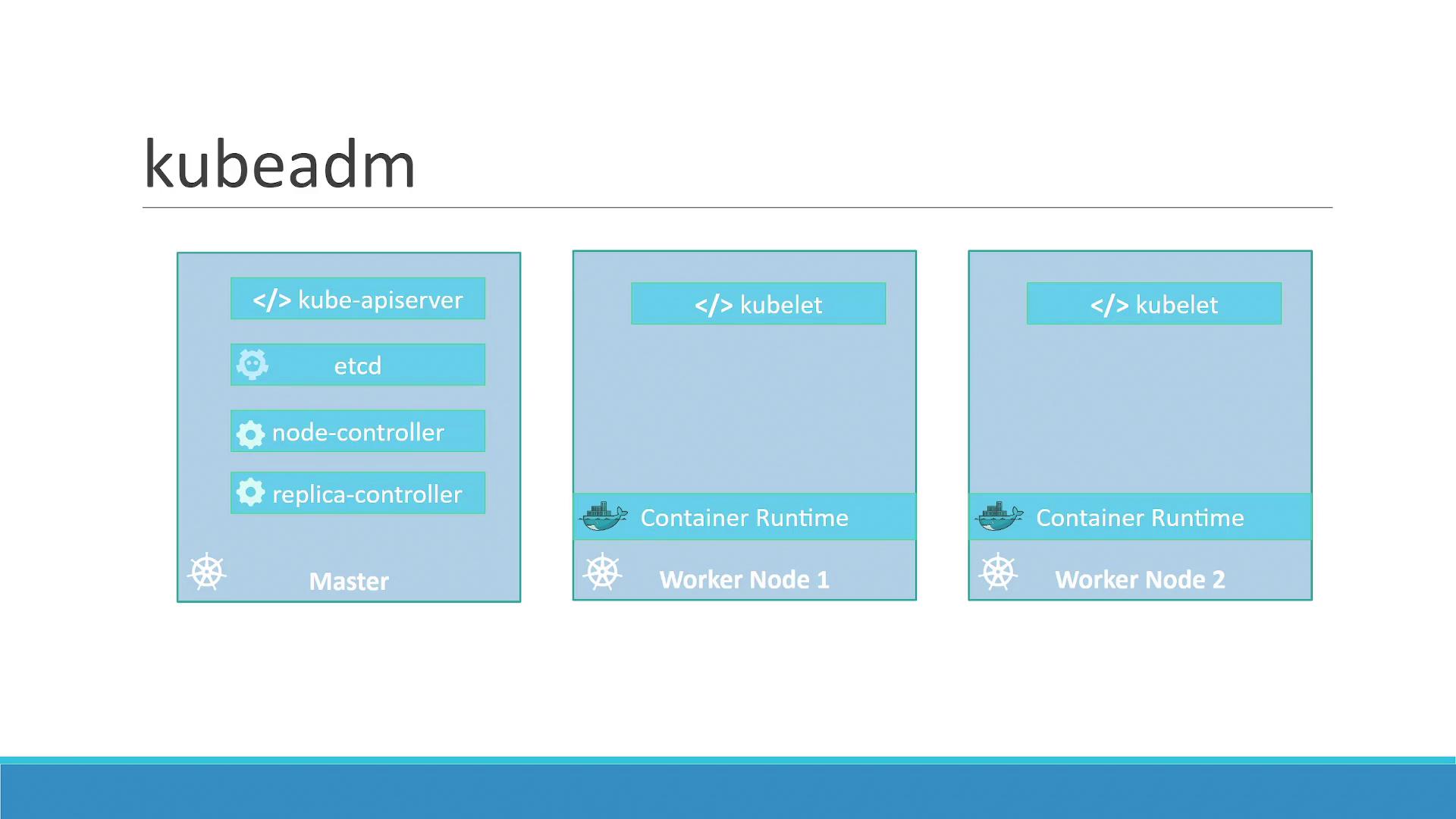
Manually installing and configuring each component across multiple nodes can be error-prone and time-consuming. **Kubeadm** automates this process by synchronizing installations, configurations, and certificate setups, leading to a streamlined cluster creation process.
## High-Level Setup Steps
Follow these steps to create a Kubernetes cluster using kubeadm:
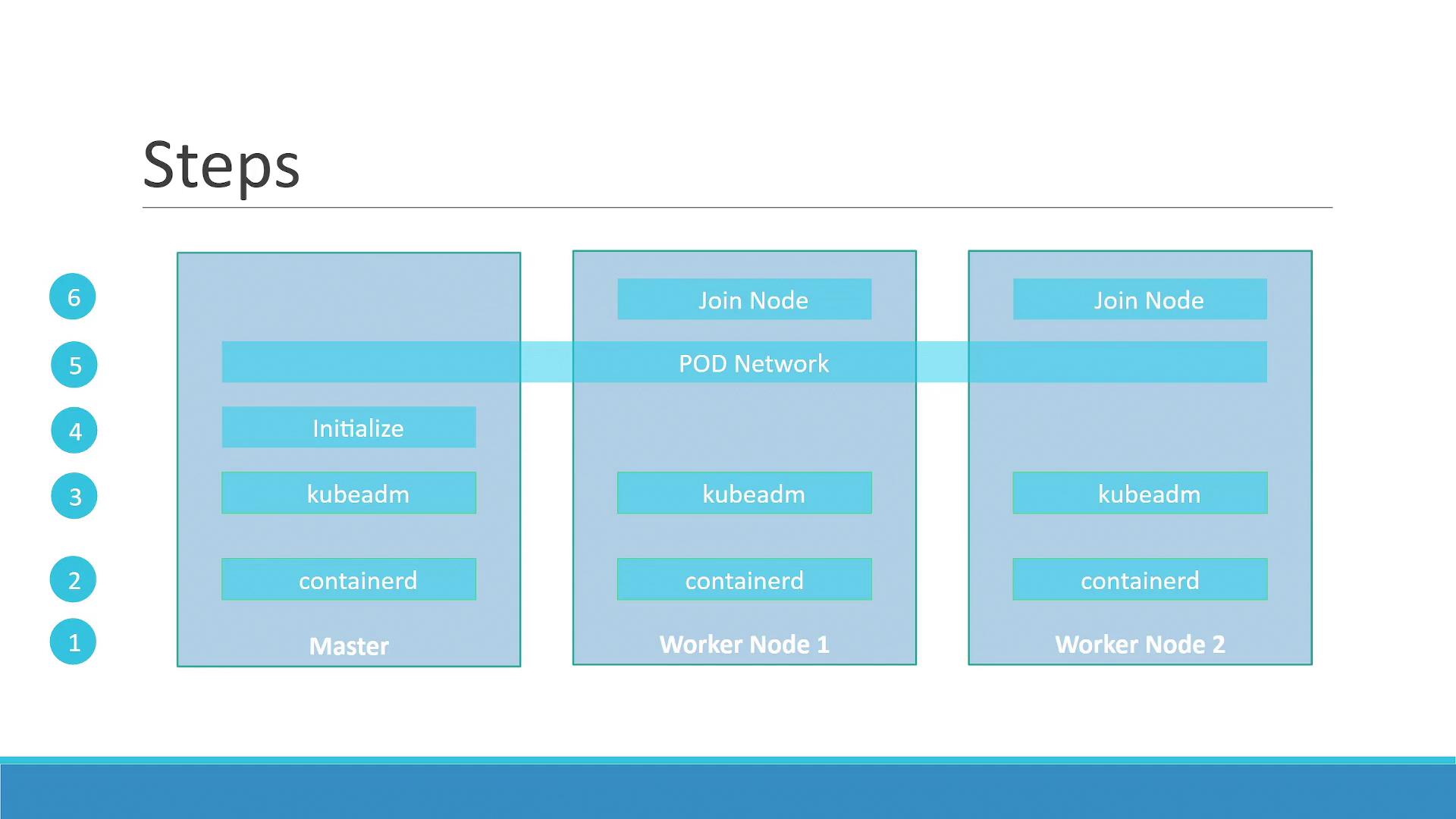
1. **Provision Nodes:** Set up multiple physical or virtual machines. These nodes will form your Kubernetes cluster.
2. **Designate Roles:** Identify one node as the master and assign the remaining nodes as workers.
3. **Install Container Runtime:** Deploy a container runtime on every node. In this tutorial, we use [ContainerD](https://containerd.io/).
4. **Deploy Kubeadm:** Install the kubeadm tool on all nodes. Kubeadm orchestrates the installation of the necessary Kubernetes components.
5. **Initialize the Master Node:** Run the initialization process on the master node. Kubeadm installs and configures all components required to control the cluster.
6. **Set Up Networking:** Before adding worker nodes, ensure your pod network prerequisites are satisfied. Kubernetes requires a dedicated pod network for inter-node communication beyond basic connectivity.
7. **Join Worker Nodes:** Add worker nodes to the cluster once the pod network is configured.
8. **Deploy Applications:** With your cluster up and running, you can now deploy and manage your applications seamlessly.
This guide provides a foundational overview to help you set up a local Kubernetes cluster using kubeadm. For detailed configuration and advanced setups, refer to the [Kubernetes Documentation](https://kubernetes.io/docs/).