> ## Documentation Index
> Fetch the complete documentation index at: https://notes.kodekloud.com/llms.txt
> Use this file to discover all available pages before exploring further.
# Kubernetes Setup Introduction and Minikube
> This article provides a comprehensive guide on setting up Kubernetes,
Welcome to our comprehensive guide on setting up Kubernetes! Whether you're a beginner eager to learn container orchestration or a professional exploring cluster deployment options, this article provides valuable insights into building and managing Kubernetes clusters.
## Overview
In this guide, we explore several methods for deploying a Kubernetes cluster:
* **Local Deployment:** Ideal for developers experimenting with Kubernetes using solutions like Minikube or MicroK8s.
* **Virtual Machines:** Tools such as kubeadm efficiently bootstrap and manage your clusters.
* **Cloud Services:** Many cloud providers—including [GCP](https://cloud.google.com/kubernetes-engine), [AWS](https://aws.amazon.com/eks/), [Azure](https://azure.microsoft.com/en-us/services/kubernetes-service/), and [IBM Cloud](https://www.ibm.com/cloud/kubernetes-service)—offer managed Kubernetes solutions. We even include a demonstration on provisioning a Kubernetes cluster in GCP.
If you prefer a hassle-free experience, a ready-to-use cluster is available directly through your browser. With guided challenges and interactive labs, you can quickly familiarize yourself with Kubernetes without any local setup.
## Getting Started with Minikube
Minikube is the easiest way to launch a local Kubernetes cluster. In this section, we cover its setup and benefits.
Before diving into the demo, let's review the core components of a standard Kubernetes setup:
* **Master Node Components:**
* API Server
* etcd Key-Value Store
* Controllers
* Scheduler
* **Worker Node Components:**
* kubelet
* Container Runtime
Minikube streamlines this process by bundling all these components into a single image, providing a pre-configured, single-node Kubernetes cluster.
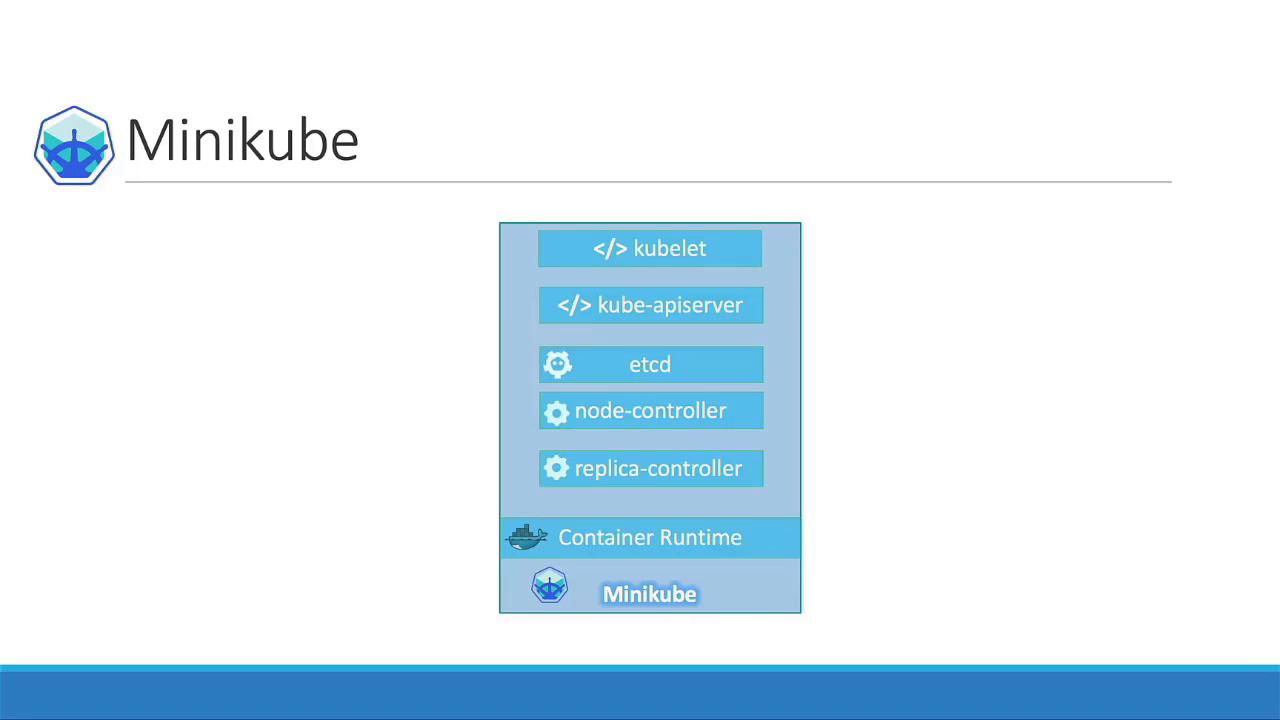
## How Minikube Works
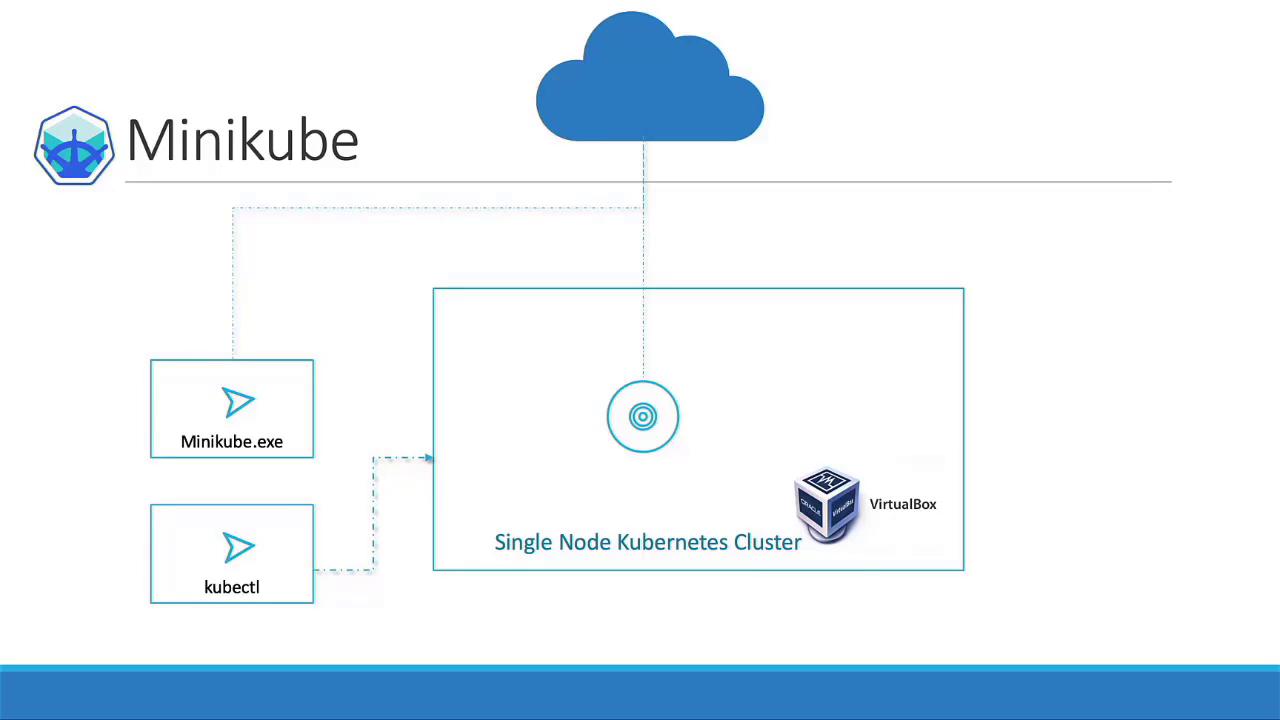
Minikube packages the complete Kubernetes bundle into an ISO image that is automatically downloaded and deployed using its command-line utility. It integrates seamlessly with various virtualization platforms, such as:
* Oracle VirtualBox
* VMware Fusion
* Hyper-V (for Windows users)
* KVM (for Linux users)
Ensure that a compatible hypervisor (e.g., VirtualBox, Hyper-V, or KVM) is installed on your system before running Minikube.
To interact with your Kubernetes cluster, you also need to install the kubectl command-line tool. Here’s a quick summary of the requirements to get started with Minikube:
| Requirement | Description |
| ------------------- | -------------------------------------------------------------- |
| Hypervisor | A virtualization tool such as VirtualBox, Hyper-V, or KVM |
| kubectl | The official Kubernetes command-line tool |
| Minikube executable | The utility that automates ISO download and cluster deployment |
## Conclusion
By following this guide, you’ll gain hands-on experience setting up a Kubernetes cluster with Minikube. Whether you’re developing locally or exploring managed Kubernetes services in the cloud, understanding these core components will empower you in your container orchestration journey.
For more detailed information and advanced configurations, check out the [Kubernetes Documentation](https://kubernetes.io/docs/).
Happy clustering!