> ## Documentation Index
> Fetch the complete documentation index at: https://notes.kodekloud.com/llms.txt
> Use this file to discover all available pages before exploring further.
# A note on Docker Deprecation
> This guide clarifies the implications of Dockers deprecation as
In this article, we address a frequently asked question: Why do we still discuss Docker if it has been deprecated as the container runtime in Kubernetes? Many learners have experienced confusion around Docker's deprecation, so this guide clarifies the topic and its implications.
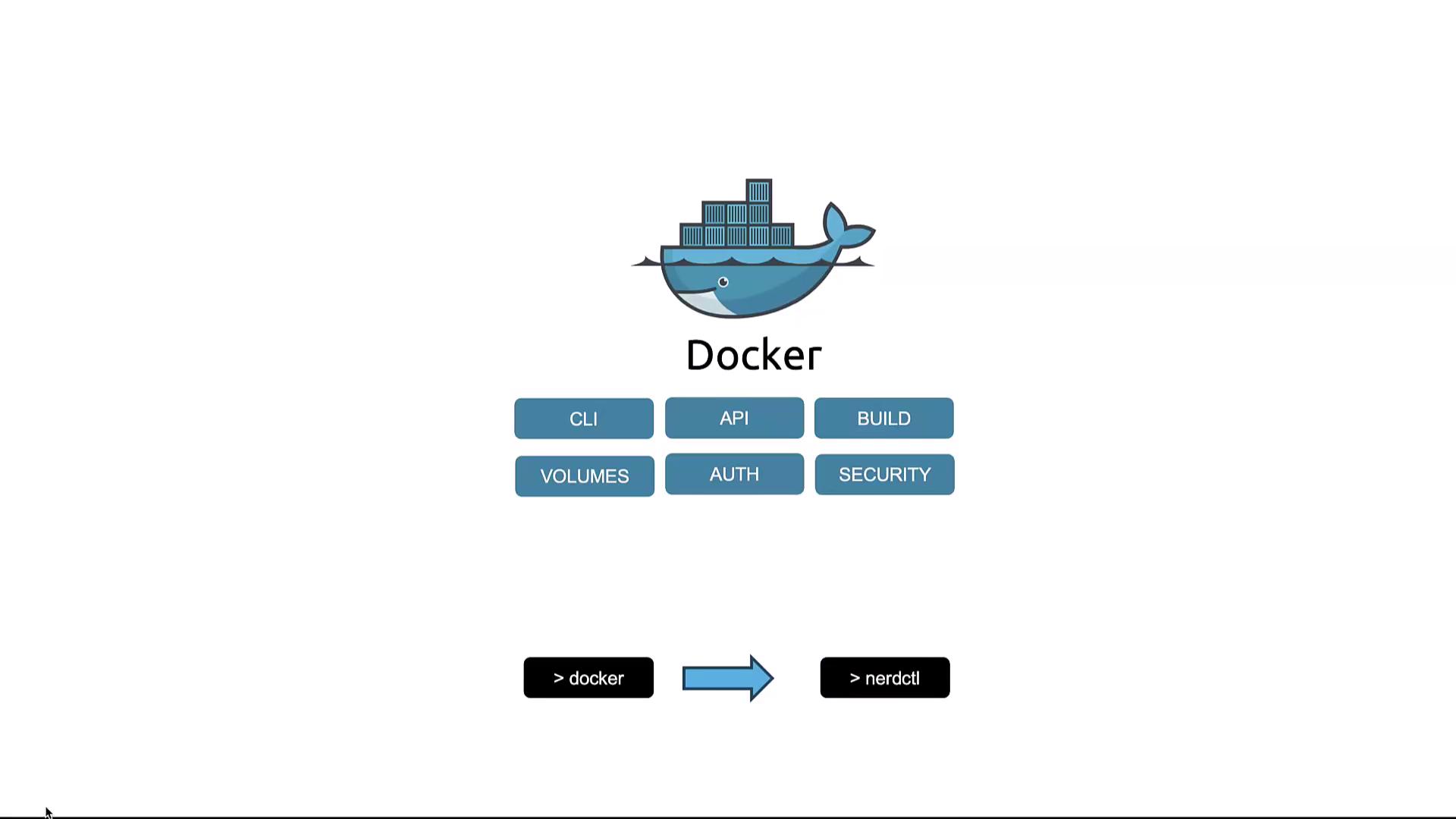
Originally, Docker was the sole container runtime supported by Kubernetes. However, to accommodate additional runtimes, Kubernetes introduced the Container Runtime Interface (CRI). Docker historically combined several integrated tools, including:
* Docker CLI
* Docker API
* Build tools for image creation
* Volume management
* Security features
* The container runtime known as runc
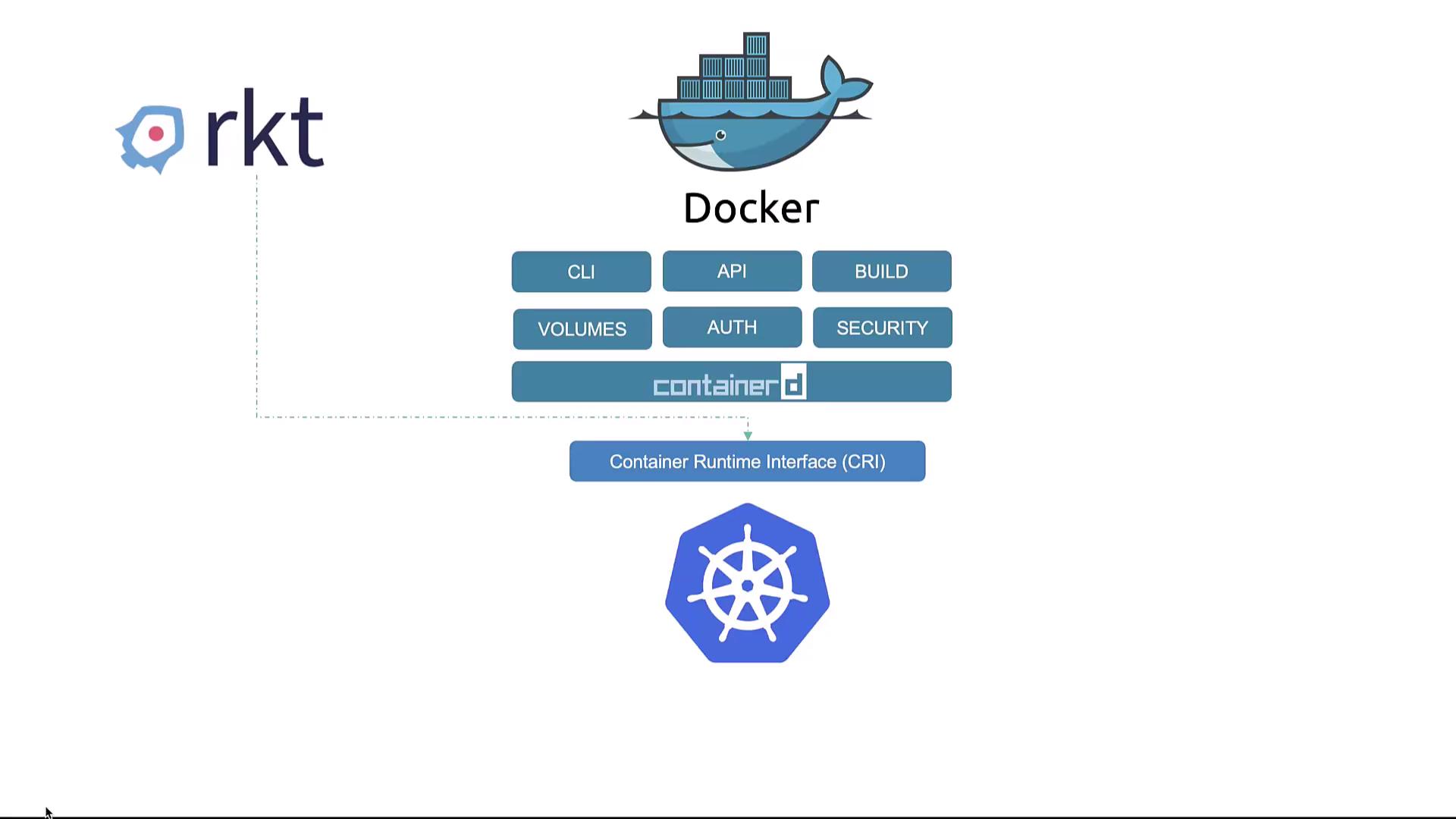
Docker also featured a daemon that managed the runtime called containerd. Containerd is fully CRI-compatible and can interact directly with Kubernetes as other runtimes do. This means containerd functions as a standalone runtime independent of Docker, allowing Kubernetes to manage functionalities like the Docker CLI, API, and build tools on its own.
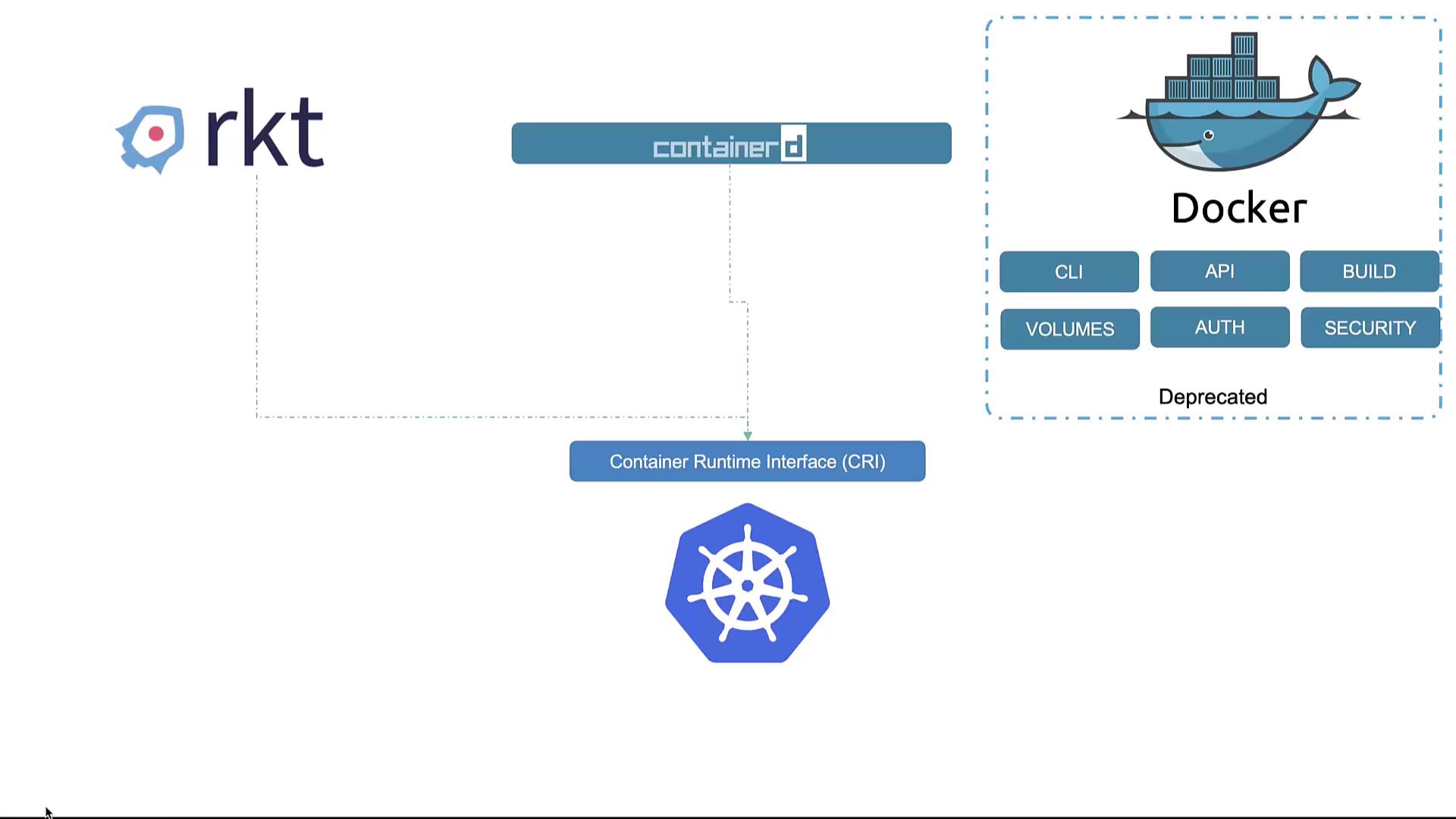
Although Kubernetes has deprecated Docker as its runtime, Docker itself
remains an integral tool in container management. It continues to be the most
popular container solution used in development and build processes.
When exploring container technologies, Docker is frequently used as a baseline example. This strategy is effective because it builds a solid foundation in understanding container fundamentals, which is essential before diving into advanced container orchestration with Kubernetes. Even if Docker is not installed on your machine, or if you are exclusively using containerd, you can typically substitute Docker commands with equivalent kubectl commands during tutorials and examples.