> ## Documentation Index
> Fetch the complete documentation index at: https://notes.kodekloud.com/llms.txt
> Use this file to discover all available pages before exploring further.
# Introduction to YAML
> This article provides an introduction to YAML, covering its syntax,
Welcome to this comprehensive lesson on YAML. In this guide, you'll learn about YAML files, how to define configuration data, and why YAML is preferred for its human-readable format. If you're already comfortable with YAML, feel free to skip ahead. Otherwise, it’s highly recommended to follow along because the remainder of this course relies on a solid understanding of YAML. If you’re experienced with XML or JSON, you'll find learning YAML to be a smooth transition.
Below is a simple YAML example that defines a list of servers:
```yaml theme={null}
Servers:
- name: Server1
owner: John
created: 12232012
status: active
```
YAML is a popular format used to represent configuration data in a clear and readable way. To illustrate its readability and structure, consider the following comparison of XML, JSON, and YAML representations. Taking a moment to observe these differences can help you appreciate YAML's simplicity.
Let’s delve deeper into the YAML syntax.
## Key-Value Pairs and Arrays
At its core, YAML uses key-value pairs. For example, you can define basic items like this:
```yaml theme={null}
# Key Value Pair
Fruit: Apple
Vegetable: Carrot
Liquid: Water
Meat: Chicken
```
Remember to include a space after the colon to separate the key from its value.
To represent lists or arrays, first define the key and then use a dash to indicate each element. For example, to list some fruits and vegetables:
```yaml theme={null}
# Key Value Pair
Fruit: Apple
Vegetable: Carrot
Liquid: Water
Meat: Chicken
# Array / Lists
Fruits:
- Orange
- Apple
- Banana
Vegetables:
- Carrot
- Cauliflower
- Tomato
```
## Dictionaries (Maps)
A dictionary (or map) in YAML groups related properties under a single key. Consider this example, which shows the nutritional information for two fruits. Each fruit—Banana and Grapes—has its own properties such as calories, fat, and carbs:
```yaml theme={null}
# Dictionary / Map
Banana:
Calories: 105
Fat: 0.4 g
Carbs: 27 g
Grapes:
Calories: 62
Fat: 0.3 g
Carbs: 16 g
```
In YAML, the number of spaces before each property is essential. All properties within a dictionary must be aligned with consistent indentation. For example, the nutritional information for a banana is correctly represented with uniform indentation:
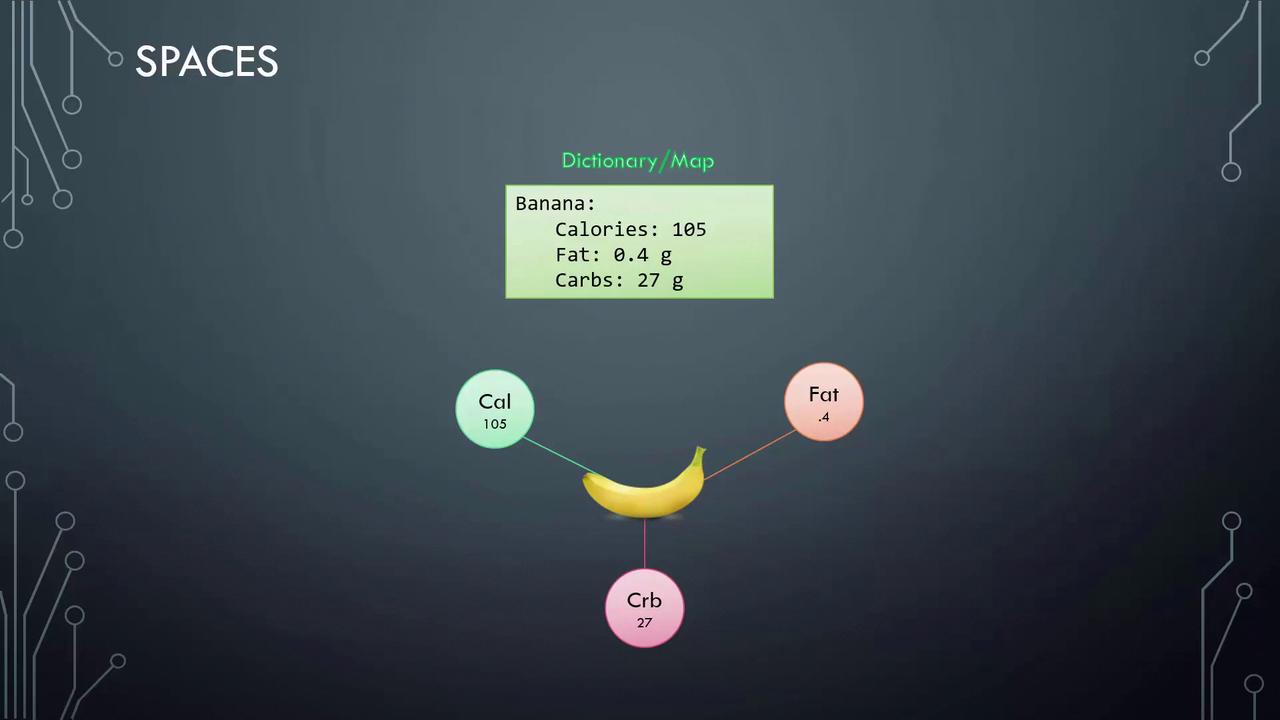
Avoid adding extra spaces before properties (e.g., around "fat" and "carbs") as this could incorrectly nest them under the previous key (such as "Calories"), potentially causing a syntax error.
## Nested Structures
YAML makes it easy to define nested structures like lists containing dictionaries. For example, consider a list of fruits where each item includes its nutritional details:
```yaml theme={null}
# List containing dictionaries
Fruits:
- Banana:
Calories: 105
Fat: 0.4 g
Carbs: 27 g
- Grape:
Calories: 62
Fat: 0.3 g
Carbs: 16 g
```
A common question when learning YAML is determining when to use a dictionary versus a list. Data formats such as XML, JSON, and YAML are designed to represent a wide range of data—from organization employees and student records to details about cars in a manufacturing company.
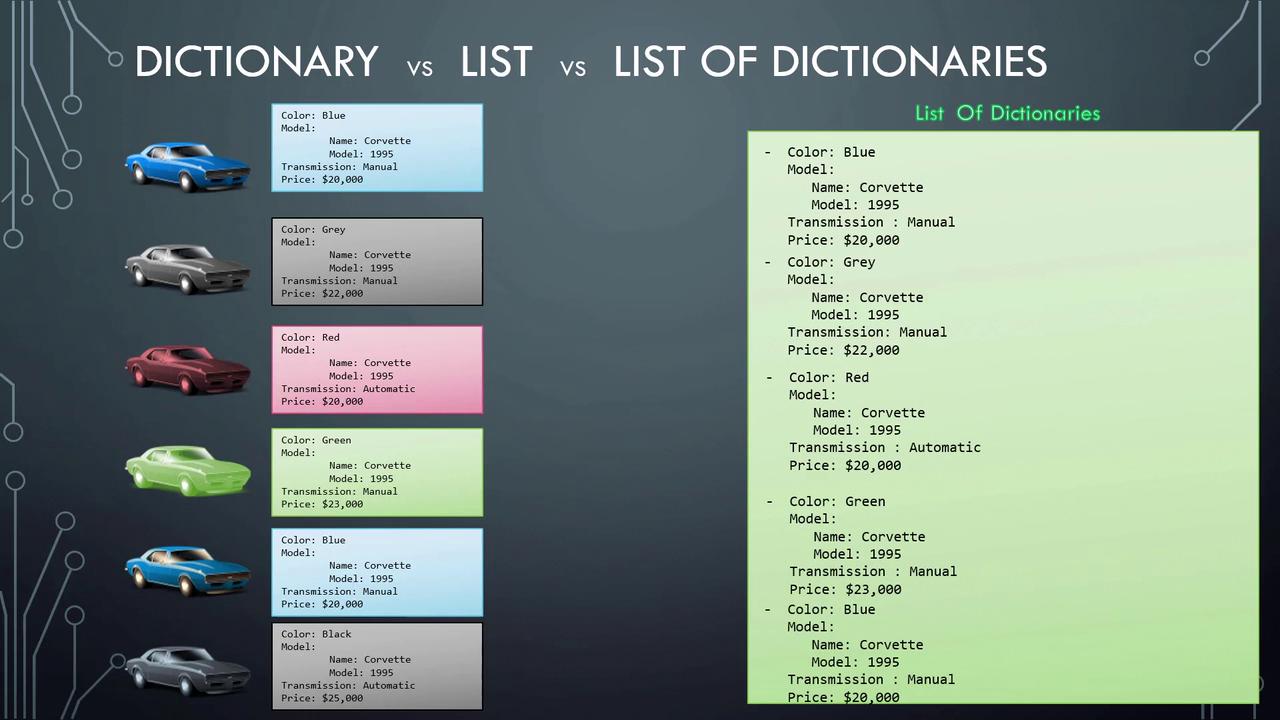
For example, a single car object might be represented with a dictionary that outlines its properties such as color, model, transmission type, and price:
```yaml theme={null}
Color: Blue
Model:
Name: Corvette
Year: 1995
Transmission: Manual
Price: $20,000
```
If you need to represent multiple cars, each with detailed information, you would use a list of dictionaries, where each dictionary represents a car:
```yaml theme={null}
- Color: Blue
Model:
Name: Corvette
Year: 1995
Transmission: Manual
Price: $20,000
- Color: Grey
Model:
Name: Corvette
Year: 1995
Transmission: Manual
Price: $22,000
- Color: Red
Model:
Name: Corvette
Year: 1995
Transmission: Automatic
Price: $20,000
- Color: Green
Model:
Name: Corvette
Year: 1995
Transmission: Manual
Price: $23,000
- Color: Blue
Model:
Name: Corvette
Year: 1995
Transmission: Manual
Price: $20,000
- Color: Black
Model:
Name: Corvette
Year: 1995
Transmission: Automatic
Price: $25,000
```
This example clearly differentiates between using dictionaries, simple lists, and lists of dictionaries.
## Key Points on Data Structures in YAML
Below are several key points to remember when working with YAML data structures:
| Data Structure | Characteristics | Example |
| ---------------- | ------------------------------------------------------------------------------------ | -------------------------- |
| Dictionary (Map) | An unordered collection; the order of properties does not affect the data's meaning. | Nutritional info of Banana |
| List (Array) | An ordered collection; the sequence of items is significant. | List of Fruits |
| Comments | Any line starting with a hash (#) is considered a comment and ignored by the parser. | # This is a comment |
Here’s an example of an unordered dictionary:
```yaml theme={null}
Banana:
Calories: 105
Fat: 0.4 g
Carbs: 27 g
```
And this is an ordered list where the position of each item matters:
```yaml theme={null}
Fruits:
- Orange
- Apple
- Banana
```
We are now ready to proceed to the coding exercises. Have fun exploring and working with YAML files!