> ## Documentation Index
> Fetch the complete documentation index at: https://notes.kodekloud.com/llms.txt
> Use this file to discover all available pages before exploring further.
# Common Transformers
> This article explores Kustomizes Common Transformers for applying shared modifications to Kubernetes manifests efficiently.
In this lesson, we’ll explore Kustomize’s built-in Common Transformers. They let you apply shared modifications—such as labels, prefixes/suffixes, namespaces, and annotations—to all of your Kubernetes manifests without touching each file manually.
## The Challenge
Imagine you have these two resource definitions:
```yaml theme={null}
# db-depl.yaml
apiVersion: apps/v1
kind: Deployment
metadata:
name: api-deployment
spec:
replicas: 1
selector:
matchLabels:
component: api
template:
metadata:
labels:
component: api
spec:
containers:
- name: nginx
image: nginx
```
```yaml theme={null}
# db-service.yaml
apiVersion: v1
kind: Service
metadata:
name: db-service
spec:
selector:
component: db-depl
ports:
- protocol: TCP
port: 27017
targetPort: 27017
type: LoadBalancer
```
Your goal is to:
* Add a shared label: `org: KodeKloud`
* Append `-dev` to every resource name
Manually editing each file is tedious and error-prone. Kustomize simplifies this with common transformers.
## Common Transformers Overview
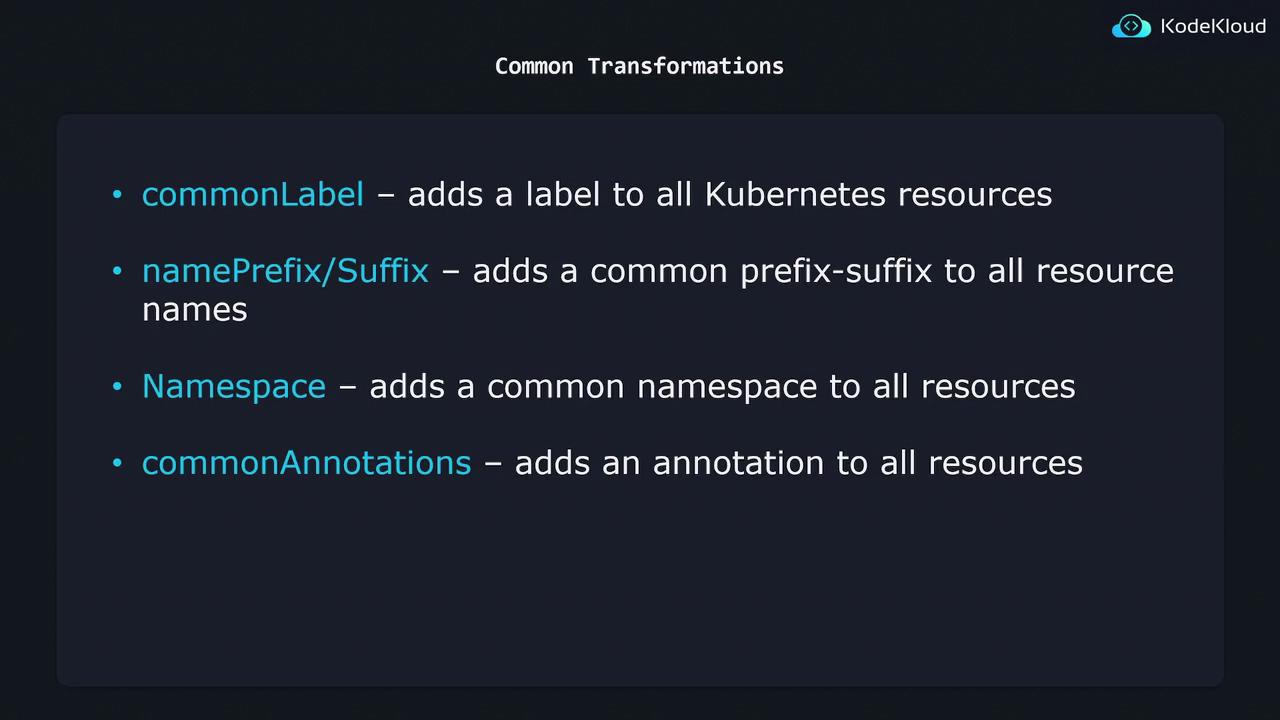
| Transformer | Field Name | Purpose |
| ------------------ | ------------------------------ | -------------------------------------------- |
| Common Labels | `commonLabels` | Add one or more labels to all resources |
| Name Prefix/Suffix | `namePrefix`
`nameSuffix` | Prepend or append text to resource names |
| Namespace | `namespace` | Assign a namespace to every resource |
| Common Annotations | `commonAnnotations` | Add one or more annotations to all resources |
### 1. Apply Common Labels
Add the `commonLabels` block to your `kustomization.yaml`:
```yaml theme={null}
resources:
- db-depl.yaml
- db-service.yaml
commonLabels:
org: KodeKloud
```
When you run `kustomize build`, these labels will be merged into every resource’s `metadata.labels`.
**Generated output (Service example):**
```yaml theme={null}
apiVersion: v1
kind: Service
metadata:
name: db-service
labels:
org: KodeKloud
spec:
selector:
component: db-depl
ports:
- protocol: TCP
port: 27017
targetPort: 27017
type: LoadBalancer
```
### 2. Set a Namespace
To place all resources into a specific namespace:
```yaml theme={null}
namespace: lab
```
**Resulting snippet:**
```yaml theme={null}
apiVersion: v1
kind: Service
metadata:
name: db-service
namespace: lab
labels:
org: KodeKloud
# …
```
### 3. Add Name Prefix & Suffix
Prepend and append text to every resource name:
```yaml theme={null}
namePrefix: kodekloud-
nameSuffix: -dev
```
**Rendered output:**
```yaml theme={null}
apiVersion: v1
kind: Service
metadata:
name: kodekloud-db-service-dev
labels:
org: KodeKloud
namespace: lab
# …
```
Choosing very long prefixes or suffixes can push resource names over Kubernetes’ max-length limit (63 characters). Always verify final name lengths.
### 4. Inject Common Annotations
Include the following to add annotations across all manifests:
```yaml theme={null}
commonAnnotations:
branch: master
```
**Sample annotation merge:**
```yaml theme={null}
metadata:
annotations:
branch: master
# …
```
***
By combining these four settings in a single `kustomization.yaml`, you can transform your base manifests consistently and safely—no manual edits required.
## Links and References
* [Kustomize Official Documentation](https://kubectl.docs.kubernetes.io/references/kustomize/)
* [Kubernetes Resource Configuration](https://kubernetes.io/docs/concepts/overview/working-with-objects/kubernetes-objects/)
* [Managing Kubernetes with Kustomize](https://kubernetes.io/docs/tasks/manage-kubernetes-objects/kustomization/)