> ## Documentation Index
> Fetch the complete documentation index at: https://notes.kodekloud.com/llms.txt
> Use this file to discover all available pages before exploring further.
# Overlays
> This guide explains how to use Overlays in Kustomize for managing environment-specific configurations while maintaining a shared base configuration.
In this guide, you’ll learn how to maintain a shared **base** configuration and apply environment-specific changes using **Overlays** in Kustomize. Overlays let you centralize common resources in a `base/` directory and then customize or extend them for `dev`, `stg`, `prod`, or any other environment.
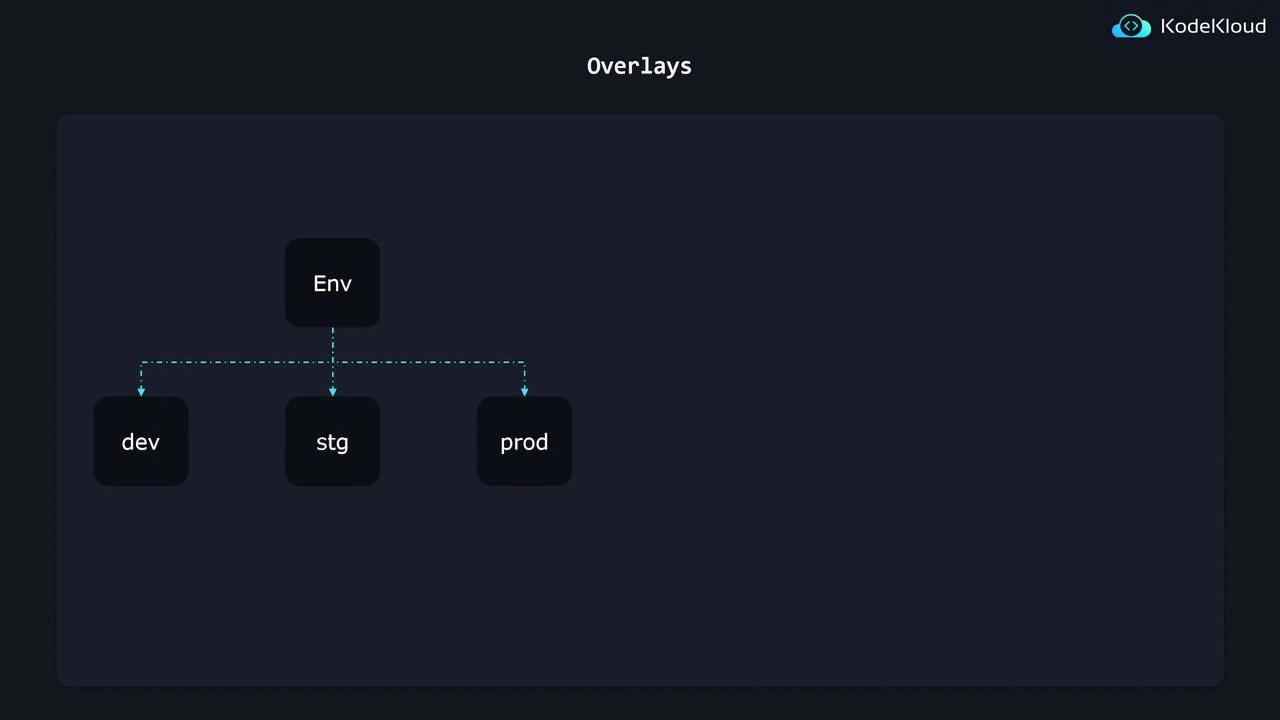
Below is a typical Kustomize directory layout:
```bash theme={null}
k8s/
├── base/
│ ├── kustomization.yaml
│ ├── nginx-depl.yaml
│ ├── service.yaml
│ └── redis-depl.yaml
└── overlays/
├── dev/
│ ├── kustomization.yaml
│ └── config-map.yaml
├── stg/
│ ├── kustomization.yaml
│ └── config-map.yaml
└── prod/
├── kustomization.yaml
└── config-map.yaml
```
| Directory | Contents | Purpose |
| ------------- | ---------------------------------------------------- | ------------------------------------------ |
| base/ | `nginx-depl.yaml`, `service.yaml`, `redis-depl.yaml` | Shared deployments and services |
| overlays/dev | `config-map.yaml` + kustomization file | Dev-specific patches (e.g., replica count) |
| overlays/stg | `config-map.yaml` + kustomization file | Staging tweaks |
| overlays/prod | `config-map.yaml` + kustomization file | Production patches and extra resources |
***
## 1. Base kustomization
The **base** holds all common Kubernetes manifests.
```yaml theme={null}
# base/kustomization.yaml
resources:
- nginx-depl.yaml
- service.yaml
- redis-depl.yaml
```
Example of a base Deployment:
```yaml theme={null}
# base/nginx-depl.yaml
apiVersion: apps/v1
kind: Deployment
metadata:
name: nginx-deployment
spec:
replicas: 1
selector:
matchLabels:
app: nginx
template:
metadata:
labels:
app: nginx
spec:
containers:
- name: nginx
image: nginx:latest
```
Make sure each file listed under `resources:` has a valid manifest. You can [validate your YAML](https://kubectl.docs.kubernetes.io/guides/validation/) with `kubectl apply --dry-run=client -f`.
***
## 2. Dev Overlay
The Dev overlay references the base and patches the replica count using JSON 6902.
```yaml theme={null}
# overlays/dev/kustomization.yaml
resources:
- ../../base
patchesJson6902:
- target:
group: apps
version: v1
kind: Deployment
name: nginx-deployment
patch: |-
- op: replace
path: /spec/replicas
value: 2
```
```bash theme={null}
# Generate dev manifests
kustomize build overlays/dev
```
| Field | Description |
| ----------------- | ------------------------------------------------- |
| `resources:` | Relative path to the shared base directory |
| `patchesJson6902` | JSON 6902 patch to modify `/spec/replicas` to `2` |
***
## 3. Production Overlay
For production, you can both patch existing resources and add new ones (e.g., a Grafana deployment).
```bash theme={null}
k8s/
└── overlays/
└── prod/
├── kustomization.yaml
├── config-map.yaml
└── grafana-depl.yaml
```
```yaml theme={null}
# overlays/prod/kustomization.yaml
resources:
- ../../base
- grafana-depl.yaml
patchesJson6902:
- target:
group: apps
version: v1
kind: Deployment
name: nginx-deployment
patch: |-
- op: replace
path: /spec/replicas
value: 3
```
```yaml theme={null}
# overlays/prod/grafana-depl.yaml
apiVersion: apps/v1
kind: Deployment
metadata:
name: grafana
spec:
replicas: 1
selector:
matchLabels:
app: grafana
template:
metadata:
labels:
app: grafana
spec:
containers:
- name: grafana
image: grafana/grafana:latest
```
Ensure new resources like `grafana-depl.yaml` are listed under `resources:` in the overlay’s `kustomization.yaml`. Otherwise, they won’t be rendered.
***
## 4. Flexible Directory Structures
Kustomize supports organizing both **base** and **overlays** in nested feature folders. For example:
```bash theme={null}
k8s/
├── base/
│ ├── kustomization.yaml
│ ├── db/
│ │ ├── db-depl.yaml
│ │ ├── db-svc.yaml
│ │ └── kustomization.yaml
│ └── api/
│ ├── api-depl.yaml
│ ├── api-svc.yaml
│ └── kustomization.yaml
└── overlays/
├── dev/
│ ├── kustomization.yaml
│ ├── db/
│ │ ├── db-patch.yaml
│ │ └── kustomization.yaml
│ └── api/
│ ├── api-patch.yaml
│ └── kustomization.yaml
└── prod/
├── kustomization.yaml
└── api/
├── api-patch.yaml
└── kustomization.yaml
```
* **Feature-based grouping**: Split `base/` into `db/` and `api/` with individual `kustomization.yaml`.
* **Overlay mirroring**: Maintain a similar hierarchy under each overlay for targeted patches.
* **Cross-references**: Each overlay’s kustomization file imports the correct child resources and patches.
***
## References
* [Kustomize Official Documentation](https://kubectl.docs.kubernetes.io/guides/introduction/)
* [JSON 6902 Patch](https://tools.ietf.org/html/rfc6902)
* [Kubernetes Concepts](https://kubernetes.io/docs/concepts/overview/what-is-kubernetes/)