> ## Documentation Index
> Fetch the complete documentation index at: https://notes.kodekloud.com/llms.txt
> Use this file to discover all available pages before exploring further.
# Patches Intro
> Kustomize patches allow precise updates to individual Kubernetes resources without affecting all objects in an overlay.
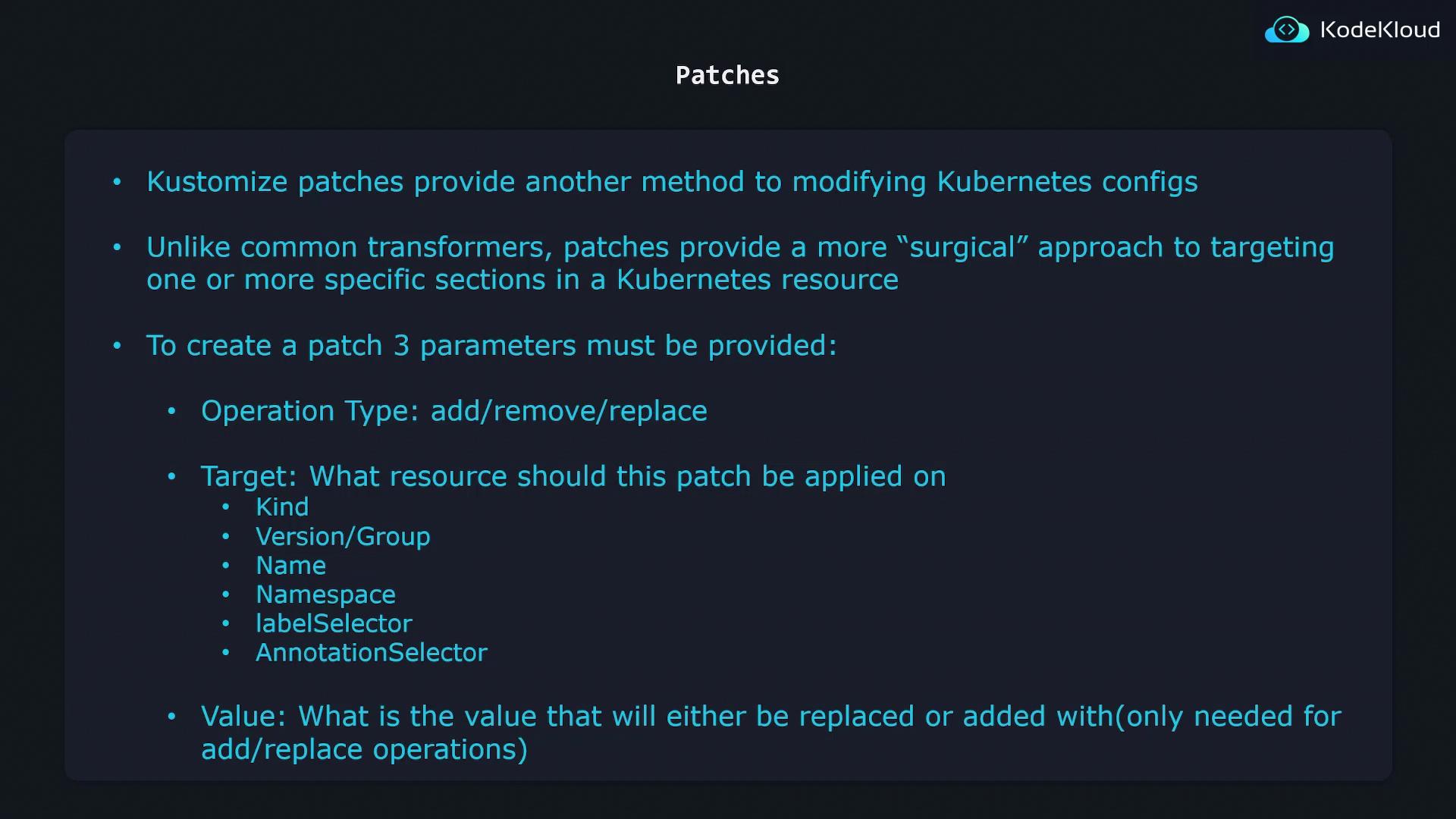
Kustomize patches provide a surgical way to update individual Kubernetes resources without affecting all objects in your overlay. While common transformers are ideal for broad changes—such as applying a label or namespace to every resource—patches let you target one or a few objects with precise modifications. For instance, bumping the replica count in a `Deployment` is best handled via a dedicated patch.
## Key Parameters of a Patch
Every patch in Kustomize requires three core parameters:
1. **Operation type**:
* `add` → append a new field or item
* `remove` → delete an existing field or item
* `replace` → swap an existing value for a new one
2. **Target**: selection criteria to identify the resource(s) you want to patch
3. **Value**: the data to add or replace (not needed for `remove`)
| Operation | Description | Example |
| --------- | --------------------------- | --------------------------------- |
| add | Append a field or container | Add a sidecar container to a Pod |
| remove | Delete a field or label | Remove an unwanted annotation |
| replace | Update an existing value | Change replica count from 5 to 10 |
Use patches for fine-grained updates that shouldn’t apply globally. For bulk changes—like adding a common label—stick to transformers.
### Defining the Target
Specify one or more match criteria under `target` to pinpoint resources:
```yaml theme={null}
target:
kind: Deployment
apiVersion: apps/v1
name: api-deployment
namespace: production
labelSelector: "app=frontend"
```
Combine `kind`, `apiVersion`, `name`, `namespace`, `labelSelector`, or `annotationSelector` for exact control.
***
## JSON 6902 Patch Example
Below is a basic `Deployment` manifest:
```yaml theme={null}
apiVersion: apps/v1
kind: Deployment
metadata:
name: api-deployment
spec:
replicas: 1
selector:
matchLabels:
component: api
template:
metadata:
labels:
component: api
spec:
containers:
- name: nginx
image: nginx
```
Add this inline JSON 6902 patch in your `kustomization.yaml` to rename the Deployment:
```yaml theme={null}
patches:
- target:
kind: Deployment
name: api-deployment
patch: |-
- op: replace
path: /metadata/name
value: web-deployment
```
After running `kustomize build`, the output changes `metadata.name` to `web-deployment`:
```yaml theme={null}
apiVersion: apps/v1
kind: Deployment
metadata:
name: web-deployment
spec:
replicas: 1
selector:
matchLabels:
component: api
template:
metadata:
labels:
component: api
spec:
containers:
- name: nginx
image: nginx
```
JSON 6902 patches consist of an array of operations (`op`, `path`, `value`). Refer to the [RFC 6902](https://tools.ietf.org/html/rfc6902) for full details.
### Updating Replicas
To adjust the replica count, update the `path` to `/spec/replicas` and set the desired value:
```yaml theme={null}
patches:
- target:
kind: Deployment
name: api-deployment
patch: |-
- op: replace
path: /spec/replicas
value: 5
```
After `kustomize build`, you’ll see `replicas: 5` in the generated manifest.
***
## Strategic Merge Patch
Strategic merge patches let you describe only the fields to modify, using standard Kubernetes YAML:
```yaml theme={null}
patches:
- patch: |
apiVersion: apps/v1
kind: Deployment
metadata:
name: api-deployment
spec:
replicas: 5
```
Here, Kustomize locates the `Deployment` by `apiVersion`, `kind`, and `metadata.name`, then merges `spec.replicas: 5` into the base resource.
You can combine JSON 6902 and strategic merge patches in the same `kustomization.yaml`. Use whichever format fits your use case.
***
## Links and References
* [Kustomize Documentation](https://kubectl.docs.kubernetes.io/references/kustomize/)
* [RFC 6902: JSON Patch](https://tools.ietf.org/html/rfc6902)
* [Kubernetes API Conventions](https://github.com/kubernetes/community/blob/master/contributors/devel/sig-architecture/api-conventions.md)