> ## Documentation Index
> Fetch the complete documentation index at: https://notes.kodekloud.com/llms.txt
> Use this file to discover all available pages before exploring further.
# Transformers Demo
> This tutorial teaches applying Kustomize transformers to Kubernetes manifests using a simple API and database example.
In this tutorial, you’ll learn how to apply common Kustomize transformers—labels, annotations, name prefixes/suffixes, namespaces, and image updates—across your Kubernetes manifests. We’ll use a simple API and database example to demonstrate each feature step by step.
## Directory Layout
Our project structure separates API and database manifests into their own folders:
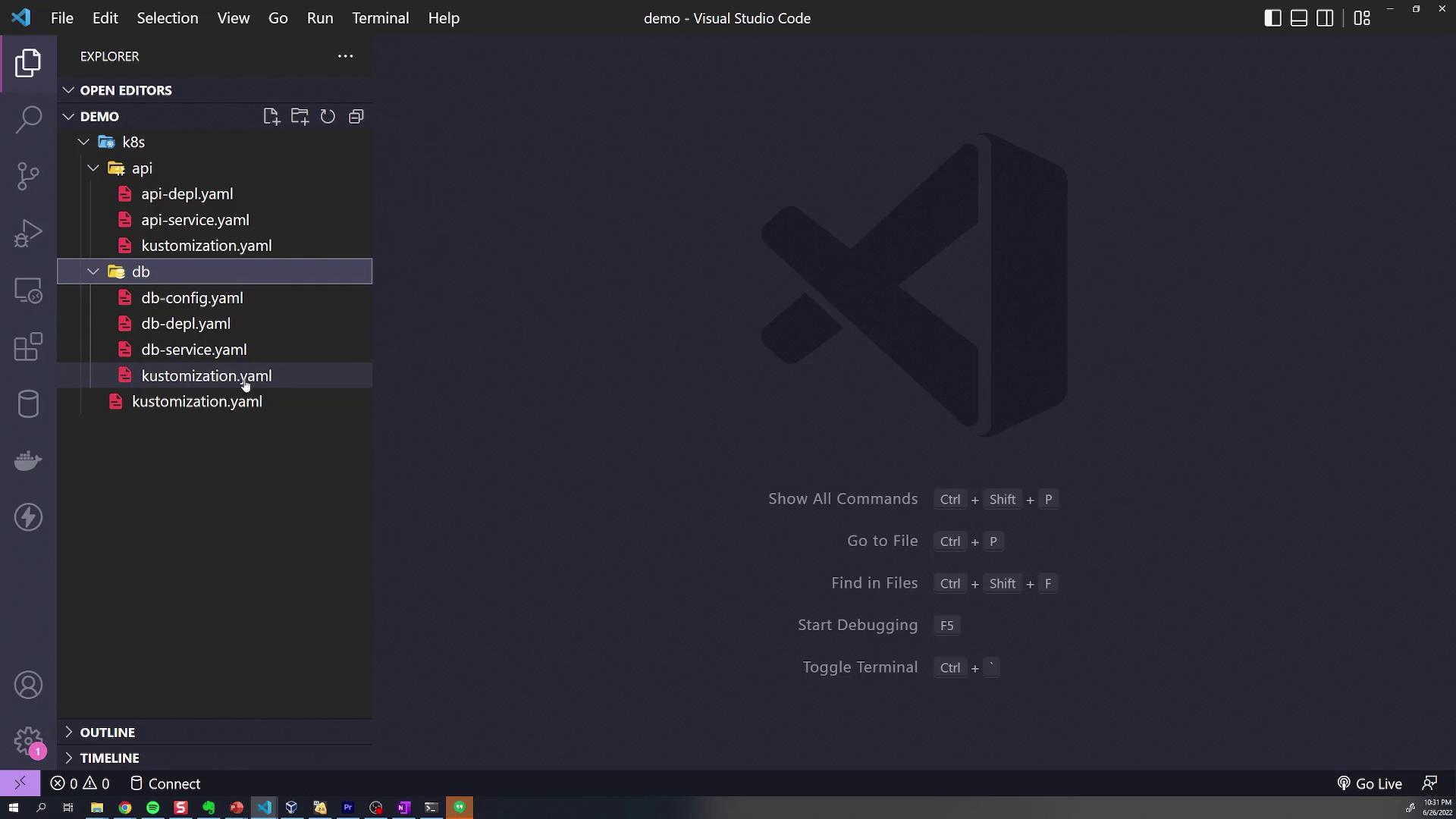
```text theme={null}
k8s/
├── api/
│ ├── api-depl.yaml
│ ├── api-service.yaml
│ └── kustomization.yaml
└── db/
├── db-config.yaml
├── db-depl.yaml
├── db-service.yaml
└── kustomization.yaml
```
Each subdirectory’s `kustomization.yaml` declares its local resources. For example, `api/kustomization.yaml`:
```yaml theme={null}
apiVersion: kustomize.config.k8s.io/v1beta1
kind: Kustomization
resources:
- api-depl.yaml
- api-service.yaml
```
And `db/kustomization.yaml`:
```yaml theme={null}
apiVersion: kustomize.config.k8s.io/v1beta1
kind: Kustomization
resources:
- db-config.yaml
- db-depl.yaml
- db-service.yaml
```
The root `kustomization.yaml` aggregates both:
```yaml theme={null}
apiVersion: kustomize.config.k8s.io/v1beta1
kind: Kustomization
resources:
- api/
- db/
```
***
## 1. Global Labels with `commonLabels`
To tag **all** resources with `department=engineering`, add a `commonLabels` section at the **root**:
```yaml theme={null}
apiVersion: kustomize.config.k8s.io/v1beta1
kind: Kustomization
resources:
- api/
- db/
commonLabels:
department: engineering
```
Build the manifests:
```bash theme={null}
kustomize build k8s/
```
Excerpt of the generated YAML shows the label applied everywhere:
```yaml theme={null}
apiVersion: v1
kind: ConfigMap
metadata:
name: db-credentials
labels:
department: engineering
---
apiVersion: v1
kind: Service
metadata:
name: api-service
labels:
department: engineering
```
***
## 2. Scoped Labels in Subdirectories
Labels in a subdirectory only affect its own resources.
**API folder example** (`api/kustomization.yaml`):
```yaml theme={null}
commonLabels:
feature: api
```
After rebuilding:
* **API** resources include both `department=engineering` and `feature=api`.
* **DB** resources remain only `department=engineering`.
Similarly, add `feature: db` to `db/kustomization.yaml`:
```yaml theme={null}
commonLabels:
feature: db
```
***
## 3. Assigning a Namespace
To place all resources into a namespace (e.g., `debugging`), set `namespace` at the **root**:
```yaml theme={null}
namespace: debugging
```
Rebuild and notice each resource now has:
```yaml theme={null}
metadata:
namespace: debugging
```
***
## 4. Name Prefixes and Suffixes
### Global Prefix
In the root `kustomization.yaml`:
```yaml theme={null}
namePrefix: KodeKloud-
```
Every resource name is prefixed with `KodeKloud-`.
### Subdirectory Suffixes
* **api/kustomization.yaml**:
```yaml theme={null}
nameSuffix: -web
```
* **db/kustomization.yaml**:
```yaml theme={null}
nameSuffix: -storage
```
Resulting resource names:
* `name: KodeKloud-api-deployment-web`
* `name: KodeKloud-db-deployment-storage`
***
## 5. Common Annotations
Add `commonAnnotations` at the root to include annotations globally:
```yaml theme={null}
commonAnnotations:
logging: verbose
```
Each manifest’s metadata now contains:
```yaml theme={null}
annotations:
logging: verbose
```
***
## 6. Overriding Container Images
Use the `images` transformer where needed. In `db/kustomization.yaml`, override the MongoDB image:
```yaml theme={null}
images:
- name: mongo
newName: postgres
newTag: "4.2"
```
Always quote `newTag` so that it’s parsed as a string by Kustomize.
After building, the DB Deployment spec shows:
```yaml theme={null}
spec:
containers:
- name: mongo
image: postgres:4.2
```
Only the specified image is updated; all other container images remain unchanged.
***
## Kustomize Transformers at a Glance
| Transformer | Scope | Example |
| ----------------- | ------------ | ---------------------------------- |
| commonLabels | Global/Sub | `department: engineering` |
| namespace | Global | `namespace: debugging` |
| namePrefix | Global | `KodeKloud-` |
| nameSuffix | Subdirectory | `-web`, `-storage` |
| commonAnnotations | Global | `logging: verbose` |
| images | Directory | Override `mongo` to `postgres:4.2` |
***
Next, try these transformers hands-on to see how they simplify your Kubernetes deployments.
## Links and References
* [Kustomize Official Documentation](https://kubectl.docs.kubernetes.io/references/kustomize/)
* [Kustomize Transformers Reference](https://kubectl.docs.kubernetes.io/references/kustomize/kustomization/transformers/)
* [Kubernetes Concepts: Labels and Selectors](https://kubernetes.io/docs/concepts/overview/working-with-objects/labels/)