> ## Documentation Index
> Fetch the complete documentation index at: https://notes.kodekloud.com/llms.txt
> Use this file to discover all available pages before exploring further.
# Building a Real time Flight Agent
> Guide to building a LangChain ReAct agent that fetches real time flight status via FlightAware AeroAPI and performs datetime calculations
In this lesson you'll build an agent that answers real-time flight queries by calling FlightAware's AeroAPI. The agent uses a custom LangChain tool `get_flight_status` to fetch flight status and the Python REPL tool for simple calculations (for example, adding hours to an arrival time to compute when to book a cab).
Prerequisites
* Sign up at FlightAware and create an AeroAPI key: [FlightAware AeroAPI](https://flightaware.com/commercial/aeroapi/).
* Set the `AEROAPI_KEY` environment variable before running the examples (see callout below).
* Basic familiarity with Python and LangChain (see references at the end).
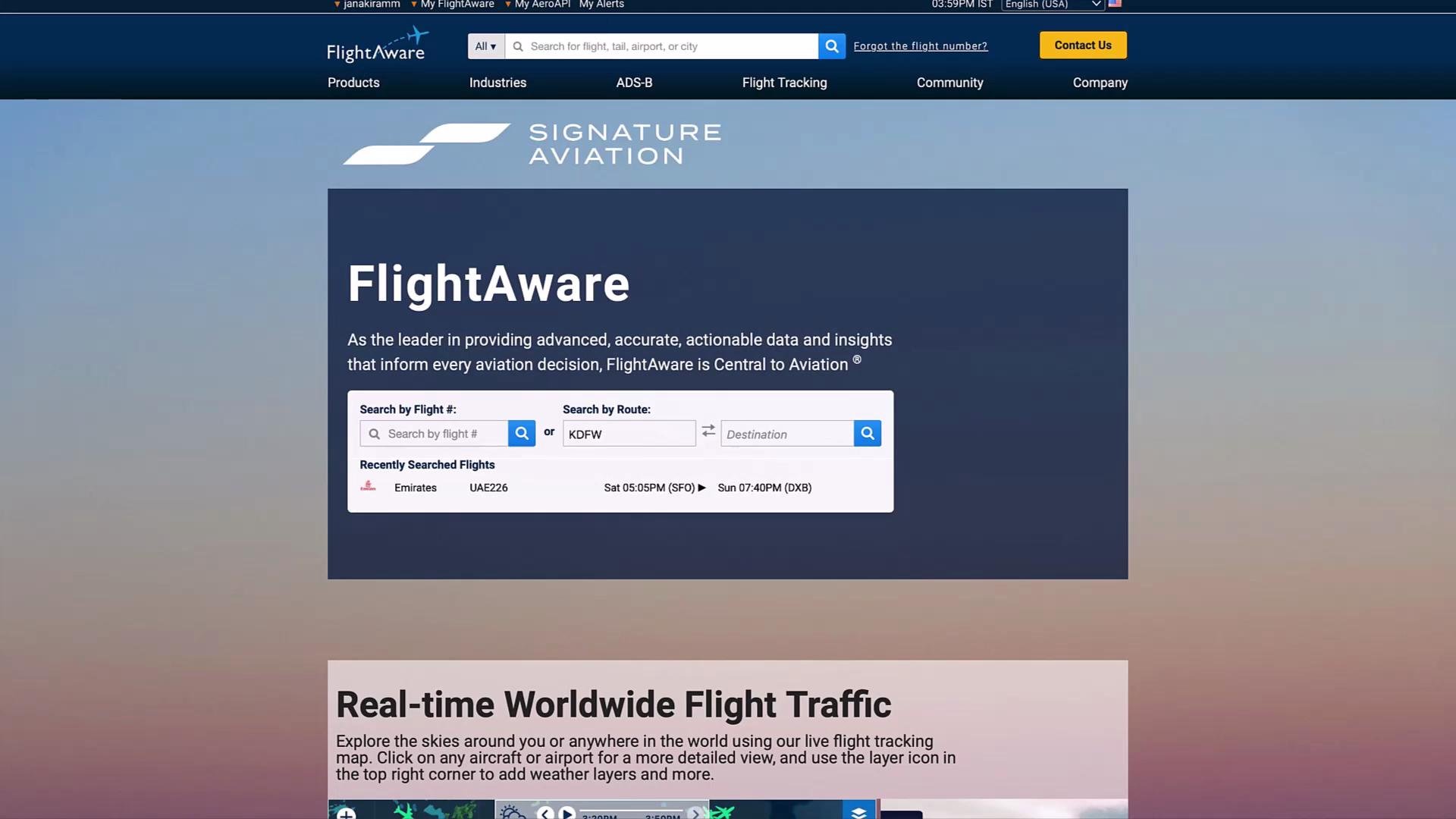 FlightAware provides REST endpoints for flight schedules and real-time traffic that are ideal for building a status-checking tool.
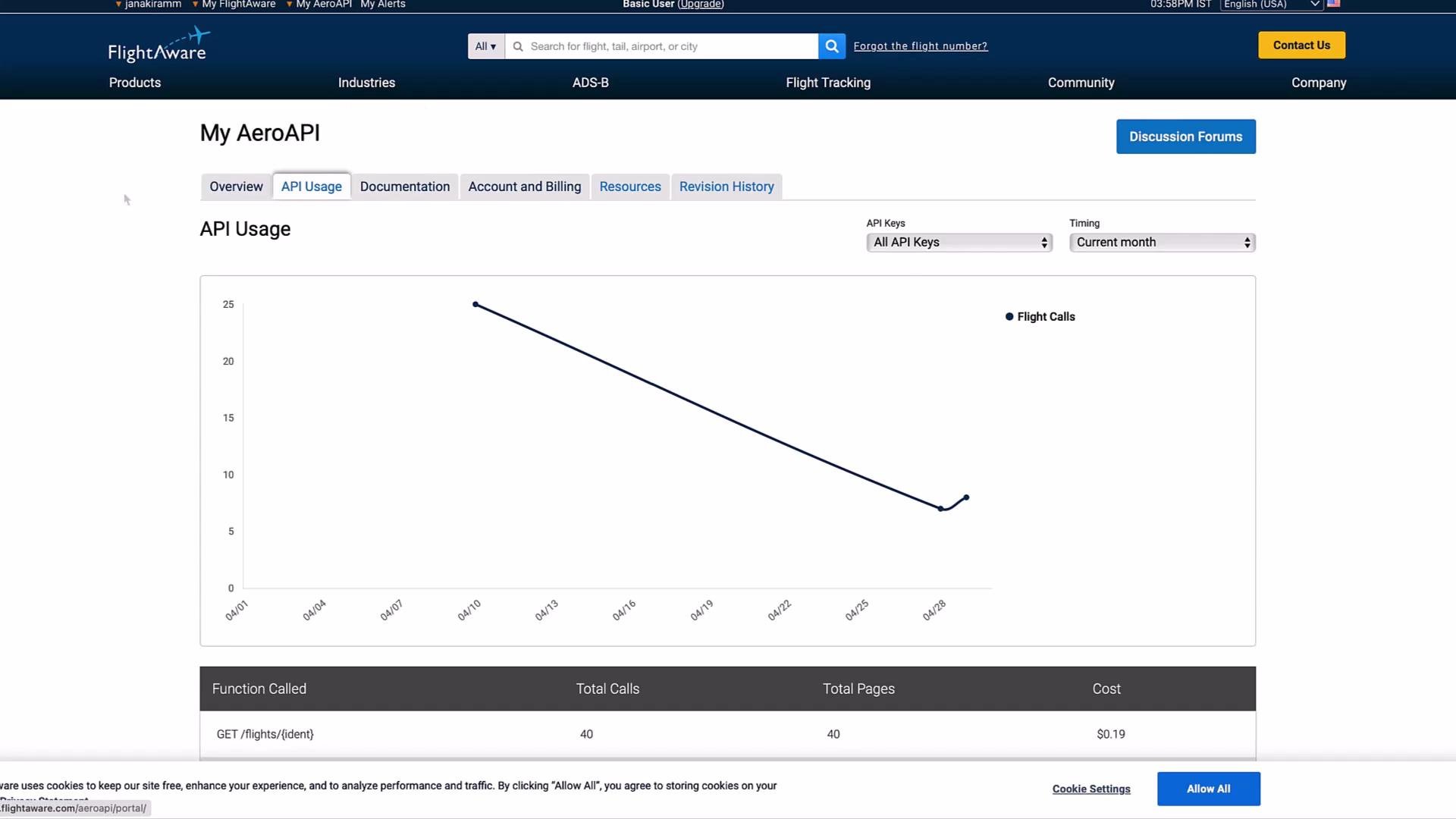
 Once you create an API key, you can monitor usage and quotas from the AeroAPI dashboard.
 Set your FlightAware API key in the environment before running the code. For example, on macOS/Linux:
```bash theme={null}
export AEROAPI_KEY="your_api_key_here"
```
Overview of the solution
* Implement a `get_flight_status` LangChain tool that:
* Calls the AeroAPI for flights on the current day.
* Picks the best available timestamps using the priority estimated > actual > scheduled.
* Converts UTC timestamps to the local timezone of origin/destination.
* Returns a human-readable status string.
* Register the tool along with the Python REPL tool.
* Create a ReAct-style agent prompt so the agent plans (Thought), calls tools (Action), observes results, and provides a final answer.
* Use the Python REPL tool for follow-up computations (e.g., add hours to arrival time).
Tool implementation
* Save the following implementation as `flight_agent.py`. This function uses requests to call the AeroAPI, chooses the best time fields, converts times from UTC to local timezones via `pytz`, and returns a readable status string.
```python theme={null}
# flight_agent.py
from langchain.prompts import PromptTemplate
from langchain_openai import ChatOpenAI
from langchain.agents import AgentExecutor, create_react_agent
from langchain.pydantic_v1 import BaseModel, Field
from langchain.tools import BaseTool, StructuredTool, tool
from langchain.experimental.tools import PythonREPLTool
from datetime import datetime, timedelta
import requests
import pytz
import os
AEROAPI_BASE_URL = "https://aeroapi.flightaware.com/aeroapi"
AEROAPI_KEY = os.getenv("AEROAPI_KEY")
@tool
def get_flight_status(flight_id: str) -> str:
"""Returns Flight Information"""
if not AEROAPI_KEY:
return "Error: AEROAPI_KEY is not set in the environment."
def get_api_session():
session = requests.Session()
session.headers.update({"x-apikey": AEROAPI_KEY})
return session
def fetch_flight_data(flight_id: str, session: requests.Session):
# Accept inputs like "flight_id=EK226" or plain "EK226"
if "flight_id=" in flight_id:
flight_id = flight_id.split("flight_id=")[1]
start_date = datetime.now().date().strftime("%Y-%m-%d")
end_date = (datetime.now().date() + timedelta(days=1)).strftime("%Y-%m-%d")
api_resource = f"/flights/{flight_id}?start={start_date}&end={end_date}"
response = session.get(f"{AEROAPI_BASE_URL}{api_resource}")
response.raise_for_status()
data = response.json()
# Expecting at least one flight in the result
if "flights" not in data or not data["flights"]:
raise ValueError(f"No flights found for {flight_id}")
return data["flights"][0]
def utc_to_local(utc_date_str: str, local_timezone_str: str) -> str:
utc_datetime = datetime.strptime(utc_date_str, "%Y-%m-%dT%H:%M:%SZ").replace(tzinfo=pytz.utc)
local_timezone = pytz.timezone(local_timezone_str)
local_datetime = utc_datetime.astimezone(local_timezone)
return local_datetime.strftime("%Y-%m-%d %H:%M:%S")
session = get_api_session()
flight_data = fetch_flight_data(flight_id, session)
# Choose best available time keys (priority: estimated > actual > scheduled)
dep_key = (
"estimated_out" if flight_data.get("estimated_out")
else "actual_out" if flight_data.get("actual_out")
else "scheduled_out"
)
arr_key = (
"estimated_in" if flight_data.get("estimated_in")
else "actual_in" if flight_data.get("actual_in")
else "scheduled_in"
)
flight_details = {
"source": flight_data["origin"].get("city", flight_data["origin"].get("code")),
"destination": flight_data["destination"].get("city", flight_data["destination"].get("code")),
"depart_time": utc_to_local(flight_data[dep_key], flight_data["origin"]["timezone"]) if flight_data.get(dep_key) else "N/A",
"arrival_time": utc_to_local(flight_data[arr_key], flight_data["destination"]["timezone"]) if flight_data.get(arr_key) else "N/A",
"status": flight_data.get("status", "Unknown")
}
return (
f"The current status of flight {flight_id} from {flight_details['source']} to "
f"{flight_details['destination']} is {flight_details['status']} with departure at "
f"{flight_details['depart_time']} and arrival at {flight_details['arrival_time']}"
)
```
Quick testing of the tool (direct calls)
* With `AEROAPI_KEY` set and network available, you can call the tool directly:
```python theme={null}
print(get_flight_status("EK226"))
# Example output:
print(get_flight_status("EK524"))
# Example output:
# 'The current status of flight EK524 from Dubai to Hyderabad is Scheduled with departure at 2024-04-30 22:00:00 and arrival at 2024-05-01 03:05:00'
```
Register tools and create the ReAct agent
* Register the two tools (custom flight tool + Python REPL) and construct a ReAct prompt that directs the agent to think, act, observe, and repeat until it produces the final answer.
```python theme={null}
from langchain.experimental.tools import PythonREPLTool
from langchain.prompts import PromptTemplate
from langchain_openai import ChatOpenAI
from langchain.agents import AgentExecutor, create_react_agent
tools = [get_flight_status, PythonREPLTool()]
template = """Answer the following questions as best you can.
You have access to the following tools:
{tools}
Use the following format:
Question: the input question you must answer
Thought: you should always think about what to do
Action: the action to take, should be one of [{tool_names}]
Action Input: the input to the action
Observation: the result of the action
(this Thought/Action/Action Input/Observation can repeat N times)
Thought: I now know the final answer
Final Answer: the final answer to the original input question
Begin!
Question: {input}
Thought:{agent_scratchpad}
"""
prompt = PromptTemplate(
template=template,
input_variables=["agent_scratchpad", "input", "tool_names", "tools"],
)
llm = ChatOpenAI()
agent = create_react_agent(llm, tools, prompt)
agent_executor = AgentExecutor(agent=agent, tools=tools, verbose=True)
```
Invoke the agent
* Send a flight query to the agent executor. The ReAct loop will call `get_flight_status`, observe the API result, optionally perform follow-up calculations via the Python REPL, and then produce a final answer.
```python theme={null}
response = agent_executor.invoke({"input": "What is the status of EK524? Always include the source and destination."})
print(response["output"])
```
Typical verbose execution (illustrative)
* When `agent_executor` runs in verbose mode it logs the Thought/Action/Observation steps. Example:
```plaintext theme={null}
> Entering new AgentExecutor chain...
I should use the get_flight_status tool to retrieve the status of flight EK524 and its details.
Action: get_flight_status
Action Input: EK524
Observation: The current status of flight EK524 from Dubai to Hyderabad is Scheduled with the departure time as 2024-04-30 22:00:00 and arrival time as 2024-05-01 03:05:00
I now know the final answer
Final Answer: The status of flight EK524 from Dubai to Hyderabad is Scheduled with departure time at 2024-04-30 22:00:00 and arrival time at 2024-05-01 03:05:00.
> Finished chain.
```
Using the Python REPL tool for datetime math
* The Python REPL tool is useful for follow-up computations, such as determining the time to book a cab after arrival.
Example: add 3 hours to the arrival time:
```python theme={null}
from datetime import datetime, timedelta
arrival_time = datetime.strptime("2024-05-01 03:05:00", "%Y-%m-%d %H:%M:%S")
cab_time = arrival_time + timedelta(hours=3)
cab_time.strftime("%Y-%m-%d %H:%M:%S")
# -> '2024-05-01 06:05:00'
```
For 4.5 hours:
```python theme={null}
arrival_time = datetime.strptime("2024-05-01 03:05:00", "%Y-%m-%d %H:%M:%S")
cab_time = arrival_time + timedelta(hours=4.5)
cab_time.strftime("%Y-%m-%d %H:%M:%S")
# -> '2024-05-01 07:35:00'
```
Tool summary
| Tool | Purpose | Example usage |
| ------------------- | -------------------------------------------------------------------------------------------- | ------------------------------ |
| `get_flight_status` | Fetches flight metadata & times from FlightAware AeroAPI and returns a human-readable status | `get_flight_status("EK524")` |
| `PythonREPLTool` | Performs local computations such as datetime arithmetic | `arrival + timedelta(hours=3)` |
Best practices and production considerations
* Always set your `AEROAPI_KEY` environment variable before running the agent.
* The timestamp selection prioritizes `estimated` over `actual` over `scheduled`.
* Handle HTTP/network errors and JSON parsing gracefully in production (the example raises errors for clarity).
* Be mindful of API quotas and rate limits—use caching or debounce frequent queries when appropriate.
* Extend the agent with additional tools (weather, maps, booking APIs) to support richer interactions.
FlightAware's free tier may have limitations on calls and data. Monitor usage in the AeroAPI dashboard and upgrade if you need higher quotas or commercial support.
References and further reading
* [FlightAware AeroAPI](https://flightaware.com/commercial/aeroapi/)
* [LangChain documentation](https://learn.kodekloud.com/user/courses/langchain)
* [pytz timezone handling](https://pypi.org/project/pytz/)
This concludes the lesson on building a real-time flight agent using a custom LangChain tool and the Python REPL tool. Experiment by adding more tools to extend capabilities and support richer, multi-step queries.
Set your FlightAware API key in the environment before running the code. For example, on macOS/Linux:
```bash theme={null}
export AEROAPI_KEY="your_api_key_here"
```
Overview of the solution
* Implement a `get_flight_status` LangChain tool that:
* Calls the AeroAPI for flights on the current day.
* Picks the best available timestamps using the priority estimated > actual > scheduled.
* Converts UTC timestamps to the local timezone of origin/destination.
* Returns a human-readable status string.
* Register the tool along with the Python REPL tool.
* Create a ReAct-style agent prompt so the agent plans (Thought), calls tools (Action), observes results, and provides a final answer.
* Use the Python REPL tool for follow-up computations (e.g., add hours to arrival time).
Tool implementation
* Save the following implementation as `flight_agent.py`. This function uses requests to call the AeroAPI, chooses the best time fields, converts times from UTC to local timezones via `pytz`, and returns a readable status string.
```python theme={null}
# flight_agent.py
from langchain.prompts import PromptTemplate
from langchain_openai import ChatOpenAI
from langchain.agents import AgentExecutor, create_react_agent
from langchain.pydantic_v1 import BaseModel, Field
from langchain.tools import BaseTool, StructuredTool, tool
from langchain.experimental.tools import PythonREPLTool
from datetime import datetime, timedelta
import requests
import pytz
import os
AEROAPI_BASE_URL = "https://aeroapi.flightaware.com/aeroapi"
AEROAPI_KEY = os.getenv("AEROAPI_KEY")
@tool
def get_flight_status(flight_id: str) -> str:
"""Returns Flight Information"""
if not AEROAPI_KEY:
return "Error: AEROAPI_KEY is not set in the environment."
def get_api_session():
session = requests.Session()
session.headers.update({"x-apikey": AEROAPI_KEY})
return session
def fetch_flight_data(flight_id: str, session: requests.Session):
# Accept inputs like "flight_id=EK226" or plain "EK226"
if "flight_id=" in flight_id:
flight_id = flight_id.split("flight_id=")[1]
start_date = datetime.now().date().strftime("%Y-%m-%d")
end_date = (datetime.now().date() + timedelta(days=1)).strftime("%Y-%m-%d")
api_resource = f"/flights/{flight_id}?start={start_date}&end={end_date}"
response = session.get(f"{AEROAPI_BASE_URL}{api_resource}")
response.raise_for_status()
data = response.json()
# Expecting at least one flight in the result
if "flights" not in data or not data["flights"]:
raise ValueError(f"No flights found for {flight_id}")
return data["flights"][0]
def utc_to_local(utc_date_str: str, local_timezone_str: str) -> str:
utc_datetime = datetime.strptime(utc_date_str, "%Y-%m-%dT%H:%M:%SZ").replace(tzinfo=pytz.utc)
local_timezone = pytz.timezone(local_timezone_str)
local_datetime = utc_datetime.astimezone(local_timezone)
return local_datetime.strftime("%Y-%m-%d %H:%M:%S")
session = get_api_session()
flight_data = fetch_flight_data(flight_id, session)
# Choose best available time keys (priority: estimated > actual > scheduled)
dep_key = (
"estimated_out" if flight_data.get("estimated_out")
else "actual_out" if flight_data.get("actual_out")
else "scheduled_out"
)
arr_key = (
"estimated_in" if flight_data.get("estimated_in")
else "actual_in" if flight_data.get("actual_in")
else "scheduled_in"
)
flight_details = {
"source": flight_data["origin"].get("city", flight_data["origin"].get("code")),
"destination": flight_data["destination"].get("city", flight_data["destination"].get("code")),
"depart_time": utc_to_local(flight_data[dep_key], flight_data["origin"]["timezone"]) if flight_data.get(dep_key) else "N/A",
"arrival_time": utc_to_local(flight_data[arr_key], flight_data["destination"]["timezone"]) if flight_data.get(arr_key) else "N/A",
"status": flight_data.get("status", "Unknown")
}
return (
f"The current status of flight {flight_id} from {flight_details['source']} to "
f"{flight_details['destination']} is {flight_details['status']} with departure at "
f"{flight_details['depart_time']} and arrival at {flight_details['arrival_time']}"
)
```
Quick testing of the tool (direct calls)
* With `AEROAPI_KEY` set and network available, you can call the tool directly:
```python theme={null}
print(get_flight_status("EK226"))
# Example output:
print(get_flight_status("EK524"))
# Example output:
# 'The current status of flight EK524 from Dubai to Hyderabad is Scheduled with departure at 2024-04-30 22:00:00 and arrival at 2024-05-01 03:05:00'
```
Register tools and create the ReAct agent
* Register the two tools (custom flight tool + Python REPL) and construct a ReAct prompt that directs the agent to think, act, observe, and repeat until it produces the final answer.
```python theme={null}
from langchain.experimental.tools import PythonREPLTool
from langchain.prompts import PromptTemplate
from langchain_openai import ChatOpenAI
from langchain.agents import AgentExecutor, create_react_agent
tools = [get_flight_status, PythonREPLTool()]
template = """Answer the following questions as best you can.
You have access to the following tools:
{tools}
Use the following format:
Question: the input question you must answer
Thought: you should always think about what to do
Action: the action to take, should be one of [{tool_names}]
Action Input: the input to the action
Observation: the result of the action
(this Thought/Action/Action Input/Observation can repeat N times)
Thought: I now know the final answer
Final Answer: the final answer to the original input question
Begin!
Question: {input}
Thought:{agent_scratchpad}
"""
prompt = PromptTemplate(
template=template,
input_variables=["agent_scratchpad", "input", "tool_names", "tools"],
)
llm = ChatOpenAI()
agent = create_react_agent(llm, tools, prompt)
agent_executor = AgentExecutor(agent=agent, tools=tools, verbose=True)
```
Invoke the agent
* Send a flight query to the agent executor. The ReAct loop will call `get_flight_status`, observe the API result, optionally perform follow-up calculations via the Python REPL, and then produce a final answer.
```python theme={null}
response = agent_executor.invoke({"input": "What is the status of EK524? Always include the source and destination."})
print(response["output"])
```
Typical verbose execution (illustrative)
* When `agent_executor` runs in verbose mode it logs the Thought/Action/Observation steps. Example:
```plaintext theme={null}
> Entering new AgentExecutor chain...
I should use the get_flight_status tool to retrieve the status of flight EK524 and its details.
Action: get_flight_status
Action Input: EK524
Observation: The current status of flight EK524 from Dubai to Hyderabad is Scheduled with the departure time as 2024-04-30 22:00:00 and arrival time as 2024-05-01 03:05:00
I now know the final answer
Final Answer: The status of flight EK524 from Dubai to Hyderabad is Scheduled with departure time at 2024-04-30 22:00:00 and arrival time at 2024-05-01 03:05:00.
> Finished chain.
```
Using the Python REPL tool for datetime math
* The Python REPL tool is useful for follow-up computations, such as determining the time to book a cab after arrival.
Example: add 3 hours to the arrival time:
```python theme={null}
from datetime import datetime, timedelta
arrival_time = datetime.strptime("2024-05-01 03:05:00", "%Y-%m-%d %H:%M:%S")
cab_time = arrival_time + timedelta(hours=3)
cab_time.strftime("%Y-%m-%d %H:%M:%S")
# -> '2024-05-01 06:05:00'
```
For 4.5 hours:
```python theme={null}
arrival_time = datetime.strptime("2024-05-01 03:05:00", "%Y-%m-%d %H:%M:%S")
cab_time = arrival_time + timedelta(hours=4.5)
cab_time.strftime("%Y-%m-%d %H:%M:%S")
# -> '2024-05-01 07:35:00'
```
Tool summary
| Tool | Purpose | Example usage |
| ------------------- | -------------------------------------------------------------------------------------------- | ------------------------------ |
| `get_flight_status` | Fetches flight metadata & times from FlightAware AeroAPI and returns a human-readable status | `get_flight_status("EK524")` |
| `PythonREPLTool` | Performs local computations such as datetime arithmetic | `arrival + timedelta(hours=3)` |
Best practices and production considerations
* Always set your `AEROAPI_KEY` environment variable before running the agent.
* The timestamp selection prioritizes `estimated` over `actual` over `scheduled`.
* Handle HTTP/network errors and JSON parsing gracefully in production (the example raises errors for clarity).
* Be mindful of API quotas and rate limits—use caching or debounce frequent queries when appropriate.
* Extend the agent with additional tools (weather, maps, booking APIs) to support richer interactions.
FlightAware's free tier may have limitations on calls and data. Monitor usage in the AeroAPI dashboard and upgrade if you need higher quotas or commercial support.
References and further reading
* [FlightAware AeroAPI](https://flightaware.com/commercial/aeroapi/)
* [LangChain documentation](https://learn.kodekloud.com/user/courses/langchain)
* [pytz timezone handling](https://pypi.org/project/pytz/)
This concludes the lesson on building a real-time flight agent using a custom LangChain tool and the Python REPL tool. Experiment by adding more tools to extend capabilities and support richer, multi-step queries.