> ## Documentation Index
> Fetch the complete documentation index at: https://notes.kodekloud.com/llms.txt
> Use this file to discover all available pages before exploring further.
# Using Document Chain
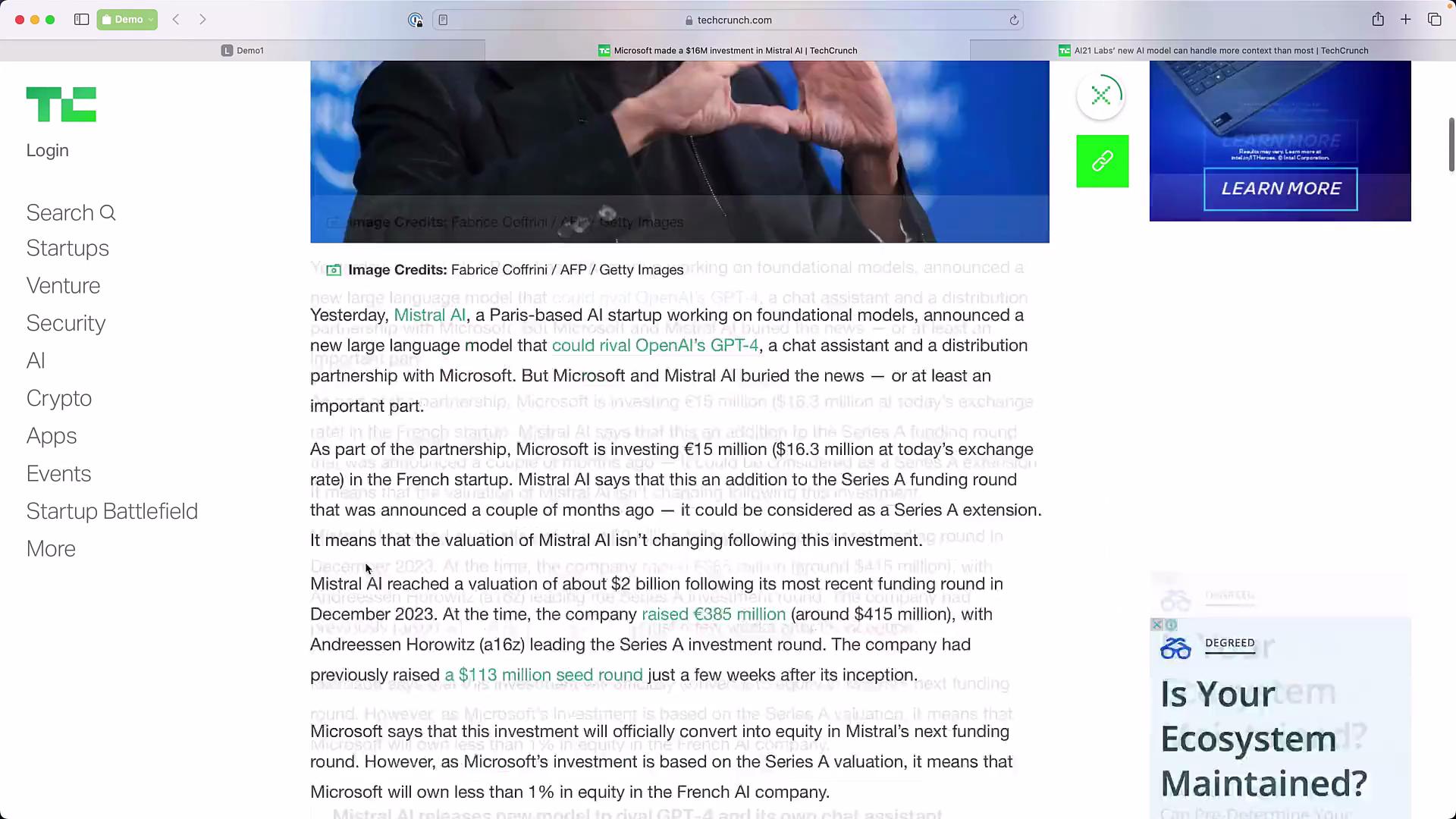
> Tutorial showing how to use LangChain to load two TechCrunch articles, concatenate their text into a single prompt, and synthesize information with a stuff documents chain.
In this lesson we build a simple "stuff documents" chain with LangChain to synthesize information from two TechCrunch articles. The objective is to:
* Load both web pages,
* Combine (or "stuff") their text into a single prompt context, and
* Send that combined context with a prompt to an LLM using LangChain’s `create_stuff_documents_chain`.
We’ll use two articles that both cover recent developments in generative AI, which makes them a good fit for synthesis across sources.
 Overview
* Input: two TechCrunch URLs about Mistral AI and AI21 Labs.
* Process: fetch page text with `WebBaseLoader`, concatenate documents into `{context}`, and run a "stuff" chain that uses a chat LLM.
* Output: a synthesized answer that extracts model names or other requested facts from both articles.
Imports and setup
* Import the chat model, the chat prompt template helper, the web loader, and the helper that builds a "stuff documents" chain.
```python theme={null}
from langchain.chat_models import ChatOpenAI
from langchain.prompts.chat import ChatPromptTemplate
from langchain.document_loaders import WebBaseLoader
from langchain.chains.combine_documents import create_stuff_documents_chain
```
Load the two URLs and inspect the loaded documents
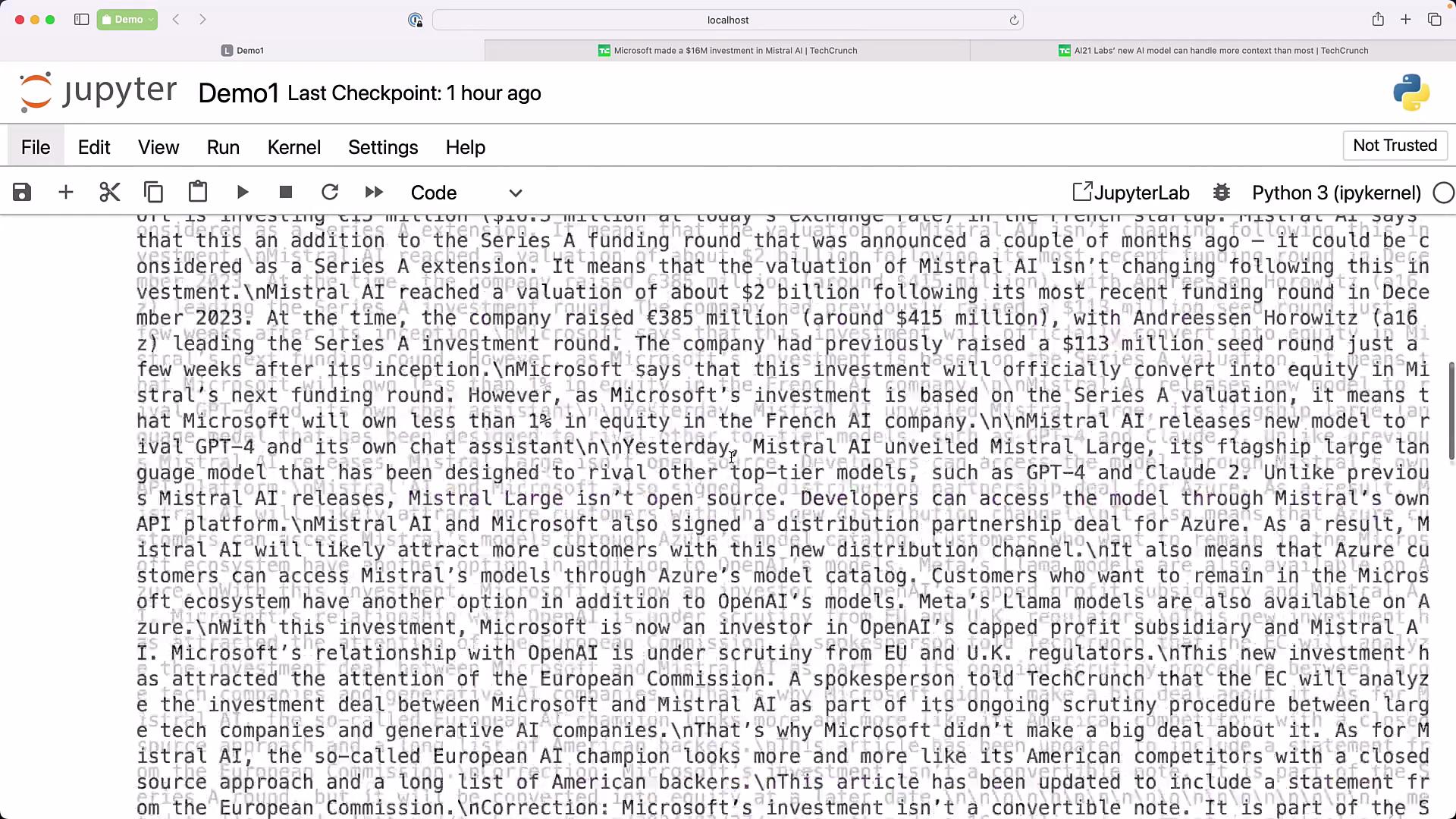
* Define the two TechCrunch URLs, construct a `WebBaseLoader` with both, and call `load()`. The loader returns a list of Document objects (one per page in this example), each containing `page_content` and `metadata`.
```python theme={null}
URL1 = "https://techcrunch.com/2024/02/27/microsoft-made-a-16-million-investment-in-mistral-ai/"
URL2 = "https://techcrunch.com/2024/03/28/ai21-labs-new-text-generating-ai-model-is-more-efficient-than-most/"
loader = WebBaseLoader([URL1, URL2])
data = loader.load()
print(len(data)) # Expect: 2
```
* Inspect `data[0].page_content` or `data[1].page_content` to preview the scraped text. Each Document has the text and any available metadata (e.g., `source`).
Overview
* Input: two TechCrunch URLs about Mistral AI and AI21 Labs.
* Process: fetch page text with `WebBaseLoader`, concatenate documents into `{context}`, and run a "stuff" chain that uses a chat LLM.
* Output: a synthesized answer that extracts model names or other requested facts from both articles.
Imports and setup
* Import the chat model, the chat prompt template helper, the web loader, and the helper that builds a "stuff documents" chain.
```python theme={null}
from langchain.chat_models import ChatOpenAI
from langchain.prompts.chat import ChatPromptTemplate
from langchain.document_loaders import WebBaseLoader
from langchain.chains.combine_documents import create_stuff_documents_chain
```
Load the two URLs and inspect the loaded documents
* Define the two TechCrunch URLs, construct a `WebBaseLoader` with both, and call `load()`. The loader returns a list of Document objects (one per page in this example), each containing `page_content` and `metadata`.
```python theme={null}
URL1 = "https://techcrunch.com/2024/02/27/microsoft-made-a-16-million-investment-in-mistral-ai/"
URL2 = "https://techcrunch.com/2024/03/28/ai21-labs-new-text-generating-ai-model-is-more-efficient-than-most/"
loader = WebBaseLoader([URL1, URL2])
data = loader.load()
print(len(data)) # Expect: 2
```
* Inspect `data[0].page_content` or `data[1].page_content` to preview the scraped text. Each Document has the text and any available metadata (e.g., `source`).
 Construct the prompt
* Create a system-style prompt template that expects a `context` variable. The stuffs chain will concatenate document texts and inject them into `{context}`.
```python theme={null}
prompt = ChatPromptTemplate.from_messages(
[("system", "What models are launched by Mistral and AI21 Labs:\n\n{context}")]
)
```
* This simple template asks the model to extract model names (and can be adapted to request summaries, comparisons, or bullet lists).
Initialize the LLM and create the stuff documents chain
* Instantiate the chat LLM (here using GPT-3.5-turbo) and pass it with the prompt template into `create_stuff_documents_chain`.
```python theme={null}
llm = ChatOpenAI(model_name="gpt-3.5-turbo")
chain = create_stuff_documents_chain(llm, prompt)
```
Invoke the chain with the loaded documents
* Call the chain with the `input_documents` parameter set to the `data` list returned by the loader. The stuff chain concatenates the Documents and places that text into the prompt’s `{context}` variable before sending the combined prompt to the LLM.
```python theme={null}
result = chain.invoke({"input_documents": data})
print(result)
```
Example model response (illustrative)
* The LLM may return a concise synthesized answer combining information from both articles, for example:
```plaintext theme={null}
"The articles indicate which specific models each company announced; the chain would extract and list the model names and any short descriptions provided in the articles."
```
How the stuff documents chain works
* The "stuff" approach:
* Concatenates all document contents into a single context string.
* Inserts that string into the prompt template’s `{context}`.
* Sends the full prompt to the LLM in one request.
When to use a stuff chain vs. retrieval
* Use a stuff documents chain when:
* The combined text comfortably fits within your model’s context window.
* You want a simple, deterministic pipeline for small document sets.
* Prefer a retrieval-based chain when:
* You have many documents or very long texts.
* You need relevance filtering or semantic search over chunks before prompting.
Summary
* Steps covered:
1. Load multiple web pages with `WebBaseLoader`.
2. Build a prompt template that accepts a `{context}` placeholder.
3. Create a stuff documents chain using `create_stuff_documents_chain(llm, prompt)`.
4. Invoke the chain with the loaded documents to get a synthesized response.
Quick reference
| Topic | Example / Command |
| ----------------- | ----------------------------------------------------- |
| Load web pages | `loader = WebBaseLoader([URL1, URL2])` |
| Inspect documents | `data[0].page_content` |
| Prompt template | `ChatPromptTemplate.from_messages([... "{context}"])` |
| Create chain | `create_stuff_documents_chain(llm, prompt)` |
| Invoke chain | `chain.invoke({"input_documents": data})` |
Links and references
* [LangChain Documentation](https://langchain.readthedocs.io/)
* [OpenAI Chat Models](https://platform.openai.com/docs/models)
* [TechCrunch](https://techcrunch.com/)
Use the stuff documents chain when your documents' combined size is comfortably within the model's context window. If you expect larger corpora or many documents, prefer a retrieval chain to select relevant chunks before prompting the LLM.
Construct the prompt
* Create a system-style prompt template that expects a `context` variable. The stuffs chain will concatenate document texts and inject them into `{context}`.
```python theme={null}
prompt = ChatPromptTemplate.from_messages(
[("system", "What models are launched by Mistral and AI21 Labs:\n\n{context}")]
)
```
* This simple template asks the model to extract model names (and can be adapted to request summaries, comparisons, or bullet lists).
Initialize the LLM and create the stuff documents chain
* Instantiate the chat LLM (here using GPT-3.5-turbo) and pass it with the prompt template into `create_stuff_documents_chain`.
```python theme={null}
llm = ChatOpenAI(model_name="gpt-3.5-turbo")
chain = create_stuff_documents_chain(llm, prompt)
```
Invoke the chain with the loaded documents
* Call the chain with the `input_documents` parameter set to the `data` list returned by the loader. The stuff chain concatenates the Documents and places that text into the prompt’s `{context}` variable before sending the combined prompt to the LLM.
```python theme={null}
result = chain.invoke({"input_documents": data})
print(result)
```
Example model response (illustrative)
* The LLM may return a concise synthesized answer combining information from both articles, for example:
```plaintext theme={null}
"The articles indicate which specific models each company announced; the chain would extract and list the model names and any short descriptions provided in the articles."
```
How the stuff documents chain works
* The "stuff" approach:
* Concatenates all document contents into a single context string.
* Inserts that string into the prompt template’s `{context}`.
* Sends the full prompt to the LLM in one request.
When to use a stuff chain vs. retrieval
* Use a stuff documents chain when:
* The combined text comfortably fits within your model’s context window.
* You want a simple, deterministic pipeline for small document sets.
* Prefer a retrieval-based chain when:
* You have many documents or very long texts.
* You need relevance filtering or semantic search over chunks before prompting.
Summary
* Steps covered:
1. Load multiple web pages with `WebBaseLoader`.
2. Build a prompt template that accepts a `{context}` placeholder.
3. Create a stuff documents chain using `create_stuff_documents_chain(llm, prompt)`.
4. Invoke the chain with the loaded documents to get a synthesized response.
Quick reference
| Topic | Example / Command |
| ----------------- | ----------------------------------------------------- |
| Load web pages | `loader = WebBaseLoader([URL1, URL2])` |
| Inspect documents | `data[0].page_content` |
| Prompt template | `ChatPromptTemplate.from_messages([... "{context}"])` |
| Create chain | `create_stuff_documents_chain(llm, prompt)` |
| Invoke chain | `chain.invoke({"input_documents": data})` |
Links and references
* [LangChain Documentation](https://langchain.readthedocs.io/)
* [OpenAI Chat Models](https://platform.openai.com/docs/models)
* [TechCrunch](https://techcrunch.com/)
Use the stuff documents chain when your documents' combined size is comfortably within the model's context window. If you expect larger corpora or many documents, prefer a retrieval chain to select relevant chunks before prompting the LLM.