> ## Documentation Index
> Fetch the complete documentation index at: https://notes.kodekloud.com/llms.txt
> Use this file to discover all available pages before exploring further.
# Agents
> Explains LangChain agents that combine LLM reasoning with external tools and data to perform multi-step, context-rich tasks, including workflows, examples, and best practices.
Agents are the most advanced components in LangChain. They combine the reasoning and planning capabilities of large language models (LLMs) with external tools and data sources to solve multi-step, context-rich tasks. Unlike a fixed program, an agent orchestrates interactions between an LLM and tools (APIs, functions, databases, calendars, etc.), dynamically deciding what information to request, which tools to call, and how to execute plans.
## How agents work — a concise workflow
1. The user issues a request that may require additional context or actions.
2. The agent asks the LLM what clarifying details or steps are needed.
3. The agent uses tools (e.g., calendar lookup, flight API, user profile lookup) to gather that information.
4. The agent returns the collected data to the LLM.
5. The LLM formulates a plan and specifies which tool calls or actions are required.
6. The agent executes those actions by invoking tools, then reports results back to the user.
Example travel scenario
* User: "Book me a cab for my return flight."
* LLM: Identifies missing details (return date/time, flight number, arrival city).
* Agent: Checks available tools (calendar, flight API, user profile) to fetch those details.
* Agent: Provides the gathered answers to the LLM.
* LLM: Produces a booking plan (which service to call, pickup time relative to arrival, confirmation).
* Agent: Executes the plan by calling the cab-booking API and reports back.
Agents enable iterative reasoning: the LLM asks follow-ups, the agent gathers facts via tools, the LLM plans, and the agent executes. This loop allows complex workflows that go beyond single-prompt answers.
## When to use agents
Agents are a good fit when your task requires:
* Multiple coordinated API calls or transactions.
* Clarifying questions to complete a request.
* Retrieval from external knowledge stores (documents, vector DBs).
* Combining short-term and long-term memory with live data.
* Multi-step automations where the steps depend on intermediate results.
Use simpler chains or direct model calls when the task is single-step, deterministic, or does not require external tool access.
## LangChain building blocks and where agents fit
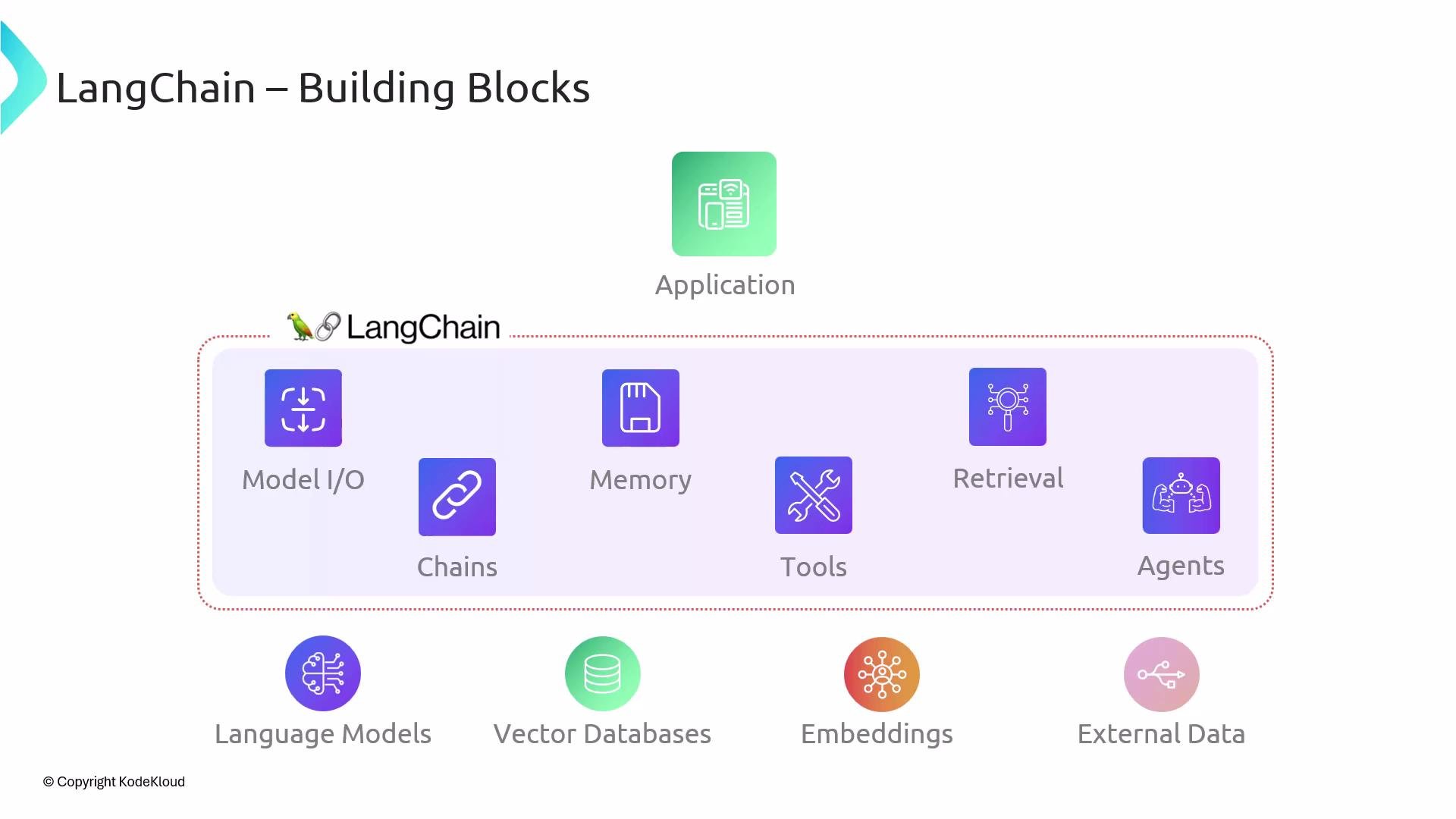
Below is a high-level wrap-up of the LangChain building blocks and how agents integrate them:
 Building blocks recap
* Model I/O: The prompt and the model response. This is the core interaction with the LLM.
* Memory: Short-term and long-term memory that preserves conversational or contextual state.
* Retrieval: Pulling relevant content from external sources (documents, vector DBs) to augment prompts.
* Chains: Sequences/compositions of steps (prompts, transformations, calls) that perform multi-step processes.
* Tools: External functions or services the agent can call (APIs, databases, system utilities).
* Agents: Orchestrators that combine LLM reasoning with tools and memory to perform sophisticated tasks.
Table: Building blocks and example usage
| Building Block | Purpose | Example |
| -------------: | ------------------------------ | -------------------------------------------------------- |
| Model I/O | Interact with the LLM | `ChatOpenAI` for responses |
| Memory | Maintain context across turns | `ConversationBufferMemory` to store chat history |
| Retrieval | Augment prompts with documents | Use a vector store (e.g., FAISS) to fetch related docs |
| Chains | Compose multiple steps | A chain that validates input, queries DB, formats output |
| Tools | External capabilities | Payment API, calendar lookup, web search |
| Agents | Combine reasoning + tools | `initialize_agent` with tools and LLM for orchestration |
## Example: Simple Python agent (conceptual)
The following example demonstrates the typical structure: define tools, create an LLM, and initialize an agent to coordinate tools and model reasoning.
```python theme={null}
from langchain.chat_models import ChatOpenAI
from langchain.tools import Tool
from langchain.agents import initialize_agent, AgentType
# 1) Define tools (functions that the agent can call)
def get_flight_info(flight_number: str):
# call a flight API and return structured info
return {"flight": flight_number, "arrival_time": "2024-08-01T14:30:00Z", "city": "SFO"}
flight_tool = Tool(
name="flight_info",
func=get_flight_info,
description="Get flight arrival information given a flight number."
)
# 2) Create an LLM
llm = ChatOpenAI(model="gpt-4o-mini", temperature=0)
# 3) Initialize the agent with tools and an agent strategy
agent = initialize_agent(
tools=[flight_tool],
llm=llm,
agent=AgentType.ZERO_SHOT_REACT_DESCRIPTION,
verbose=True
)
# 4) Run the agent
result = agent.run("Book me a cab for my return flight. My flight number is UA123.")
print(result)
```
Note: APIs and LLms evolve—check your LangChain version docs for the most current agent initialization patterns.
Agents can incur additional API calls, latency, and cost because they loop between the LLM and tools. Validate tool permissions, rate limits, and error handling. Always add input sanitization and monitoring to avoid harmful or unintended actions.
## Best practices for building reliable agents
* Limit tool access to only what the agent needs; define clear tool descriptions.
* Use memory thoughtfully: persist only what helps future decisions.
* Add deterministic validation steps before executing impactful actions (payments, bookings).
* Design prompts that guide the LLM to provide structured outputs when the agent must parse results.
* Monitor agent runs and log both tool usage and LLM decisions for debugging and auditing.
## Links and references
* [LangChain Documentation](https://langchain.com/docs/)
* [OpenAI API](https://platform.openai.com/docs)
* [Vector Databases (FAISS, Pinecone, Milvus)](https://www.pinecone.io/)
These references will help you implement agents that safely coordinate LLM reasoning with external capabilities and deliver robust, multi-step automation.
Building blocks recap
* Model I/O: The prompt and the model response. This is the core interaction with the LLM.
* Memory: Short-term and long-term memory that preserves conversational or contextual state.
* Retrieval: Pulling relevant content from external sources (documents, vector DBs) to augment prompts.
* Chains: Sequences/compositions of steps (prompts, transformations, calls) that perform multi-step processes.
* Tools: External functions or services the agent can call (APIs, databases, system utilities).
* Agents: Orchestrators that combine LLM reasoning with tools and memory to perform sophisticated tasks.
Table: Building blocks and example usage
| Building Block | Purpose | Example |
| -------------: | ------------------------------ | -------------------------------------------------------- |
| Model I/O | Interact with the LLM | `ChatOpenAI` for responses |
| Memory | Maintain context across turns | `ConversationBufferMemory` to store chat history |
| Retrieval | Augment prompts with documents | Use a vector store (e.g., FAISS) to fetch related docs |
| Chains | Compose multiple steps | A chain that validates input, queries DB, formats output |
| Tools | External capabilities | Payment API, calendar lookup, web search |
| Agents | Combine reasoning + tools | `initialize_agent` with tools and LLM for orchestration |
## Example: Simple Python agent (conceptual)
The following example demonstrates the typical structure: define tools, create an LLM, and initialize an agent to coordinate tools and model reasoning.
```python theme={null}
from langchain.chat_models import ChatOpenAI
from langchain.tools import Tool
from langchain.agents import initialize_agent, AgentType
# 1) Define tools (functions that the agent can call)
def get_flight_info(flight_number: str):
# call a flight API and return structured info
return {"flight": flight_number, "arrival_time": "2024-08-01T14:30:00Z", "city": "SFO"}
flight_tool = Tool(
name="flight_info",
func=get_flight_info,
description="Get flight arrival information given a flight number."
)
# 2) Create an LLM
llm = ChatOpenAI(model="gpt-4o-mini", temperature=0)
# 3) Initialize the agent with tools and an agent strategy
agent = initialize_agent(
tools=[flight_tool],
llm=llm,
agent=AgentType.ZERO_SHOT_REACT_DESCRIPTION,
verbose=True
)
# 4) Run the agent
result = agent.run("Book me a cab for my return flight. My flight number is UA123.")
print(result)
```
Note: APIs and LLms evolve—check your LangChain version docs for the most current agent initialization patterns.
Agents can incur additional API calls, latency, and cost because they loop between the LLM and tools. Validate tool permissions, rate limits, and error handling. Always add input sanitization and monitoring to avoid harmful or unintended actions.
## Best practices for building reliable agents
* Limit tool access to only what the agent needs; define clear tool descriptions.
* Use memory thoughtfully: persist only what helps future decisions.
* Add deterministic validation steps before executing impactful actions (payments, bookings).
* Design prompts that guide the LLM to provide structured outputs when the agent must parse results.
* Monitor agent runs and log both tool usage and LLM decisions for debugging and auditing.
## Links and references
* [LangChain Documentation](https://langchain.com/docs/)
* [OpenAI API](https://platform.openai.com/docs)
* [Vector Databases (FAISS, Pinecone, Milvus)](https://www.pinecone.io/)
These references will help you implement agents that safely coordinate LLM reasoning with external capabilities and deliver robust, multi-step automation.