> ## Documentation Index
> Fetch the complete documentation index at: https://notes.kodekloud.com/llms.txt
> Use this file to discover all available pages before exploring further.
# Model IO
> Explains Model I/O for LLMs, covering prompt templating, output parsing, schema validation and safety for reliable integrations.
Model I/O is the central module that mediates between your application and a large language model (LLM). It has two primary responsibilities:
* Preparing the prompt (input) sent to the model.
* Parsing and validating the model's raw output so your application can safely consume it.
Prompt engineering matters: a short, informal prompt rarely produces consistent, production-grade responses. Well-designed prompts use templates, explicit formatting, and constraints so the model “speaks the same language” as your system—using the syntax, semantics, and conventions that steer the LLM toward the desired output.
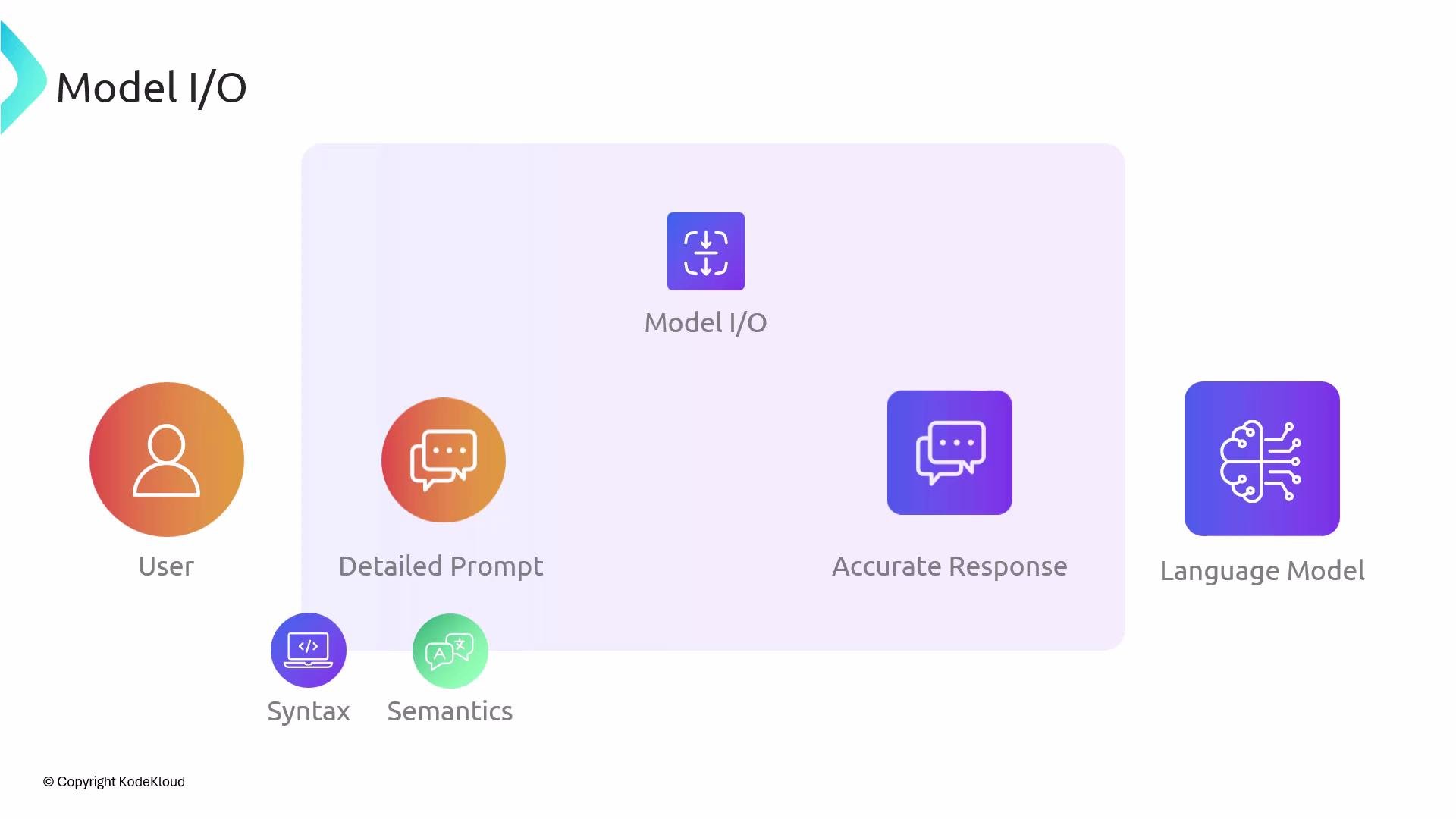 Typically, an LLM returns plain text. Model I/O converts that text into structured, validated outputs (for example, JSON objects, typed models, or domain-specific schemas) so downstream code can act on results deterministically.
Key responsibilities at a glance:
| Responsibility | Why it matters | Example |
| ------------------------------ | ----------------------------------------------------------------: | ---------------------------------------------------------------------------- |
| Prompt templating & formatting | Produces consistent, high-quality inputs that reduce ambiguity | Use templates with placeholders and explicit instructions: see example below |
| Response parsing & validation | Converts free text into structured types and enforces contracts | Parse JSON or apply schema validation (e.g., JSON Schema, Pydantic, Zod) |
| Safety & constraints | Limits harmful or out-of-scope outputs and reduces hallucinations | Add guardrails in prompts and validate outputs before use |
Model I/O is where most prompt-engineering and output-parsing logic lives. Investing effort here yields more predictable LLM behavior and safer, more maintainable integrations.
Common patterns and examples
* Prompt templates — Use templating to inject variables and to enforce structure (roles, instructions, response format).
* Output formats — Prefer strict, machine-readable formats (JSON, YAML, CSV) when possible and document the schema in the prompt.
* Validation — Run schema validation immediately after parsing to catch and handle malformed or unexpected outputs.
Prompt template example (JavaScript-style template)
```text theme={null}
You are a helpful assistant. Given the following user query, return a JSON object with keys "intent", "entities", and "response". Only output valid JSON.
User query:
"{user_query}"
```
Prompt template example (system + user) — this is commonly used with chat-style LLM APIs:
```text theme={null}
System: You are an assistant that answers in JSON only.
User: Extract the intent and entities from the message and provide a brief response.
Message: "{message}"
```
Output parsing example (Python)
```python theme={null}
# Pseudo-code: call LLM and parse JSON
raw = llm.generate(prompt)
# Expect the LLM to output a JSON string
data = json.loads(raw)
# Validate using Pydantic or JSON Schema
validated = MySchema.parse_obj(data)
```
Output parsing example (TypeScript + Zod)
```ts theme={null}
const result = await llm.call(prompt);
const parsed = JSON.parse(result);
const validated = MyZodSchema.parse(parsed);
```
Best practices
* Always ask the model to produce machine-parseable output (for example, explicitly request JSON).
* Provide an example of the desired response format in the prompt.
* Use structured schema validation libraries (Pydantic, Zod, Ajv) to enforce types and ranges.
* When possible, add sanity checks after parsing (length checks, required fields, enumerations).
* Log both raw LLM outputs and parsed/validated results to help debug parsing issues.
Never trust raw LLM output as authoritative. Always parse and validate outputs before using them in critical systems. Include fallback behavior for malformed or missing fields.
Further reading and references
* LangChain: [https://python.langchain.com/](https://python.langchain.com/) (for prompt templates and utilities)
* OpenAI Prompt Best Practices: [https://platform.openai.com/docs/guides/prompts](https://platform.openai.com/docs/guides/prompts)
* JSON Schema: [https://json-schema.org/](https://json-schema.org/)
* Pydantic: [https://pydantic-docs.helpmanual.io/](https://pydantic-docs.helpmanual.io/)
* Zod (TypeScript): [https://github.com/colinhacks/zod](https://github.com/colinhacks/zod)
A dedicated section follows with concrete prompt template examples, formatting strategies, and common output-parsing patterns for this library.
Typically, an LLM returns plain text. Model I/O converts that text into structured, validated outputs (for example, JSON objects, typed models, or domain-specific schemas) so downstream code can act on results deterministically.
Key responsibilities at a glance:
| Responsibility | Why it matters | Example |
| ------------------------------ | ----------------------------------------------------------------: | ---------------------------------------------------------------------------- |
| Prompt templating & formatting | Produces consistent, high-quality inputs that reduce ambiguity | Use templates with placeholders and explicit instructions: see example below |
| Response parsing & validation | Converts free text into structured types and enforces contracts | Parse JSON or apply schema validation (e.g., JSON Schema, Pydantic, Zod) |
| Safety & constraints | Limits harmful or out-of-scope outputs and reduces hallucinations | Add guardrails in prompts and validate outputs before use |
Model I/O is where most prompt-engineering and output-parsing logic lives. Investing effort here yields more predictable LLM behavior and safer, more maintainable integrations.
Common patterns and examples
* Prompt templates — Use templating to inject variables and to enforce structure (roles, instructions, response format).
* Output formats — Prefer strict, machine-readable formats (JSON, YAML, CSV) when possible and document the schema in the prompt.
* Validation — Run schema validation immediately after parsing to catch and handle malformed or unexpected outputs.
Prompt template example (JavaScript-style template)
```text theme={null}
You are a helpful assistant. Given the following user query, return a JSON object with keys "intent", "entities", and "response". Only output valid JSON.
User query:
"{user_query}"
```
Prompt template example (system + user) — this is commonly used with chat-style LLM APIs:
```text theme={null}
System: You are an assistant that answers in JSON only.
User: Extract the intent and entities from the message and provide a brief response.
Message: "{message}"
```
Output parsing example (Python)
```python theme={null}
# Pseudo-code: call LLM and parse JSON
raw = llm.generate(prompt)
# Expect the LLM to output a JSON string
data = json.loads(raw)
# Validate using Pydantic or JSON Schema
validated = MySchema.parse_obj(data)
```
Output parsing example (TypeScript + Zod)
```ts theme={null}
const result = await llm.call(prompt);
const parsed = JSON.parse(result);
const validated = MyZodSchema.parse(parsed);
```
Best practices
* Always ask the model to produce machine-parseable output (for example, explicitly request JSON).
* Provide an example of the desired response format in the prompt.
* Use structured schema validation libraries (Pydantic, Zod, Ajv) to enforce types and ranges.
* When possible, add sanity checks after parsing (length checks, required fields, enumerations).
* Log both raw LLM outputs and parsed/validated results to help debug parsing issues.
Never trust raw LLM output as authoritative. Always parse and validate outputs before using them in critical systems. Include fallback behavior for malformed or missing fields.
Further reading and references
* LangChain: [https://python.langchain.com/](https://python.langchain.com/) (for prompt templates and utilities)
* OpenAI Prompt Best Practices: [https://platform.openai.com/docs/guides/prompts](https://platform.openai.com/docs/guides/prompts)
* JSON Schema: [https://json-schema.org/](https://json-schema.org/)
* Pydantic: [https://pydantic-docs.helpmanual.io/](https://pydantic-docs.helpmanual.io/)
* Zod (TypeScript): [https://github.com/colinhacks/zod](https://github.com/colinhacks/zod)
A dedicated section follows with concrete prompt template examples, formatting strategies, and common output-parsing patterns for this library.