> ## Documentation Index
> Fetch the complete documentation index at: https://notes.kodekloud.com/llms.txt
> Use this file to discover all available pages before exploring further.
# Using Tavily Search Tool
> Guide to using the Tavily Search API with LangChain to fetch, aggregate, and cite web search results for retrieval augmented generation while securely managing API keys
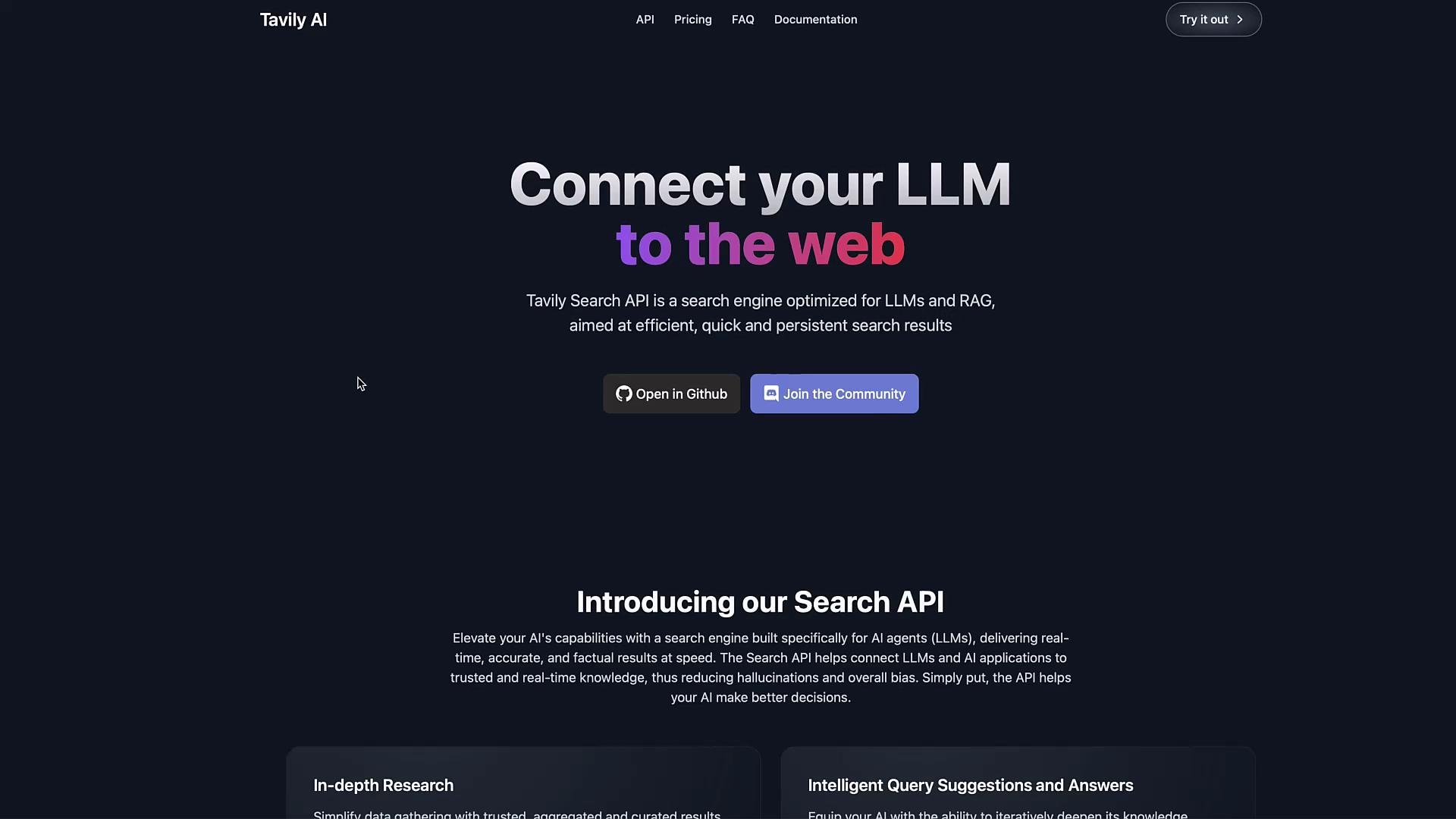
Tavily Search API connects large language models (LLMs) to the web, enabling fast, persistent web search results you can inject as context for retrieval-augmented generation (RAG) workflows. This guide shows how to fetch results from Tavily and use them with an LLM (for example, via LangChain) to create search-augmented prompts or document stores.
 Overview
* Use Tavily to perform web searches and collect the returned page snippets and URLs.
* Store your Tavily API key securely (environment variable recommended) and never commit secrets to source control.
* Aggregate, chunk, or index the returned content to provide up-to-date, cited context to your LLM.
Getting your API key
1. Sign up for Tavily and visit your dashboard.
2. Copy the API key and set it as an environment variable on your machine or deployment environment (example below).
Overview
* Use Tavily to perform web searches and collect the returned page snippets and URLs.
* Store your Tavily API key securely (environment variable recommended) and never commit secrets to source control.
* Aggregate, chunk, or index the returned content to provide up-to-date, cited context to your LLM.
Getting your API key
1. Sign up for Tavily and visit your dashboard.
2. Copy the API key and set it as an environment variable on your machine or deployment environment (example below).
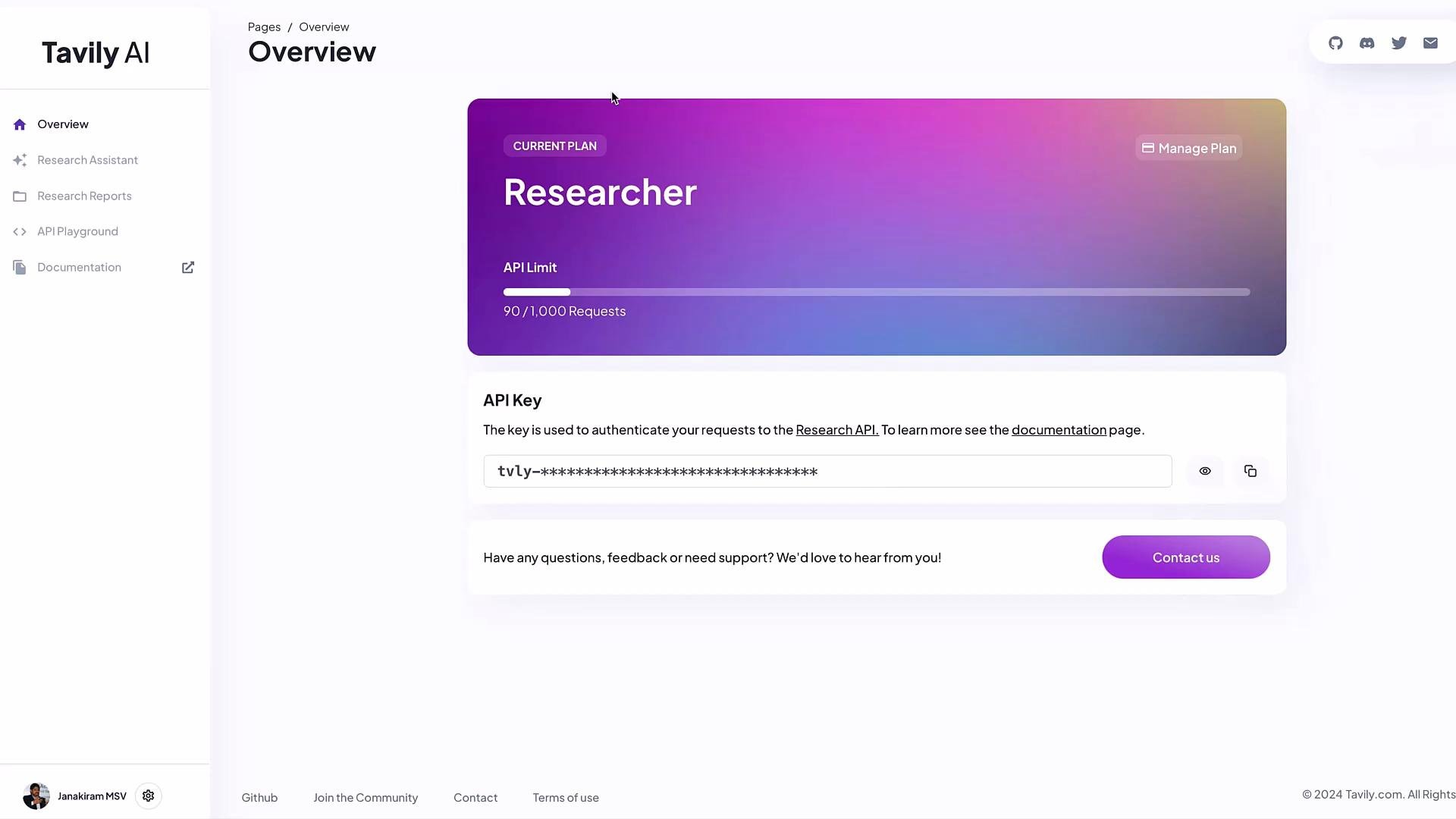 Tavily often provides a free developer tier (for example, 1,000 calls/month at the time of writing). Store your API key in an environment variable such as `TAVILY_API_KEY` and avoid hard-coding secrets in source files.
Quick example using the LangChain community tool wrapper
* The LangChain community package provides a `TavilySearchResults` wrapper to simplify queries and return structured results.
* The wrapper typically reads the `TAVILY_API_KEY` environment variable when initialized.
Setup and usage
1. Export your API key locally:
```bash theme={null}
export TAVILY_API_KEY="your_api_key_here"
```
2. Minimal Python usage:
```python theme={null}
# example_tavily_search.py
from langchain_community.tools.tavily_search import TavilySearchResults
import os
# Optionally read the env var in code (not required if the wrapper reads it internally)
TAVILY_API_KEY = os.getenv("TAVILY_API_KEY")
# Initialize the tool (wrapper may read TAVILY_API_KEY automatically)
tool = TavilySearchResults()
# Perform a search
response = tool.invoke({"query": "When is ICC Men's T20 World Cup 2024 starting?"})
# Inspect the response
print(type(response)) # typically a list
print(len(response)) # default number of results (usually 5)
print(response[0]['url']) # first result URL
print(response[0]['content']) # first result content snippet
```
Example of the returned structure
* The `invoke` method returns a list of dictionaries. Each dictionary typically includes `url` and `content` keys (snippet of the page).
* Example (trimmed):
```json theme={null}
[
{
"url": "https://www.espncricinfo.com/series/icc-men-s-t20-world-cup-2024-1411166/match-schedule-fixtures-and-results",
"content": "Get 2024 T20 World Cup schedule, fixtures, scorecard updates, and results on ESPNcricinfo. Track latest match scores, schedule, and results of ICC Men's T20 World Cup 2024."
},
{
"url": "https://www.skysports.com/cricket/news/12123/13042693/icc-mens-t20-cricket-world-cup-2024-fixtures-schedule-and-start-times-with-all-matches-live-on-sky-sports",
"content": "Group D - Sri Lanka vs Bangladesh (Dallas)\nSaturday June 8\nGroup A - Netherlands vs South Africa (New York)\nGroup B - Australia vs England (Barbados)\nSunday June 9\nGroup A - India vs Pakistan (New York)"
}
]
```
Result fields summary
| Field | Description | Example |
| --------- | ------------------------------------------------------- | ------------------------------------------------------------------ |
| `url` | Source page URL for the search result | `https://example.com/article` |
| `content` | Text snippet or extract from the page (use for context) | `"Match schedule and results for ICC Men's T20 World Cup 2024..."` |
Combining and chunking results for RAG
* The default response often returns five results. Aggregate and chunk `content` fields, then include the most relevant chunks (with URLs) as context in your LLM prompt.
* Example: join all content into one string before chunking or indexing.
```python theme={null}
all_text = "\n\n".join(r["content"] for r in response)
sources = [r["url"] for r in response]
print("Combined text length:", len(all_text))
print("Sources:", sources)
```
Best practices and tips
* Prioritize relevance: sort or filter results by relevance before concatenating content.
* Chunking: split large combined text into smaller chunks that respect your LLM context window.
* Citation: always include source URLs in your final output so results are verifiable.
* Rate limits: respect Tavily's API rate limits; implement retries and backoff where appropriate.
* Security: keep API keys in secrets management (environment variables, secret managers, or vaults).
Never commit your `TAVILY_API_KEY` (or any secret) to version control. Use environment variables or a secrets manager in production to avoid accidental exposure.
Integrations and next steps
* Use Tavily results directly in prompts for short answers (with citations).
* For larger systems, index the returned snippets into a vector store and perform semantic retrieval before calling your LLM.
* Integrate the tool into a LangChain toolset or agent to automate search-and-answer workflows.
Further reading and references
* LangChain community tools and integration examples: [https://learn.kodekloud.com/user/courses/langchain](https://learn.kodekloud.com/user/courses/langchain)
* LangChain tools documentation: [https://python.langchain.com/](https://python.langchain.com/)
Key takeaways
* Tavily provides search results optimized for LLM-driven RAG workflows.
* Store your API key securely and use the `TavilySearchResults` wrapper to fetch structured results.
* Aggregate, chunk, and cite returned `content` and `url` fields when constructing LLM context for accurate, up-to-date answers.
Tavily often provides a free developer tier (for example, 1,000 calls/month at the time of writing). Store your API key in an environment variable such as `TAVILY_API_KEY` and avoid hard-coding secrets in source files.
Quick example using the LangChain community tool wrapper
* The LangChain community package provides a `TavilySearchResults` wrapper to simplify queries and return structured results.
* The wrapper typically reads the `TAVILY_API_KEY` environment variable when initialized.
Setup and usage
1. Export your API key locally:
```bash theme={null}
export TAVILY_API_KEY="your_api_key_here"
```
2. Minimal Python usage:
```python theme={null}
# example_tavily_search.py
from langchain_community.tools.tavily_search import TavilySearchResults
import os
# Optionally read the env var in code (not required if the wrapper reads it internally)
TAVILY_API_KEY = os.getenv("TAVILY_API_KEY")
# Initialize the tool (wrapper may read TAVILY_API_KEY automatically)
tool = TavilySearchResults()
# Perform a search
response = tool.invoke({"query": "When is ICC Men's T20 World Cup 2024 starting?"})
# Inspect the response
print(type(response)) # typically a list
print(len(response)) # default number of results (usually 5)
print(response[0]['url']) # first result URL
print(response[0]['content']) # first result content snippet
```
Example of the returned structure
* The `invoke` method returns a list of dictionaries. Each dictionary typically includes `url` and `content` keys (snippet of the page).
* Example (trimmed):
```json theme={null}
[
{
"url": "https://www.espncricinfo.com/series/icc-men-s-t20-world-cup-2024-1411166/match-schedule-fixtures-and-results",
"content": "Get 2024 T20 World Cup schedule, fixtures, scorecard updates, and results on ESPNcricinfo. Track latest match scores, schedule, and results of ICC Men's T20 World Cup 2024."
},
{
"url": "https://www.skysports.com/cricket/news/12123/13042693/icc-mens-t20-cricket-world-cup-2024-fixtures-schedule-and-start-times-with-all-matches-live-on-sky-sports",
"content": "Group D - Sri Lanka vs Bangladesh (Dallas)\nSaturday June 8\nGroup A - Netherlands vs South Africa (New York)\nGroup B - Australia vs England (Barbados)\nSunday June 9\nGroup A - India vs Pakistan (New York)"
}
]
```
Result fields summary
| Field | Description | Example |
| --------- | ------------------------------------------------------- | ------------------------------------------------------------------ |
| `url` | Source page URL for the search result | `https://example.com/article` |
| `content` | Text snippet or extract from the page (use for context) | `"Match schedule and results for ICC Men's T20 World Cup 2024..."` |
Combining and chunking results for RAG
* The default response often returns five results. Aggregate and chunk `content` fields, then include the most relevant chunks (with URLs) as context in your LLM prompt.
* Example: join all content into one string before chunking or indexing.
```python theme={null}
all_text = "\n\n".join(r["content"] for r in response)
sources = [r["url"] for r in response]
print("Combined text length:", len(all_text))
print("Sources:", sources)
```
Best practices and tips
* Prioritize relevance: sort or filter results by relevance before concatenating content.
* Chunking: split large combined text into smaller chunks that respect your LLM context window.
* Citation: always include source URLs in your final output so results are verifiable.
* Rate limits: respect Tavily's API rate limits; implement retries and backoff where appropriate.
* Security: keep API keys in secrets management (environment variables, secret managers, or vaults).
Never commit your `TAVILY_API_KEY` (or any secret) to version control. Use environment variables or a secrets manager in production to avoid accidental exposure.
Integrations and next steps
* Use Tavily results directly in prompts for short answers (with citations).
* For larger systems, index the returned snippets into a vector store and perform semantic retrieval before calling your LLM.
* Integrate the tool into a LangChain toolset or agent to automate search-and-answer workflows.
Further reading and references
* LangChain community tools and integration examples: [https://learn.kodekloud.com/user/courses/langchain](https://learn.kodekloud.com/user/courses/langchain)
* LangChain tools documentation: [https://python.langchain.com/](https://python.langchain.com/)
Key takeaways
* Tavily provides search results optimized for LLM-driven RAG workflows.
* Store your API key securely and use the `TavilySearchResults` wrapper to fetch structured results.
* Aggregate, chunk, and cite returned `content` and `url` fields when constructing LLM context for accurate, up-to-date answers.