> ## Documentation Index
> Fetch the complete documentation index at: https://notes.kodekloud.com/llms.txt
> Use this file to discover all available pages before exploring further.
# Implementing Dynamic Breakpoints Based on Conditions
> Explains using conditional dynamic breakpoints in LangGraph to pause execution for targeted debugging, safety, and operator intervention.
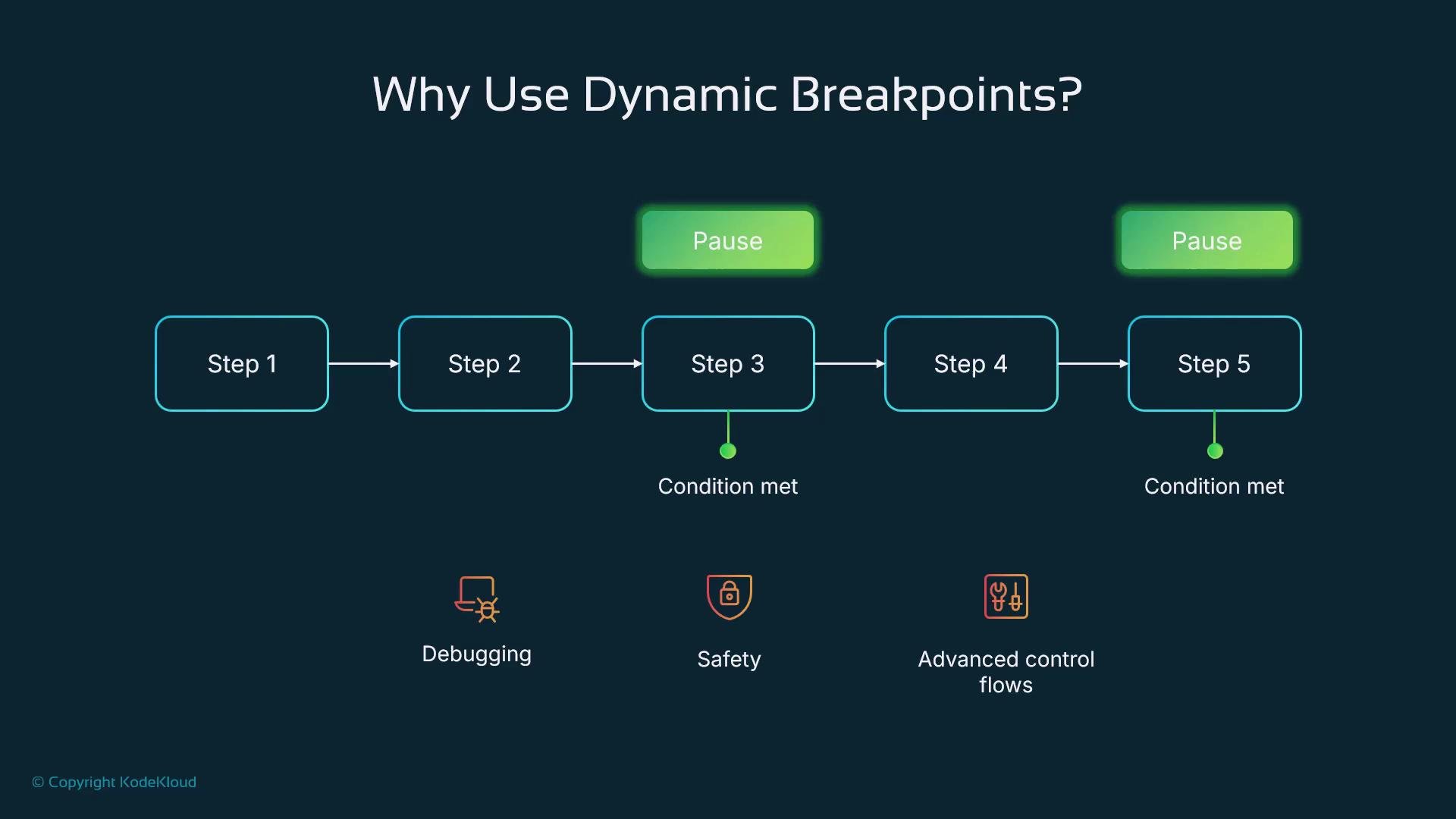
Why use dynamic breakpoints?
Dynamic breakpoints let you pause a LangGraph execution only when specific conditions occur. Instead of stepping through every node, these conditional pauses trigger on meaningful signals—low confidence, unusual tool names, high retry counts, or suspicious inputs—so you can inspect and intervene exactly when it matters. That makes them ideal for targeted debugging, safety checks, and advanced control flows without cluttering normal runs.
 What is a dynamic breakpoint?
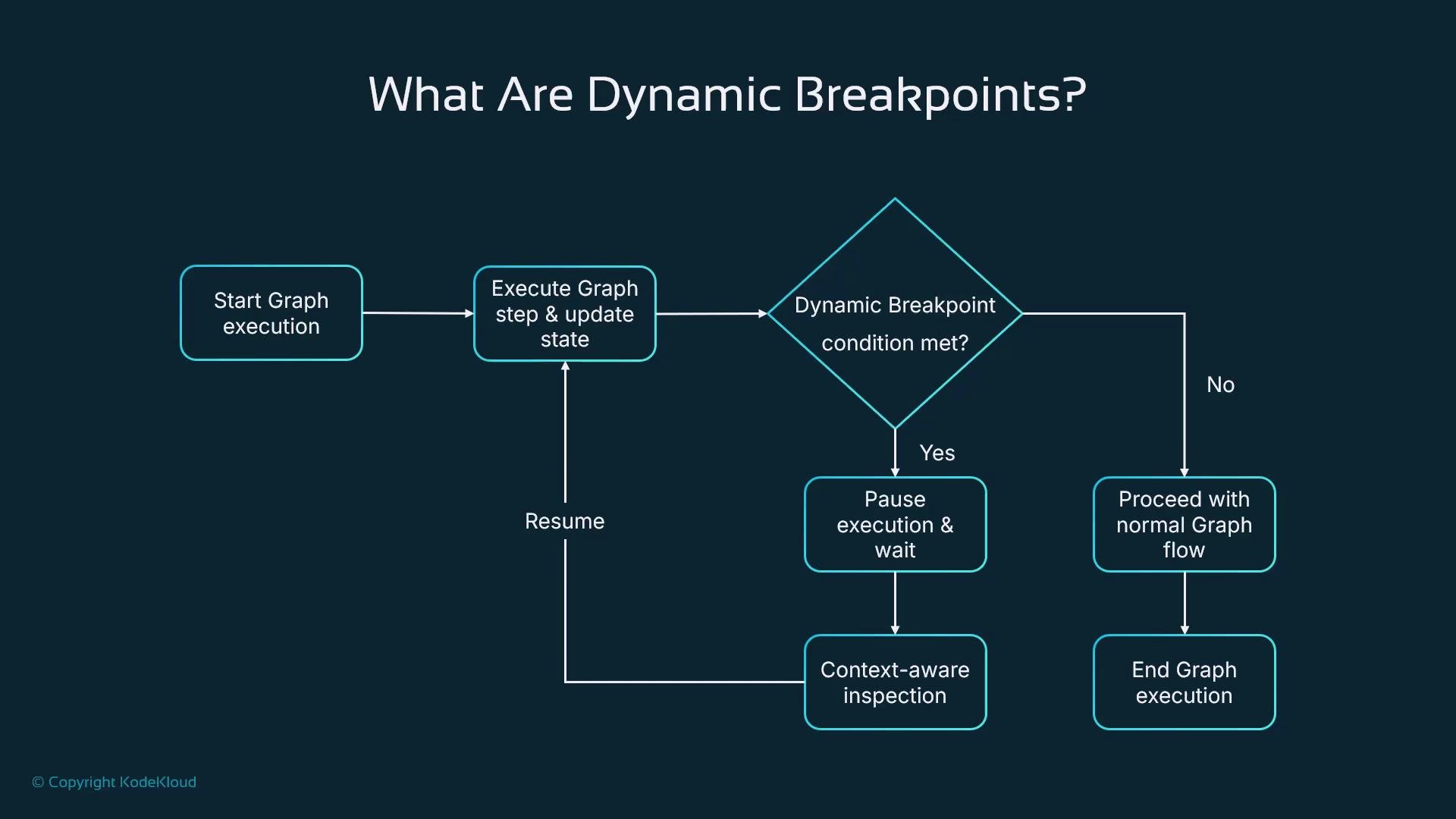
A dynamic breakpoint is a conditional inspection point embedded in graph logic. It evaluates values in the execution `state`—for example, `confidence`, `tool_name`, or a `retry_count`. When the condition is true, the graph issues an interrupt and pauses so the current state can be inspected, modified, or logged. When the condition is false, execution proceeds uninterrupted. This yields context-aware pauses that reduce noise and focus developer attention where it’s needed.
What is a dynamic breakpoint?
A dynamic breakpoint is a conditional inspection point embedded in graph logic. It evaluates values in the execution `state`—for example, `confidence`, `tool_name`, or a `retry_count`. When the condition is true, the graph issues an interrupt and pauses so the current state can be inspected, modified, or logged. When the condition is false, execution proceeds uninterrupted. This yields context-aware pauses that reduce noise and focus developer attention where it’s needed.
 Analogy
Think of a delivery driver who only double-checks an address when something looks off—mismatched label, suspicious neighborhood, or missing apartment number. The check runs continuously in the background; the stop happens only when the condition warrants it. Dynamic breakpoints work the same way for your flows.
Example: confidence-based breakpoint
The example below shows a node that pauses execution when the `state`’s `confidence` value falls below `0.7`. Use `state.get(...)` with a sensible default to avoid KeyError and to keep the graph robust.
```python theme={null}
from langgraph.types import interrupt
def confidence_breakpoint(state):
"""
Pause execution if the confidence in `state` is too low.
Returns the (possibly unchanged) state so the graph can continue.
"""
confidence = state.get("confidence", 1.0)
# Pause execution if confidence is too low
if confidence < 0.7:
interrupt({
"message": "Low confidence detected",
"confidence": confidence,
"state_snapshot": state
})
return state
```
When the breakpoint fires, `interrupt(...)` pauses the run and surfaces the provided payload (for example, the `state_snapshot`), letting a developer or UI inspect and act. If it doesn’t fire, the node returns the `state` and execution continues.
Analogy
Think of a delivery driver who only double-checks an address when something looks off—mismatched label, suspicious neighborhood, or missing apartment number. The check runs continuously in the background; the stop happens only when the condition warrants it. Dynamic breakpoints work the same way for your flows.
Example: confidence-based breakpoint
The example below shows a node that pauses execution when the `state`’s `confidence` value falls below `0.7`. Use `state.get(...)` with a sensible default to avoid KeyError and to keep the graph robust.
```python theme={null}
from langgraph.types import interrupt
def confidence_breakpoint(state):
"""
Pause execution if the confidence in `state` is too low.
Returns the (possibly unchanged) state so the graph can continue.
"""
confidence = state.get("confidence", 1.0)
# Pause execution if confidence is too low
if confidence < 0.7:
interrupt({
"message": "Low confidence detected",
"confidence": confidence,
"state_snapshot": state
})
return state
```
When the breakpoint fires, `interrupt(...)` pauses the run and surfaces the provided payload (for example, the `state_snapshot`), letting a developer or UI inspect and act. If it doesn’t fire, the node returns the `state` and execution continues.
 Handling a paused run
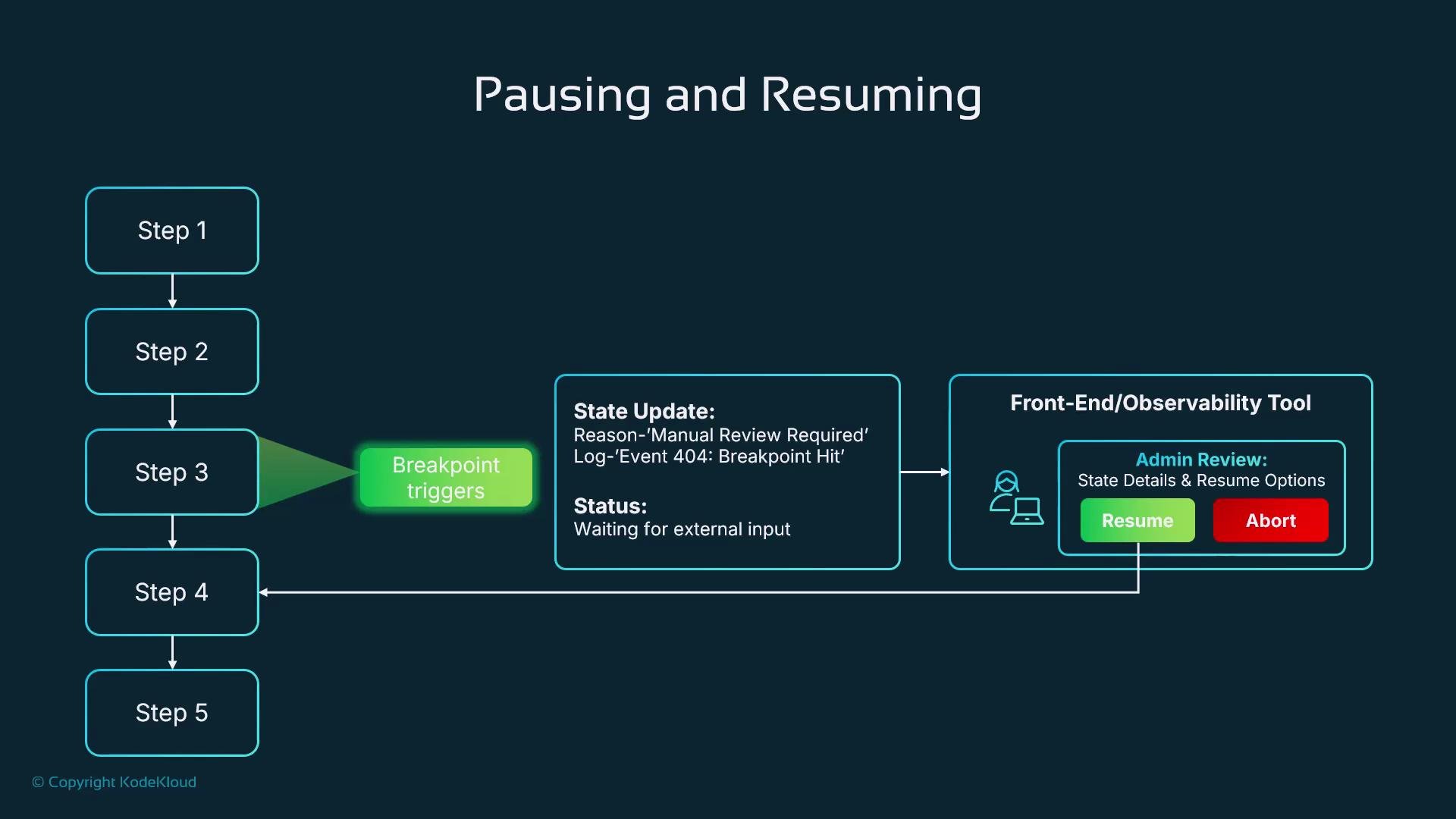
When a breakpoint is hit, typical actions include:
* Surface the full `state` and the pause reason in a developer or operator UI.
* Attach debug logs, metrics, and relevant metadata for quick triage.
* Allow the operator to resume, abort, or modify the `state` and continue the run.
* Tag traces and archive evidence for audits and post-mortems.
Common use cases
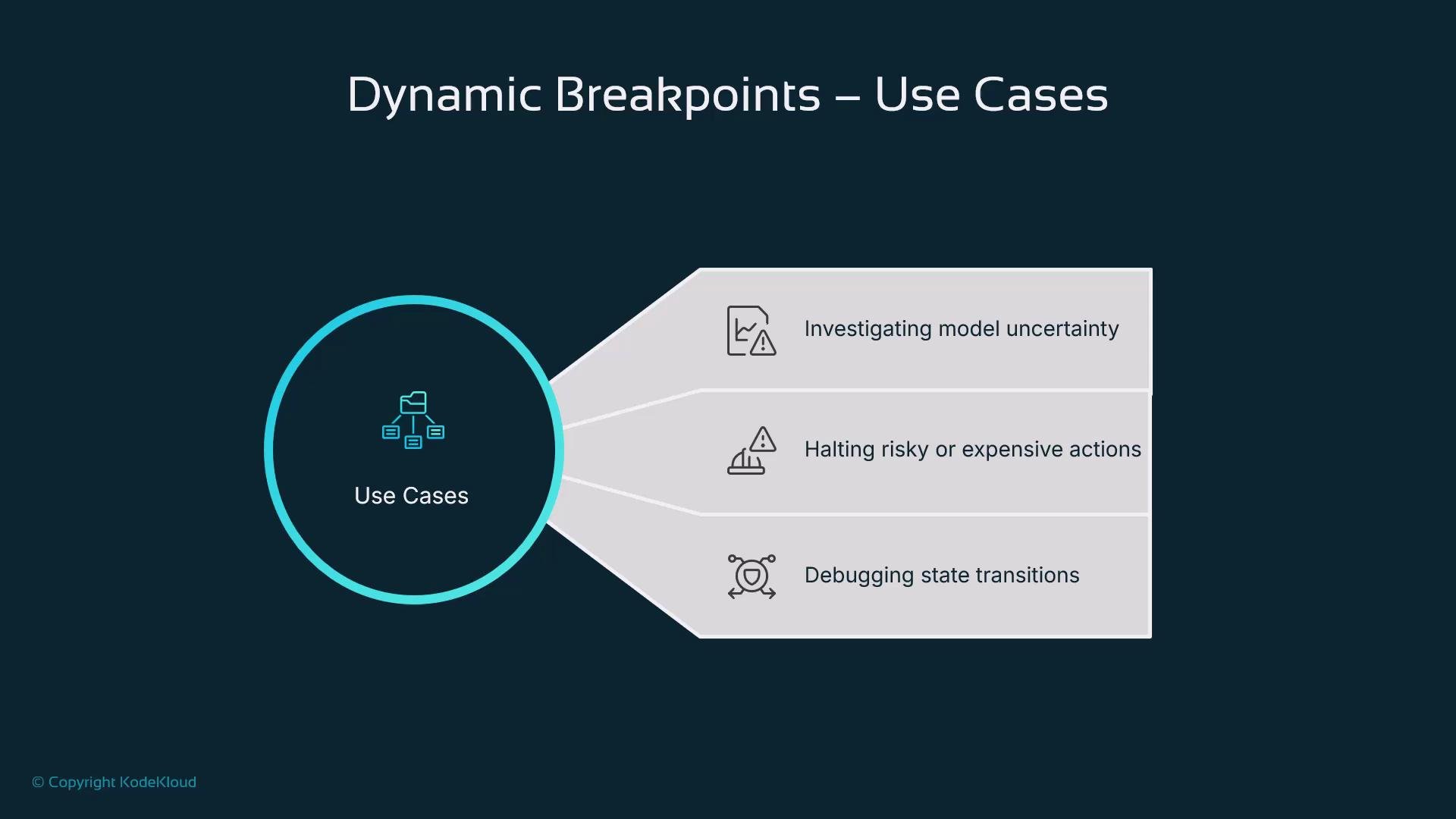
Use dynamic breakpoints for targeted safety and diagnosis:
| Use case | When to use |
| ------------------------------ | -------------------------------------------------------------------------------------- |
| Model uncertainty | Pause when an LLM reports low `confidence` before returning results to users. |
| Risky tool invocation | Halt before calling expensive or irreversible tools if inputs look suspicious. |
| Unexpected state transitions | Investigate loops or state changes that diverge from expected flows. |
| Environment-specific debugging | Enable breakpoint behavior only in staging or for flagged users (e.g., `debug: true`). |
Handling a paused run
When a breakpoint is hit, typical actions include:
* Surface the full `state` and the pause reason in a developer or operator UI.
* Attach debug logs, metrics, and relevant metadata for quick triage.
* Allow the operator to resume, abort, or modify the `state` and continue the run.
* Tag traces and archive evidence for audits and post-mortems.
Common use cases
Use dynamic breakpoints for targeted safety and diagnosis:
| Use case | When to use |
| ------------------------------ | -------------------------------------------------------------------------------------- |
| Model uncertainty | Pause when an LLM reports low `confidence` before returning results to users. |
| Risky tool invocation | Halt before calling expensive or irreversible tools if inputs look suspicious. |
| Unexpected state transitions | Investigate loops or state changes that diverge from expected flows. |
| Environment-specific debugging | Enable breakpoint behavior only in staging or for flagged users (e.g., `debug: true`). |
 Integration and best practices
Pair dynamic breakpoints with observability and operator tooling to make pauses actionable:
* Surface the full `state`, logs, and the explicit reason for the pause in the UI or observability platform.
* Provide controls to resume, abort, or update the `state` and continue execution.
* Tag traces for easy filtering and post-incident analysis.
Recommended practices:
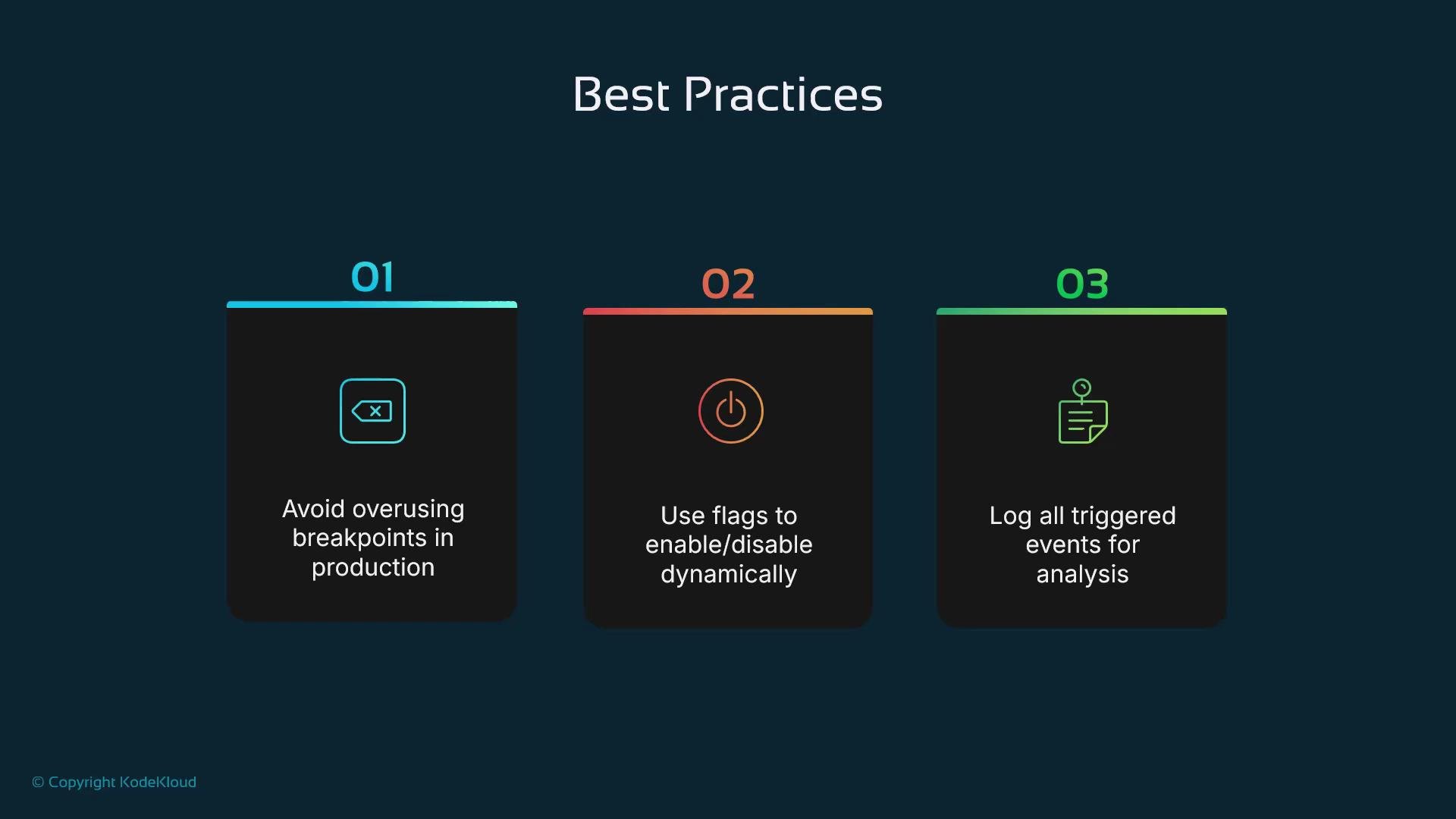
* Enable dynamic breakpoints selectively (for example via a `debug: true` state flag or environment checks).
* Log the location and reason for every pause for audits and debugging.
* Avoid heavy use of breakpoints in high-volume production paths—use them primarily in development, staging, or for flagged users.
* Complement breakpoints with automated checks, rate limits, and other safeguards.
Integration and best practices
Pair dynamic breakpoints with observability and operator tooling to make pauses actionable:
* Surface the full `state`, logs, and the explicit reason for the pause in the UI or observability platform.
* Provide controls to resume, abort, or update the `state` and continue execution.
* Tag traces for easy filtering and post-incident analysis.
Recommended practices:
* Enable dynamic breakpoints selectively (for example via a `debug: true` state flag or environment checks).
* Log the location and reason for every pause for audits and debugging.
* Avoid heavy use of breakpoints in high-volume production paths—use them primarily in development, staging, or for flagged users.
* Complement breakpoints with automated checks, rate limits, and other safeguards.
 Enable dynamic breakpoints only when needed. Prefer a state flag (for example, `debug: true`) or environment-based checks to avoid impacting production performance or user experience.
Do not rely on dynamic breakpoints as the only safety mechanism. Use them alongside automated checks, rate limits, and other safeguards to prevent accidental or malicious actions.
Conclusion
Dynamic breakpoints give you context-aware inspection points that reduce noisy logs and avoid unnecessary interruptions. With LangGraph’s flexible state model and the simple `interrupt(...)` mechanism, you can implement targeted checks that pause execution only when a condition truly requires human or automated intervention—improving safety, debuggability, and operational control.
Links and references
* [LangGraph docs](https://docs.langgraph.example/) (reference for graph state and node APIs)
* [Observability best practices](https://12factor.net/) (principles for logging and operational controls)
Enable dynamic breakpoints only when needed. Prefer a state flag (for example, `debug: true`) or environment-based checks to avoid impacting production performance or user experience.
Do not rely on dynamic breakpoints as the only safety mechanism. Use them alongside automated checks, rate limits, and other safeguards to prevent accidental or malicious actions.
Conclusion
Dynamic breakpoints give you context-aware inspection points that reduce noisy logs and avoid unnecessary interruptions. With LangGraph’s flexible state model and the simple `interrupt(...)` mechanism, you can implement targeted checks that pause execution only when a condition truly requires human or automated intervention—improving safety, debuggability, and operational control.
Links and references
* [LangGraph docs](https://docs.langgraph.example/) (reference for graph state and node APIs)
* [Observability best practices](https://12factor.net/) (principles for logging and operational controls)