> ## Documentation Index
> Fetch the complete documentation index at: https://notes.kodekloud.com/llms.txt
> Use this file to discover all available pages before exploring further.
# Introduction
> Course introducing LangGraph for building stateful, graph-based AI workflows and agents with orchestration, memory, debugging, human-in-the-loop, and hands-on labs.
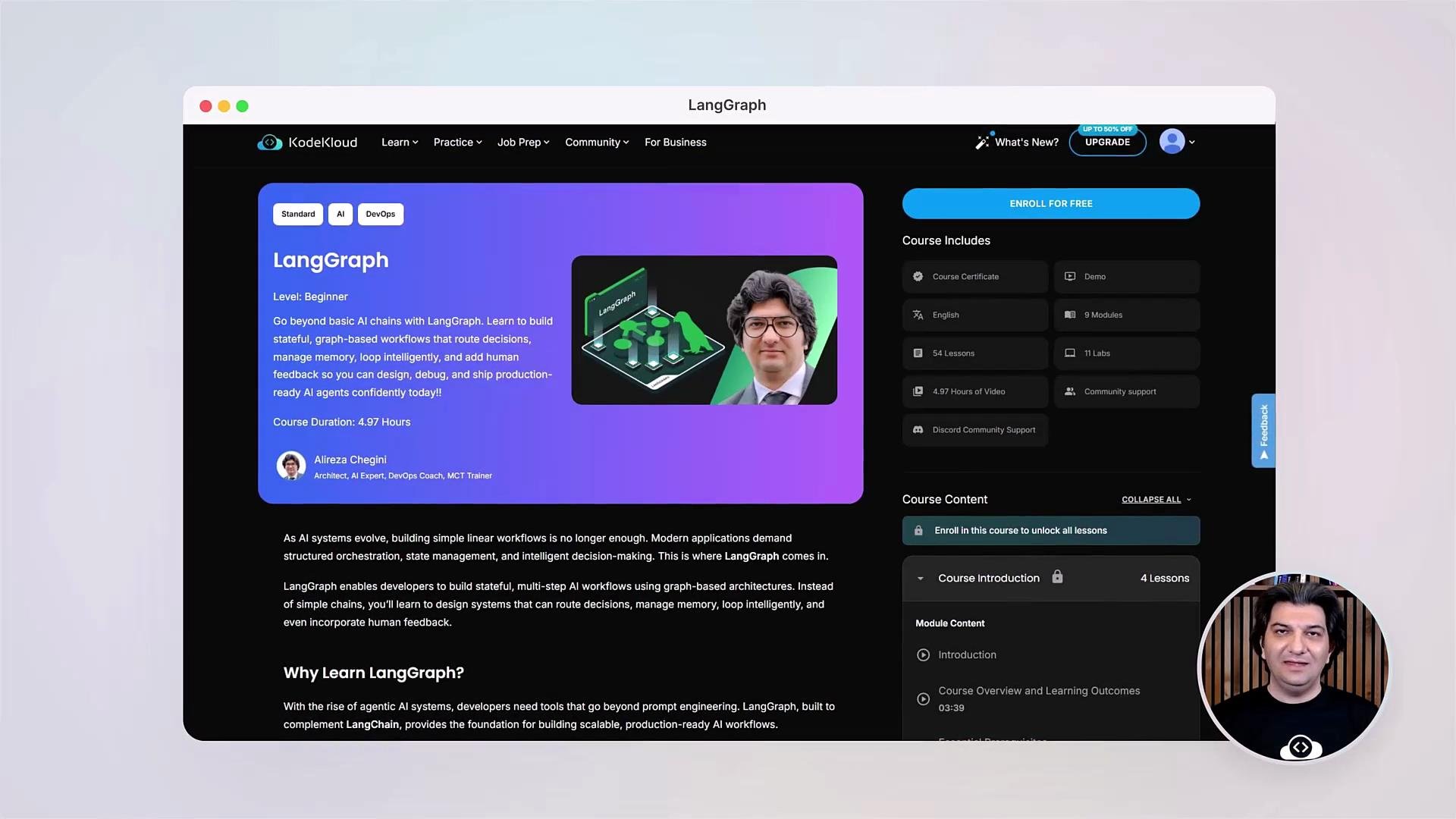
What if your AI applications could loop, make conditional decisions, act autonomously, and collaborate with humans—just like real-world systems? In this lesson you'll learn how to design and build powerful, stateful, production-ready AI workflows using LangGraph.
I'm Alireza Chegini, a solution architect working in generative AI. I'll guide you through designing and building AI agents with LangGraph so you can move beyond single prompts and responses into structured, maintainable, graph-based systems.
Modern AI applications require orchestration, memory, decision-making, and control—exactly where LangGraph excels. You’ll learn to build orchestration pipelines that support stateful behavior, cyclical logic, safe termination, and observability so your systems can handle real-world complexity.
 You will progress through the following key sections and hands-on labs.
* Orientation: learning outcomes, prerequisites, and environment setup.
* Core concepts: what LangGraph is and state graph fundamentals.
* Orchestration: building your first workflows using nodes, edges, and conditional routing.
* Stateful agents: memory, persistence, and user-specific state.
* Robustness: token limits, context optimization, summarization.
* Human-in-the-loop: approvals, feedback, and real-time controls.
* Debugging & observability: breakpoints, state editing, and time travel.
You will progress through the following key sections and hands-on labs.
* Orientation: learning outcomes, prerequisites, and environment setup.
* Core concepts: what LangGraph is and state graph fundamentals.
* Orchestration: building your first workflows using nodes, edges, and conditional routing.
* Stateful agents: memory, persistence, and user-specific state.
* Robustness: token limits, context optimization, summarization.
* Human-in-the-loop: approvals, feedback, and real-time controls.
* Debugging & observability: breakpoints, state editing, and time travel.
 ## What you’ll build
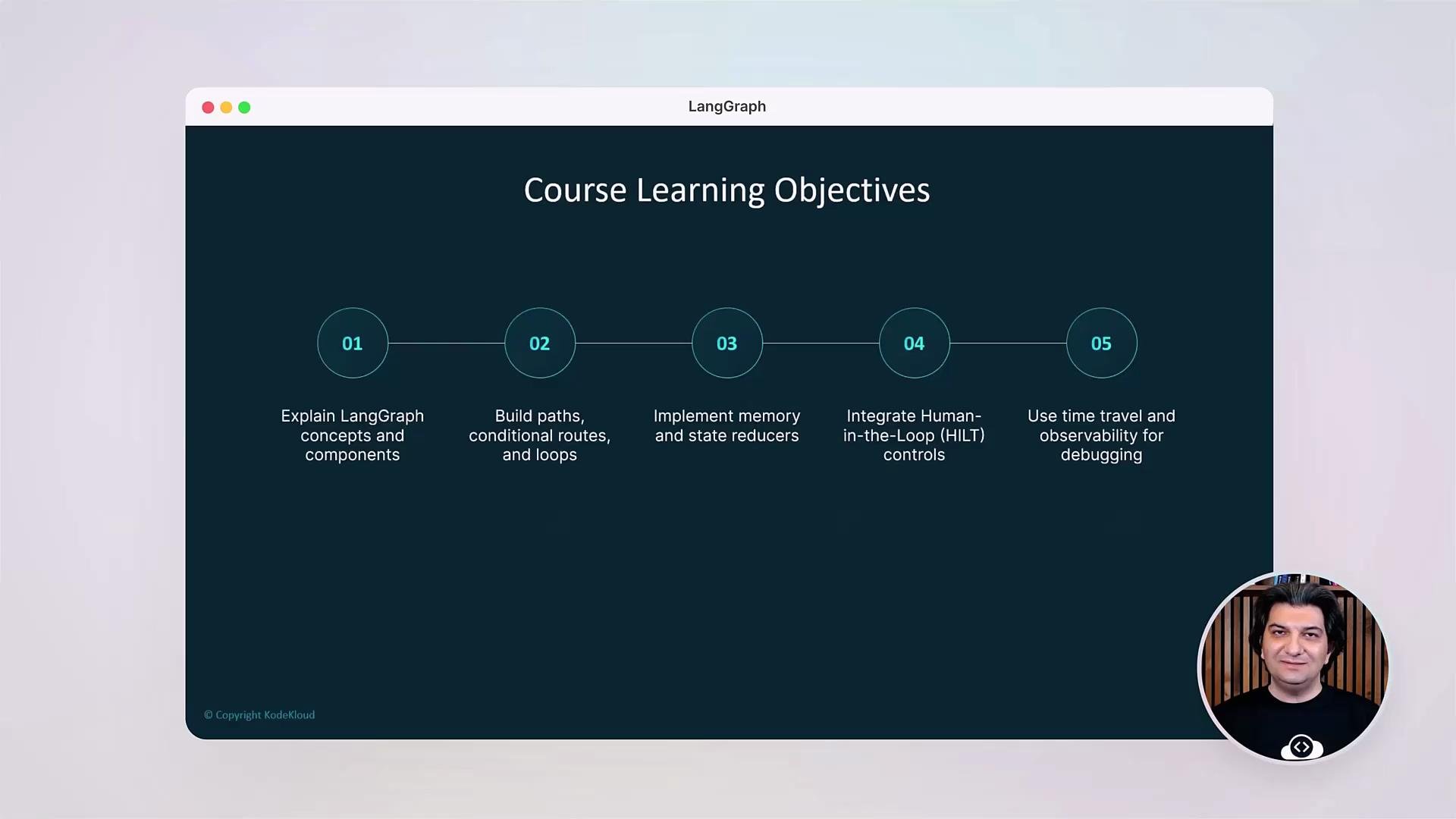
You’ll start by creating simple nodes and edges, then progress to advanced agents with:
* Conditional routing and decision nodes.
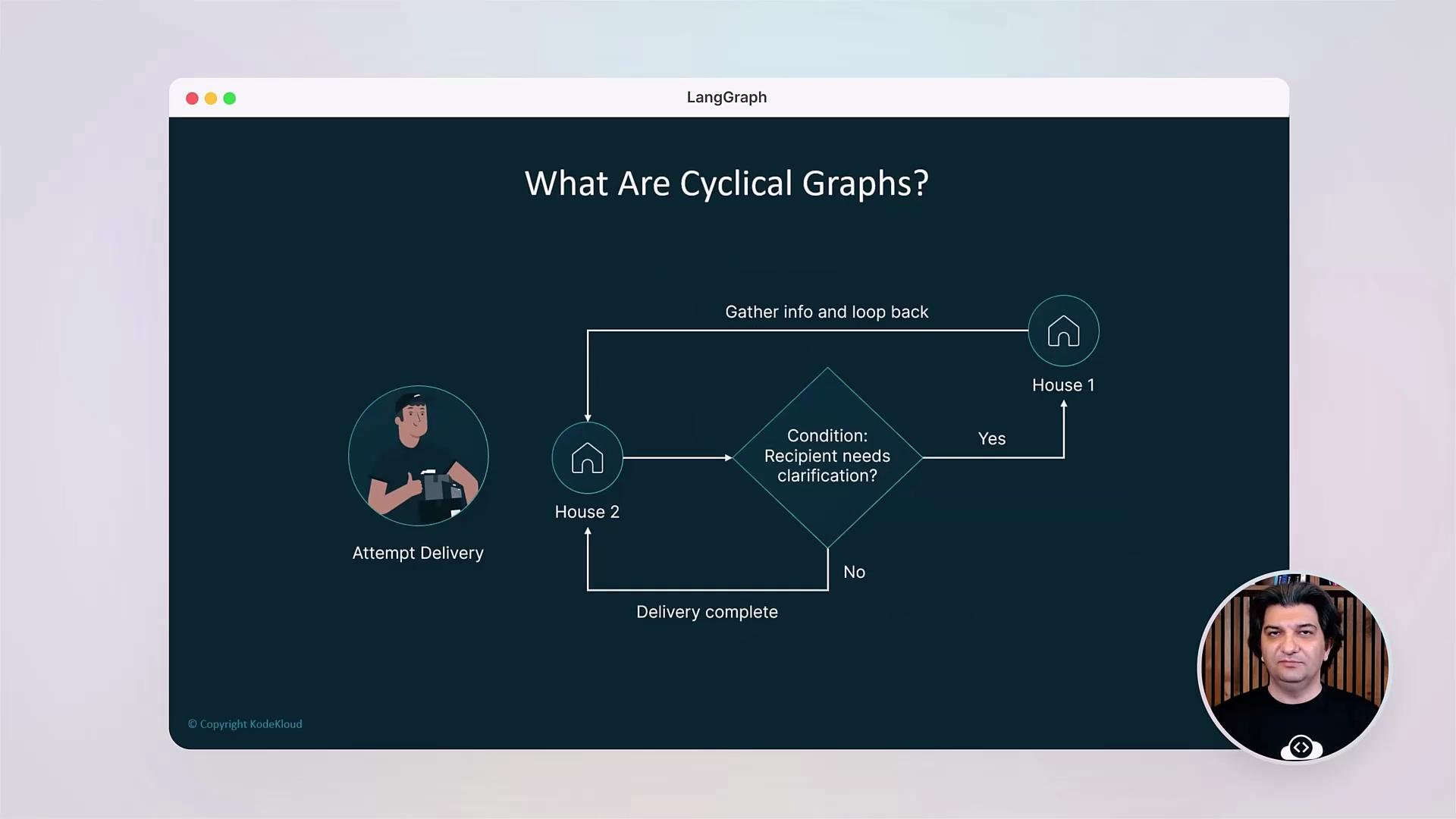
* Reducers and cyclical graphs with safe termination.
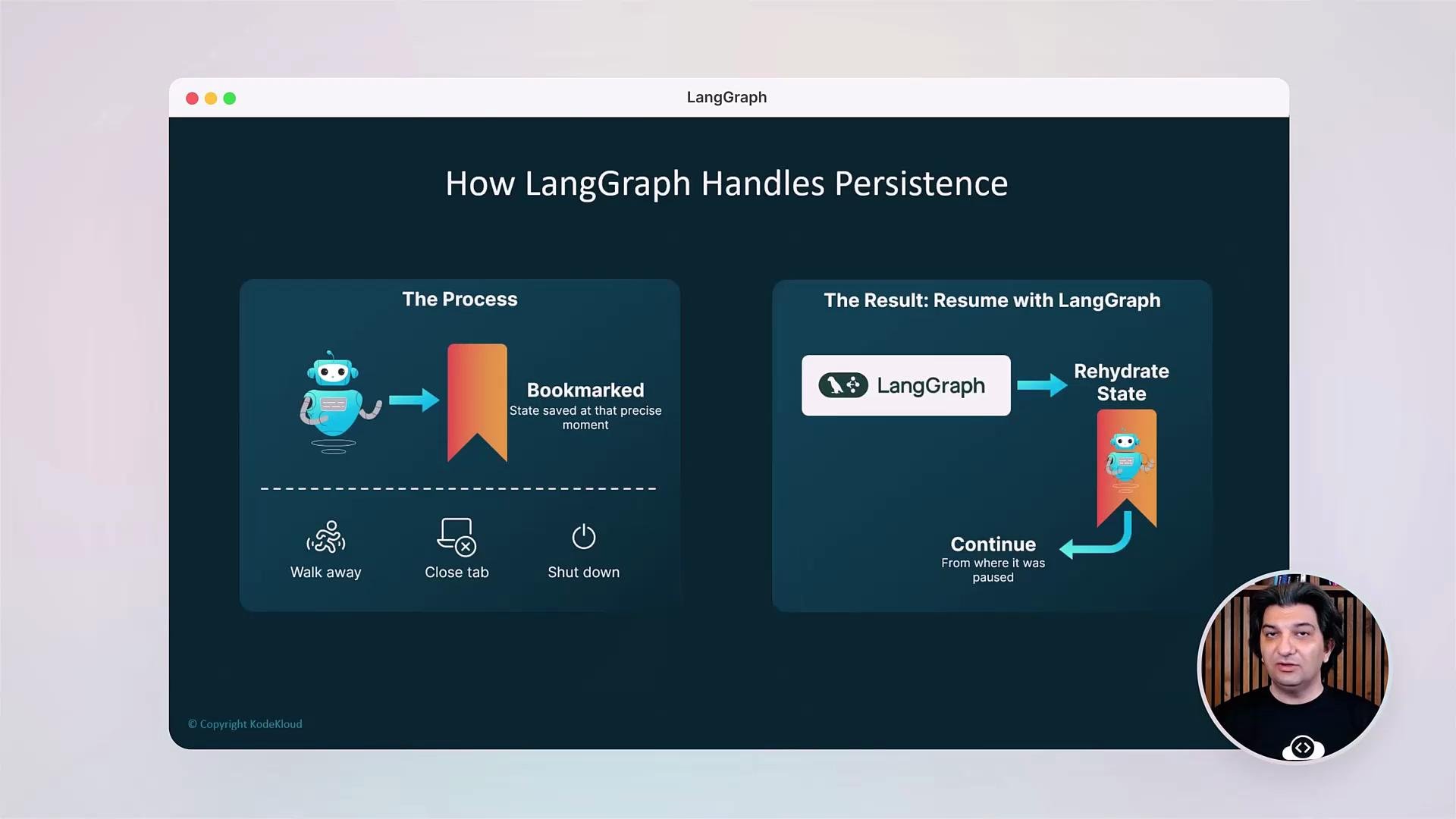
* Persistent bookmarks and rehydration of execution state.
* Observability hooks for logging and tracing.
* Debugging tools such as breakpoints and state editing.
Next, you’ll construct conversational agents that route conversations, summarize longer contexts to manage token usage, and handle multi-turn workflows with memory.
## What you’ll build
You’ll start by creating simple nodes and edges, then progress to advanced agents with:
* Conditional routing and decision nodes.
* Reducers and cyclical graphs with safe termination.
* Persistent bookmarks and rehydration of execution state.
* Observability hooks for logging and tracing.
* Debugging tools such as breakpoints and state editing.
Next, you’ll construct conversational agents that route conversations, summarize longer contexts to manage token usage, and handle multi-turn workflows with memory.
 ## Key technical patterns covered
* Graph-based orchestration patterns (linear, branching, cyclical).
* State management: session state, user state, and persisted bookmarks.
* Context optimization: summarization, context windows, and token-budgeting.
* Safety and termination: guardrails to avoid infinite loops.
* Human-in-the-loop patterns for approvals and manual corrections.
## Key technical patterns covered
* Graph-based orchestration patterns (linear, branching, cyclical).
* State management: session state, user state, and persisted bookmarks.
* Context optimization: summarization, context windows, and token-budgeting.
* Safety and termination: guardrails to avoid infinite loops.
* Human-in-the-loop patterns for approvals and manual corrections.
 ## Practical labs and debugging
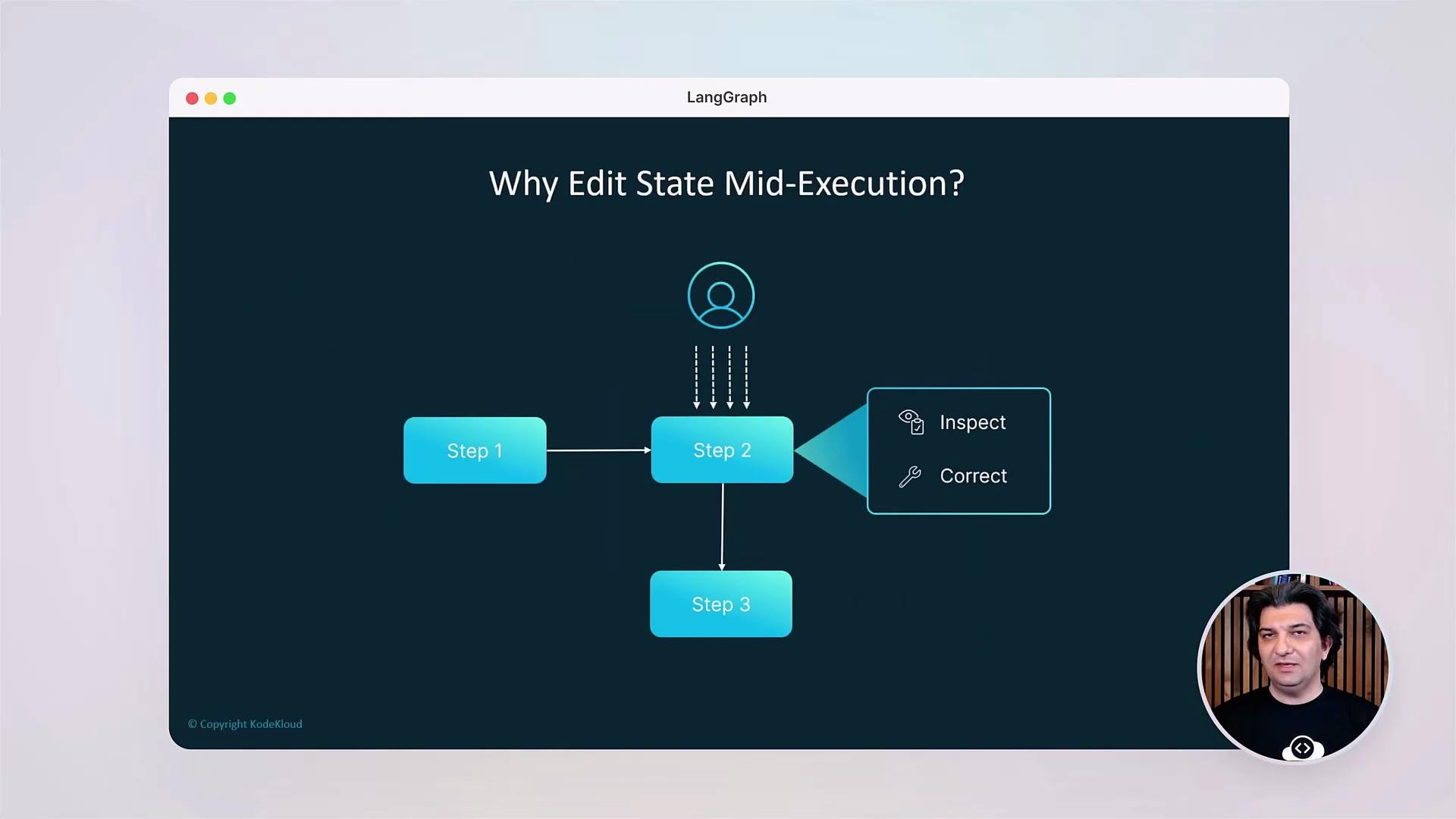
All lessons are hands-on. You’ll implement example agents, add memory, validate inputs, and use LangGraph’s debugging features to inspect and iteratively refine running workflows. Debugging capabilities covered include breakpoints, state editing mid-execution, and time travel to inspect previous states.
## Practical labs and debugging
All lessons are hands-on. You’ll implement example agents, add memory, validate inputs, and use LangGraph’s debugging features to inspect and iteratively refine running workflows. Debugging capabilities covered include breakpoints, state editing mid-execution, and time travel to inspect previous states.
 ## Course format
* Short conceptual videos to introduce patterns.
* Guided demos that walk through code and execution traces.
* Hands-on labs to implement and deploy agents.
* Example repositories and templates to bootstrap projects.
## Verify installation
Before you begin the labs, confirm the LangGraph package is installed:
```bash theme={null}
pip show langgraph
```
Recommended basics: a recent Python version and pip. We'll cover any additional setup and prerequisites at the start of the lesson so you can follow along without friction.
## Prerequisites & environment checklist
| Item | Minimum / Recommendation | Purpose |
| ------------------------ | ------------------------- | ---------------------------- |
| Python | 3.9+ | Run LangGraph and examples |
| pip | Latest | Install dependencies |
| OpenAI / LLM credentials | N/A (as required by labs) | Connect to model providers |
| Git | Latest | Clone example repos and labs |
| Editor | VS Code or similar | Edit code and view logs |
Tip: Store API keys securely (e.g., environment variables or a secrets manager). See the LangGraph docs for provider-specific setup and configuration.
## Links and references
* LangGraph documentation: [https://langgraph.dev](https://langgraph.dev) (refer to provider docs for setup)
* Best practices for prompt engineering and context management: [https://platform.openai.com/docs/guides](https://platform.openai.com/docs/guides)
* General orchestration patterns and state management: [https://en.wikipedia.org/wiki/State\_machine](https://en.wikipedia.org/wiki/State_machine)
Before you begin the labs, we’ll walk through any additional prerequisites and step-by-step environment setup so you can reproduce the demos and exercises confidently.
## Course format
* Short conceptual videos to introduce patterns.
* Guided demos that walk through code and execution traces.
* Hands-on labs to implement and deploy agents.
* Example repositories and templates to bootstrap projects.
## Verify installation
Before you begin the labs, confirm the LangGraph package is installed:
```bash theme={null}
pip show langgraph
```
Recommended basics: a recent Python version and pip. We'll cover any additional setup and prerequisites at the start of the lesson so you can follow along without friction.
## Prerequisites & environment checklist
| Item | Minimum / Recommendation | Purpose |
| ------------------------ | ------------------------- | ---------------------------- |
| Python | 3.9+ | Run LangGraph and examples |
| pip | Latest | Install dependencies |
| OpenAI / LLM credentials | N/A (as required by labs) | Connect to model providers |
| Git | Latest | Clone example repos and labs |
| Editor | VS Code or similar | Edit code and view logs |
Tip: Store API keys securely (e.g., environment variables or a secrets manager). See the LangGraph docs for provider-specific setup and configuration.
## Links and references
* LangGraph documentation: [https://langgraph.dev](https://langgraph.dev) (refer to provider docs for setup)
* Best practices for prompt engineering and context management: [https://platform.openai.com/docs/guides](https://platform.openai.com/docs/guides)
* General orchestration patterns and state management: [https://en.wikipedia.org/wiki/State\_machine](https://en.wikipedia.org/wiki/State_machine)
Before you begin the labs, we’ll walk through any additional prerequisites and step-by-step environment setup so you can reproduce the demos and exercises confidently.