> ## Documentation Index
> Fetch the complete documentation index at: https://notes.kodekloud.com/llms.txt
> Use this file to discover all available pages before exploring further.
# Leveraging the LangGraph Store
> Explains LangGraph's persistent store and checkpointing for agent workflows, enabling durable state, pause and resume, observability, and scalable backend options for production deployments.
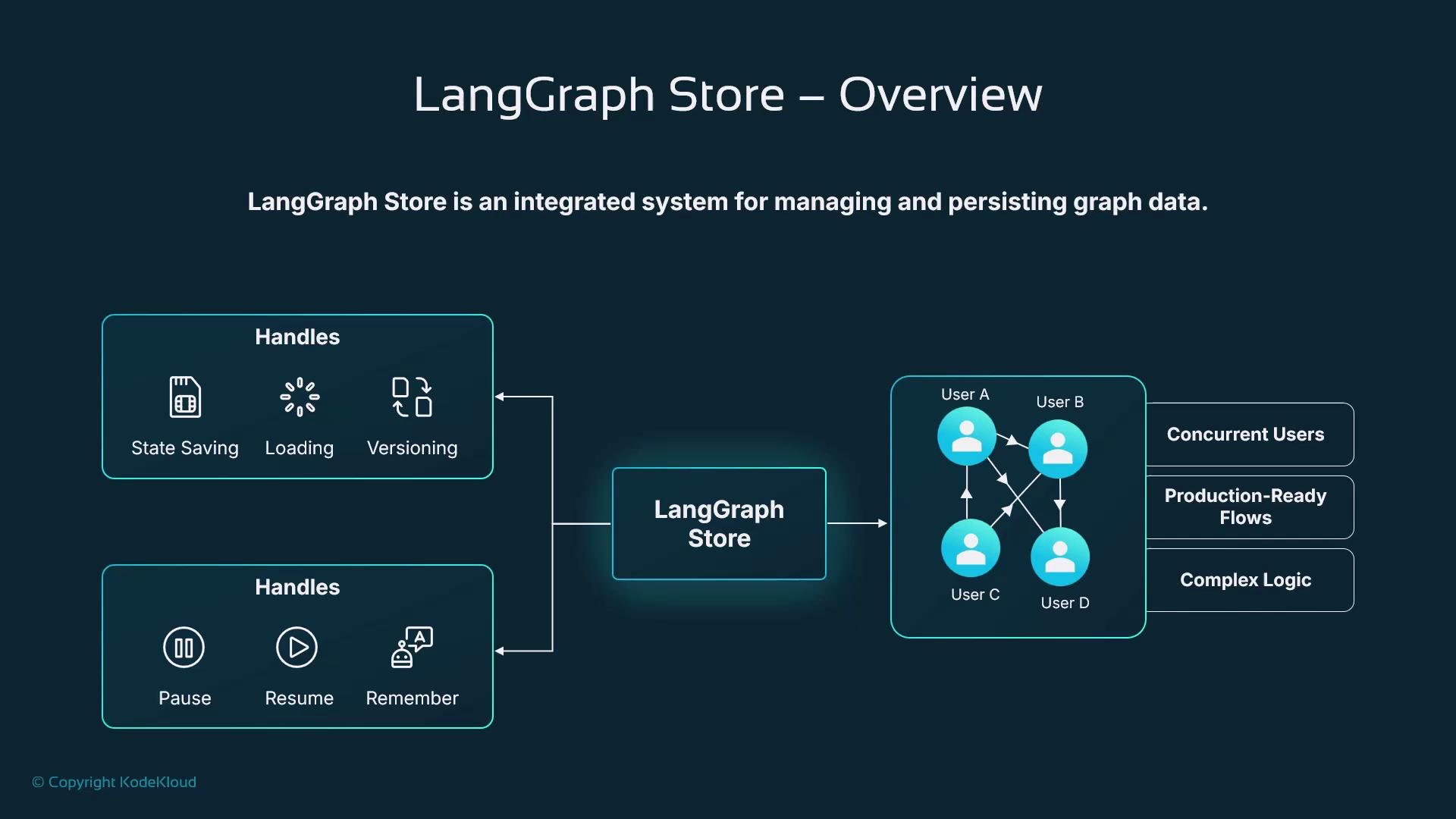
The LangGraph store is a built-in persistent storage layer for agent workflows. Instead of creating a custom database or ad-hoc memory system, developers can use LangGraph's storage interface and checkpointing to remember information across runs, share data between concurrent users, and support long-running or interruptible processes.
When combined with checkpointing, the store enables safe pause/resume semantics and recovery from failures — making LangGraph suitable for production deployments where agents manage complex logic, human-in-the-loop events, or multi-step tasks.
Think of the LangGraph store like Ravi’s smart clipboard: it remembers every delivery route, stops made, remaining items, and notes — all in one place. The store holds long-term memories, message history, logs, and per-user context that workflows and agents can read and update over time.
 Key benefits
* Durable conversation and state: agents can maintain knowledge across sessions and users.
* Safe recovery: checkpoint snapshots let workflows resume after failures or interruptions.
* Shared state for scale: multiple workers or services can query and rehydrate the same execution state.
* Observability: checkpoint histories enable auditing, debugging, and reproducibility.
The store works together with LangGraph’s checkpointing system to capture snapshots of the graph state during execution — enabling pause, resume, or recovery. This lets developers query past interactions and track how state changes over time.
Key benefits
* Durable conversation and state: agents can maintain knowledge across sessions and users.
* Safe recovery: checkpoint snapshots let workflows resume after failures or interruptions.
* Shared state for scale: multiple workers or services can query and rehydrate the same execution state.
* Observability: checkpoint histories enable auditing, debugging, and reproducibility.
The store works together with LangGraph’s checkpointing system to capture snapshots of the graph state during execution — enabling pause, resume, or recovery. This lets developers query past interactions and track how state changes over time.
 Persistence model — three layers
Use the table below to quickly understand how persistence maps to LangGraph workflows.
| Layer | What it contains | Purpose |
| --------------------------- | ---------------------------------------------------------------------------------------------- | ----------------------------------------------------------------- |
| Graph state | In-memory working state while a graph runs (user inputs, intermediate results, retrieved info) | Short-lived runtime data used by active executions |
| Runs & checkpoints | Snapshots saved during execution to pause/resume or recover workflows | Durable checkpoints enabling resume, replay, and debugging |
| Persistent application data | Logs, aggregated summaries, long-term memory stored outside immediate graph state | Historical records, audit trails, and user-level long-term memory |
These layers together support versioning, debugging, safe recovery, and state migration for long-running agent executions.
Example: persisting LangGraph execution
This concise Python example shows enabling checkpointing with a SQLite checkpointer. It defines an application state schema, creates the checkpointer, compiles a StateGraph with the checkpointer, and invokes the graph using a `thread_id` that becomes the persistent execution identity.
```python theme={null}
from typing_extensions import TypedDict
from langgraph.graph import StateGraph
from langgraph.checkpoint.sqlite import SQLiteSaver
# Define state schema
class AppState(TypedDict):
messages: list[str]
# Create persistent checkpointer (stores checkpoints to a durable backend)
checkpointer = SQLiteSaver.from_conn_string("graph.db")
# Build and compile the graph
builder = StateGraph(AppState)
# builder.add_node(...), add edges, etc.
app = builder.compile(checkpointer=checkpointer)
# Run graph with persistent thread state
config = {"configurable": {"thread_id": "user_456"}}
result = app.invoke({"messages": ["Hi!"]}, config=config)
print(result)
```
Using the same `thread_id` on subsequent invokes lets LangGraph load the latest checkpoint for that session and resume from the stored state.
As the graph runs, LangGraph will save checkpoints automatically to supported backends (for example, SQLite or Redis). These checkpoints act as recoverable snapshots so workflows can continue later by reconnecting to the same checkpointer and invoking the graph again with the same `thread_id`.
Resuming a workflow
To continue a paused workflow (for instance after an external event or a user returns), reconnect to the same checkpointer and invoke the graph with the same execution identifier. The graph definition must match the original compilation so that rehydration reconstructs the expected state.
```python theme={null}
from langgraph.checkpoint.sqlite import SQLiteSaver
from langgraph.graph import StateGraph
# Reconnect to existing checkpoint database
checkpointer = SQLiteSaver.from_conn_string("graph.db")
# Rebuild graph (must match the original graph definition)
builder = StateGraph(AppState)
app = builder.compile(checkpointer=checkpointer)
# Same thread_id resumes the previous conversation
config = {"configurable": {"thread_id": "user_456"}}
result = app.invoke({"messages": ["Continue our conversation"]}, config=config)
print(result)
```
Ensure the compiled graph's structure and state schema match the original run. Mismatched graph definitions can cause rehydration errors or inconsistent state.
Why checkpointing matters
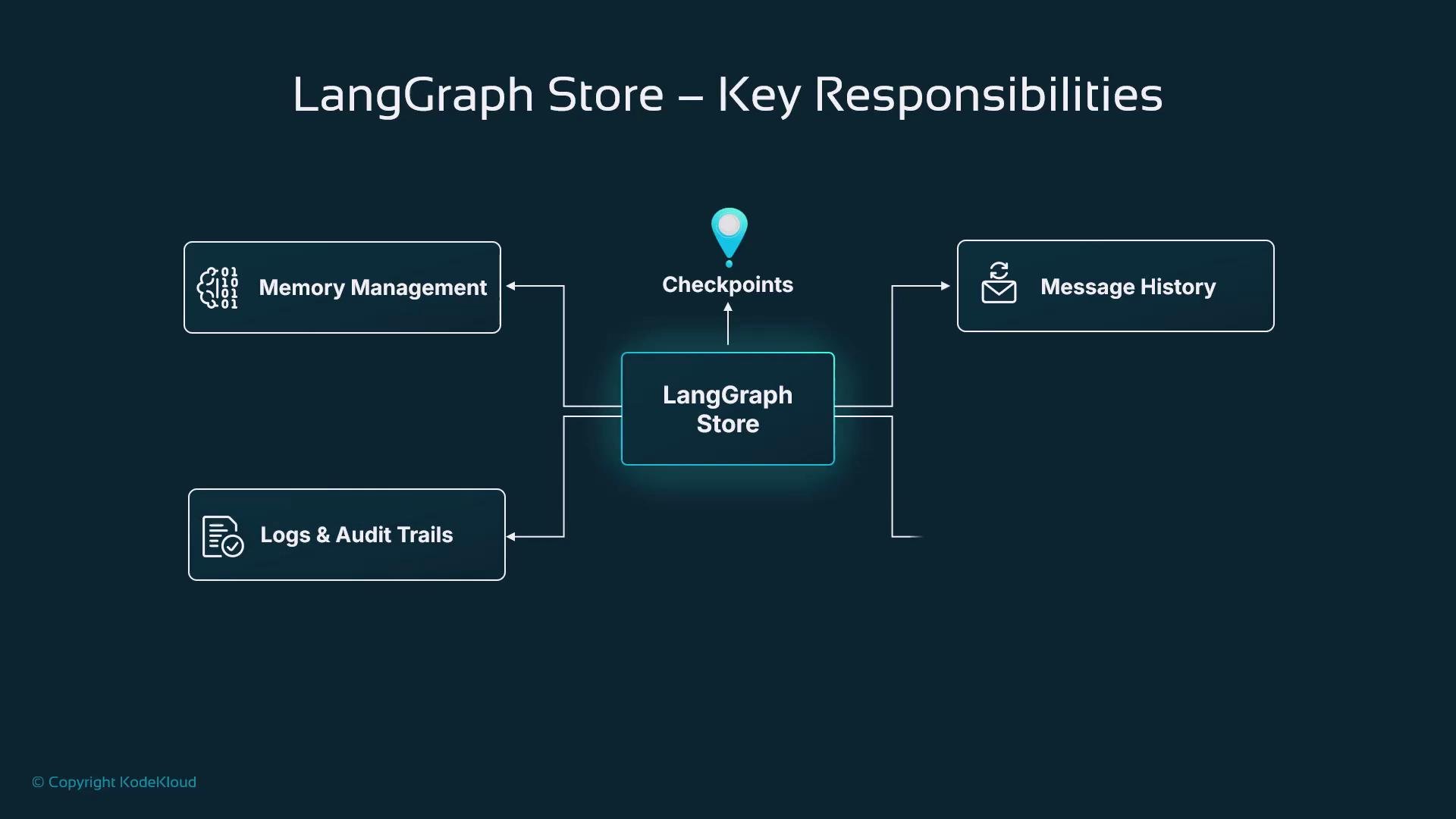
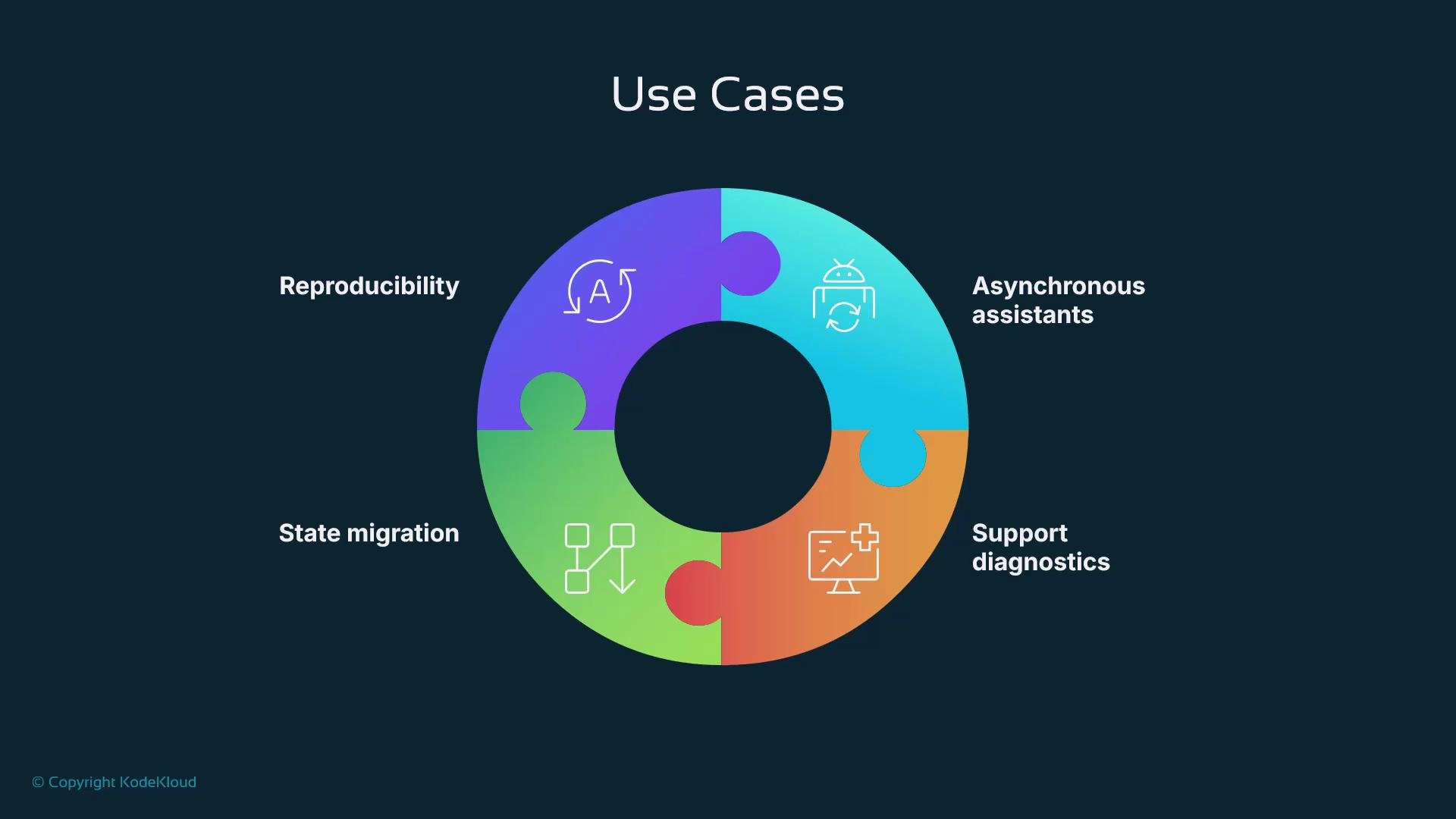
Checkpointing unlocks production capabilities that are hard to achieve with ephemeral, single-run agents:
* Asynchronous assistance: pause workflows while waiting for user replies, external APIs, or human actions, and resume hours later without losing context.
* Diagnostics and auditing: checkpoints record how state changed, aiding root-cause analysis and compliance.
* State migration: transfer stored state between services or instances during redeployments or scaling.
* Reproducibility: replay saved checkpoints to test fixes, validate new logic, or compare behaviors.
Persistence model — three layers
Use the table below to quickly understand how persistence maps to LangGraph workflows.
| Layer | What it contains | Purpose |
| --------------------------- | ---------------------------------------------------------------------------------------------- | ----------------------------------------------------------------- |
| Graph state | In-memory working state while a graph runs (user inputs, intermediate results, retrieved info) | Short-lived runtime data used by active executions |
| Runs & checkpoints | Snapshots saved during execution to pause/resume or recover workflows | Durable checkpoints enabling resume, replay, and debugging |
| Persistent application data | Logs, aggregated summaries, long-term memory stored outside immediate graph state | Historical records, audit trails, and user-level long-term memory |
These layers together support versioning, debugging, safe recovery, and state migration for long-running agent executions.
Example: persisting LangGraph execution
This concise Python example shows enabling checkpointing with a SQLite checkpointer. It defines an application state schema, creates the checkpointer, compiles a StateGraph with the checkpointer, and invokes the graph using a `thread_id` that becomes the persistent execution identity.
```python theme={null}
from typing_extensions import TypedDict
from langgraph.graph import StateGraph
from langgraph.checkpoint.sqlite import SQLiteSaver
# Define state schema
class AppState(TypedDict):
messages: list[str]
# Create persistent checkpointer (stores checkpoints to a durable backend)
checkpointer = SQLiteSaver.from_conn_string("graph.db")
# Build and compile the graph
builder = StateGraph(AppState)
# builder.add_node(...), add edges, etc.
app = builder.compile(checkpointer=checkpointer)
# Run graph with persistent thread state
config = {"configurable": {"thread_id": "user_456"}}
result = app.invoke({"messages": ["Hi!"]}, config=config)
print(result)
```
Using the same `thread_id` on subsequent invokes lets LangGraph load the latest checkpoint for that session and resume from the stored state.
As the graph runs, LangGraph will save checkpoints automatically to supported backends (for example, SQLite or Redis). These checkpoints act as recoverable snapshots so workflows can continue later by reconnecting to the same checkpointer and invoking the graph again with the same `thread_id`.
Resuming a workflow
To continue a paused workflow (for instance after an external event or a user returns), reconnect to the same checkpointer and invoke the graph with the same execution identifier. The graph definition must match the original compilation so that rehydration reconstructs the expected state.
```python theme={null}
from langgraph.checkpoint.sqlite import SQLiteSaver
from langgraph.graph import StateGraph
# Reconnect to existing checkpoint database
checkpointer = SQLiteSaver.from_conn_string("graph.db")
# Rebuild graph (must match the original graph definition)
builder = StateGraph(AppState)
app = builder.compile(checkpointer=checkpointer)
# Same thread_id resumes the previous conversation
config = {"configurable": {"thread_id": "user_456"}}
result = app.invoke({"messages": ["Continue our conversation"]}, config=config)
print(result)
```
Ensure the compiled graph's structure and state schema match the original run. Mismatched graph definitions can cause rehydration errors or inconsistent state.
Why checkpointing matters
Checkpointing unlocks production capabilities that are hard to achieve with ephemeral, single-run agents:
* Asynchronous assistance: pause workflows while waiting for user replies, external APIs, or human actions, and resume hours later without losing context.
* Diagnostics and auditing: checkpoints record how state changed, aiding root-cause analysis and compliance.
* State migration: transfer stored state between services or instances during redeployments or scaling.
* Reproducibility: replay saved checkpoints to test fixes, validate new logic, or compare behaviors.
 Checkpointer responsibilities
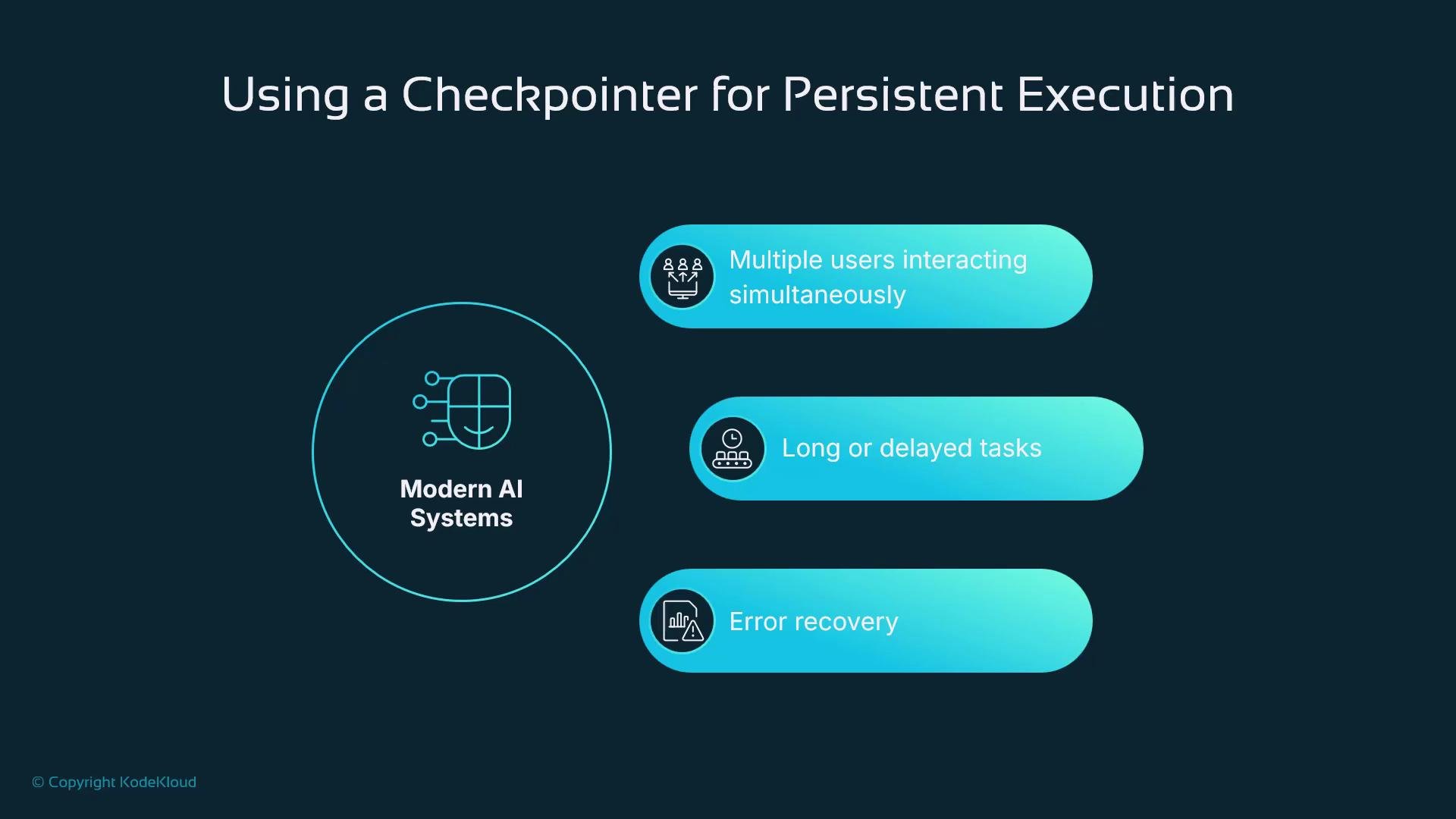
A checkpointer implements three essential roles:
* Storage: persist the graph state to a durable backend (SQLite, Redis, or other stores).
* Querying: enable inspection and analysis of previous executions and how state changed over time.
* Rehydration: reconstruct the graph state from a saved checkpoint so execution continues from where it left off.
Checkpointer responsibilities
A checkpointer implements three essential roles:
* Storage: persist the graph state to a durable backend (SQLite, Redis, or other stores).
* Querying: enable inspection and analysis of previous executions and how state changed over time.
* Rehydration: reconstruct the graph state from a saved checkpoint so execution continues from where it left off.
 Practical production use cases
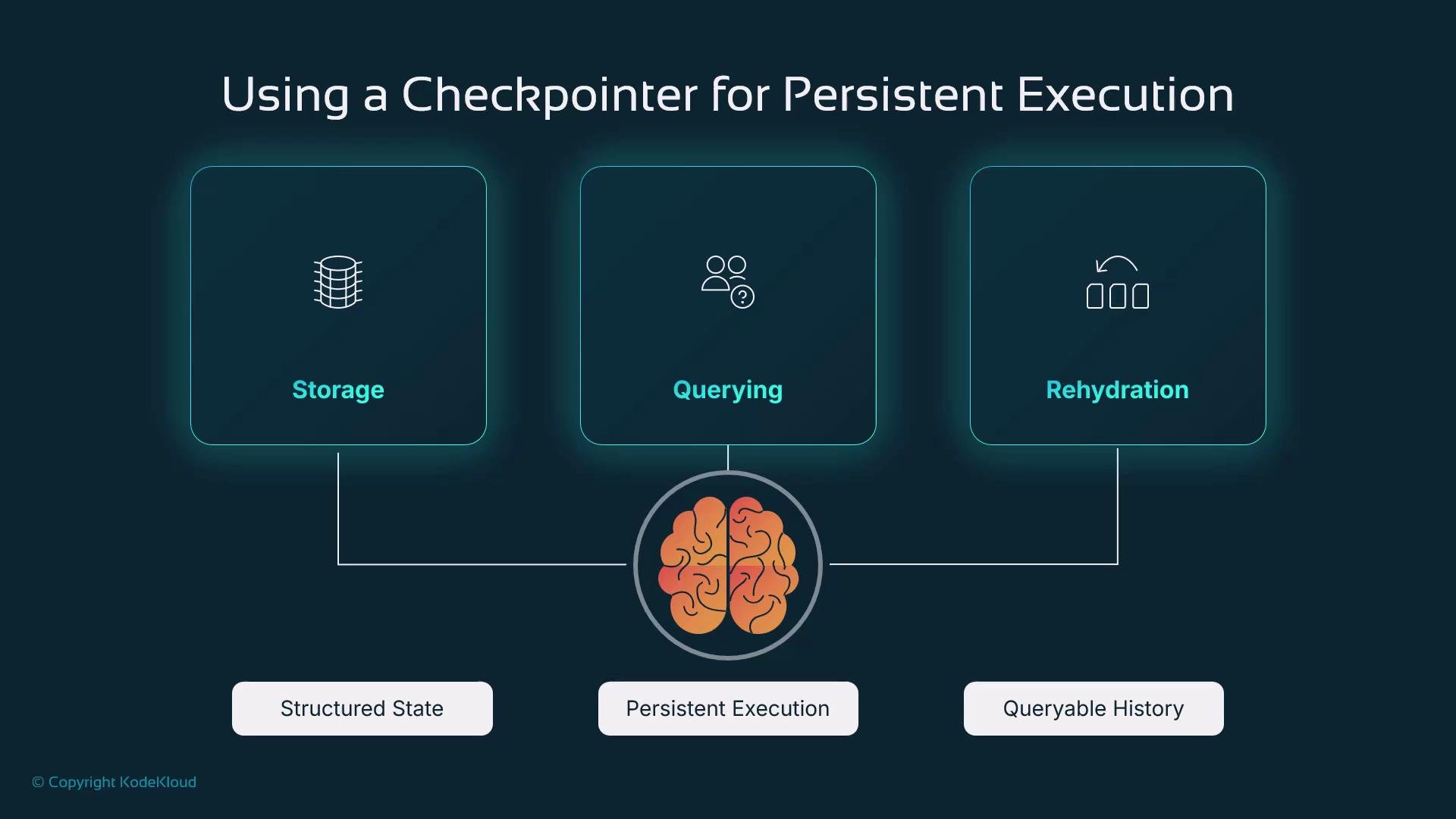
Checkpointing and the LangGraph store enable real-world agent features such as:
* Long-running assistants preserving user-specific context across days or weeks.
* Workflows that wait for external tools, human approvals, or offline events.
* Auditable executions for support, compliance, and post-mortem investigations.
* Scalable distributed deployments where state must be shared, migrated, or sharded.
Practical production use cases
Checkpointing and the LangGraph store enable real-world agent features such as:
* Long-running assistants preserving user-specific context across days or weeks.
* Workflows that wait for external tools, human approvals, or offline events.
* Auditable executions for support, compliance, and post-mortem investigations.
* Scalable distributed deployments where state must be shared, migrated, or sharded.
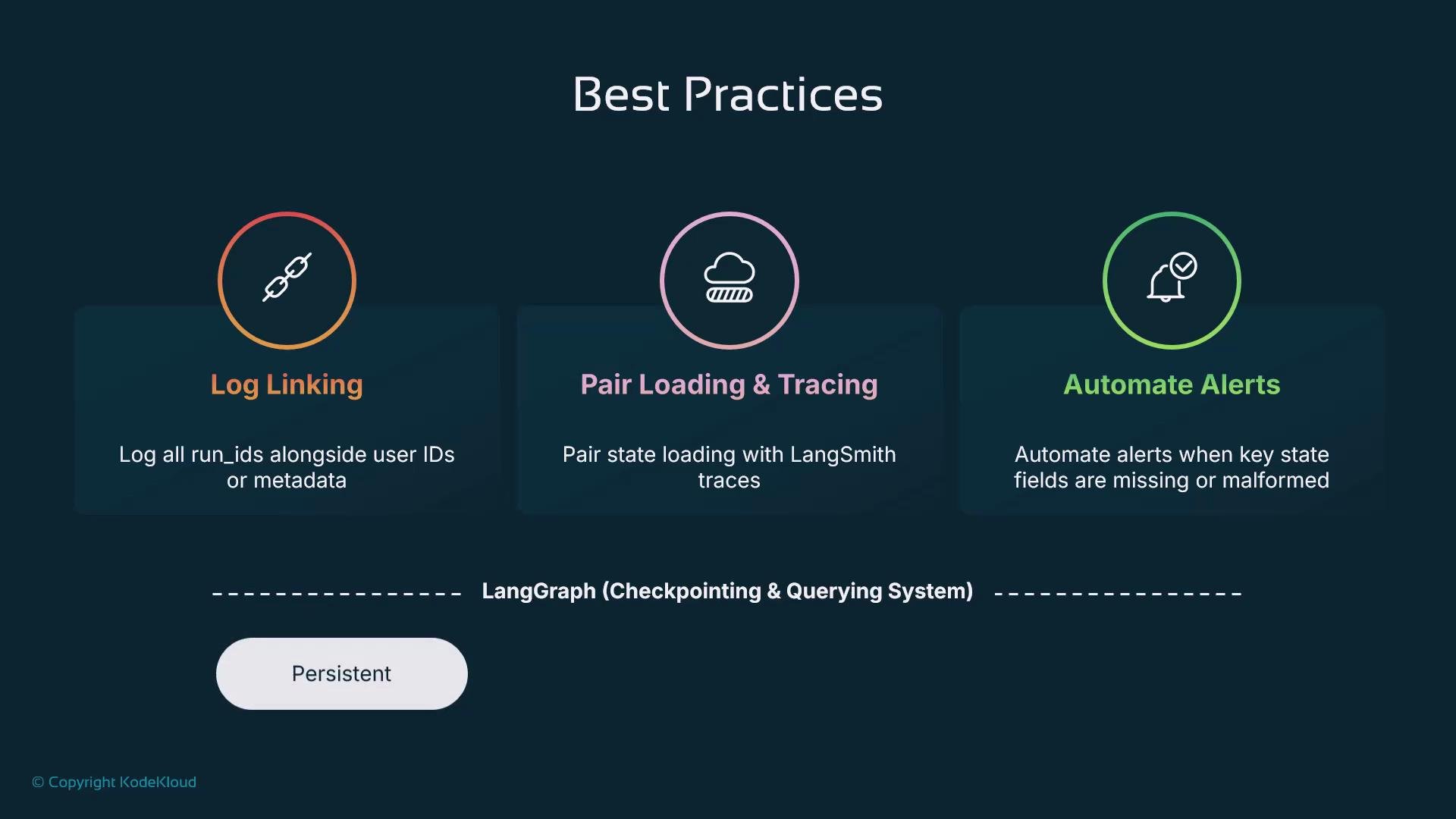
 Best practices for production
* Log `thread_id` with user identifiers and relevant metadata for traceability and debugging.
* Combine checkpoints with tracing tools (e.g., distributed tracing) to visualize model calls, tool invocations, and graph transitions.
* Validate critical state fields and implement alerts if values are missing or malformed to avoid silent failures.
* Keep checkpoint retention and archival policies aligned with compliance and cost requirements.
Best practices for production
* Log `thread_id` with user identifiers and relevant metadata for traceability and debugging.
* Combine checkpoints with tracing tools (e.g., distributed tracing) to visualize model calls, tool invocations, and graph transitions.
* Validate critical state fields and implement alerts if values are missing or malformed to avoid silent failures.
* Keep checkpoint retention and archival policies aligned with compliance and cost requirements.
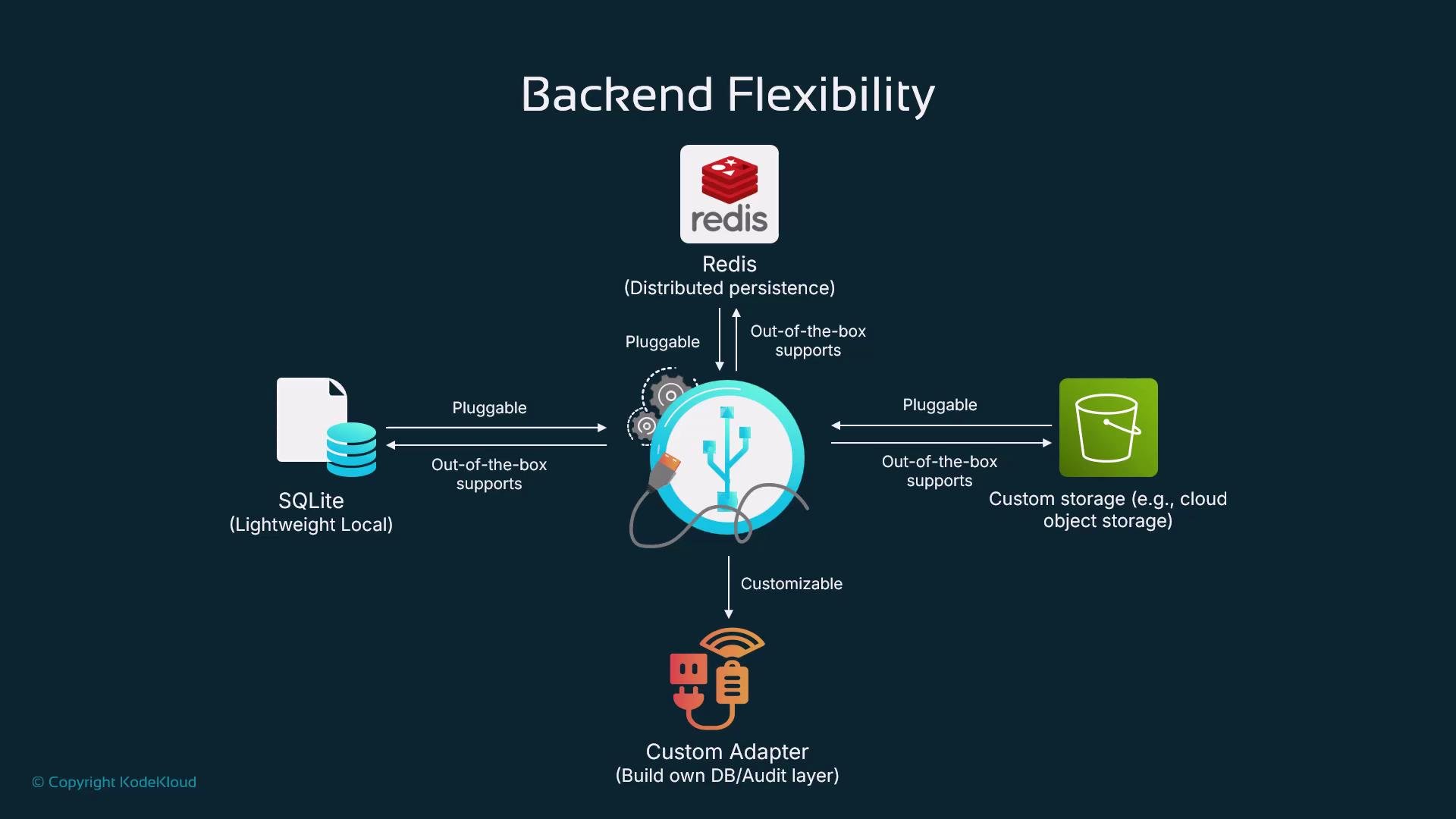
 Backend flexibility
LangGraph’s checkpointing is pluggable — choose the backend that fits your environment:
| Backend | When to use |
| --------------- | ---------------------------------------------------------------------------------------------------- |
| `SQLite` | Local development, prototypes, or small deployments where installing additional infra is undesirable |
| `Redis` | Distributed systems needing low-latency shared state across multiple workers |
| Custom adapters | Enterprise databases, audit systems, or specialized storage for compliance and scalability needs |
LangGraph supports custom adapters so the same workflow can run locally during development and scale to a robust backend in production.
Backend flexibility
LangGraph’s checkpointing is pluggable — choose the backend that fits your environment:
| Backend | When to use |
| --------------- | ---------------------------------------------------------------------------------------------------- |
| `SQLite` | Local development, prototypes, or small deployments where installing additional infra is undesirable |
| `Redis` | Distributed systems needing low-latency shared state across multiple workers |
| Custom adapters | Enterprise databases, audit systems, or specialized storage for compliance and scalability needs |
LangGraph supports custom adapters so the same workflow can run locally during development and scale to a robust backend in production.
 Observability and debugging
Checkpoints provide a temporal record of state evolution. Combine checkpoint histories with tracing and logging to:
* Inspect how decisions were made by the agent.
* Replay executions to reproduce and fix issues.
* Correlate model outputs and external tool calls with state changes.
These observability capabilities are essential to improving reliability and validating production agents.
Summary
Persistence — via the LangGraph store and checkpointing — is a foundational capability for production-grade agents. By separating durable state management from the agent logic, and pairing checkpointing with observability tools, developers can:
* Build assistants that keep context across sessions.
* Implement long-running, interruptible workflows.
* Reproduce and audit executions for compliance and debugging.
* Scale from local development to distributed production deployments.
Links and references
* [SQLite](https://www.sqlite.org)
* [Redis](https://redis.io)
* [LangGraph repository and docs](/)
Observability and debugging
Checkpoints provide a temporal record of state evolution. Combine checkpoint histories with tracing and logging to:
* Inspect how decisions were made by the agent.
* Replay executions to reproduce and fix issues.
* Correlate model outputs and external tool calls with state changes.
These observability capabilities are essential to improving reliability and validating production agents.
Summary
Persistence — via the LangGraph store and checkpointing — is a foundational capability for production-grade agents. By separating durable state management from the agent logic, and pairing checkpointing with observability tools, developers can:
* Build assistants that keep context across sessions.
* Implement long-running, interruptible workflows.
* Reproduce and audit executions for compliance and debugging.
* Scale from local development to distributed production deployments.
Links and references
* [SQLite](https://www.sqlite.org)
* [Redis](https://redis.io)
* [LangGraph repository and docs](/)