> ## Documentation Index
> Fetch the complete documentation index at: https://notes.kodekloud.com/llms.txt
> Use this file to discover all available pages before exploring further.
# Practical Application Building a Basic Conversational Agent
> Guide to designing a minimal modular conversational agent in LangGraph using intent classification, conditional routing, optional retrieval, LLM generation, and centralized response formatting.
This lesson assumes familiarity with nodes, edges, and conditional routing — the core mechanics of LangGraph. We'll translate those fundamentals into a concrete, minimal conversational agent design and walk through a demo implementation in LangGraph.
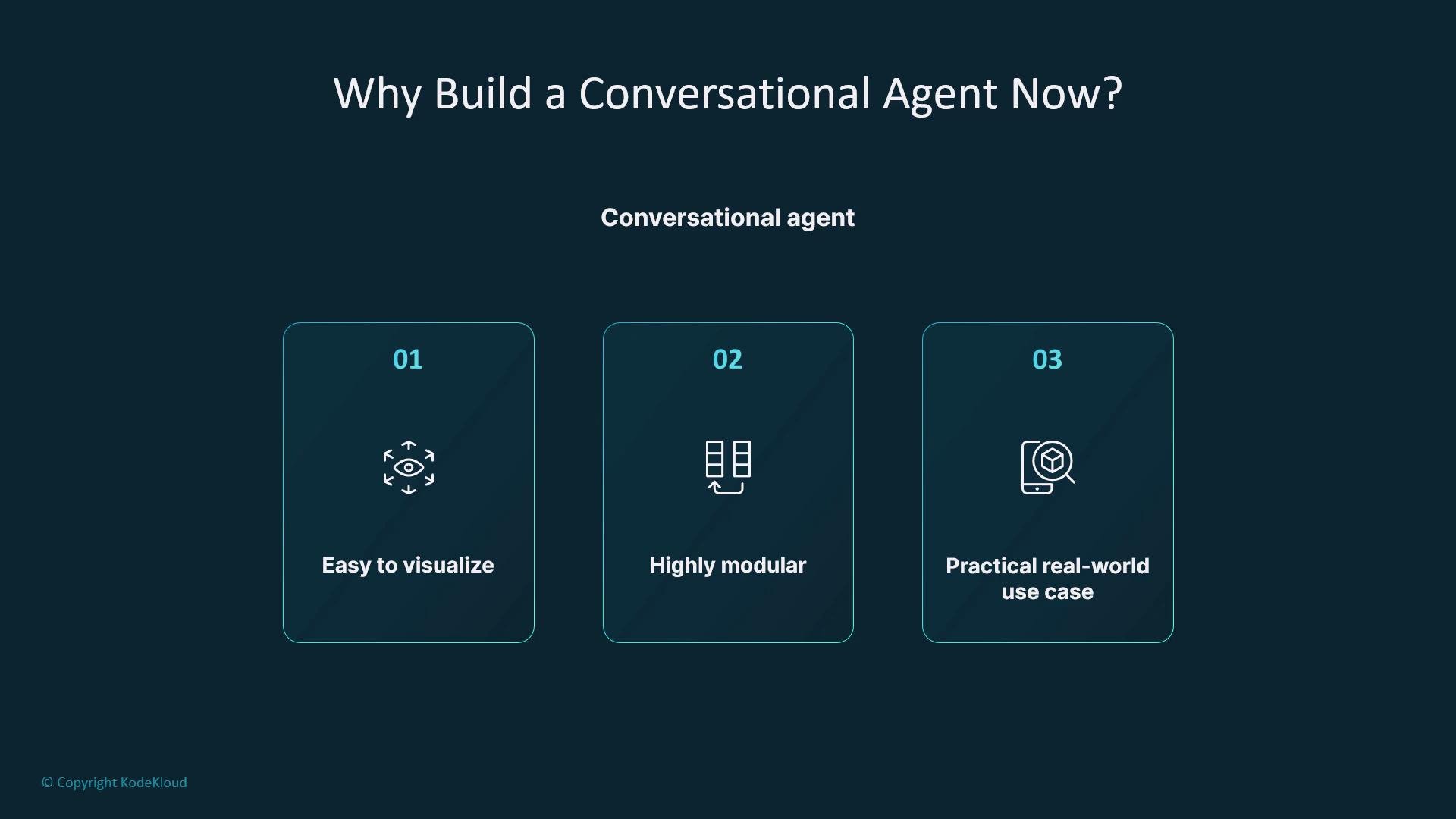
A conversational agent is an ideal example because it is:
* Easy to visualize,
* Highly modular, and
* A practical, real-world use case you can adapt for your organization.
 ## High-level objective
* Build a chatbot that:
* Understands user intent,
* Decides whether to answer directly or perform a document search, and
* Returns a formatted response.
* Adhere to LangGraph principles: modular nodes, explicit state, and declarative routing.
## High-level flow
1. Receive user input — an entry node persists the user's message into the graph state.
2. Classify intent — a lightweight LLM or classifier marks whether the user expects a direct answer or a search.
3. Conditional routing — route to search or answer branches based on intent.
4. External search (optional) — perform retrieval when external knowledge is required.
5. Answer generation — use an LLM to produce the response (with or without retrieved context).
6. Merge and respond — format a final response in a shared node so output formatting or streaming can be centralized.
This flow remains intentionally simple and mostly acyclic. It emphasizes routing, node design, and state transitions so you can observe, test, and extend behavior with minimal friction.
## About the entry node and state
* The entry node's responsibility is to persist the raw user message into graph state (for example: `state.user_message`).
* Every subsequent node reads from and writes to `state`; this keeps each node small, composable, and independently testable.
Design the entry node to only persist input (avoid embedding logic here). Separating intent classification, retrieval, and generation makes each piece replaceable and easier to maintain or extend.
## Routing and branching
* After intent classification, treat the graph like a decision tree: if `intent == "search"`, route to the retrieval branch; if `intent == "answer"`, route to the direct answer branch.
* Converge both branches into a common response node. Centralizing response formatting makes it trivial to add streaming, templating, or channel-specific outputs without changing upstream logic.
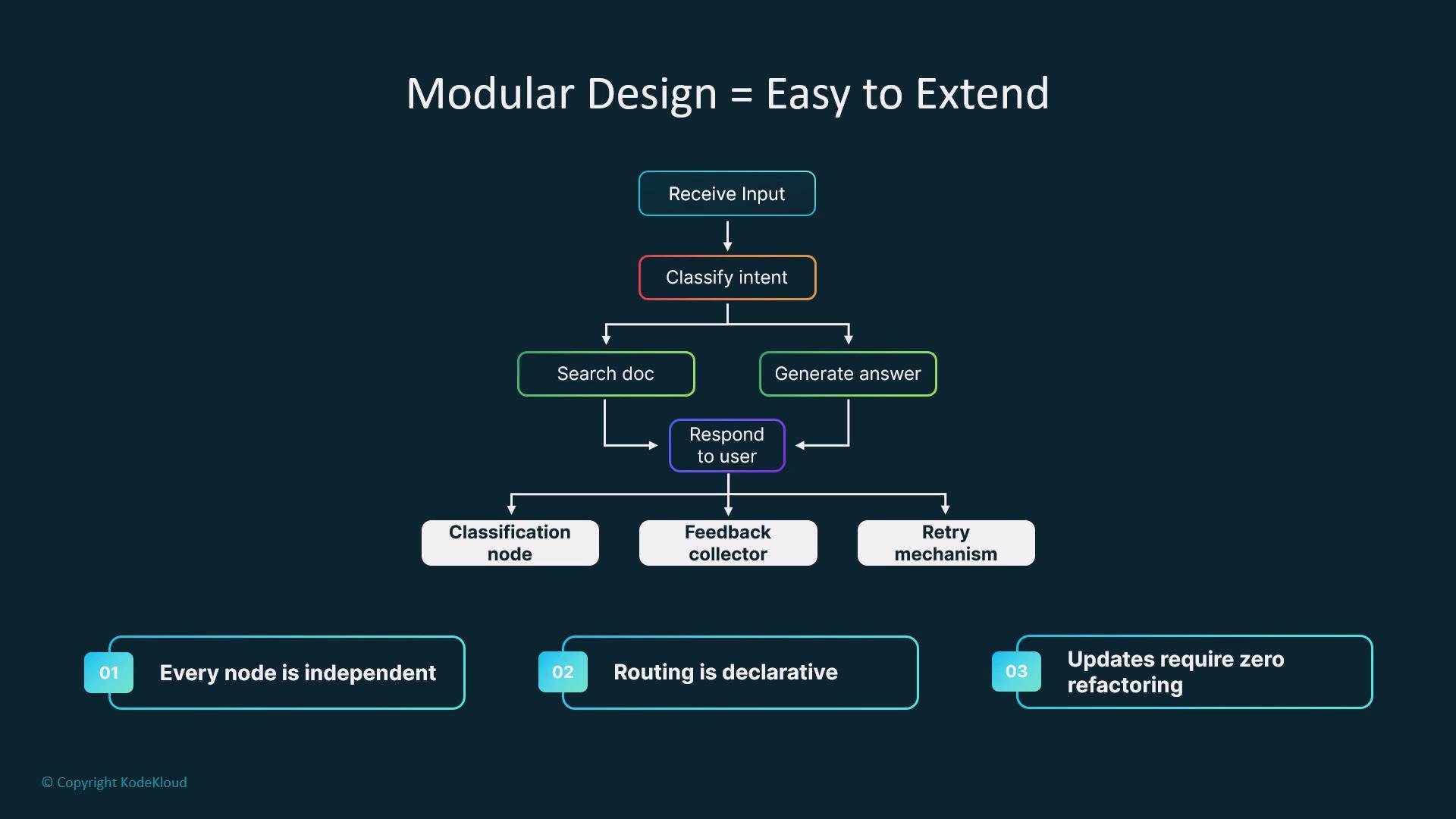
* Because nodes are independent and routing is declarative, you can swap or instrument nodes without refactoring unrelated components.
## Extensibility and observability
* Replace the intent classifier with a fine-tuned model when higher accuracy is required.
* Add a fallback node to handle empty search results or low-confidence classifications.
* Swap the final response generator for a streaming responder to enable real-time outputs.
* Use LangGraph observability tools (logs, metrics, traces) to debug node behavior and routing decisions.
This diagram illustrates a modular design that cleanly separates classification, search, generation, and response formatting. It highlights how feedback, clarification, and retry mechanisms can be added as separate nodes without changing the core structure.
## High-level objective
* Build a chatbot that:
* Understands user intent,
* Decides whether to answer directly or perform a document search, and
* Returns a formatted response.
* Adhere to LangGraph principles: modular nodes, explicit state, and declarative routing.
## High-level flow
1. Receive user input — an entry node persists the user's message into the graph state.
2. Classify intent — a lightweight LLM or classifier marks whether the user expects a direct answer or a search.
3. Conditional routing — route to search or answer branches based on intent.
4. External search (optional) — perform retrieval when external knowledge is required.
5. Answer generation — use an LLM to produce the response (with or without retrieved context).
6. Merge and respond — format a final response in a shared node so output formatting or streaming can be centralized.
This flow remains intentionally simple and mostly acyclic. It emphasizes routing, node design, and state transitions so you can observe, test, and extend behavior with minimal friction.
## About the entry node and state
* The entry node's responsibility is to persist the raw user message into graph state (for example: `state.user_message`).
* Every subsequent node reads from and writes to `state`; this keeps each node small, composable, and independently testable.
Design the entry node to only persist input (avoid embedding logic here). Separating intent classification, retrieval, and generation makes each piece replaceable and easier to maintain or extend.
## Routing and branching
* After intent classification, treat the graph like a decision tree: if `intent == "search"`, route to the retrieval branch; if `intent == "answer"`, route to the direct answer branch.
* Converge both branches into a common response node. Centralizing response formatting makes it trivial to add streaming, templating, or channel-specific outputs without changing upstream logic.
* Because nodes are independent and routing is declarative, you can swap or instrument nodes without refactoring unrelated components.
## Extensibility and observability
* Replace the intent classifier with a fine-tuned model when higher accuracy is required.
* Add a fallback node to handle empty search results or low-confidence classifications.
* Swap the final response generator for a streaming responder to enable real-time outputs.
* Use LangGraph observability tools (logs, metrics, traces) to debug node behavior and routing decisions.
This diagram illustrates a modular design that cleanly separates classification, search, generation, and response formatting. It highlights how feedback, clarification, and retry mechanisms can be added as separate nodes without changing the core structure.
 ## Quick reference: Node responsibilities and example state
| Component | Responsibility | Example state key(s) |
| ------------------ | -------------------------------------------------------- | -------------------------- |
| Entry node | Persist raw user input | `state.user_message` |
| Intent classifier | Classify intent (search vs answer) | `state.intent` |
| Retriever | Fetch relevant documents or passages | `state.search_results` |
| Generator | Produce final answer using LLM (with or without context) | `state.answer` |
| Response formatter | Merge pieces and format final output | `state.formatted_response` |
## Minimal node pseudocode
Below is an illustrative pseudocode sketch of node behaviors and state transitions:
```javascript theme={null}
// Entry node
function entryNode(input, state) {
state.user_message = input;
return state;
}
// Intent classifier
function classifyIntent(state) {
// simple LLM/classifier call returns "search" or "answer"
state.intent = callClassifier(state.user_message);
return state;
}
// Conditional routing handled by LangGraph's declarative edges
// Retrieval node (runs only if state.intent === "search")
function retrieve(state) {
state.search_results = callRetriever(state.user_message);
return state;
}
// Generator (uses search_results if present)
function generateAnswer(state) {
const context = state.search_results || null;
state.answer = callLLM(state.user_message, context);
return state;
}
// Final formatter
function respond(state) {
state.formatted_response = formatTemplate(state.answer, state.search_results);
return state.formatted_response;
}
```
## Recap
* Nodes are chainable functions: LLM calls, retrievers, classifiers, and formatters.
* State captures user input and intermediate results, enabling small, testable nodes.
* Conditional routing makes flow explicit and predictable.
* The pattern is readable, testable, reusable, and ready to extend with cycles, memory, or streaming.
This minimal but powerful conversational agent pattern is a solid foundation. From here, add memory, clarification loops, or streaming outputs as your product requirements evolve.
## Links and references
* [LangGraph documentation](https://langgraph.example/docs)
* [Retrieval-Augmented Generation patterns](https://en.wikipedia.org/wiki/Retrieval-augmented_generation)
* [Best practices for prompt design and LLM safety](https://platform.openai.com/docs/guides/prompting)
## Quick reference: Node responsibilities and example state
| Component | Responsibility | Example state key(s) |
| ------------------ | -------------------------------------------------------- | -------------------------- |
| Entry node | Persist raw user input | `state.user_message` |
| Intent classifier | Classify intent (search vs answer) | `state.intent` |
| Retriever | Fetch relevant documents or passages | `state.search_results` |
| Generator | Produce final answer using LLM (with or without context) | `state.answer` |
| Response formatter | Merge pieces and format final output | `state.formatted_response` |
## Minimal node pseudocode
Below is an illustrative pseudocode sketch of node behaviors and state transitions:
```javascript theme={null}
// Entry node
function entryNode(input, state) {
state.user_message = input;
return state;
}
// Intent classifier
function classifyIntent(state) {
// simple LLM/classifier call returns "search" or "answer"
state.intent = callClassifier(state.user_message);
return state;
}
// Conditional routing handled by LangGraph's declarative edges
// Retrieval node (runs only if state.intent === "search")
function retrieve(state) {
state.search_results = callRetriever(state.user_message);
return state;
}
// Generator (uses search_results if present)
function generateAnswer(state) {
const context = state.search_results || null;
state.answer = callLLM(state.user_message, context);
return state;
}
// Final formatter
function respond(state) {
state.formatted_response = formatTemplate(state.answer, state.search_results);
return state.formatted_response;
}
```
## Recap
* Nodes are chainable functions: LLM calls, retrievers, classifiers, and formatters.
* State captures user input and intermediate results, enabling small, testable nodes.
* Conditional routing makes flow explicit and predictable.
* The pattern is readable, testable, reusable, and ready to extend with cycles, memory, or streaming.
This minimal but powerful conversational agent pattern is a solid foundation. From here, add memory, clarification loops, or streaming outputs as your product requirements evolve.
## Links and references
* [LangGraph documentation](https://langgraph.example/docs)
* [Retrieval-Augmented Generation patterns](https://en.wikipedia.org/wiki/Retrieval-augmented_generation)
* [Best practices for prompt design and LLM safety](https://platform.openai.com/docs/guides/prompting)