> ## Documentation Index
> Fetch the complete documentation index at: https://notes.kodekloud.com/llms.txt
> Use this file to discover all available pages before exploring further.
# The Decision Maker Implementing the Conditional Router
> Explains implementing pure conditional routers in LangGraph that read graph state to route execution based on intent, tool outputs, or signals while keeping decision logic separate from node behavior
Not all conversations or processes follow a straight line. Users can switch from asking a question to making a command mid-conversation. A linear sequence of nodes can't handle that reliably — conditional routing is the solution.
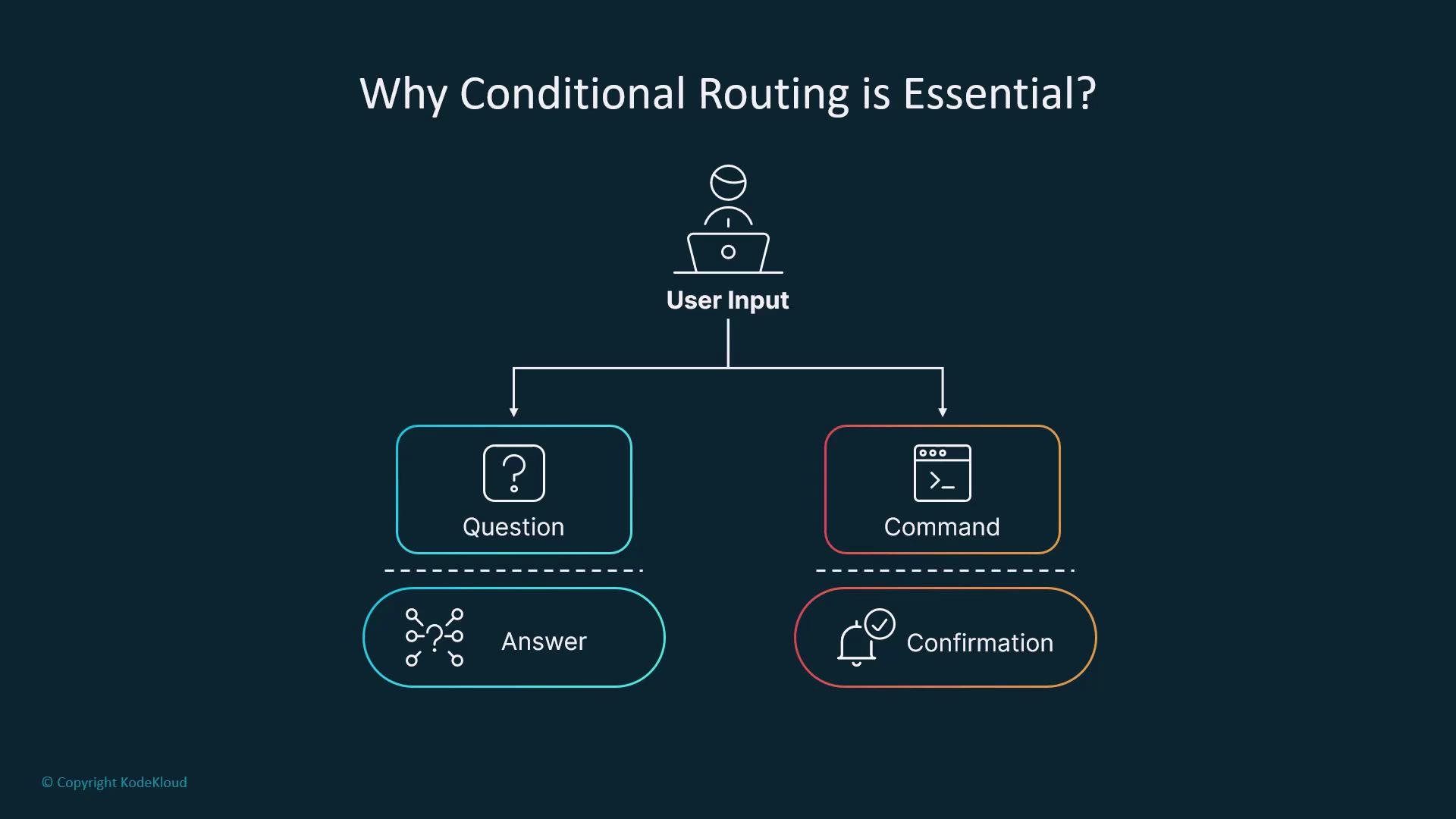 Conditional routing lets your graph branch at runtime. Decisions can be based on user intent, LLM outputs, tool results, or internal state values. With a conditional router, a LangGraph becomes context-aware and adaptable — transforming a linear workflow into a decision engine.
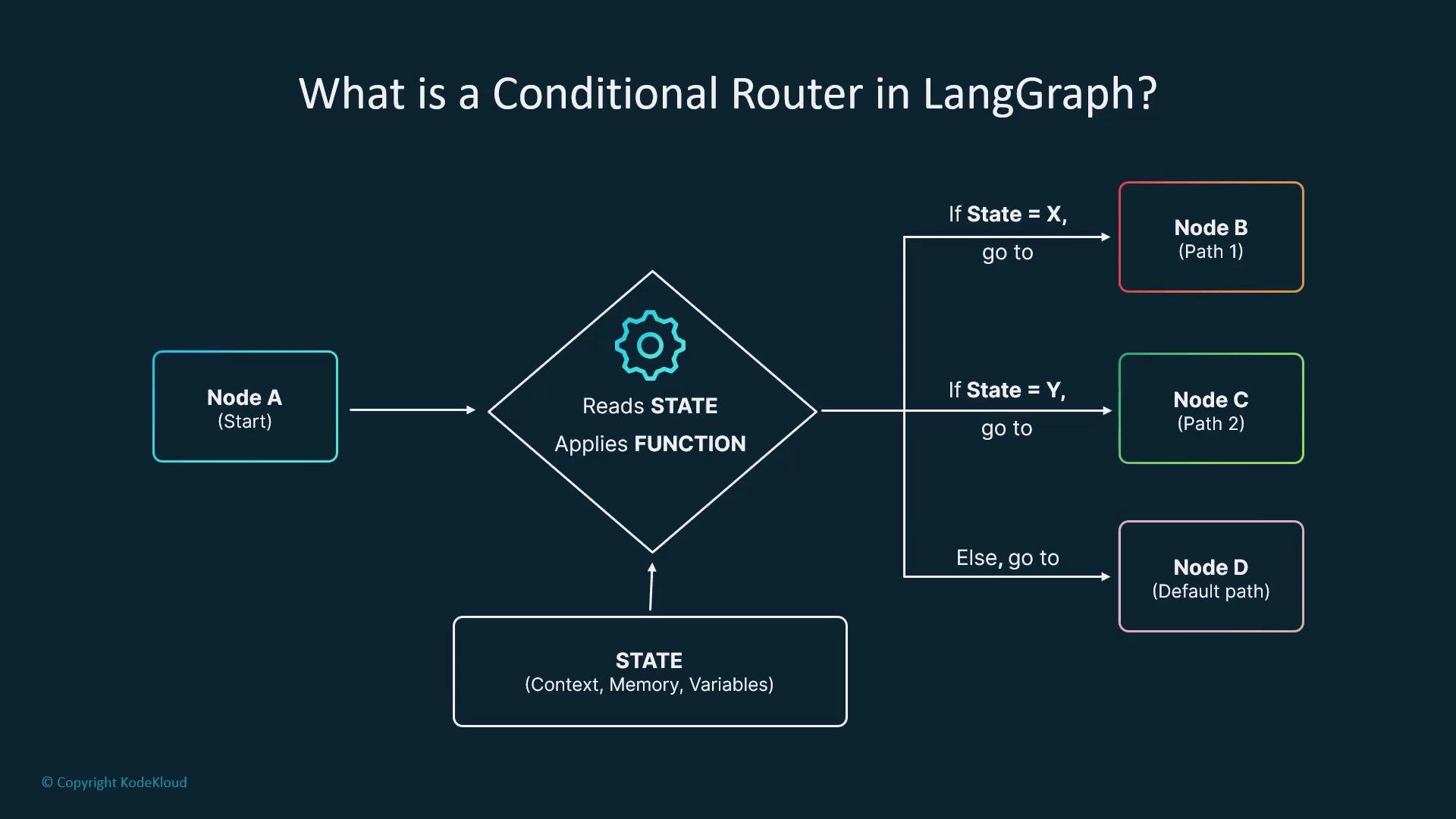
A conditional router is implemented as a specialized edge in LangGraph: instead of blindly going from node A to node B, it inspects the graph state and chooses which node to run next.
Conditional routing lets your graph branch at runtime. Decisions can be based on user intent, LLM outputs, tool results, or internal state values. With a conditional router, a LangGraph becomes context-aware and adaptable — transforming a linear workflow into a decision engine.
A conditional router is implemented as a specialized edge in LangGraph: instead of blindly going from node A to node B, it inspects the graph state and chooses which node to run next.
 ## How it works
1. A node (or nodes) computes values and writes them into the graph `state`.
2. Define a pure routing function that reads that `state` and returns a routing key (for example, `"search"`, `"answer"`, or `"clarify"`).
3. Register conditional edges with a `path_map` that maps routing keys to target node IDs.
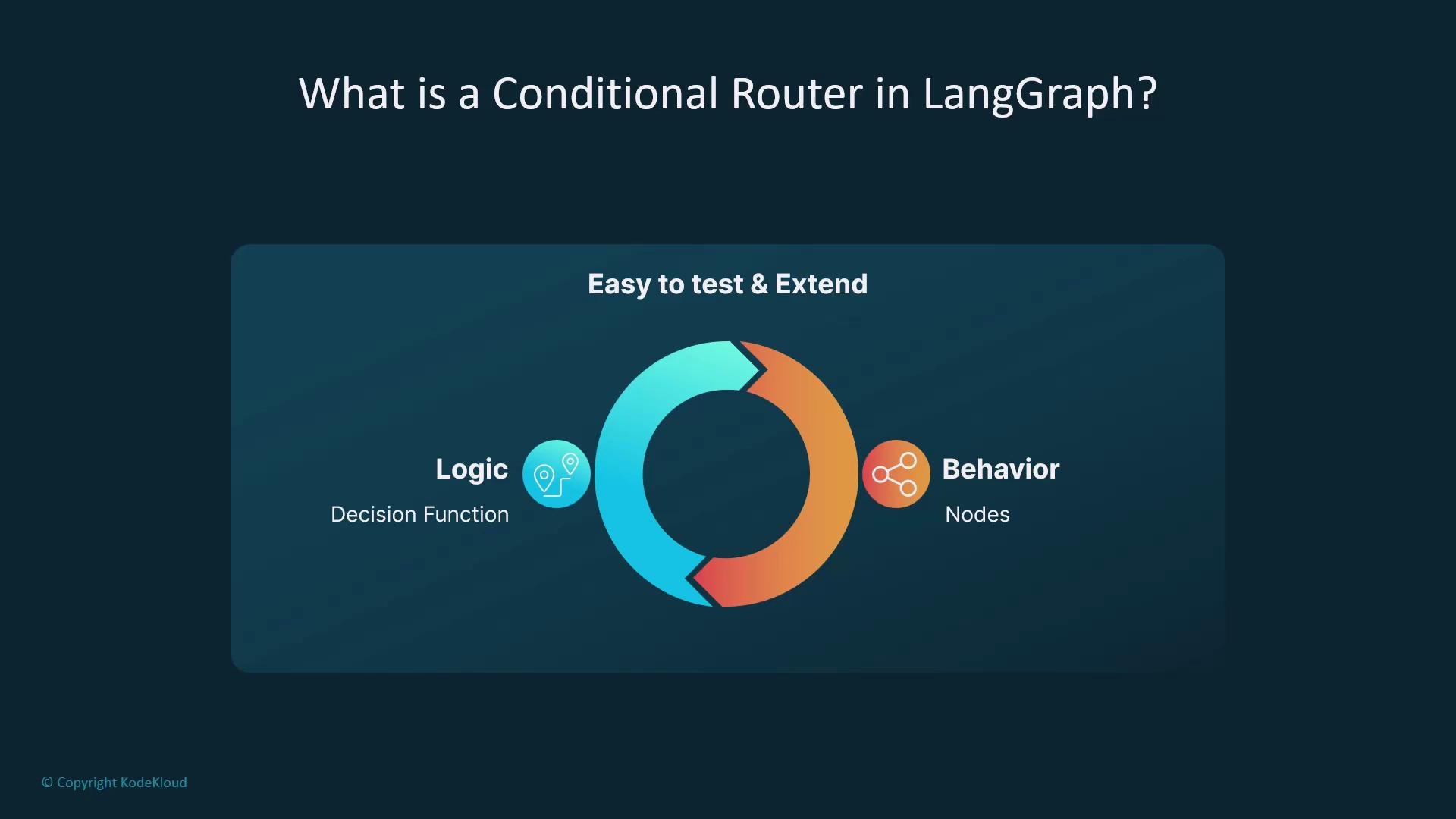
4. The router only chooses the path; nodes perform work and update `state`.
This clear separation—decision logic in one place, behavior in separate nodes—keeps graphs modular, easier to test, and simpler to extend.
## How it works
1. A node (or nodes) computes values and writes them into the graph `state`.
2. Define a pure routing function that reads that `state` and returns a routing key (for example, `"search"`, `"answer"`, or `"clarify"`).
3. Register conditional edges with a `path_map` that maps routing keys to target node IDs.
4. The router only chooses the path; nodes perform work and update `state`.
This clear separation—decision logic in one place, behavior in separate nodes—keeps graphs modular, easier to test, and simpler to extend.
 ## Anatomy of conditional routing
You need:
* A graph `state` with explicit keys (for example, `intent`).
* One or more nodes that compute or set values in `state`.
* A pure routing function that reads `state` and returns a route key.
* A conditional edge that maps keys to target node IDs.
Example pattern:
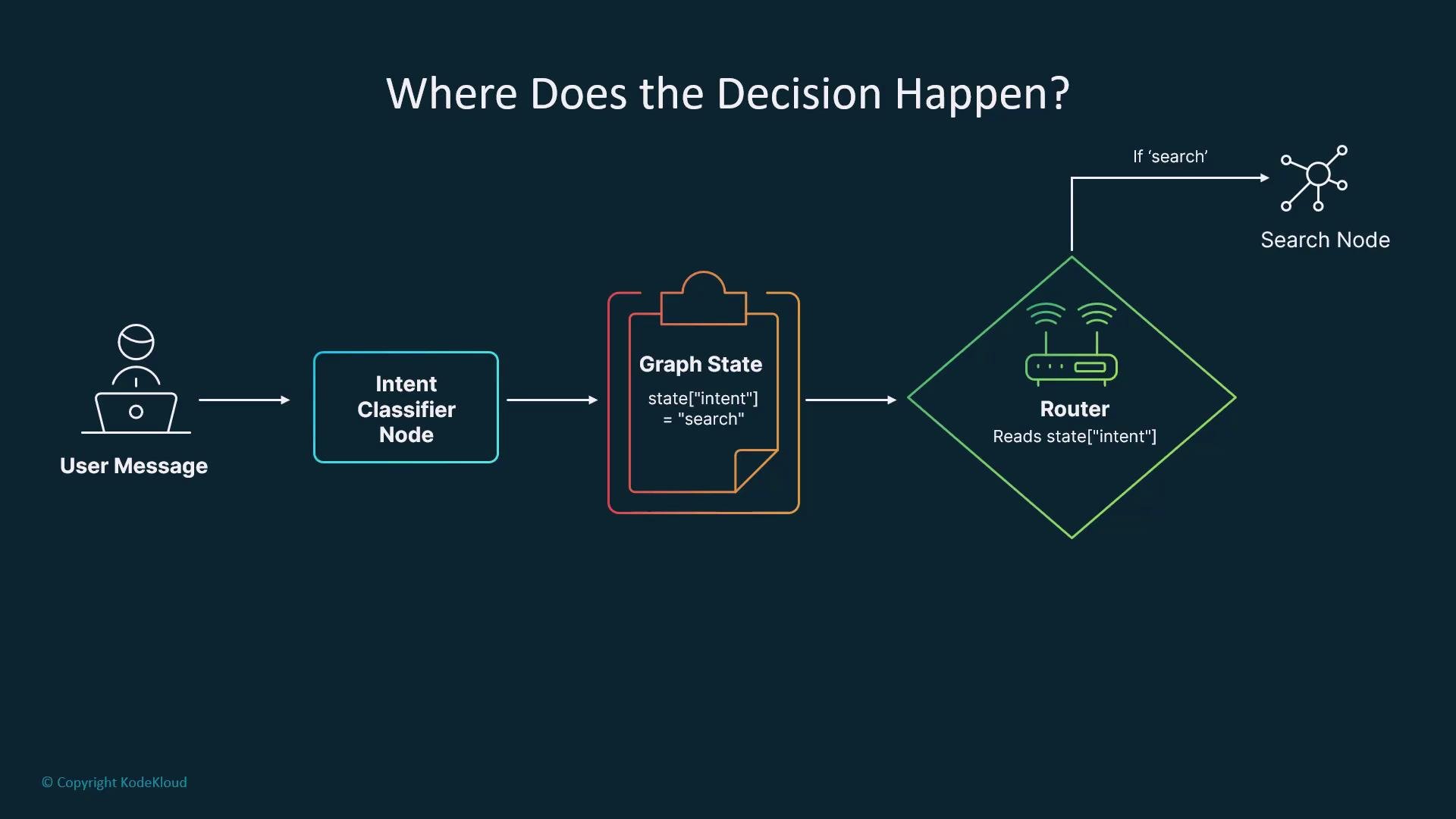
* A "choose action" node runs an LLM or classifier and sets `state["intent"]`.
* A router function reads `state["intent"]` and returns that value.
* The builder registers conditional edges mapping intent values to node IDs.
Example implementation
```python theme={null}
# Example: a classifier node sets the intent in state
def classify_intent_node(state, context):
user_message = state.get("user_message", "")
# (Implementation detail) Use an LLM or classifier here.
# For demonstration, a simple rule:
if user_message.lower().startswith("find"):
state["intent"] = "search"
elif user_message.endswith("?"):
state["intent"] = "clarify"
else:
state["intent"] = "answer"
return state
```
```python theme={null}
# Router function and conditional edge registration
def route_by_intent(state):
# Read the explicit state key and return the routing key
return state.get("intent", "answer") # default to "answer" if missing
# Register a conditional edge on the builder
builder.add_conditional_edges(
"choose_action", # router node id / edge id
condition=route_by_intent, # function that returns a path key
path_map={ # map returned keys to node ids
"search": "search_node",
"answer": "generate_node",
"clarify": "clarify_node",
},
)
```
Important design note: the decision itself should not be made inside the router by calling an LLM or performing side effects. The preceding node(s) should set state (for example, `state["intent"] = "search"`). The router must remain pure and only read state and return a routing key.
## Anatomy of conditional routing
You need:
* A graph `state` with explicit keys (for example, `intent`).
* One or more nodes that compute or set values in `state`.
* A pure routing function that reads `state` and returns a route key.
* A conditional edge that maps keys to target node IDs.
Example pattern:
* A "choose action" node runs an LLM or classifier and sets `state["intent"]`.
* A router function reads `state["intent"]` and returns that value.
* The builder registers conditional edges mapping intent values to node IDs.
Example implementation
```python theme={null}
# Example: a classifier node sets the intent in state
def classify_intent_node(state, context):
user_message = state.get("user_message", "")
# (Implementation detail) Use an LLM or classifier here.
# For demonstration, a simple rule:
if user_message.lower().startswith("find"):
state["intent"] = "search"
elif user_message.endswith("?"):
state["intent"] = "clarify"
else:
state["intent"] = "answer"
return state
```
```python theme={null}
# Router function and conditional edge registration
def route_by_intent(state):
# Read the explicit state key and return the routing key
return state.get("intent", "answer") # default to "answer" if missing
# Register a conditional edge on the builder
builder.add_conditional_edges(
"choose_action", # router node id / edge id
condition=route_by_intent, # function that returns a path key
path_map={ # map returned keys to node ids
"search": "search_node",
"answer": "generate_node",
"clarify": "clarify_node",
},
)
```
Important design note: the decision itself should not be made inside the router by calling an LLM or performing side effects. The preceding node(s) should set state (for example, `state["intent"] = "search"`). The router must remain pure and only read state and return a routing key.
 Keeping classifier logic and routing logic separate makes routers reusable: you can plug different classifiers into the same router or reuse routers across different graphs.
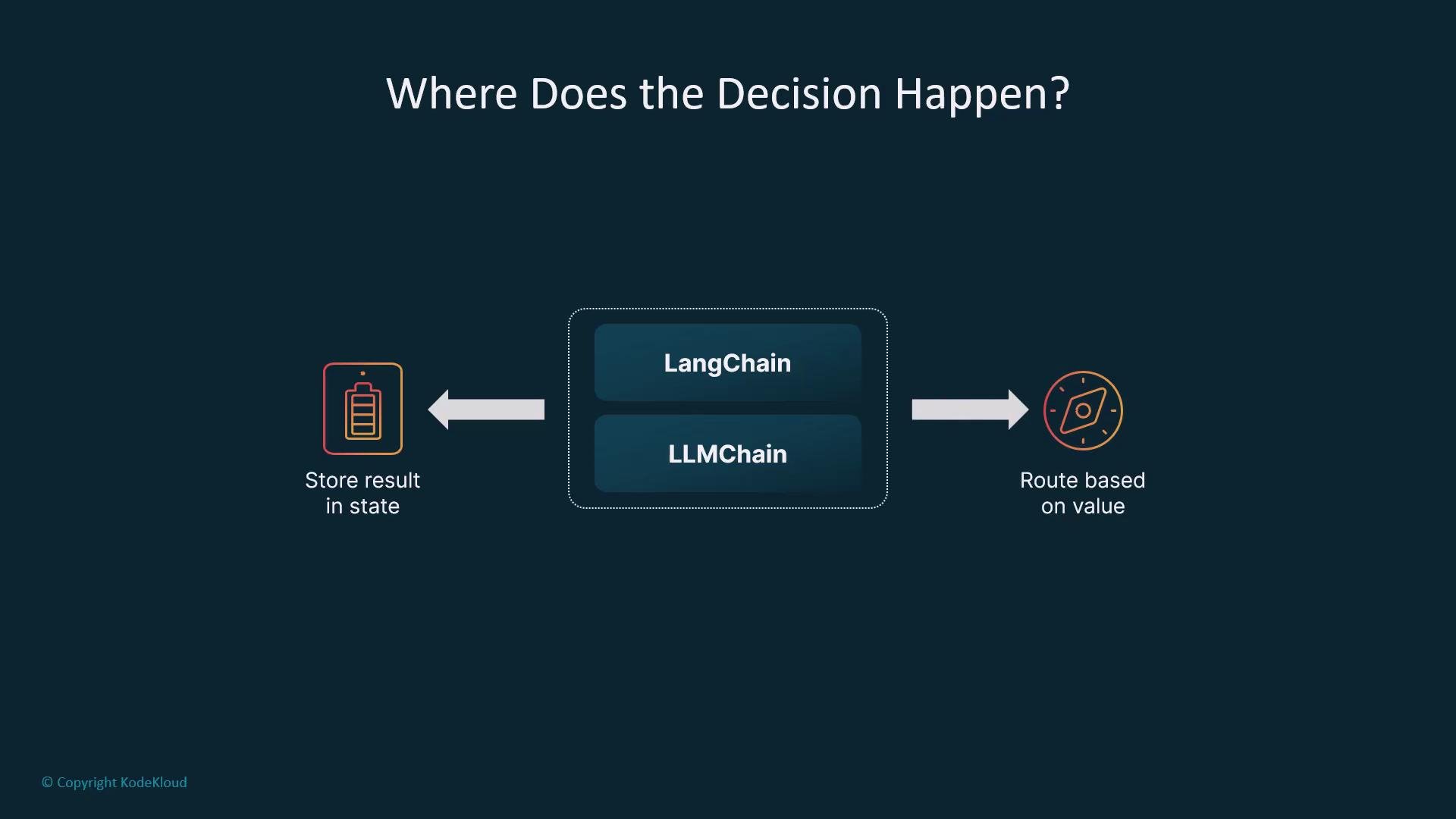
In practice, classifier nodes are often implemented with tools like LangChain LLMChains or other classification services. The classifier node writes results into `state`; the router routes on those values.
Keeping classifier logic and routing logic separate makes routers reusable: you can plug different classifiers into the same router or reuse routers across different graphs.
In practice, classifier nodes are often implemented with tools like LangChain LLMChains or other classification services. The classifier node writes results into `state`; the router routes on those values.
 ## What can you route on?
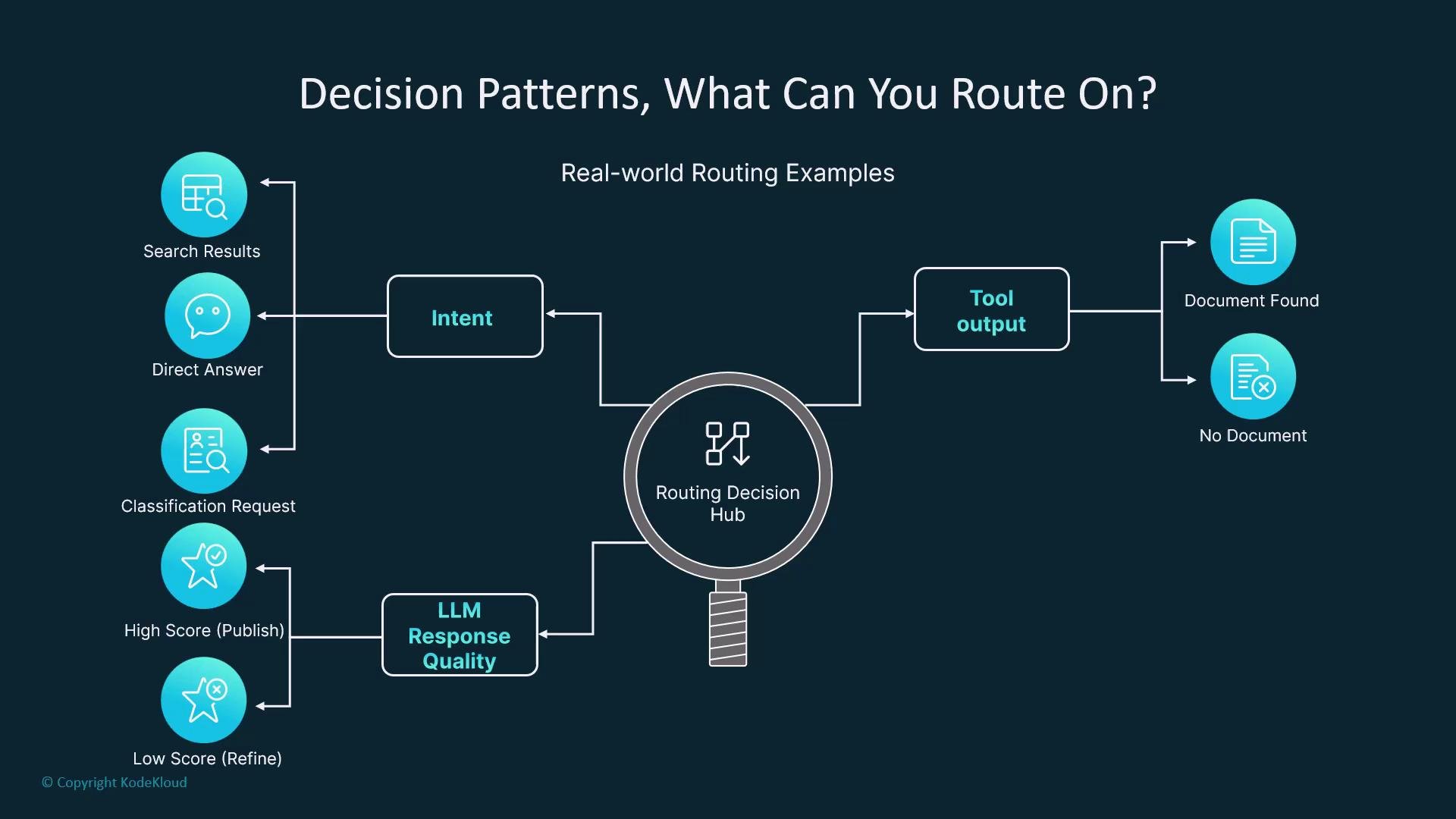
Use conditional routing for a wide range of signals:
| Resource | Example routing conditions | Example action |
| ----------- | ------------------------------ | -------------------------------------------------- |
| Intent | `search`, `answer`, `clarify` | Route to search or follow-up question node |
| Tool output | Document found or not | Route to `generate_node` or `fallback_search_node` |
| LLM quality | Confidence or score thresholds | Route to `re-ask` or `use_alternative_strategy` |
| User type | `premium` vs `free` | Route to advanced features or limited flow |
You can also implement more advanced behaviors: fallback logic, confidence thresholds, multi-step evaluations — as long as the routing function returns a known key, LangGraph will map it to the correct node.
## What can you route on?
Use conditional routing for a wide range of signals:
| Resource | Example routing conditions | Example action |
| ----------- | ------------------------------ | -------------------------------------------------- |
| Intent | `search`, `answer`, `clarify` | Route to search or follow-up question node |
| Tool output | Document found or not | Route to `generate_node` or `fallback_search_node` |
| LLM quality | Confidence or score thresholds | Route to `re-ask` or `use_alternative_strategy` |
| User type | `premium` vs `free` | Route to advanced features or limited flow |
You can also implement more advanced behaviors: fallback logic, confidence thresholds, multi-step evaluations — as long as the routing function returns a known key, LangGraph will map it to the correct node.
 ## Minimal example flow
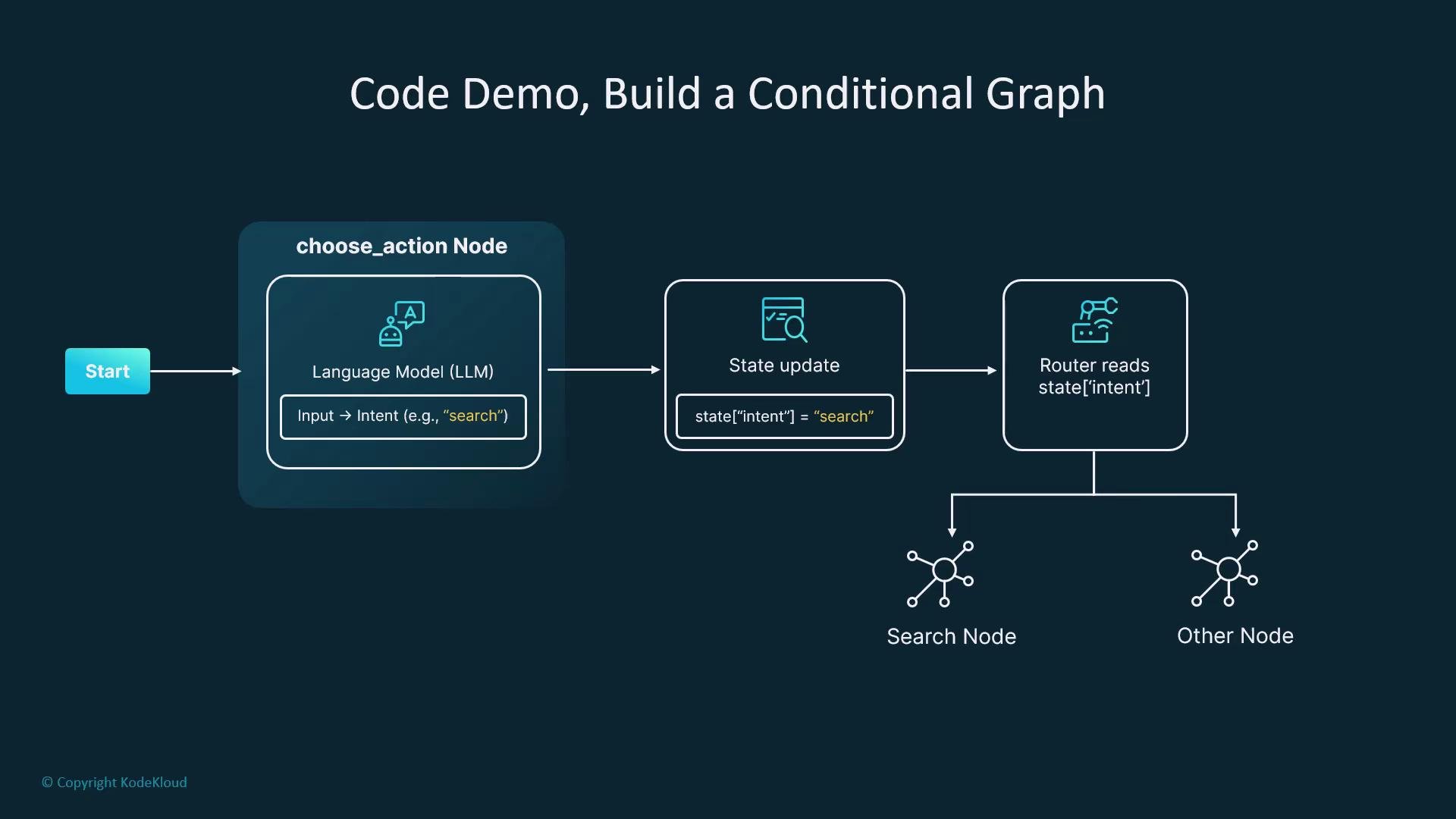
* A "Choose Action" node sets `state["intent"]` via an LLM or classifier.
* A router reads `state["intent"]` and returns the routing key.
* Execution continues at the node mapped to that key.
You can test the routing locally by setting `state` manually to different intent values and verifying the graph follows different paths.
## Minimal example flow
* A "Choose Action" node sets `state["intent"]` via an LLM or classifier.
* A router reads `state["intent"]` and returns the routing key.
* Execution continues at the node mapped to that key.
You can test the routing locally by setting `state` manually to different intent values and verifying the graph follows different paths.
 ## Chatbot example
Example runtime flow:
* User: "Can you look up the LangGraph docs?"
* Node 1: Classify intent → sets `state["intent"] = "search"`
* Router: Sends execution to `search_node`
* `search_node`: Calls a search tool and stores results in `state`
* `generate_node`: Summarizes found documents into a response
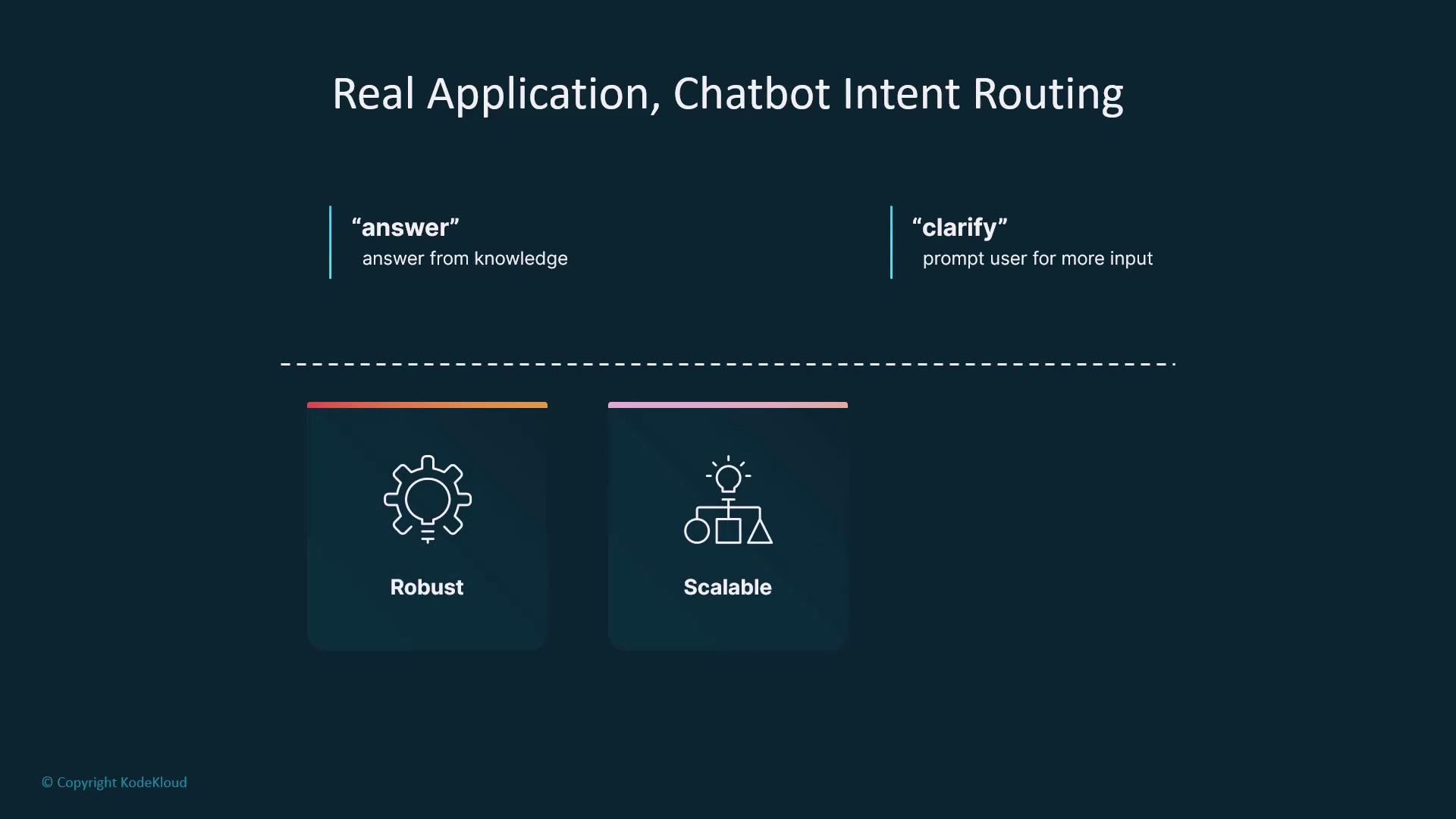
For `clarify`, the router can direct to a node that prompts the user for more details. This pattern scales: add more intent types and nodes as needed.
## Chatbot example
Example runtime flow:
* User: "Can you look up the LangGraph docs?"
* Node 1: Classify intent → sets `state["intent"] = "search"`
* Router: Sends execution to `search_node`
* `search_node`: Calls a search tool and stores results in `state`
* `generate_node`: Summarizes found documents into a response
For `clarify`, the router can direct to a node that prompts the user for more details. This pattern scales: add more intent types and nodes as needed.
 ## Best practices
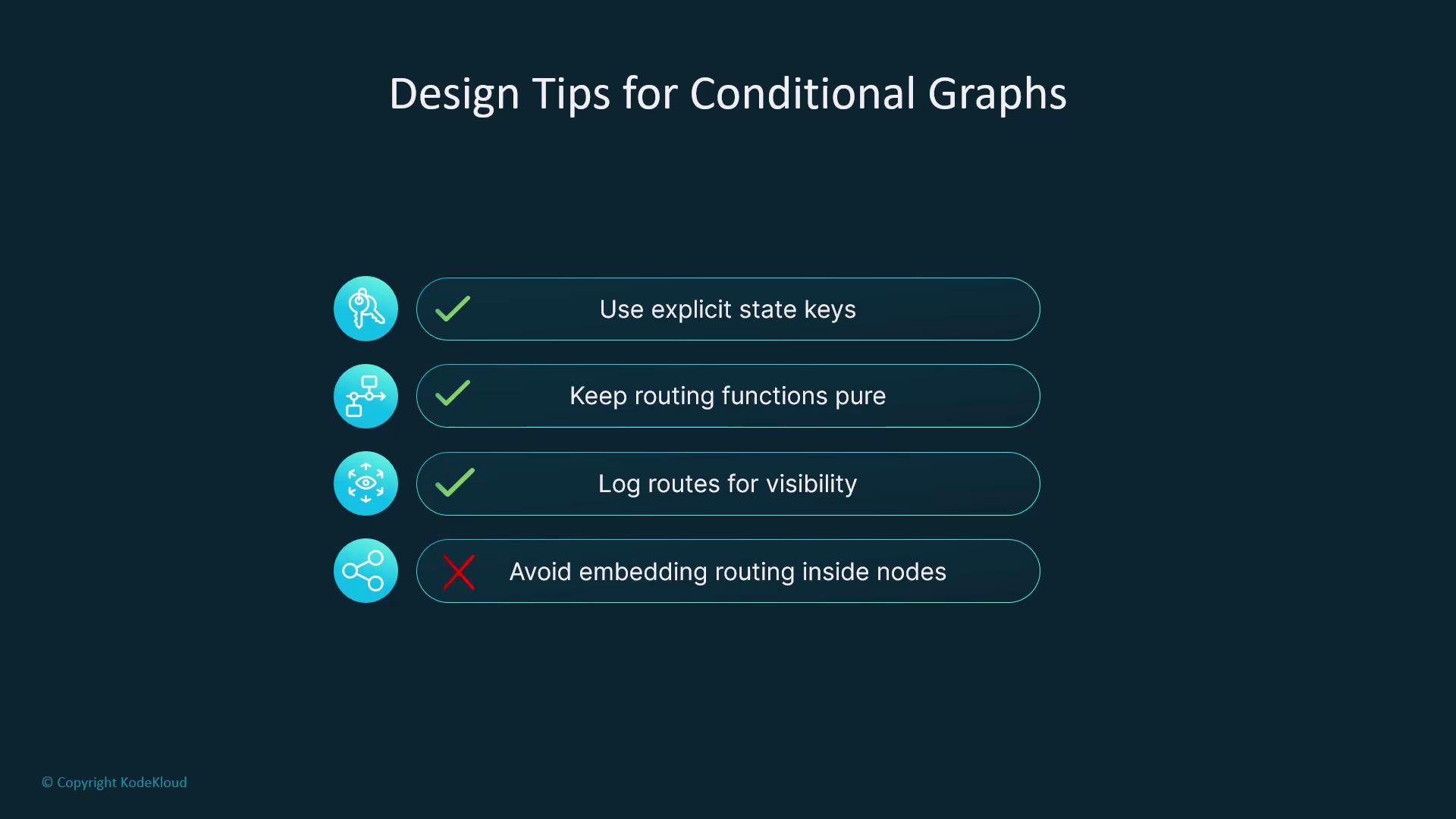
* Use explicit state keys such as `intent`, `decision`, or `route_choice`.
* Keep routing functions pure: avoid side effects and do not call LLMs inside them.
* Log routing decisions to make flows observable and debuggable.
* Avoid embedding routing logic inside nodes; use `add_conditional_edges` to keep routing separate.
* Design routers as small, pluggable functions so they can be reused across graphs and contexts (role-based routing, language switching, escalation).
## Best practices
* Use explicit state keys such as `intent`, `decision`, or `route_choice`.
* Keep routing functions pure: avoid side effects and do not call LLMs inside them.
* Log routing decisions to make flows observable and debuggable.
* Avoid embedding routing logic inside nodes; use `add_conditional_edges` to keep routing separate.
* Design routers as small, pluggable functions so they can be reused across graphs and contexts (role-based routing, language switching, escalation).
 Do not perform side effects or call external services (including LLMs) inside your router function. Put that work in preceding nodes and let the router only read state and return a key.
When routing is mixed into node logic it becomes harder to debug and test. Separating routing with `add_conditional_edges` keeps graphs maintainable and easier to reason about — a must for production systems.
Do not perform side effects or call external services (including LLMs) inside your router function. Put that work in preceding nodes and let the router only read state and return a key.
When routing is mixed into node logic it becomes harder to debug and test. Separating routing with `add_conditional_edges` keeps graphs maintainable and easier to reason about — a must for production systems.
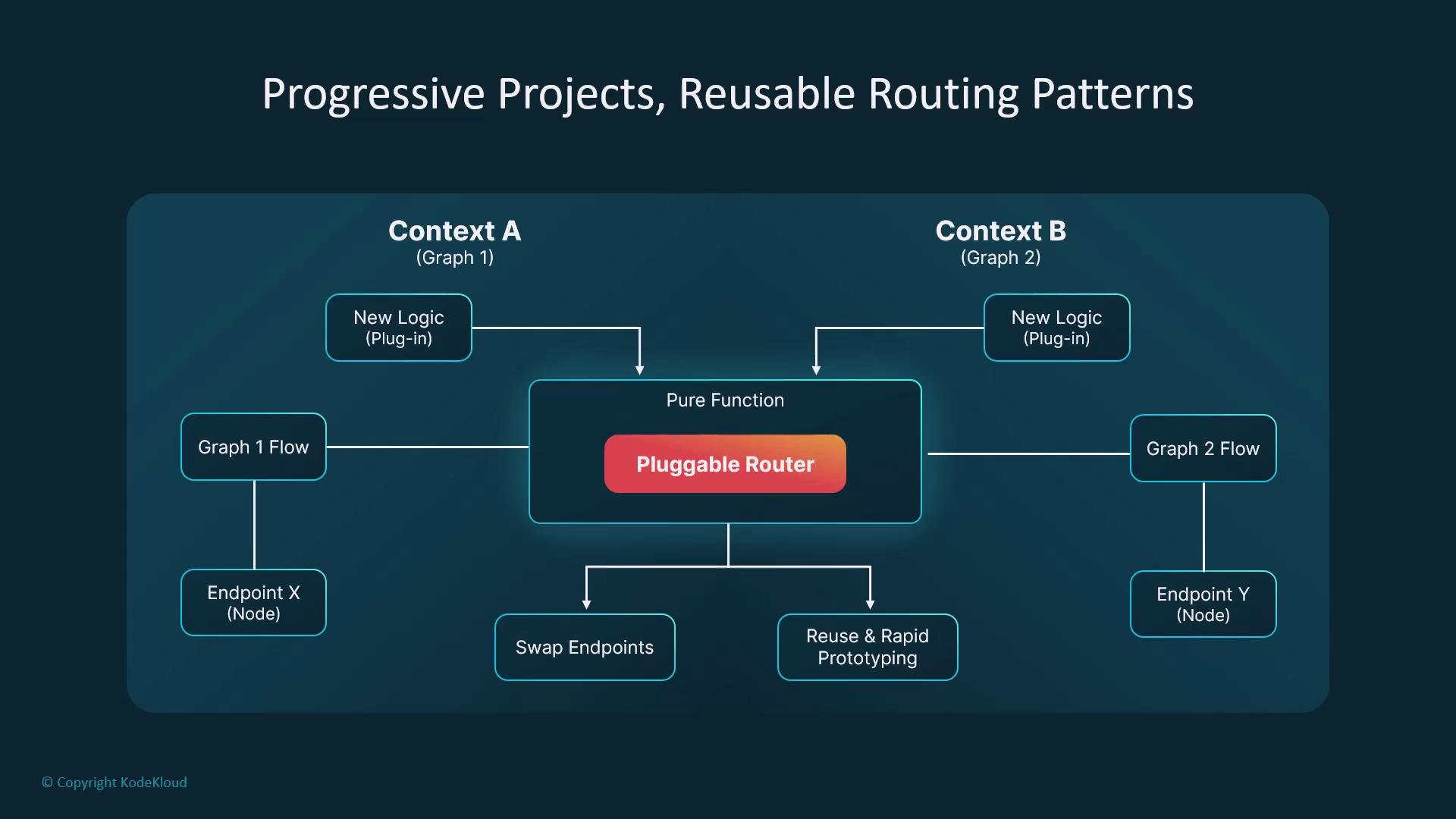 Design routers as pure, pluggable functions so they can be reused across graphs and contexts — for example, role-based routing, language switching, or escalation flows.
## Summary
The router is the brain of a LangGraph: it decides which work to run next but does not perform the work itself. By learning how to set and read state and return routing keys from small, pure functions, you can build smart branching flows that respond to user needs, tool outputs, and more. Conditional routing adds intelligence without unnecessary complexity and scales to advanced use cases like loops and persistent state.
## Links and references
* [LangChain LLMChain documentation](https://langchain.readthedocs.io/en/latest/modules/chains/index_examples/llm_chain.html)
* LangGraph conditional routing concepts and best practices (internal docs and examples)
Design routers as pure, pluggable functions so they can be reused across graphs and contexts — for example, role-based routing, language switching, or escalation flows.
## Summary
The router is the brain of a LangGraph: it decides which work to run next but does not perform the work itself. By learning how to set and read state and return routing keys from small, pure functions, you can build smart branching flows that respond to user needs, tool outputs, and more. Conditional routing adds intelligence without unnecessary complexity and scales to advanced use cases like loops and persistent state.
## Links and references
* [LangChain LLMChain documentation](https://langchain.readthedocs.io/en/latest/modules/chains/index_examples/llm_chain.html)
* LangGraph conditional routing concepts and best practices (internal docs and examples)