> ## Documentation Index
> Fetch the complete documentation index at: https://notes.kodekloud.com/llms.txt
> Use this file to discover all available pages before exploring further.
# Introduction to Ansible Configuration Files
> Learn how Ansible configuration files control default behavior and methods to override settings for efficient environment management.
In this lesson, you'll learn how Ansible configuration files work, how they control the tool’s default behavior, and the various methods available to override their default settings. Understanding these files is essential for efficiently managing your Ansible environment and tailoring it to different playbook scenarios.
When you install Ansible, a default configuration file is created at `/etc/ansible/ansible.cfg`. This file is divided into several sections that manage various aspects of Ansible’s behavior. Common sections include `[defaults]`, `[inventory]`, `[privilege_escalation]`, `[paramiko_connect]`, `[ssh]`, and `[colors]`. Each section comes with options set to default values. Below is an example structure of the configuration file:
```ini theme={null}
/etc/ansible/ansible.cfg
[defaults]
[inventory]
[privilege_escalation]
[paramiko_connect]
[ssh]
```
Within the `[defaults]` section, you can specify key settings such as the inventory file location, log file, module paths, roles directory, and plugins directory. It also allows configuration of options like fact gathering behavior, SSH connection timeouts, and the number of concurrent host forks. Consider the following example:
```ini theme={null}
/etc/ansible/ansible.cfg
[defaults]
inventory = /etc/ansible/hosts
log_path = /var/log/ansible.log
library = /usr/share/my_modules/
roles_path = /etc/ansible/roles
action_plugins = /usr/share/ansible/plugins/action
gathering = implicit
timeout = 10 # SSH timeout
forks = 5
[inventory]
enable_plugins = host_list, virtualbox, yaml, constructed
```
This configuration sets crucial parameters such as the inventory file location, logging, module paths, and inventory plugin options. Although there are many configuration options available, you only need to override those that are relevant to your immediate needs.
Ansible processes configuration files in a specific order of precedence. Settings defined in higher precedence files override those in lower precedence ones.
## Customizing Configuration for Different Playbooks
By default, Ansible uses the configuration file at `/etc/ansible/ansible.cfg`, regardless of the playbook's location. However, if you have multiple playbooks for different purposes—such as web, database, or network configurations—you might need unique settings for each context.
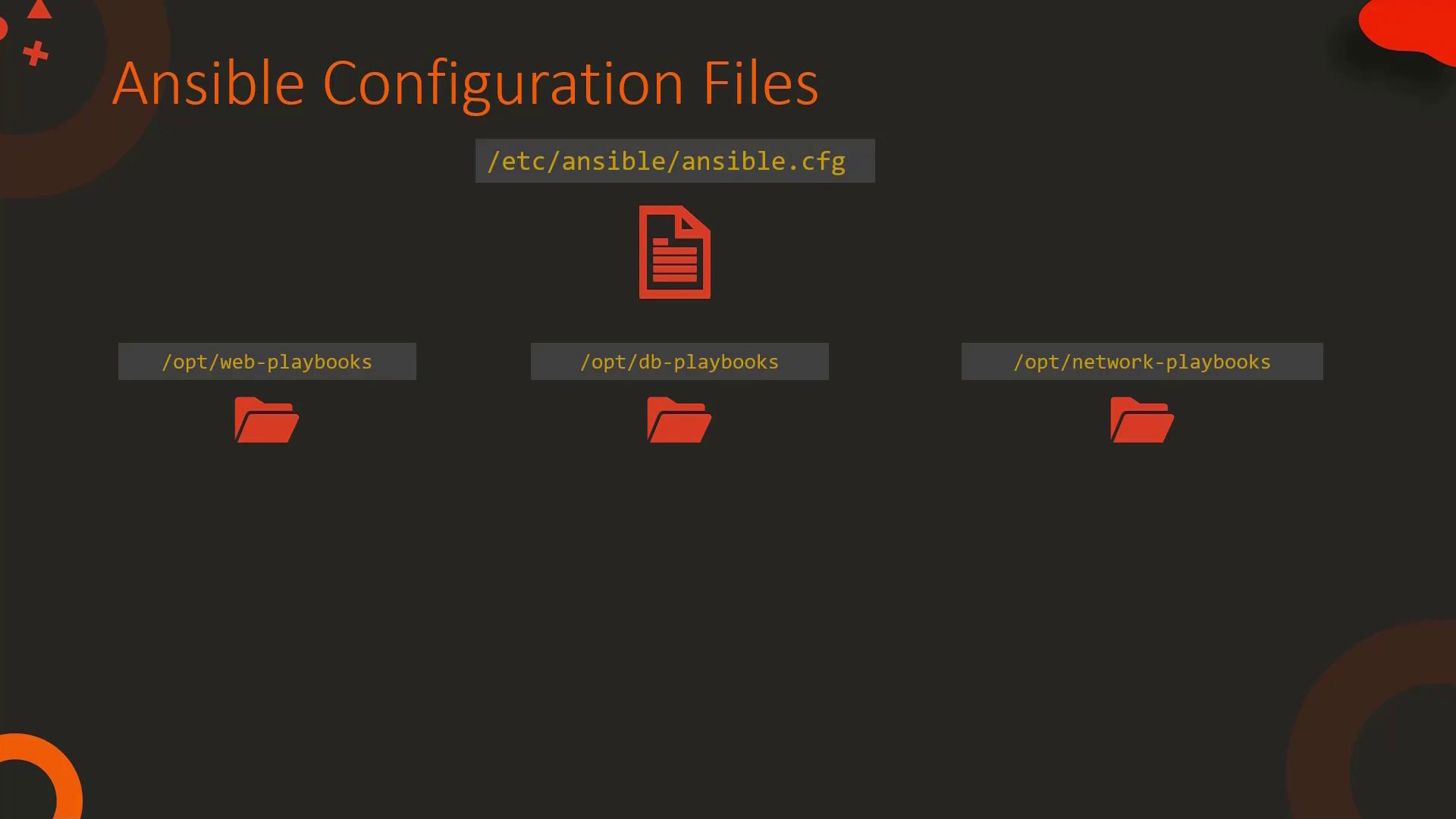
For example:
* For web playbooks, you might disable fact gathering.
* For database playbooks, you may enable fact gathering while disabling colored output.
* For network playbooks, you could extend the SSH timeout from the default 10 seconds to 20 seconds.
One approach to managing these differences is to copy the default configuration file into each playbook’s directory and adjust only the necessary parameters. Ansible automatically uses the configuration file found in the playbook's directory when executing it.
Alternatively, you can store a configuration file in a separate location (e.g., `/opt/ansible-web.cfg` for web playbooks) and instruct Ansible to use it by setting the `ANSIBLE_CONFIG` environment variable. Before running your playbook, use the following command:
```bash theme={null}
$ ANSIBLE_CONFIG=/opt/ansible-web.cfg ansible-playbook playbook.yml
```
Ansible will then use `/opt/ansible-web.cfg` instead of the default configuration file. The order of precedence for configuration files is as follows:
1. The configuration file specified by the `ANSIBLE_CONFIG` environment variable.
2. The `ansible.cfg` file in the current directory.
3. The `.ansible.cfg` file located in the user's home directory.
4. The default configuration file at `/etc/ansible/ansible.cfg`.
Remember, only the parameters you need to change should be specified in your custom configuration files—the rest are inherited from lower precedence settings.
## Overriding Specific Parameters with Environment Variables
Sometimes you may only need to adjust a single parameter without copying the entire configuration file. Ansible allows you to override configuration parameters by setting environment variables. For most options, convert the parameter name to uppercase and prefix it with `ANSIBLE_`. For example, to override the `gathering` parameter (originally set as follows):
```ini theme={null}
/etc/ansible/ansible.cfg
gathering = implicit
```
You can override it by setting the environment variable:
```bash theme={null}
$ export ANSIBLE_GATHERING=explicit
```
Values provided via environment variables will take precedence over those in configuration files. You have multiple options to set these variables:
* For one-time execution:
```bash theme={null}
$ ANSIBLE_GATHERING=explicit ansible-playbook playbook.yml
```
* For the current shell session:
```bash theme={null}
$ export ANSIBLE_GATHERING=explicit
$ ansible-playbook playbook.yml
```
* To make persistent changes, consider creating a local configuration file in your playbook directory and version-controlling it with your repository.
To see all available configuration options and their corresponding environment variables, use the `ansible-config` command:
* List all configuration options with their default values:
```bash theme={null}
$ ansible-config list # Lists all configurations
```
* View the currently active configuration file:
```bash theme={null}
$ ansible-config view # Displays the current configuration file
```
* Dump the full configuration (with sources):
```bash theme={null}
$ ansible-config dump # Shows current settings and their origins
```
Consider the following example that sets fact gathering to explicit and verifies the change:
```bash theme={null}
$ export ANSIBLE_GATHERING=explicit
$ ansible-config dump | grep GATHERING
DEFAULT_GATHERING: explicit
```
This confirms that Ansible has overridden the configuration using the environment variable. Such commands are invaluable when troubleshooting configuration issues.
That concludes this lesson on Ansible configuration files. With this understanding, you can fine-tune your Ansible environment to meet specific needs and improve your workflow.