> ## Documentation Index
> Fetch the complete documentation index at: https://notes.kodekloud.com/llms.txt
> Use this file to discover all available pages before exploring further.
# Course Introduction
> Hands-on AWS Terraform workshop teaching infrastructure as code, state management, modules, CI/CD integration, and a final EC2 and RDS deployment project.
Welcome to the Learn-by-Doing course: AWS Workshop with Terraform.
Instructors:
* Vijin Palazhi
* Harshita Joshi
This hands-on workshop is built for DevOps engineers, system administrators, and cloud professionals who want to provision and manage AWS infrastructure using Terraform. Through practical labs you'll learn how to apply Terraform best practices to build scalable, secure, and maintainable cloud environments.
What you will learn
* How to install and configure Terraform and integrate it with AWS
* Writing infrastructure as code with HCL (HashiCorp Configuration Language) using `hcl-lang` concepts
* Managing Terraform state (local and remote backends) and locking
* Using advanced Terraform features: modules, workspaces, and provisioners
* Automating deployments and integrating Terraform with CI/CD pipelines
* Troubleshooting and debugging Terraform configurations
* Final project: deploy secure EC2 instances connected to a shared RDS database
Key learning outcomes:
* Write clear, reusable Terraform modules
* Manage state safely across teams
* Automate repeatable, auditable AWS deployments
Before you start the labs
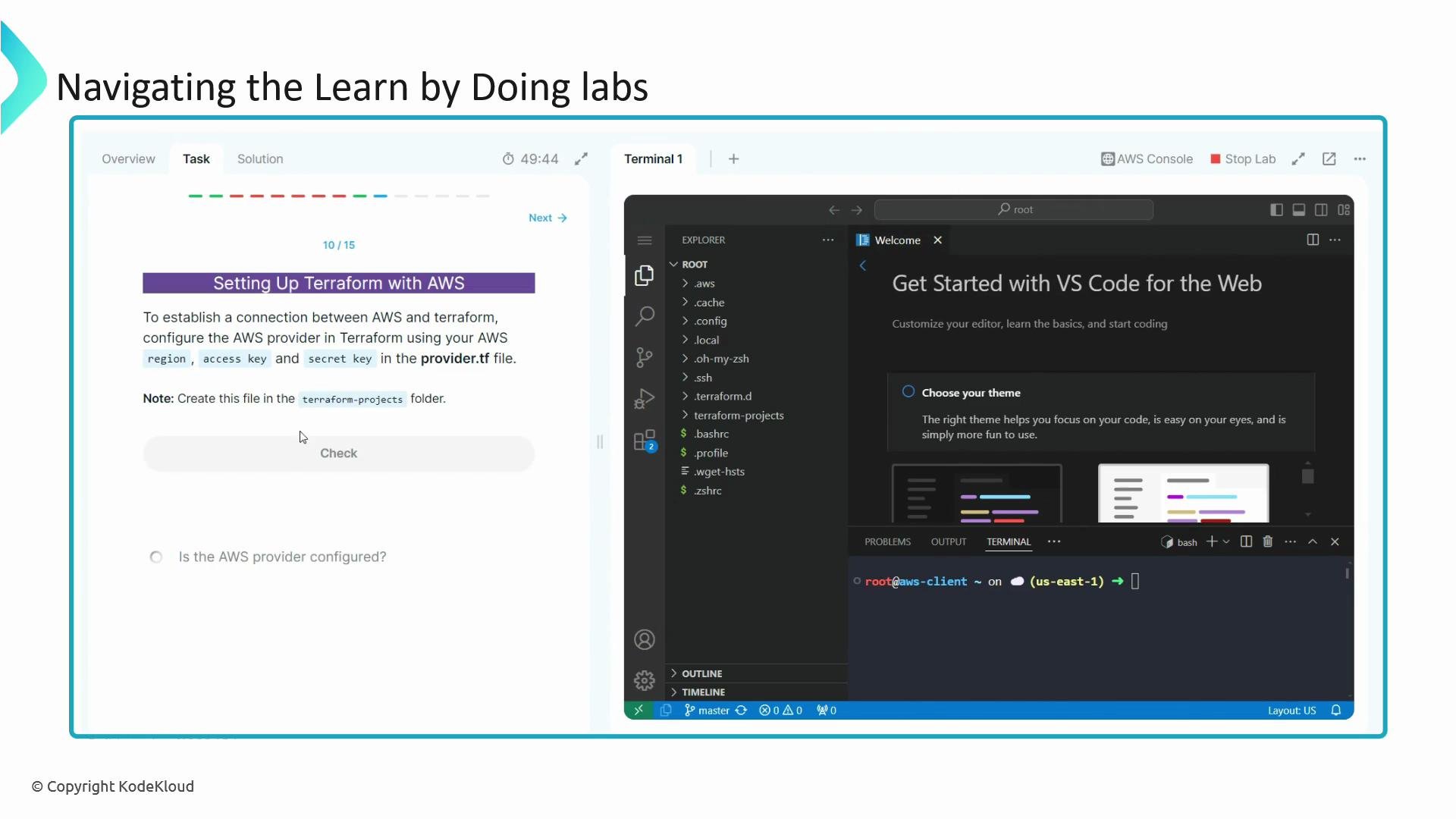
* Treat the Overview tab as your course material and the Tasks tab as your step-by-step workbook.
* The Overview page is the default for each lab. It contains the lab description, temporary AWS credentials, and any important setup notes.
* Use the provided temporary AWS credentials shown on the Overview page (Access Key ID and Secret Access Key). You can retrieve them at any time in the lab environment using the `show creds` command.
 Lab workflow tips
* Follow the Overview for conceptual material and the Tasks tab for hands-on steps.
* Use the Hint and Solution tabs when you need help; use the Check button to validate task completion.
* Progress through labs in order—each lesson builds on the previous one so concepts and configurations will be introduced incrementally.
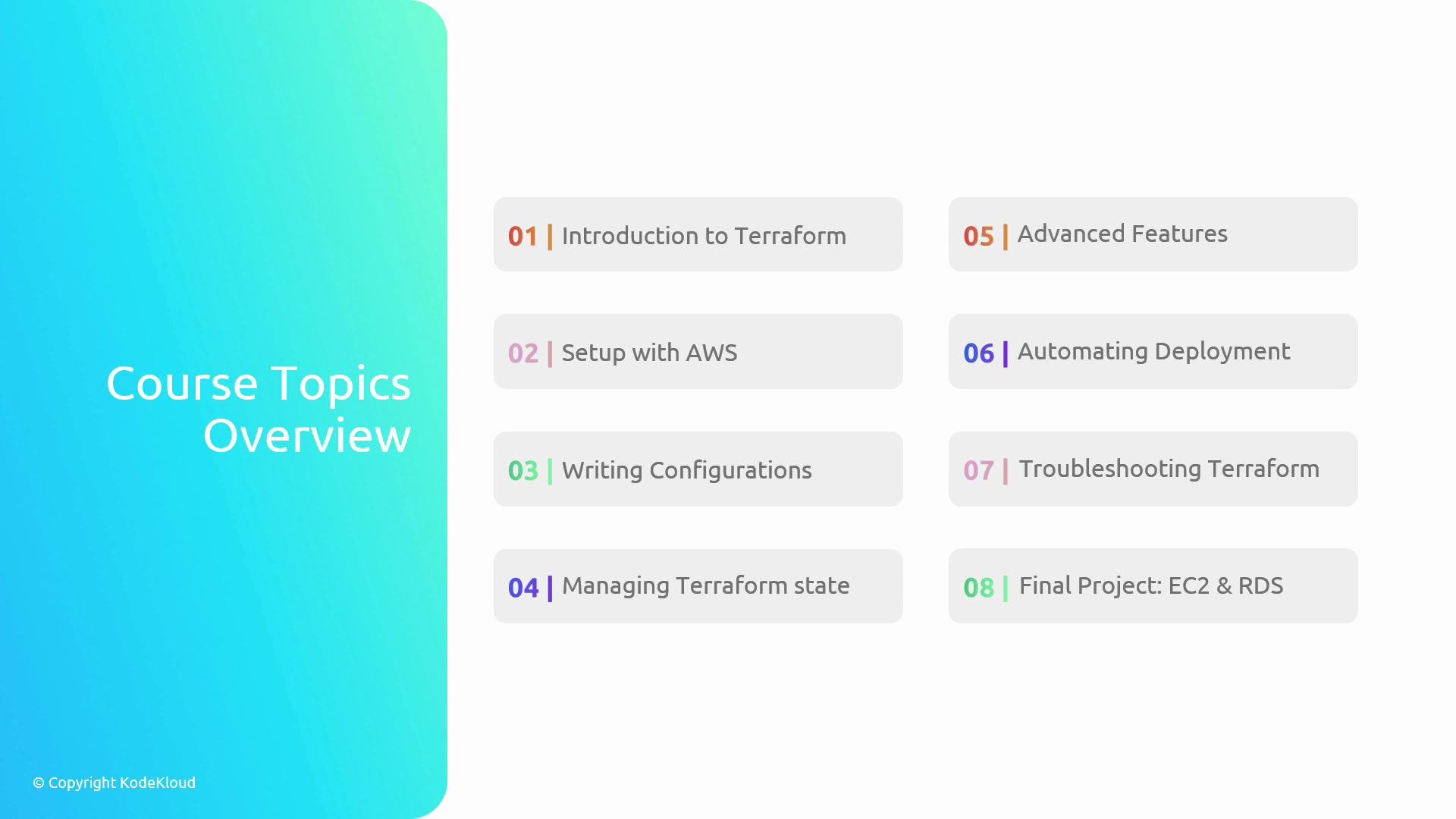
Course topics at a glance
| Topic | What you'll practice | Example outcome |
| -------------------------------------------- | ---------------------------------------------- | --------------------------------------------------- |
| Introduction to Terraform & AWS fundamentals | Learn core concepts and terminology | Understand providers, resources, and HCL basics |
| Setup Terraform with AWS | Configure CLI, credentials, and providers | `terraform init` with AWS provider |
| Writing Terraform configurations | Declare resources and outputs in HCL | Create VPC, subnets, and security groups |
| Managing Terraform state | Local vs remote backends and locking | Configure `terraform backend` in S3/DynamoDB |
| Advanced Terraform features | Modules, workspaces, and provisioners | Build reusable modules and isolated workspaces |
| Automating AWS deployments | CI/CD pipelines and automation patterns | Integrate Terraform with GitHub Actions or Jenkins |
| Troubleshooting Terraform | Debugging plans, graphs, and state issues | Use `terraform plan` and `terraform state` commands |
| Final project: EC2 + RDS | Deploy production-like infrastructure securely | Launch EC2 instances connected to an RDS database |
Lab workflow tips
* Follow the Overview for conceptual material and the Tasks tab for hands-on steps.
* Use the Hint and Solution tabs when you need help; use the Check button to validate task completion.
* Progress through labs in order—each lesson builds on the previous one so concepts and configurations will be introduced incrementally.
Course topics at a glance
| Topic | What you'll practice | Example outcome |
| -------------------------------------------- | ---------------------------------------------- | --------------------------------------------------- |
| Introduction to Terraform & AWS fundamentals | Learn core concepts and terminology | Understand providers, resources, and HCL basics |
| Setup Terraform with AWS | Configure CLI, credentials, and providers | `terraform init` with AWS provider |
| Writing Terraform configurations | Declare resources and outputs in HCL | Create VPC, subnets, and security groups |
| Managing Terraform state | Local vs remote backends and locking | Configure `terraform backend` in S3/DynamoDB |
| Advanced Terraform features | Modules, workspaces, and provisioners | Build reusable modules and isolated workspaces |
| Automating AWS deployments | CI/CD pipelines and automation patterns | Integrate Terraform with GitHub Actions or Jenkins |
| Troubleshooting Terraform | Debugging plans, graphs, and state issues | Use `terraform plan` and `terraform state` commands |
| Final project: EC2 + RDS | Deploy production-like infrastructure securely | Launch EC2 instances connected to an RDS database |
 Final project
The course culminates with a practical project where you'll apply everything learned to deploy secure EC2 instances that connect to a shared RDS database. This final lab emphasizes real-world architecture, secure configuration, and automation patterns.
Tip: If you ever lose access to the temporary credentials for a lab, use the `show creds` command in the lab environment to retrieve them again.
Ready to begin?
Now that you understand the course layout and lab workflow, proceed to the first lab to start writing Terraform configurations and provisioning AWS resources.
Links and references
* HCL (HashiCorp Configuration Language): [https://hcl-lang.org](https://hcl-lang.org)
* Terraform documentation: [https://www.terraform.io/docs](https://www.terraform.io/docs)
* AWS documentation: [https://docs.aws.amazon.com/](https://docs.aws.amazon.com/)
* Related courses: [EC2](https://learn.kodekloud.com/user/courses/amazon-elastic-compute-cloud-ec2), [RDS](https://learn.kodekloud.com/user/courses/aws-rds)
Final project
The course culminates with a practical project where you'll apply everything learned to deploy secure EC2 instances that connect to a shared RDS database. This final lab emphasizes real-world architecture, secure configuration, and automation patterns.
Tip: If you ever lose access to the temporary credentials for a lab, use the `show creds` command in the lab environment to retrieve them again.
Ready to begin?
Now that you understand the course layout and lab workflow, proceed to the first lab to start writing Terraform configurations and provisioning AWS resources.
Links and references
* HCL (HashiCorp Configuration Language): [https://hcl-lang.org](https://hcl-lang.org)
* Terraform documentation: [https://www.terraform.io/docs](https://www.terraform.io/docs)
* AWS documentation: [https://docs.aws.amazon.com/](https://docs.aws.amazon.com/)
* Related courses: [EC2](https://learn.kodekloud.com/user/courses/amazon-elastic-compute-cloud-ec2), [RDS](https://learn.kodekloud.com/user/courses/aws-rds)