> ## Documentation Index
> Fetch the complete documentation index at: https://notes.kodekloud.com/llms.txt
> Use this file to discover all available pages before exploring further.
# Recap Advanced Patterns
> Recap of Skills, Subagents, and MCP explaining how reusable skill files, specialist subagents, and managed connector providers compose robust, least privileged, extensible agent systems
Module two — advanced patterns.
This lesson recaps the three core building blocks you just learned and shows how they fit together: What Claude can do (Skills), Who does the work (Subagents), and Where the tools live (MCP). Understanding how these pieces compose makes it simple to build robust, least-privileged, and extensible agent systems.
## 1) Skills — What Claude can do
A skill is a reusable capability stored as a file on disk (not embedded in a prompt). Each skill is a single `SKILL.md` file composed of two parts:
* Frontmatter: provides `name` and `description`. The `description` is especially important — Claude uses it as the primary signal to decide when to invoke the skill.
* Markdown body: contains the step-by-step instructions or actions the skill performs.
Drop skill files into `.claude/skills` and the SDK discovers them automatically. You do not explicitly call a skill; when a user request arrives, Claude matches the request text against every skill description and invokes the best-fit skill.
Example `SKILL.md`:
```markdown theme={null}
---
name: "ec2-list"
description: "List all EC2 instances. Use when the user asks about EC2 instances, VMs, or running servers."
---
# EC2 Instance Lister
1. Run: aws ec2 describe-instances
2. Parse the JSON, show a table (ID, State, Type)
```
Write clear, concise frontmatter descriptions. The description is the primary signal Claude uses to select the appropriate skill, so include the common user phrasings and intent you expect.
Common operational notes:
* Location: `.claude/skills/*.md`
* Naming: use short, intent-focused `name` values (e.g., `ec2-list`, `vpc-create`).
* Behavior: keep skill steps deterministic and explicit so subagents or orchestrators can rely on them.
## 2) Subagents — Who does the work?
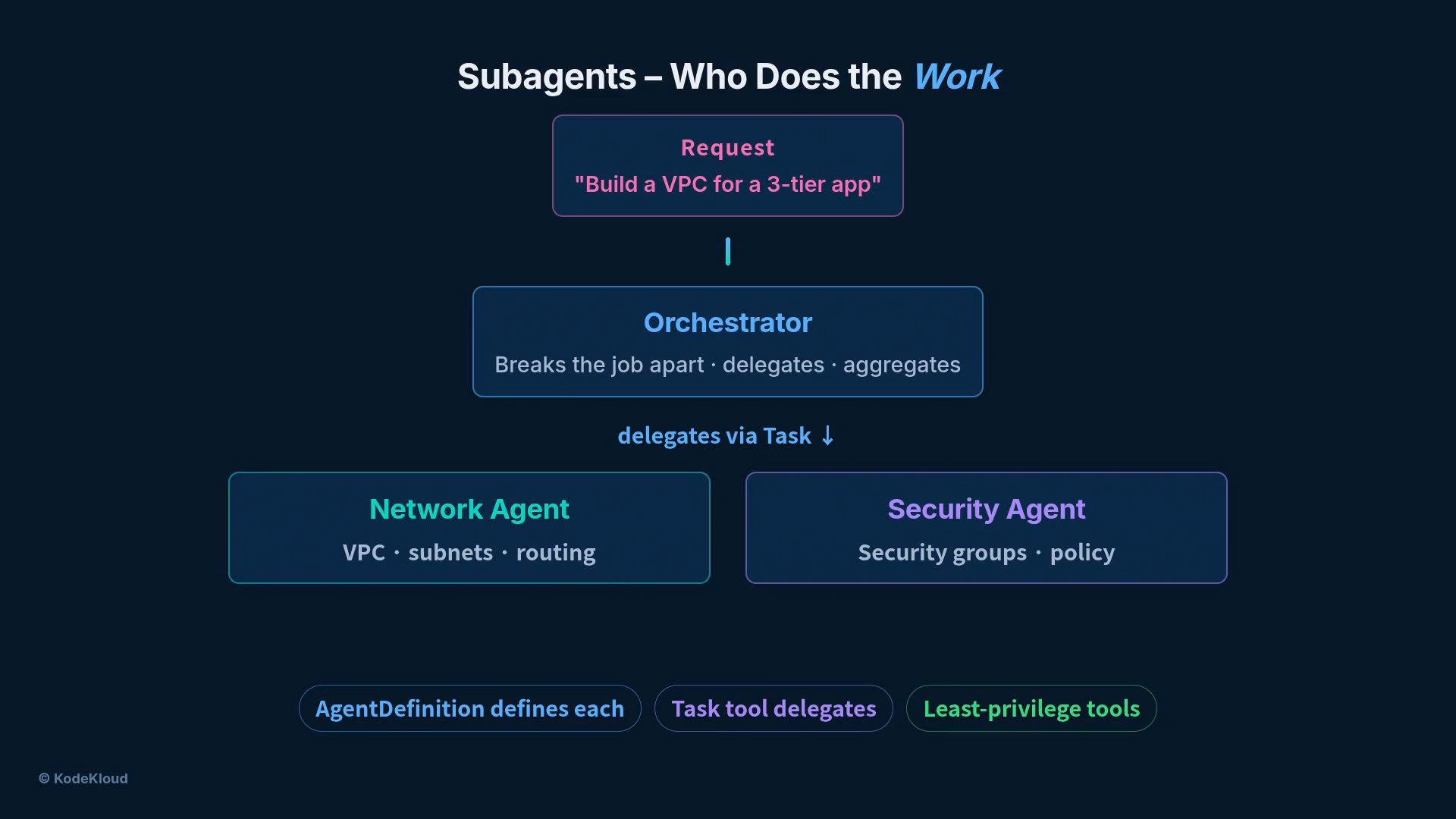
Rather than one monolithic agent handling everything, break responsibilities into a team of specialist subagents. Each specialist has an agent definition containing:
* `name` and `description` — when to use the specialist
* a focused system prompt tailored to the domain
* a minimal, least-privileged toolset
An orchestrator coordinates high-level requests. It breaks a large request into subtasks and delegates work to specialists via a Task tool. Example flow for “Build a VPC for a three-tier app”:
* Orchestrator splits the request into tasks.
* A network specialist handles VPCs, subnets, and routing.
* A security specialist handles security groups and policies.
* The orchestrator gathers results and presents a unified response.
 Subagent design checklist:
| Component | Purpose | Example |
| - | - | - |
| `name` | Identify the specialist | `network-agent` |
| `description` | When to use this agent | `Manage VPCs, subnets, and routing` |
| system prompt | Constrain behavior and tone | `You are a network specialist; only propose VPC/subnet changes` |
| tools | Limit capabilities to least privilege | `aws:ec2:describe-subnets`, task orchestration API |
Benefits:
* Smaller contexts per specialist (faster reasoning)
* Least-privileged tools reduce blast radius
* Easier to test and maintain individual specialists
## 3) MCP — Where the tools live
MCP (Managed Connector Provider / tool server) is where external system integrations live. Instead of writing bespoke wrappers, plug Claude into an MCP server — a separate process that already knows how to communicate with systems (filesystem, CloudFormation, databases, custom APIs) and exposes those capabilities as structured tools.
Key points:
* Declare servers in your agent configuration under `mcpServers` — you do not enumerate each tool.
* At runtime, Claude discovers the server’s available tools.
* Tools are namespaced by server using double underscores, e.g., `mcp__cfn__list_resources`. The double underscore separates server and tool names to avoid collisions.
* One agent can connect to multiple MCP servers; adding capability is as simple as plugging in another server.
Example agent config snippet:
```yaml theme={null}
mcpServers:
- name: cfn
url: "https://mcp.example.com/cfn"
- name: filesystem
url: "https://mcp.example.com/fs"
```
Subagent design checklist:
| Component | Purpose | Example |
| - | - | - |
| `name` | Identify the specialist | `network-agent` |
| `description` | When to use this agent | `Manage VPCs, subnets, and routing` |
| system prompt | Constrain behavior and tone | `You are a network specialist; only propose VPC/subnet changes` |
| tools | Limit capabilities to least privilege | `aws:ec2:describe-subnets`, task orchestration API |
Benefits:
* Smaller contexts per specialist (faster reasoning)
* Least-privileged tools reduce blast radius
* Easier to test and maintain individual specialists
## 3) MCP — Where the tools live
MCP (Managed Connector Provider / tool server) is where external system integrations live. Instead of writing bespoke wrappers, plug Claude into an MCP server — a separate process that already knows how to communicate with systems (filesystem, CloudFormation, databases, custom APIs) and exposes those capabilities as structured tools.
Key points:
* Declare servers in your agent configuration under `mcpServers` — you do not enumerate each tool.
* At runtime, Claude discovers the server’s available tools.
* Tools are namespaced by server using double underscores, e.g., `mcp__cfn__list_resources`. The double underscore separates server and tool names to avoid collisions.
* One agent can connect to multiple MCP servers; adding capability is as simple as plugging in another server.
Example agent config snippet:
```yaml theme={null}
mcpServers:
- name: cfn
url: "https://mcp.example.com/cfn"
- name: filesystem
url: "https://mcp.example.com/fs"
```
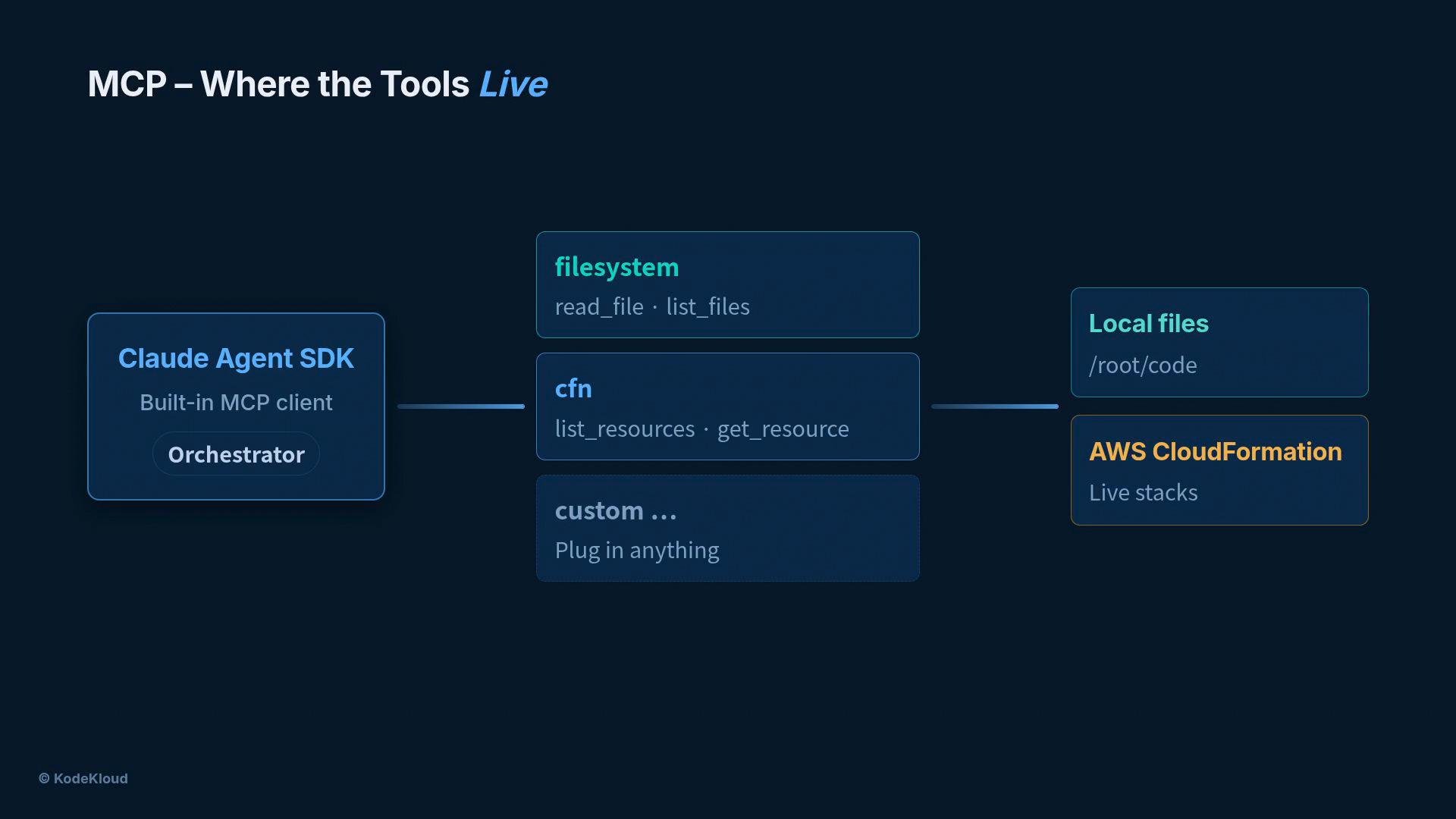 Do not list individual tools in your agent config. Declare `mcpServers` and let the SDK discover and namespace the server's tools at runtime to avoid configuration drift and tool name collisions.
Tool naming example:
* `mcp__cfn__list_resources` (server `cfn`, tool `list_resources`)
* `mcp__filesystem__read_file` (server `filesystem`, tool `read_file`)
## Putting the three together — What, Who, Where
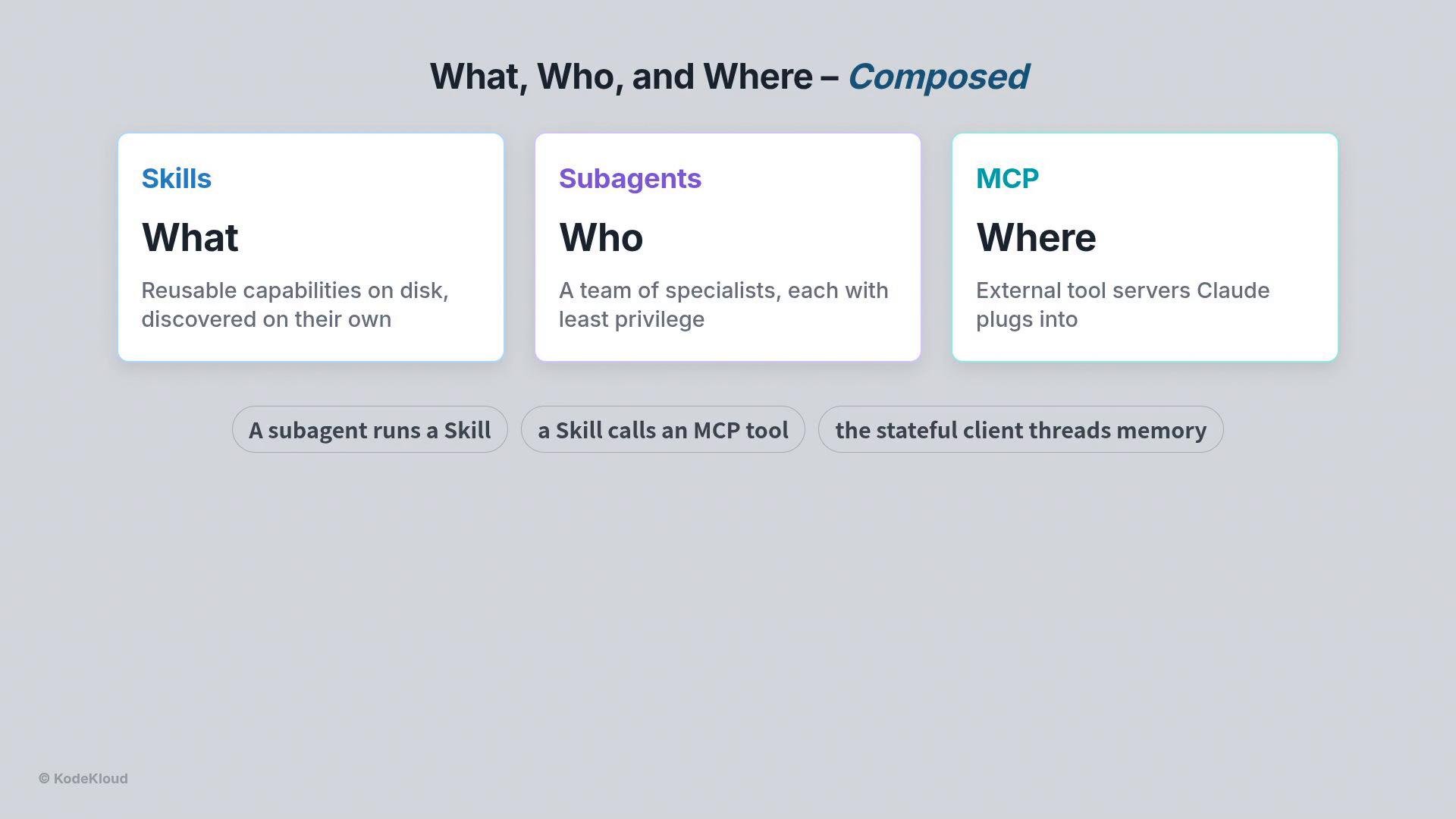
* Skills (What): Reusable, disk-based capability definitions (intent + steps).
* Subagents (Who): Specialist agents with focused prompts and least-privileged tool access.
* MCP (Where): External tool servers that expose structured tools Claude can call.
They compose naturally:
* A subagent can execute a skill.
* A skill can instruct the subagent to call an MCP tool.
* The orchestrator coordinates and threads state/memory across the interaction.
Do not list individual tools in your agent config. Declare `mcpServers` and let the SDK discover and namespace the server's tools at runtime to avoid configuration drift and tool name collisions.
Tool naming example:
* `mcp__cfn__list_resources` (server `cfn`, tool `list_resources`)
* `mcp__filesystem__read_file` (server `filesystem`, tool `read_file`)
## Putting the three together — What, Who, Where
* Skills (What): Reusable, disk-based capability definitions (intent + steps).
* Subagents (Who): Specialist agents with focused prompts and least-privileged tool access.
* MCP (Where): External tool servers that expose structured tools Claude can call.
They compose naturally:
* A subagent can execute a skill.
* A skill can instruct the subagent to call an MCP tool.
* The orchestrator coordinates and threads state/memory across the interaction.
 Summary table — quick reference:
| Concept | What it contains | How it's used |
| - | - | - |
| Skills | `SKILL.md` files with frontmatter + Markdown | Discovered automatically, invoked by intent matching |
| Subagents | Agent definitions with prompts + tool subset | Orchestrator delegates subtasks to specialists |
| MCP | External servers exposing namespaced tools | Declared as `mcpServers`; tools discovered at runtime |
## Next steps
Now that you understand Skills, Subagents, and MCP and how they fit together, the next lesson will show a full walkthrough: plan, delegate, and deploy — using all three at once.
## Links and references
* [Claude Agent SDK docs](https://claude.ai) (reference)
* [CloudFormation basics](https://learn.kodekloud.com/user/courses/aws-cloud-formation) (example external system)
* [Kubernetes Basics](https://kubernetes.io/docs/concepts/overview/what-is-kubernetes/) (general infra reference)
This documentation is built and hosted on [Mintlify](https://mintlify.com), a developer documentation platform.
Summary table — quick reference:
| Concept | What it contains | How it's used |
| - | - | - |
| Skills | `SKILL.md` files with frontmatter + Markdown | Discovered automatically, invoked by intent matching |
| Subagents | Agent definitions with prompts + tool subset | Orchestrator delegates subtasks to specialists |
| MCP | External servers exposing namespaced tools | Declared as `mcpServers`; tools discovered at runtime |
## Next steps
Now that you understand Skills, Subagents, and MCP and how they fit together, the next lesson will show a full walkthrough: plan, delegate, and deploy — using all three at once.
## Links and references
* [Claude Agent SDK docs](https://claude.ai) (reference)
* [CloudFormation basics](https://learn.kodekloud.com/user/courses/aws-cloud-formation) (example external system)
* [Kubernetes Basics](https://kubernetes.io/docs/concepts/overview/what-is-kubernetes/) (general infra reference)
This documentation is built and hosted on [Mintlify](https://mintlify.com), a developer documentation platform.