> ## Documentation Index
> Fetch the complete documentation index at: https://notes.kodekloud.com/llms.txt
> Use this file to discover all available pages before exploring further.
# Skills EC2 Operations
> List, inspect, and manage EC2 instances including listing inventory, starting or stopping instances, and safely terminating with confirmation and safety checks
Skills extend an agent’s capabilities by loading reusable pieces of logic from disk. In this guide we use skills to let Claude manage Amazon Elastic Compute Cloud (EC2) instances. Learn more about EC2 here: [https://learn.kodekloud.com/user/courses/amazon-elastic-compute-cloud-ec2](https://learn.kodekloud.com/user/courses/amazon-elastic-compute-cloud-ec2)
An agent might need to list instances, start or stop them, or perform more complex checks. Instead of stuffing every instruction into the system prompt (which quickly causes prompt bloat and maintenance headaches), place each capability into a `.claude/skills` file that Claude can discover and invoke automatically.
Why skills?
* Keeps instructions small and cheap to send.
* Makes capabilities reusable across agents and projects.
* Separates code (the skill files) from conversational state.
What is a skill file?
Every skill is a single `SKILL.md` file with two parts:
1. YAML front matter (between `---` lines) with required fields:
* `name`: a unique hyphenated identifier (e.g., `ec2-list`)
* `description`: short, precise text that tells Claude when to use this skill
2. The Markdown body: title, instructions for Claude, step-by-step actions, expected output format, and safety rules.
The front matter declares when the skill should be considered. The body tells Claude what to do and how to behave. One file is both the label on the drawer and the instructions inside it.
SKILL.md structure (example)
```yaml theme={null}
---
name: ec2-list
description:
- "List all EC2 instances in the AWS account."
- "Use when the user asks about instances, VMs, running servers, or EC2 inventory."
---
# EC2 List
Instructions: ...
```
Write the description as a list of concrete situations so Claude can match user requests reliably.
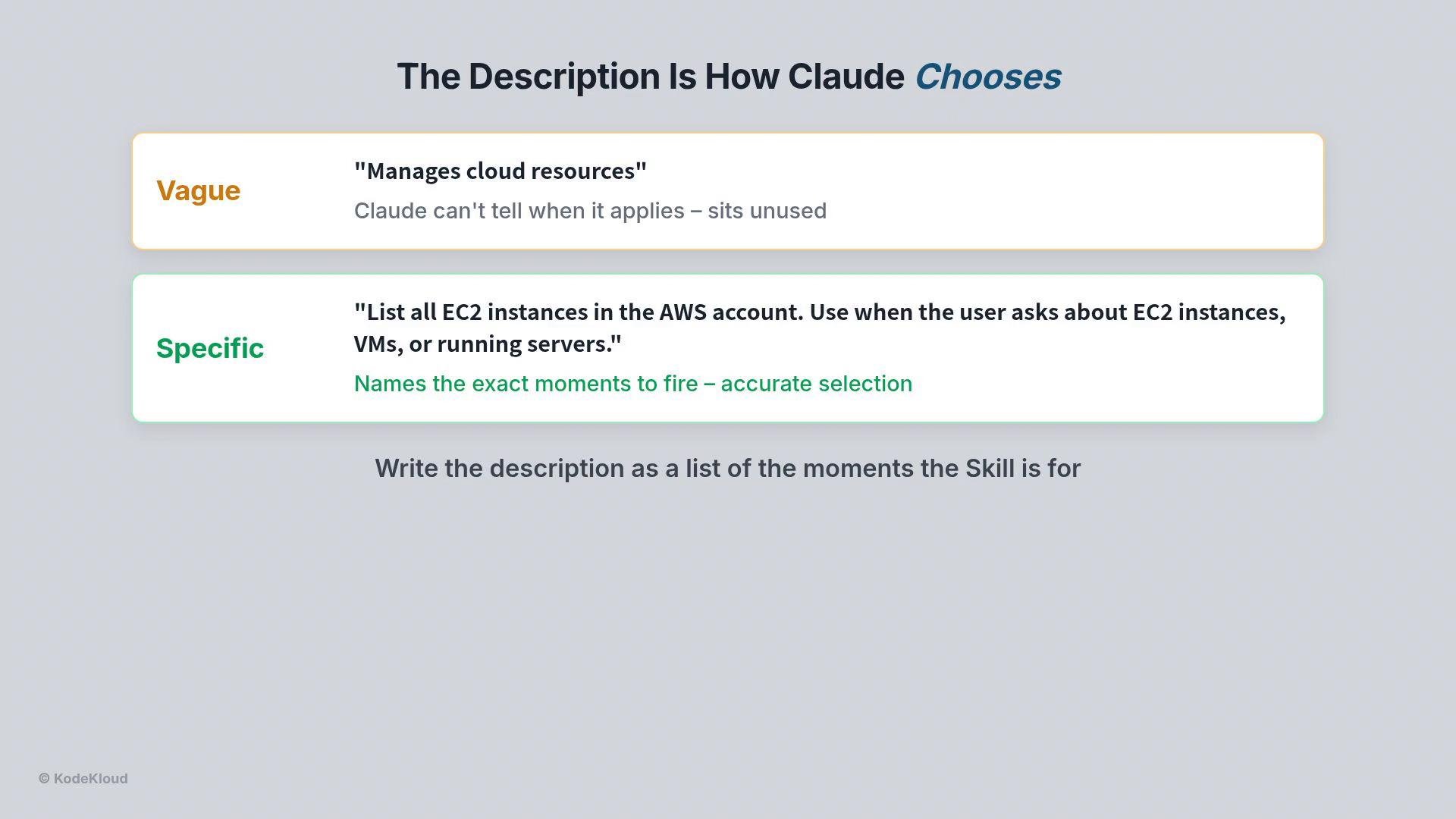 Write `description` fields as a list of concrete situations. The clearer the wording, the more reliably Claude will select the correct skill.
Where to put `.claude/skills` and how discovery works
* The SDK searches a fixed path: a `.claude/skills` folder inside your project directory.
* Each subfolder containing a `SKILL.md` becomes an available skill (for example: `.claude/skills/ec2-list/SKILL.md`).
* Discovery is enabled only when three configuration fields are set correctly:
* `CWD`: the project directory that contains `.claude/skills` (for example `/root/code`).
* `settingSources`: must include the project-based source to allow project settings.
* `allowedTools`: must include the string `Skill`.
| Configuration field | Purpose | Example |
| - | - | - |
| `CWD` | Project folder that contains `.claude/skills` | `/root/code` |
| `settingSources` | Enables project-based settings for discovery | `["Project", "User"]` |
| `allowedTools` | Lists tools the agent may invoke; must include `Skill` to enable skills | `["Skill","ToolX"]` |
If any of the three are missing or misconfigured, discovery fails silently: the SDK may find the files but will never invoke them, or it may ignore the folder entirely. Ensure `allowedTools` includes `Skill` and `CWD` points to the folder containing `.claude/skills`.
Automatic selection and invocation
You never call a skill explicitly in code (no `run skill` calls). Instead, when Claude receives a request it:
1. Scans the `description` fields of available skills.
2. Matches the user’s language to the best-fitting skill.
3. Invokes that skill by running the instructions in the corresponding `SKILL.md`.
For example, asking “show me all EC2 instances in my AWS account” will typically cause Claude to choose `ec2-list`. Behind the scenes it will behave as if it ran:
* `.claude/skills ec2-list`
A skill can call APIs (for example `ec2 describe-instances`), parse the JSON, and present a clear table to the user.
Design principle: separate read-only from state-changing operations
Keep inspection and management separate. Example pattern:
* `ec2-list` — a read-only skill to inspect and report instance inventory.
* `ec2-manager` — a multi-operation management skill that can start, stop, or terminate instances, but enforces strict safety checks.
Typical safety checks for `ec2-manager`:
* Confirm the instance ID before changing anything.
* Check the current state to ensure the action makes sense.
* Warn and require explicit confirmation before termination (irreversible).
* Report results clearly after the operation.
Write `description` fields as a list of concrete situations. The clearer the wording, the more reliably Claude will select the correct skill.
Where to put `.claude/skills` and how discovery works
* The SDK searches a fixed path: a `.claude/skills` folder inside your project directory.
* Each subfolder containing a `SKILL.md` becomes an available skill (for example: `.claude/skills/ec2-list/SKILL.md`).
* Discovery is enabled only when three configuration fields are set correctly:
* `CWD`: the project directory that contains `.claude/skills` (for example `/root/code`).
* `settingSources`: must include the project-based source to allow project settings.
* `allowedTools`: must include the string `Skill`.
| Configuration field | Purpose | Example |
| - | - | - |
| `CWD` | Project folder that contains `.claude/skills` | `/root/code` |
| `settingSources` | Enables project-based settings for discovery | `["Project", "User"]` |
| `allowedTools` | Lists tools the agent may invoke; must include `Skill` to enable skills | `["Skill","ToolX"]` |
If any of the three are missing or misconfigured, discovery fails silently: the SDK may find the files but will never invoke them, or it may ignore the folder entirely. Ensure `allowedTools` includes `Skill` and `CWD` points to the folder containing `.claude/skills`.
Automatic selection and invocation
You never call a skill explicitly in code (no `run skill` calls). Instead, when Claude receives a request it:
1. Scans the `description` fields of available skills.
2. Matches the user’s language to the best-fitting skill.
3. Invokes that skill by running the instructions in the corresponding `SKILL.md`.
For example, asking “show me all EC2 instances in my AWS account” will typically cause Claude to choose `ec2-list`. Behind the scenes it will behave as if it ran:
* `.claude/skills ec2-list`
A skill can call APIs (for example `ec2 describe-instances`), parse the JSON, and present a clear table to the user.
Design principle: separate read-only from state-changing operations
Keep inspection and management separate. Example pattern:
* `ec2-list` — a read-only skill to inspect and report instance inventory.
* `ec2-manager` — a multi-operation management skill that can start, stop, or terminate instances, but enforces strict safety checks.
Typical safety checks for `ec2-manager`:
* Confirm the instance ID before changing anything.
* Check the current state to ensure the action makes sense.
* Warn and require explicit confirmation before termination (irreversible).
* Report results clearly after the operation.
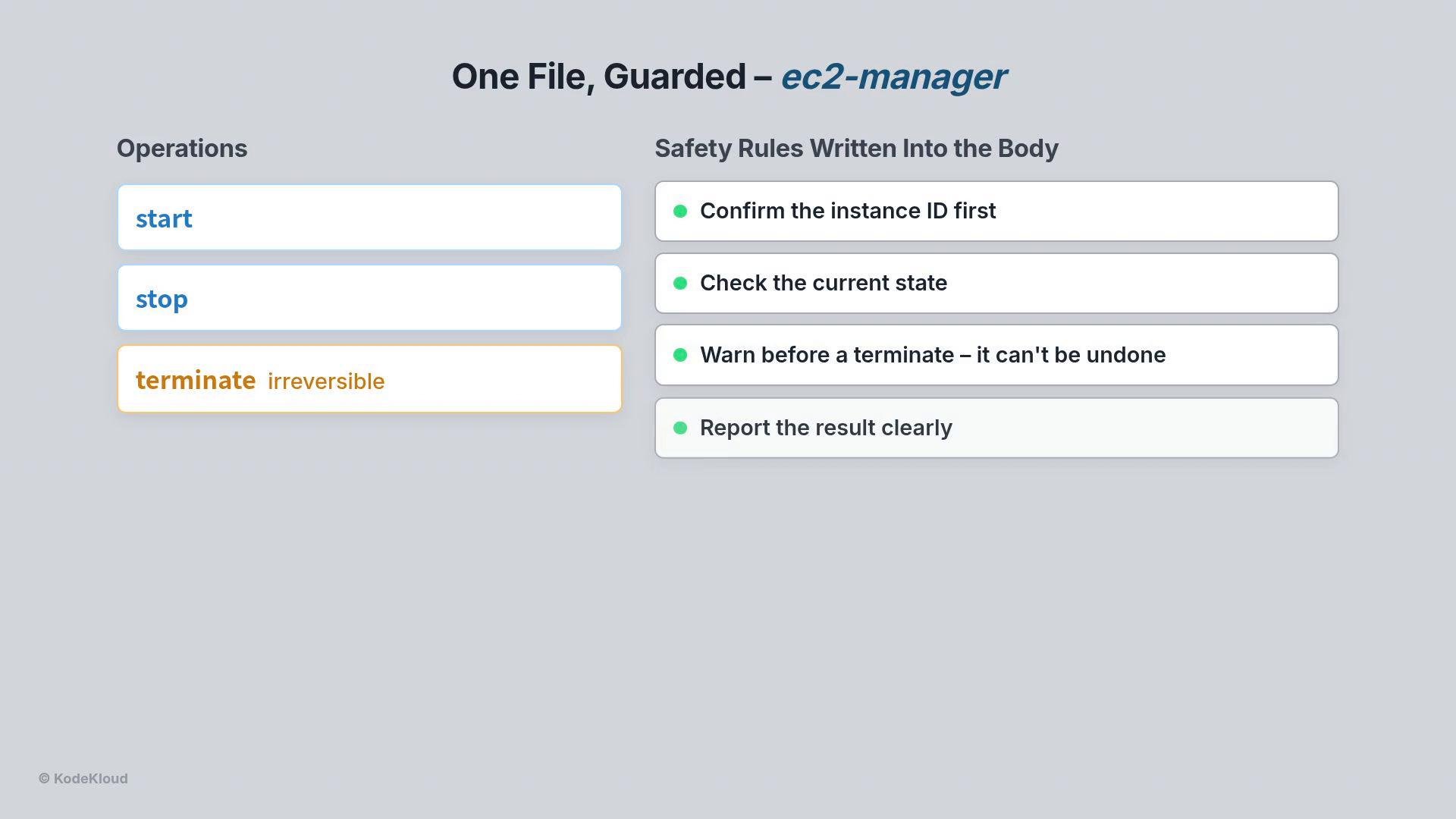 Danger: Termination is irreversible. Put explicit confirmation steps and warnings into any skill that performs destructive actions.
State and conversation
* Skills themselves are stateless: each invocation is self-contained and the skill file does not retain memory between calls.
* Conversation state (client-side memory) carries context across turns. For example, Claude can ask, “Would you like me to stop the running instances?” and when you reply “Yes, stop them all,” the stateful client supplies that confirmation while the stateless skill performs the operation.
Client example run
```bash theme={null}
$ python multi_skill.py
# Turn 1: list, then ask
Skill {"skill":"ec2-list"}
i-0a1b2c3d running · i-0e4f5a6b running
Claude: Would you like me to stop the running instances?
# Turn 2: you confirm
You: Yes, stop them all
Skill {"skill":"ec2-manager"}
Bash aws ec2 stop-instances --instance-ids i-0a1b2c3d i-0e4f5a6b
Claude: Stopping both instances. Done.
```
This example shows:
* Claude selected `ec2-list`, presented results and a follow-up question.
* After confirmation, Claude selected `ec2-manager` and executed the safe, guarded workflow to stop the instances.
Best practices and tips
* Keep descriptions specific and situation-oriented to improve selection accuracy.
* Separate read-only inspection skills from management skills to enforce least privilege.
* Build explicit confirmation and state checks into any skill that modifies infrastructure.
* Test skill selection by issuing varied phrasing of the same request to ensure the right skill fires.
Summary
Using `.claude/skills` organizes agent capabilities into discoverable, reusable files. Write clear `description` lists, keep state-changing logic guarded in separate skill files, and verify SDK configuration (`CWD`, `settingSources`, `allowedTools`) so discovery works. Together, stateless skills and stateful conversational context create a safe, flexible DevOps assistant for EC2 and other cloud resources.
This documentation is built and hosted on [Mintlify](https://mintlify.com), a developer documentation platform.
Danger: Termination is irreversible. Put explicit confirmation steps and warnings into any skill that performs destructive actions.
State and conversation
* Skills themselves are stateless: each invocation is self-contained and the skill file does not retain memory between calls.
* Conversation state (client-side memory) carries context across turns. For example, Claude can ask, “Would you like me to stop the running instances?” and when you reply “Yes, stop them all,” the stateful client supplies that confirmation while the stateless skill performs the operation.
Client example run
```bash theme={null}
$ python multi_skill.py
# Turn 1: list, then ask
Skill {"skill":"ec2-list"}
i-0a1b2c3d running · i-0e4f5a6b running
Claude: Would you like me to stop the running instances?
# Turn 2: you confirm
You: Yes, stop them all
Skill {"skill":"ec2-manager"}
Bash aws ec2 stop-instances --instance-ids i-0a1b2c3d i-0e4f5a6b
Claude: Stopping both instances. Done.
```
This example shows:
* Claude selected `ec2-list`, presented results and a follow-up question.
* After confirmation, Claude selected `ec2-manager` and executed the safe, guarded workflow to stop the instances.
Best practices and tips
* Keep descriptions specific and situation-oriented to improve selection accuracy.
* Separate read-only inspection skills from management skills to enforce least privilege.
* Build explicit confirmation and state checks into any skill that modifies infrastructure.
* Test skill selection by issuing varied phrasing of the same request to ensure the right skill fires.
Summary
Using `.claude/skills` organizes agent capabilities into discoverable, reusable files. Write clear `description` lists, keep state-changing logic guarded in separate skill files, and verify SDK configuration (`CWD`, `settingSources`, `allowedTools`) so discovery works. Together, stateless skills and stateful conversational context create a safe, flexible DevOps assistant for EC2 and other cloud resources.
This documentation is built and hosted on [Mintlify](https://mintlify.com), a developer documentation platform.