> ## Documentation Index
> Fetch the complete documentation index at: https://notes.kodekloud.com/llms.txt
> Use this file to discover all available pages before exploring further.
# Composition Functions Patch and Transform
> Explains Crossplane Patch and Transform function used in Compositions to copy and reshape composite resource inputs into managed resource fields and statuses
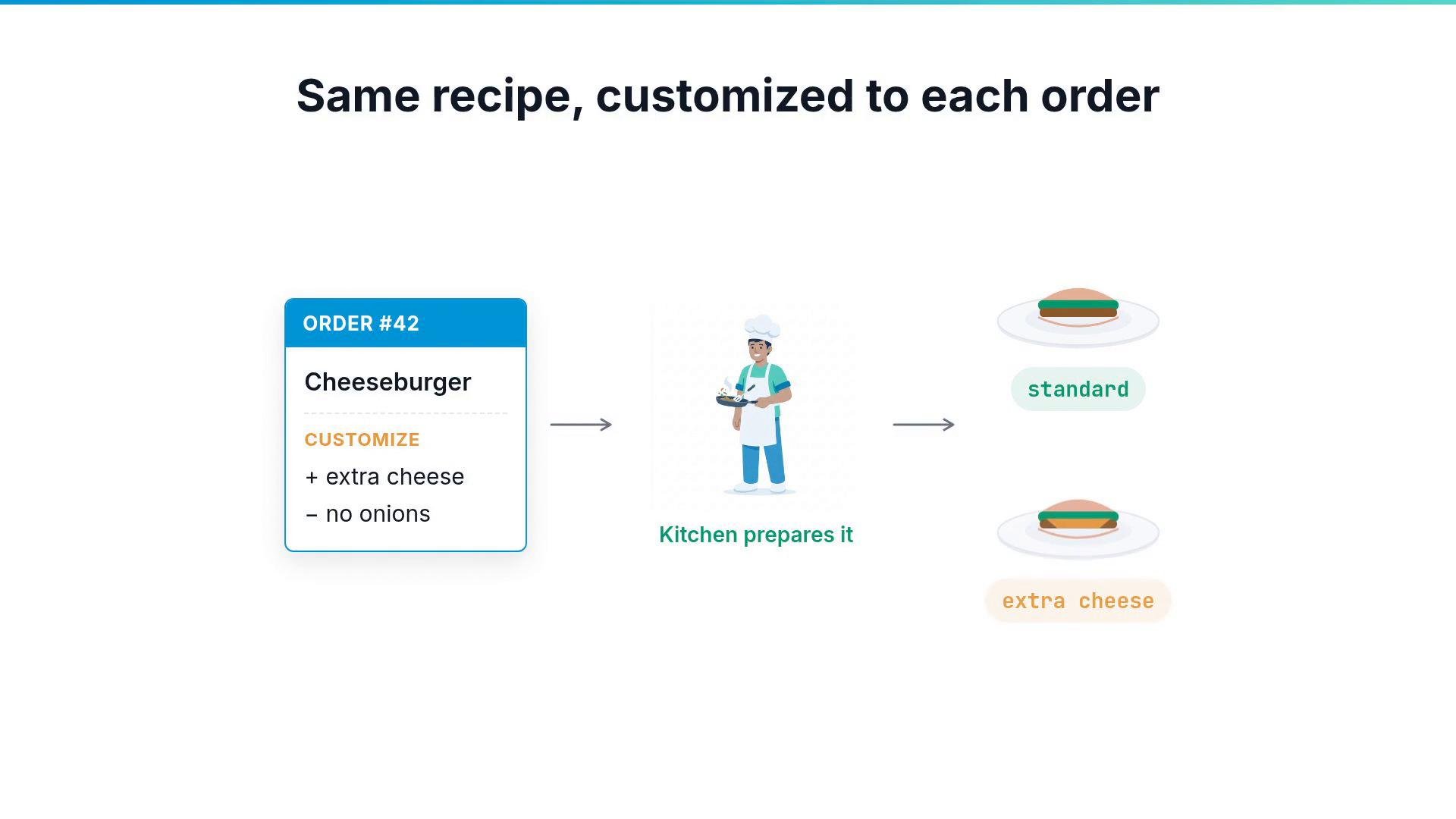
Customers appreciate a restaurant that lets them customize their orders.
The kitchen receives those customizations with the order and prepares the plate accordingly. The base recipe stays the same for everyone, yet each plate is tailored to the customer's request.
 Infrastructure blueprints face the same requirement.
If you define a simple apps API where users pass only an app name and an environment, a composition filled with hard-coded values will ignore those inputs. You might request an app named `webapp`, but the resulting namespace or resource names could still appear as placeholders because the inputs never reach the managed resources.
Composition functions solve this. A function is a program Crossplane runs while it builds your resources. It reads each composite request and applies the requested customizations to the resources that the composition creates. Functions are installed as packages, similar to providers. One widely used function is Crossplane's Patch and Transform function:
```yaml theme={null}
apiVersion: pkg.crossplane.io/v1
kind: Function
metadata:
name: function-patch-and-transform
spec:
package: "xpkg.upbound.io/crossplane-contrib/function-patch-and-transform:v0.8.2"
```
At a glance, Patch and Transform performs two related tasks:
* Patch: copy a value from the composite resource to a managed resource.
* Transform: reshape that value as it moves from the composite to the managed resource.
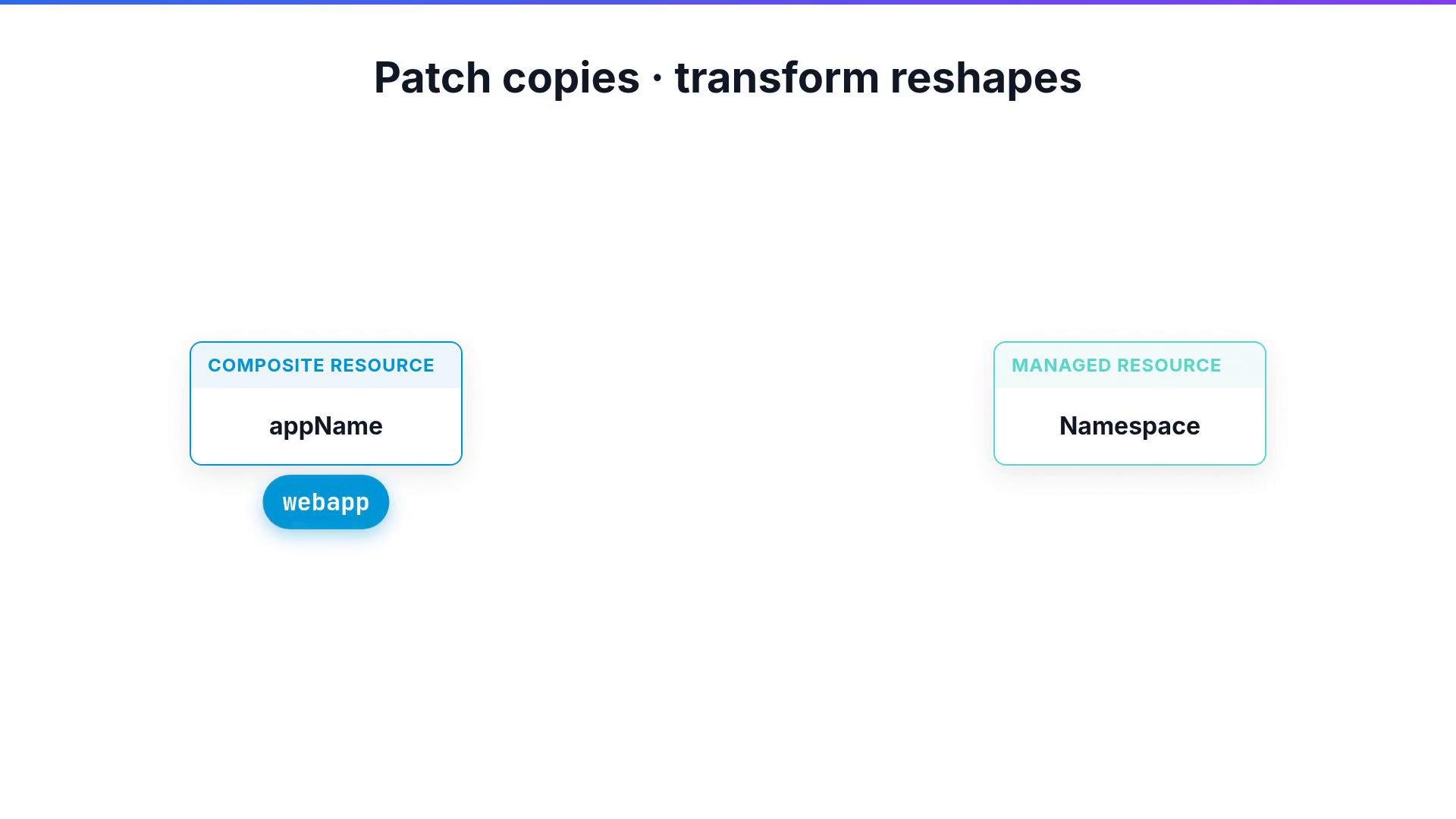
For example, given the composite field `spec.appName: webapp`, Patch and Transform can copy that value into a Namespace resource and transform it to `webapp-namespace`.
Infrastructure blueprints face the same requirement.
If you define a simple apps API where users pass only an app name and an environment, a composition filled with hard-coded values will ignore those inputs. You might request an app named `webapp`, but the resulting namespace or resource names could still appear as placeholders because the inputs never reach the managed resources.
Composition functions solve this. A function is a program Crossplane runs while it builds your resources. It reads each composite request and applies the requested customizations to the resources that the composition creates. Functions are installed as packages, similar to providers. One widely used function is Crossplane's Patch and Transform function:
```yaml theme={null}
apiVersion: pkg.crossplane.io/v1
kind: Function
metadata:
name: function-patch-and-transform
spec:
package: "xpkg.upbound.io/crossplane-contrib/function-patch-and-transform:v0.8.2"
```
At a glance, Patch and Transform performs two related tasks:
* Patch: copy a value from the composite resource to a managed resource.
* Transform: reshape that value as it moves from the composite to the managed resource.
For example, given the composite field `spec.appName: webapp`, Patch and Transform can copy that value into a Namespace resource and transform it to `webapp-namespace`.
 How functions are used in a Composition
* A Composition contains resource stanzas; each resource provides a base manifest (the managed resource definition).
* A resource's `patches` section declares how fields on that managed resource should be set from the composite request.
* The function executes the patch operations and applies transforms if configured.
A common patch type is `FromCompositeFieldPath`, which reads a field from the composite (for example `spec.appName`) and writes it onto a field of the managed resource (for example `spec.forProvider.manifest.metadata.name` for a Kubernetes Namespace manifest). A single resource can carry multiple patches to update name, labels, configuration values, and more.
Transforms run alongside patches to modify values during copying—formatting strings, converting types, or performing arithmetic.
Example: copy `spec.appName` into a manifest's `metadata.name` and format it with `-namespace`:
```yaml theme={null}
patches:
- type: FromCompositeFieldPath
fromFieldPath: spec.appName
toFieldPath: spec.forProvider.manifest.metadata.name
transforms:
- type: string
string:
type: Format
fmt: "%s-namespace"
```
If a user creates an XSimpleApp composite like this:
```yaml theme={null}
# Composite (XSimpleApp)
spec:
appName: webapp
environment: prod
```
The composition's patches and transforms can produce a managed Namespace with the expected name and labels:
```yaml theme={null}
# Resulting managed resource (Namespace)
metadata:
name: webapp-namespace
labels:
app: webapp
env: prod
```
Common transform types
* string (Format, Prefix, Suffix, etc.) — format or concatenate text.
* map — replace an input with a mapped output (e.g., map `small` to a specific instance type).
* convert — change the value's type (e.g., string -> number).
* math — perform arithmetic (e.g., multiply a numeric input to scale sizes).
Quick reference tables
| Patch type | Purpose | Example |
| - | - | - |
| `FromCompositeFieldPath` | Copy a value from the composite to the resource | `XR.spec.appName` -> `RESOURCE.metadata.name` |
| `CombineFromComposite` | Merge multiple composite fields into one resource field | `XR.spec.region` + `XR.spec.name` -> `RESOURCE.id` |
| `ToCompositeFieldPath` | Copy a value from a managed resource back onto the composite | `RESOURCE.status.endpoint` -> `XR.status.dbEndpoint` |
| `FromEnvironmentFieldPath` | Pull values from an EnvironmentConfig | Use shared settings like region or account id |
| Transform family | When to use | Example |
| - | - | - |
| `string` | Create formatted labels, names, or paths | Format: `"%s-namespace"` |
| `map` | Convert a user-friendly option into a concrete value | `small` -> `t3.medium` |
| `convert` | Ensure typed values (string -> number, boolean) | `"3"` -> `3` |
| `math` | Scale or compute numeric values | Multiply a disk size by factor |
Schematic examples (conceptual):
```text theme={null}
FromCompositeFieldPath
XR.spec.appName
copy ->
RESOURCE.metadata.name
CombineFromComposite
XR.region: us-east-1
XR.name: myapp
"%s-%s" ->
RESOURCE us-east-1-myapp
ToCompositeFieldPath
RESOURCE.status.endpoint
copy ->
XR.status.dbEndpoint
```
Best practices
* Keep composite input schemas minimal and expressive—let patches and transforms do the heavy lifting.
* Use `ToCompositeFieldPath` to surface runtime information (endpoints, credentials) back to the composite's `status`.
* Favor reusable transforms (maps, common formatters) so compositions remain readable and maintainable.
See the Patch and Transform function documentation for the complete list of available transform operations and patch types:
* Crossplane Patch and Transform function: [https://github.com/crossplane-contrib/function-patch-and-transform](https://github.com/crossplane-contrib/function-patch-and-transform)
* Crossplane documentation: [https://crossplane.io/docs](https://crossplane.io/docs)
Install the Patch and Transform function package in your control plane before attempting to reference it from a Composition. Follow your distribution’s package installation instructions (for example, with the Crossplane package manager).
Practice writing compositions that use patches and transforms to propagate and reshape user inputs into the managed resources you need.
This documentation is built and hosted on [Mintlify](https://mintlify.com), a developer documentation platform.
How functions are used in a Composition
* A Composition contains resource stanzas; each resource provides a base manifest (the managed resource definition).
* A resource's `patches` section declares how fields on that managed resource should be set from the composite request.
* The function executes the patch operations and applies transforms if configured.
A common patch type is `FromCompositeFieldPath`, which reads a field from the composite (for example `spec.appName`) and writes it onto a field of the managed resource (for example `spec.forProvider.manifest.metadata.name` for a Kubernetes Namespace manifest). A single resource can carry multiple patches to update name, labels, configuration values, and more.
Transforms run alongside patches to modify values during copying—formatting strings, converting types, or performing arithmetic.
Example: copy `spec.appName` into a manifest's `metadata.name` and format it with `-namespace`:
```yaml theme={null}
patches:
- type: FromCompositeFieldPath
fromFieldPath: spec.appName
toFieldPath: spec.forProvider.manifest.metadata.name
transforms:
- type: string
string:
type: Format
fmt: "%s-namespace"
```
If a user creates an XSimpleApp composite like this:
```yaml theme={null}
# Composite (XSimpleApp)
spec:
appName: webapp
environment: prod
```
The composition's patches and transforms can produce a managed Namespace with the expected name and labels:
```yaml theme={null}
# Resulting managed resource (Namespace)
metadata:
name: webapp-namespace
labels:
app: webapp
env: prod
```
Common transform types
* string (Format, Prefix, Suffix, etc.) — format or concatenate text.
* map — replace an input with a mapped output (e.g., map `small` to a specific instance type).
* convert — change the value's type (e.g., string -> number).
* math — perform arithmetic (e.g., multiply a numeric input to scale sizes).
Quick reference tables
| Patch type | Purpose | Example |
| - | - | - |
| `FromCompositeFieldPath` | Copy a value from the composite to the resource | `XR.spec.appName` -> `RESOURCE.metadata.name` |
| `CombineFromComposite` | Merge multiple composite fields into one resource field | `XR.spec.region` + `XR.spec.name` -> `RESOURCE.id` |
| `ToCompositeFieldPath` | Copy a value from a managed resource back onto the composite | `RESOURCE.status.endpoint` -> `XR.status.dbEndpoint` |
| `FromEnvironmentFieldPath` | Pull values from an EnvironmentConfig | Use shared settings like region or account id |
| Transform family | When to use | Example |
| - | - | - |
| `string` | Create formatted labels, names, or paths | Format: `"%s-namespace"` |
| `map` | Convert a user-friendly option into a concrete value | `small` -> `t3.medium` |
| `convert` | Ensure typed values (string -> number, boolean) | `"3"` -> `3` |
| `math` | Scale or compute numeric values | Multiply a disk size by factor |
Schematic examples (conceptual):
```text theme={null}
FromCompositeFieldPath
XR.spec.appName
copy ->
RESOURCE.metadata.name
CombineFromComposite
XR.region: us-east-1
XR.name: myapp
"%s-%s" ->
RESOURCE us-east-1-myapp
ToCompositeFieldPath
RESOURCE.status.endpoint
copy ->
XR.status.dbEndpoint
```
Best practices
* Keep composite input schemas minimal and expressive—let patches and transforms do the heavy lifting.
* Use `ToCompositeFieldPath` to surface runtime information (endpoints, credentials) back to the composite's `status`.
* Favor reusable transforms (maps, common formatters) so compositions remain readable and maintainable.
See the Patch and Transform function documentation for the complete list of available transform operations and patch types:
* Crossplane Patch and Transform function: [https://github.com/crossplane-contrib/function-patch-and-transform](https://github.com/crossplane-contrib/function-patch-and-transform)
* Crossplane documentation: [https://crossplane.io/docs](https://crossplane.io/docs)
Install the Patch and Transform function package in your control plane before attempting to reference it from a Composition. Follow your distribution’s package installation instructions (for example, with the Crossplane package manager).
Practice writing compositions that use patches and transforms to propagate and reshape user inputs into the managed resources you need.
This documentation is built and hosted on [Mintlify](https://mintlify.com), a developer documentation platform.