> ## Documentation Index
> Fetch the complete documentation index at: https://notes.kodekloud.com/llms.txt
> Use this file to discover all available pages before exploring further.
# Overview and navigation of the Linode Kubernetes Engine dashboard
> This article provides an overview of the Linode Kubernetes Engine dashboard and its features for managing Kubernetes clusters.
Before provisioning a Linode Kubernetes Engine (LKE) cluster, it’s helpful to familiarize yourself with the LKE dashboard. Understanding this interface clarifies the resources LKE manages on your behalf.
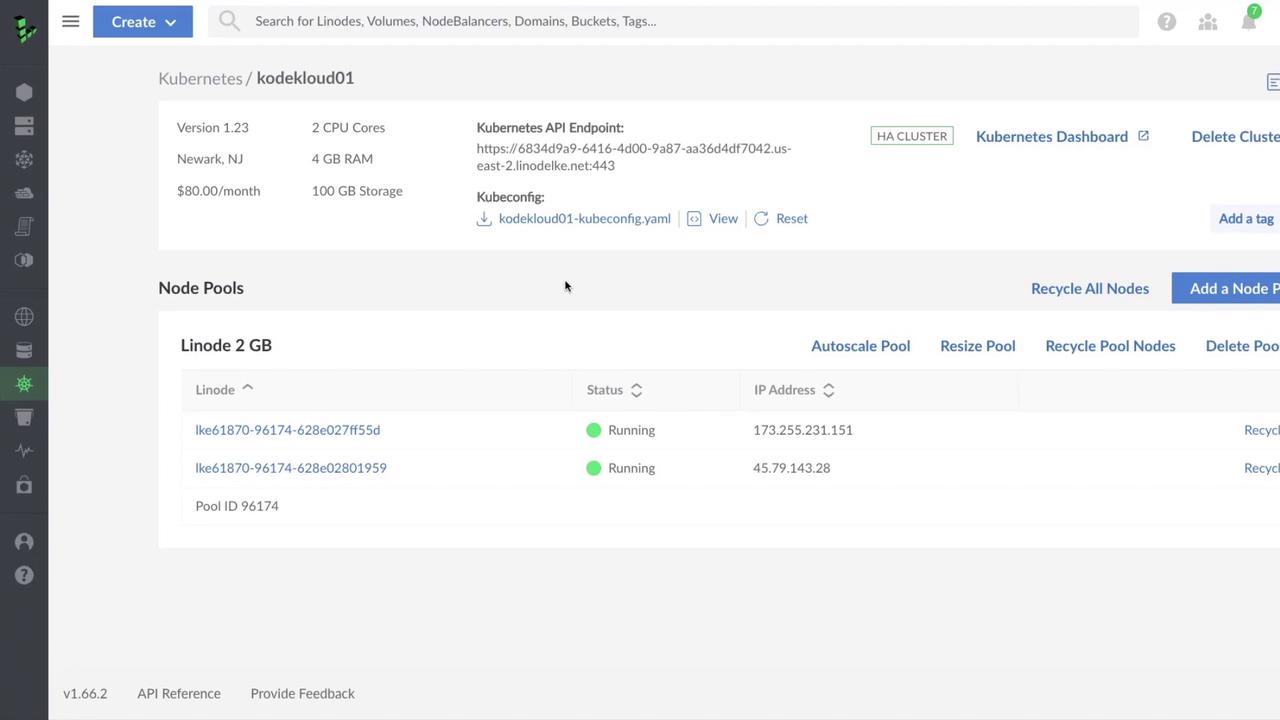
Exploring the LKE dashboard first gives you context on what happens behind the scenes when you later create and manage clusters.
## Cluster Details
| Field | Description |
| ---------------------- | ---------------------------------------------------------- |
| **Name** | Rename your cluster at any time for better identification. |
| **Kubernetes Version** | Shows the control plane version (e.g., v1.22). |
| **Resources** | Total CPU cores, RAM, and storage allocated. |
| **Region** | Data center location (e.g., `us-east-1`). |
| **Price** | Estimated monthly cost for the control plane and nodes. |
## API Endpoint
LKE exposes your cluster’s API endpoint publicly. If you query it without valid credentials, you’ll see a 403 Forbidden error:
```json theme={null}
{
"kind": "Status",
"apiVersion": "v1",
"status": "Failure",
"message": "Forbidden: User \"system:anonymous\" cannot get path \"/\"",
"reason": "Forbidden",
"code": 403
}
```
## Kubeconfig File
Download your cluster’s Kubeconfig from the dashboard and save it to `~/.kube/config` (or merge with your existing file). It includes:
* Certificate Authority data
* API server URL
* User credentials (token)
* Context settings
```yaml theme={null}
apiVersion: v1
kind: Config
clusters:
- name: lke61870
cluster:
server: https://6834d9a9-6416-4d00-9a87-aa36d4df7040.east-2.linodek...
certificate-authority-data: LS0tLS1CRUdJTiBDRVJVS...
users:
- name: lke61870-admin
user:
token: eyJhbhGciOiJS...
contexts:
- name: lke61870-ctx
context:
cluster: lke61870
user: lke61870-admin
namespace: default
current-context: lke61870-ctx
```
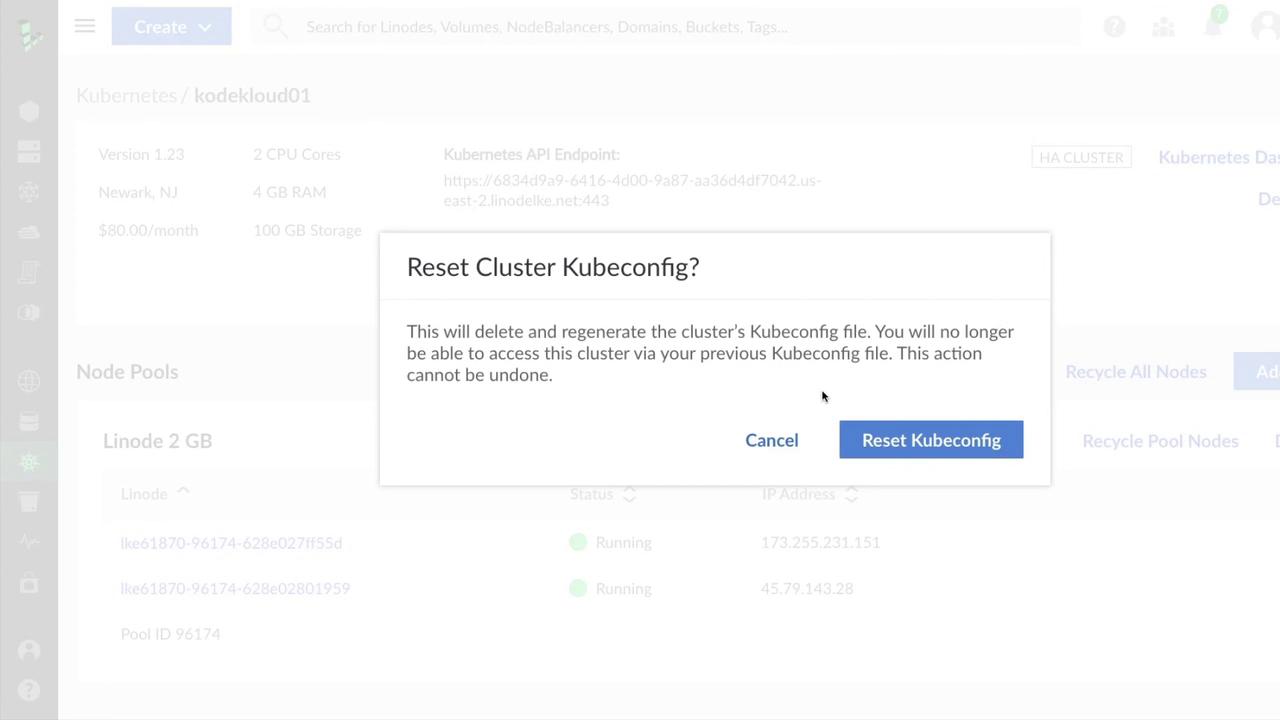
If your Kubeconfig is ever compromised, **regenerate** it immediately to revoke the old credentials.
## Kubernetes Dashboard & Node Pools
In the LKE dashboard, you’ll also find quick links for:
* Accessing the **Kubernetes Dashboard**
* Managing cluster **tags**
* **Deleting** the entire cluster
The **Node Pools** section lists each worker node, showing its IP address and status. You can:
* Recycle individual nodes or **all** nodes at once
* Enable **autoscaling** for dynamic scaling
* **Resize** node plans
* Delete individual nodes or entire node pools
* Create additional node pools
***
## Links and References
* [Linode Kubernetes Engine Quickstart](https://www.linode.com/docs/guides/kubernetes/)
* [Kubernetes Basics](https://kubernetes.io/docs/concepts/overview/what-is-kubernetes/)
* [kubectl CLI Reference](https://kubernetes.io/docs/reference/kubectl/)
## Related Resources
| Resource | Purpose | Example Command |
| ---------- | ------------------------- | ------------------------------------------------- |
| Pod | Basic unit of deployment | `kubectl run nginx --image=nginx` |
| Deployment | Managed pods with scaling | `kubectl create deployment nginx --image=nginx` |
| Service | Network access to pods | `kubectl expose deployment nginx --port=80` |
| NodePool | Worker node management | Configure via LKE dashboard or Terraform provider |