> ## Documentation Index
> Fetch the complete documentation index at: https://notes.kodekloud.com/llms.txt
> Use this file to discover all available pages before exploring further.
# Upgrading the LKE cluster
> This guide explains how to upgrade your Linode Kubernetes Engine cluster, covering best practices and ensuring minimal downtime.
Linode Kubernetes Engine (LKE) streamlines Kubernetes version management by automating control plane upgrades and node pool maintenance. This guide walks you through upgrading your cluster, highlights best practices, and ensures minimal downtime.
## 1. Check for Available Upgrades
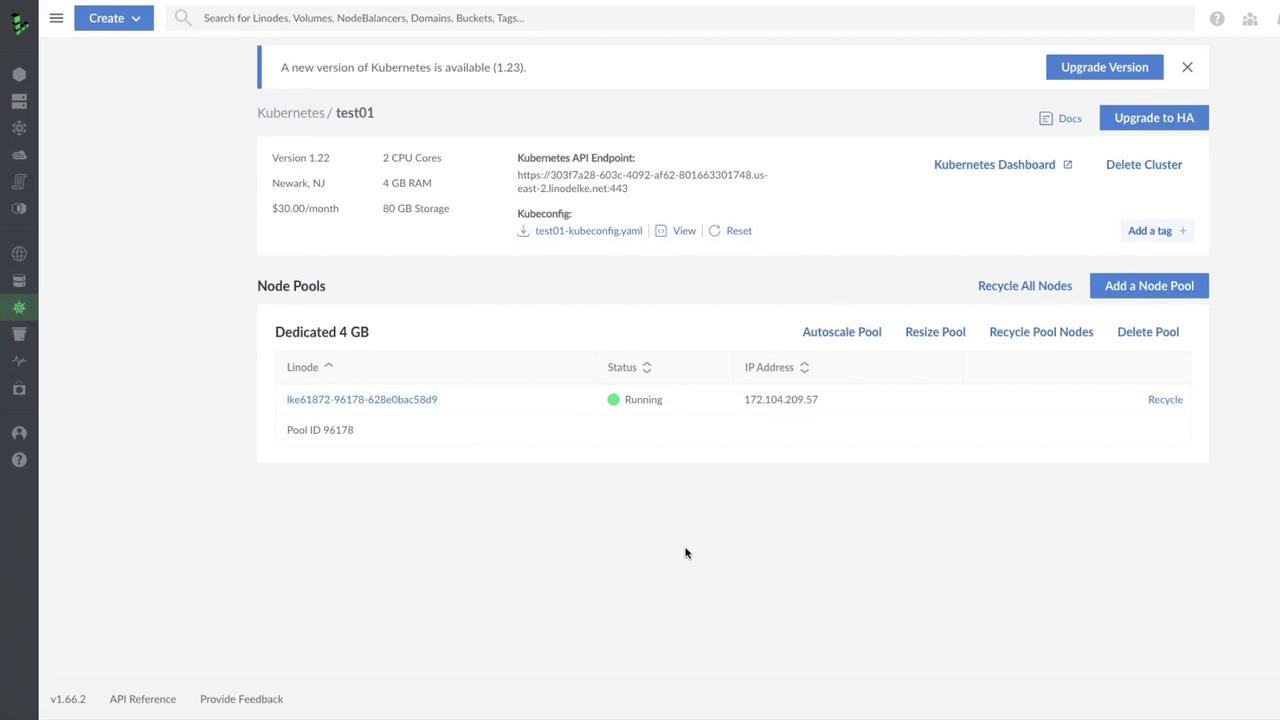
On the LKE Dashboard, any available Kubernetes version upgrades appear as a notification banner. In our example, the cluster **test01** is on v1.22 and ready to upgrade to v1.23.
### Why upgrade?
* Access new Kubernetes features and improvements
* Receive critical bug fixes and security patches
* Maintain compatibility with cloud-native tools
You can also review the [official Kubernetes upgrade documentation](https://kubernetes.io/docs/tasks/administer-cluster/cluster-upgrade/) for details on control plane components such as the API server, scheduler, and etcd.
## 2. Initiate the Upgrade
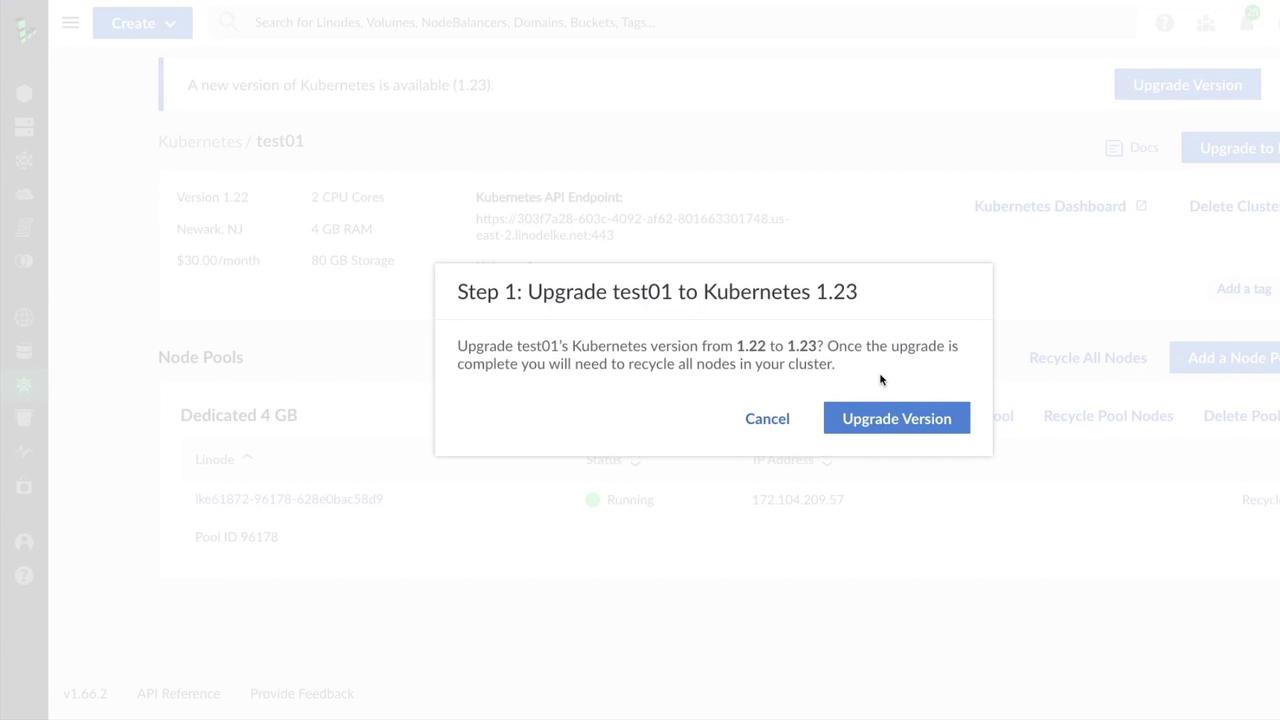
Click **Upgrade Version** to begin. A confirmation dialog shows your current and target versions:
## 3. Recycle Worker Nodes
After version confirmation, LKE recommends recycling all worker nodes. Recycling terminates existing nodes and recreates them under the new control plane version.
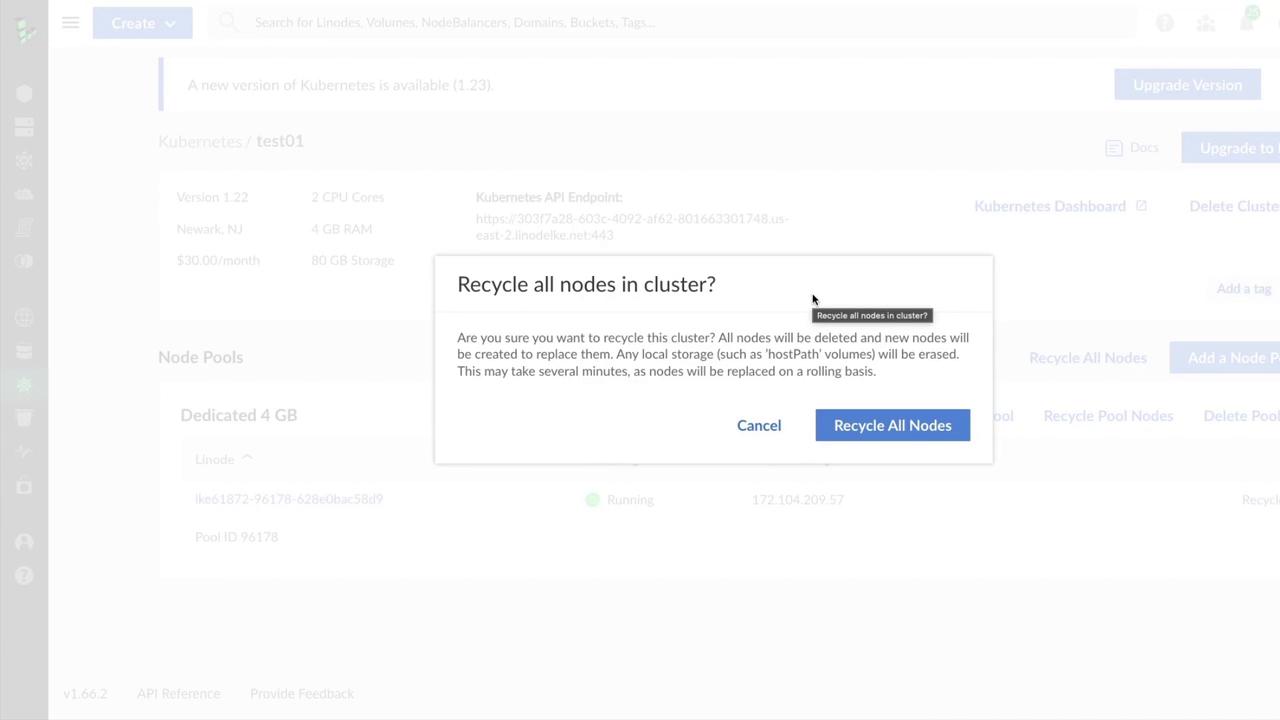
Recycling deletes any local storage, including `hostPath` volumes. Ensure you back up persistent data or migrate workloads to avoid data loss.
## 4. Monitor Upgrade Progress
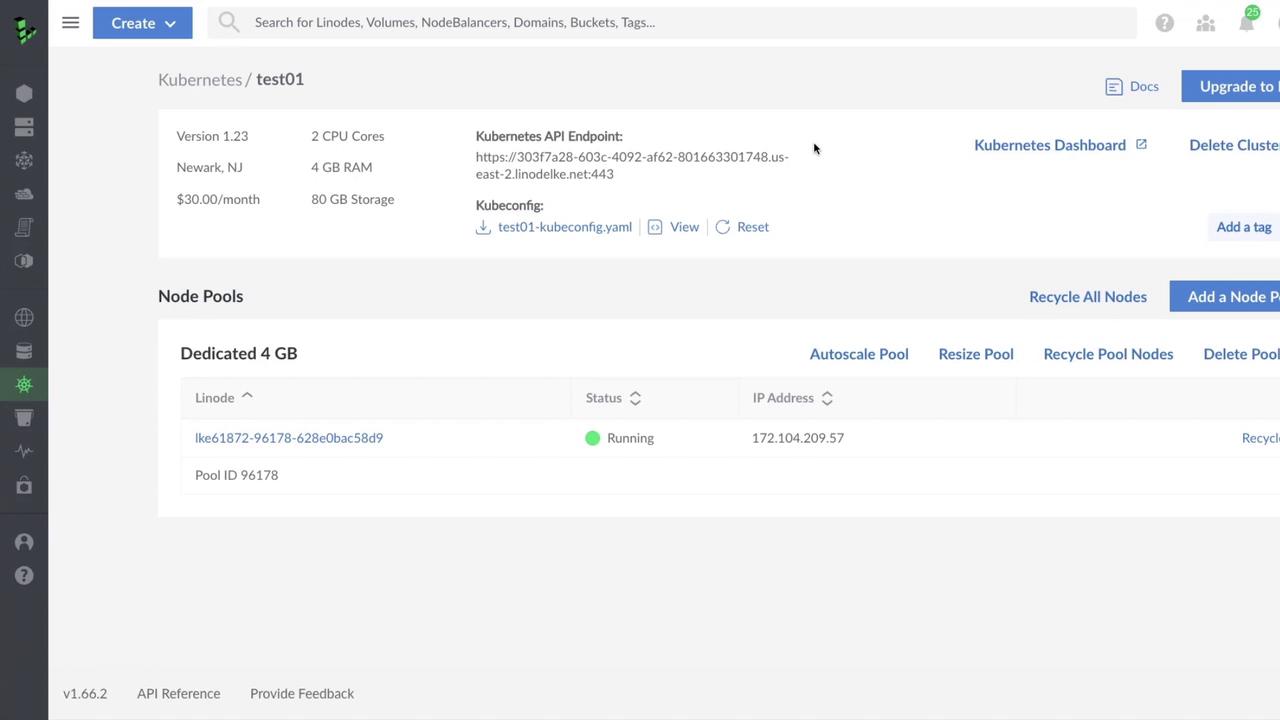
Once confirmed, LKE handles the control plane update followed by node pool recreation. You can track real-time progress through the cluster details page:
## 5. Post-Upgrade Checklist
| Task | Description |
| ------------------- | ----------------------------------------------------------------- |
| Backup Verification | Confirm backups for persistent volumes and cluster state |
| Workload Validation | Test application functionality and performance |
| Capacity Review | Ensure node pool sizing meets production demands |
| Rollback Plan | Have a strategy to revert to the previous version if issues arise |
## Best Practices
* Schedule upgrades during low-traffic periods
* Use staging clusters to validate new Kubernetes versions
* Automate backups with [Linode Block Storage](https://www.linode.com/docs/products/storage/block-storage/) or external snapshot tools
* Review [Linode LKE documentation](/docs/guides/kubernetes/)
Upgrading your LKE cluster centers on preparation and monitoring. With proper planning—backups, test runs, and capacity checks—you can leverage the latest Kubernetes features while minimizing service disruptions.