> ## Documentation Index
> Fetch the complete documentation index at: https://notes.kodekloud.com/llms.txt
> Use this file to discover all available pages before exploring further.
# Process Text Streams Using Filters
> Mastering text filters in Linux for efficient viewing, transforming, and comparing plain text streams at the command line.
In Linux, nearly every interaction—SSH sessions, command outputs, system logs, and configuration files—is plain text. Mastering text filters allows you to view, transform, and compare these streams efficiently at the command line.
## Viewing Files with `cat`, `tac`, `head`, and `tail`
### Displaying Entire and Reversed Files
Use `cat` for quick, on-screen dumps of small files:
```bash theme={null}
cat /home/users.txt
# Output:
# user1
# user2
# user3
# user4
# user5
# user6
```
To flip the order (last line first), pipe through `tac`:
```bash theme={null}
tac /home/users.txt
# Output:
# user6
# user5
# user4
# user3
# user2
# user1
```
### Inspecting the Start or End of Large Logs
Log files can grow huge. Quickly grab the first or last N lines:
* **Last 10 lines (default):**\
`tail /var/log/dnf.log`
* **Last 20 lines:**\
`tail -n 20 /var/log/dnf.log`
* **First 20 lines:**\
`head -n 20 /var/log/dnf.log`
These let you preview recent errors or initial startup messages without opening the full file.
## Automating In-File Replacements with `sed`
The stream editor `sed` excels at find-and-replace tasks:
1. **Preview changes** (no file modified):
```bash theme={null}
sed 's/canda/canada/g' userinfo.txt
```
2. **Apply in-place** (`-i`) substitutions:
```bash theme={null}
sed -i 's/canda/canada/g' userinfo.txt
cat userinfo.txt
```
* `s/pattern/replacement/g` replaces all occurrences on each line.
* The `-i` flag edits the file directly.
Always preview your `sed` commands without `-i` first. To keep a backup, use `-i.bak` (e.g., `sed -i.bak 's/old/new/g' file`).
## Extracting Fields with `cut`
When working with delimited data (spaces, commas, or tabs), `cut` slices out columns:
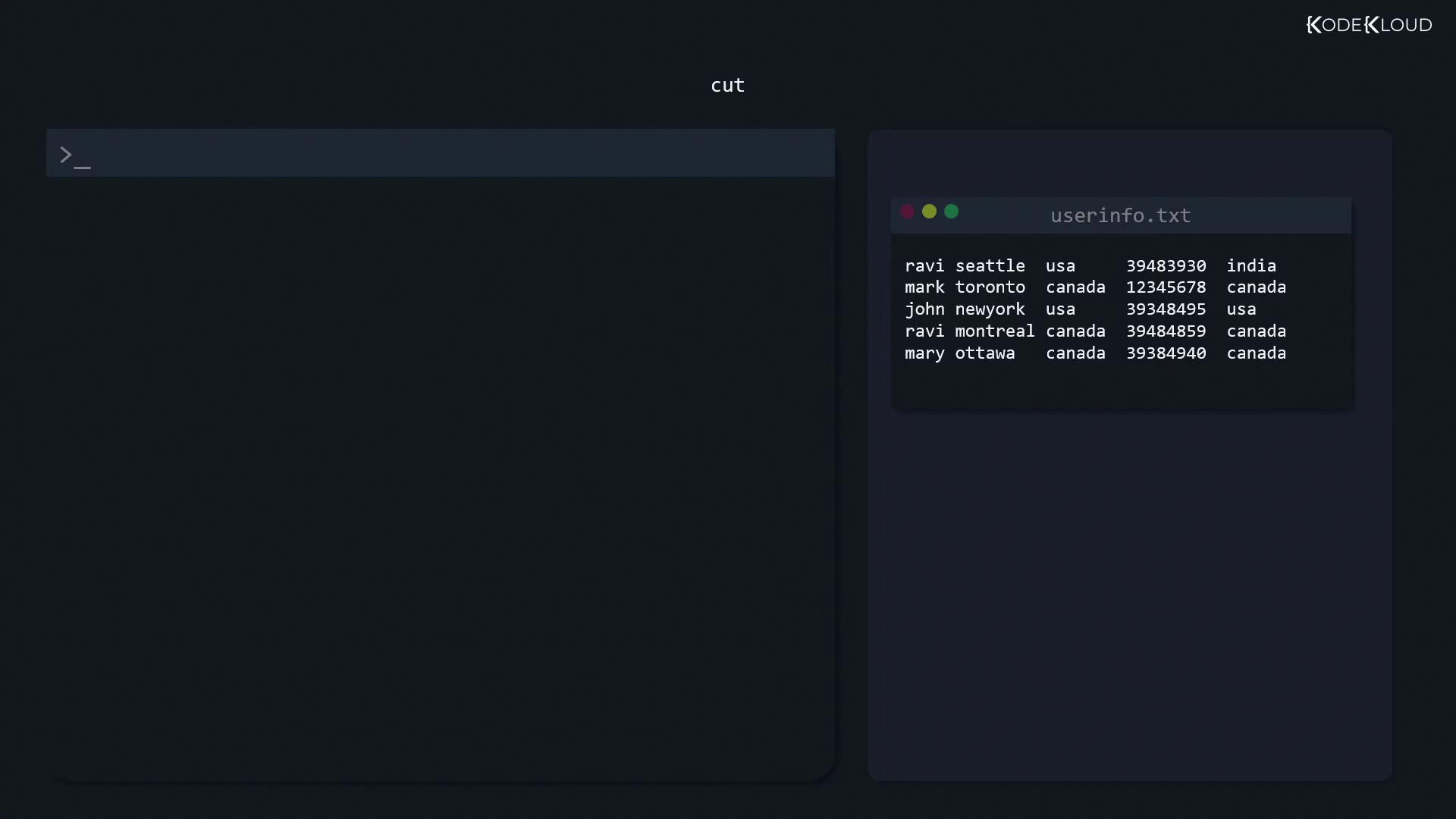
* **By space delimiter:** extract the first field (name)
```bash theme={null}
cut -d ' ' -f 1 userinfo.txt
```
* **By comma delimiter:** extract the third field (country) and save
```bash theme={null}
cut -d ',' -f 3 userinfo.txt > countries.txt
```
## Listing Unique Entries with `sort` and `uniq`
The `uniq` filter only removes adjacent duplicates—sort first to catch all duplicates:
```bash theme={null}
sort countries.txt | uniq
```
If your file isn’t sorted, `uniq` may leave non-adjacent duplicates. Always sort before `uniq` for a full cleanse.
## Comparing Files with `diff`
Spot differences between configuration files using:
* **Basic side-by-side:**
```bash theme={null}
diff file1 file2
```
* **Unified context (`-c`):**
```bash theme={null}
diff -c file1 file2
```
* **Two-column view (`-y`):**
```bash theme={null}
diff -y file1 file2
```
This helps pinpoint changes before editing or deploying configurations.
## Quick Reference: Linux Text Filters
| Command | Purpose | Basic Usage |
| ------- | ---------------------------------------- | ------------------------------- |
| `cat` | Dump entire file | `cat file.txt` |
| `tac` | Reverse file order | `tac file.txt` |
| `head` | Show first N lines | `head -n 20 file.log` |
| `tail` | Show last N lines | `tail -n 20 file.log` |
| `sed` | Stream editor (find & replace) | `sed -i 's/old/new/g' file.txt` |
| `cut` | Extract columns from delimited streams | `cut -d',' -f3 file.csv` |
| `sort` | Sort lines alphabetically or numerically | `sort file.txt` |
| `uniq` | Remove adjacent duplicates | `sort file.txt \| uniq` |
| `diff` | Compare files line by line | `diff -y file1 file2` |
## Links and References
* [GNU Coreutils Manual](https://www.gnu.org/software/coreutils/manual/)
* [sed – An Introduction and Tutorial](https://www.grymoire.com/Unix/Sed.html)
* [Linux `diff` Tutorial](https://www.gnu.org/software/diffutils/manual/)