> ## Documentation Index
> Fetch the complete documentation index at: https://notes.kodekloud.com/llms.txt
> Use this file to discover all available pages before exploring further.
# Change Runlevels Boot Targets and Shutdown or Reboot System
> This article explains managing runlevels, configuring boot targets, and performing system shutdown or reboot in Linux administration.
In this lesson, we’ll cover how to manage runlevels with SysV init, configure boot targets, and perform system shutdown or reboot. Controlling which services start or stop is essential for Linux administration—whether you’re running web servers, mail daemons, or network services.
## SysV init and Runlevels
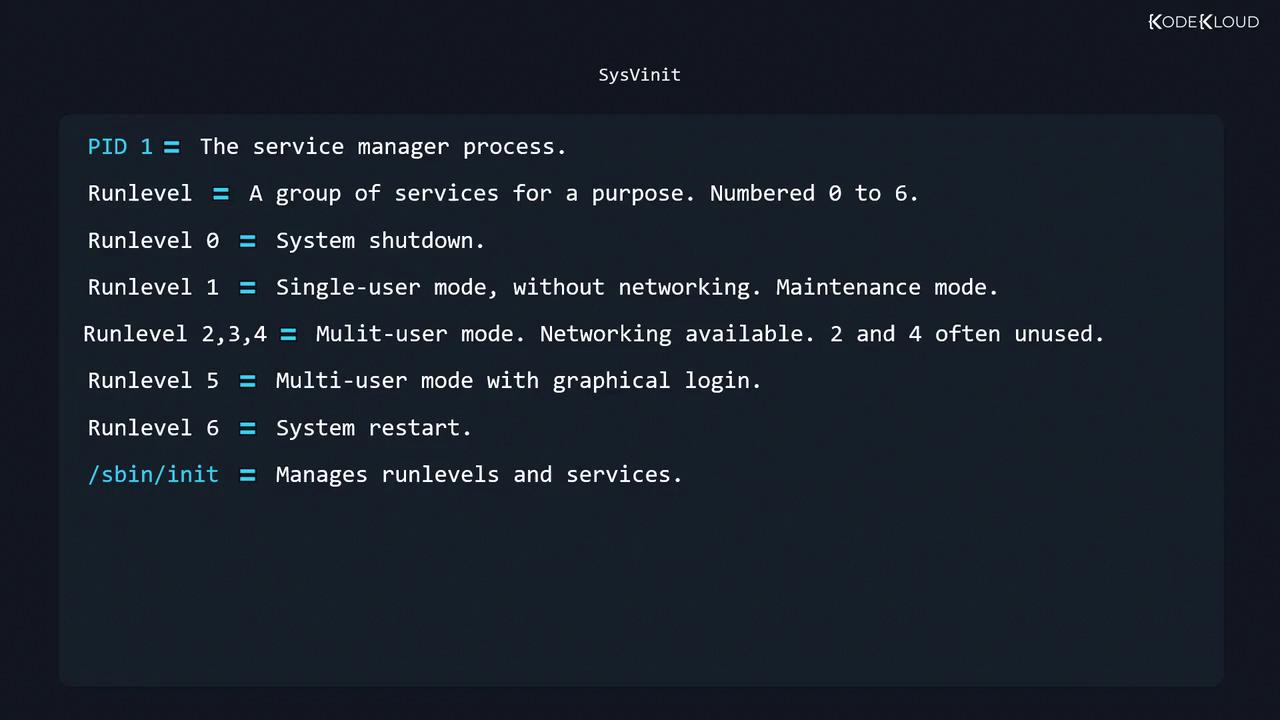
On SysV-based systems, `/sbin/init` (PID 1) manages services through predefined runlevels (0–6). Each runlevel corresponds to a different system state:
| Runlevel | Description |
| -------- | ---------------------------------------------------- |
| 0 | Halt (shutdown) |
| 1, S | Single-user mode (no networking), maintenance |
| 2 | Multi-user mode without NFS (custom on some distros) |
| 3 | Full multi-user mode with networking (console login) |
| 4 | Unused/reserved (user-defined) |
| 5 | Graphical multi-user mode (desktop environment) |
| 6 | Reboot |
Runlevels and their associated services are defined in two places:
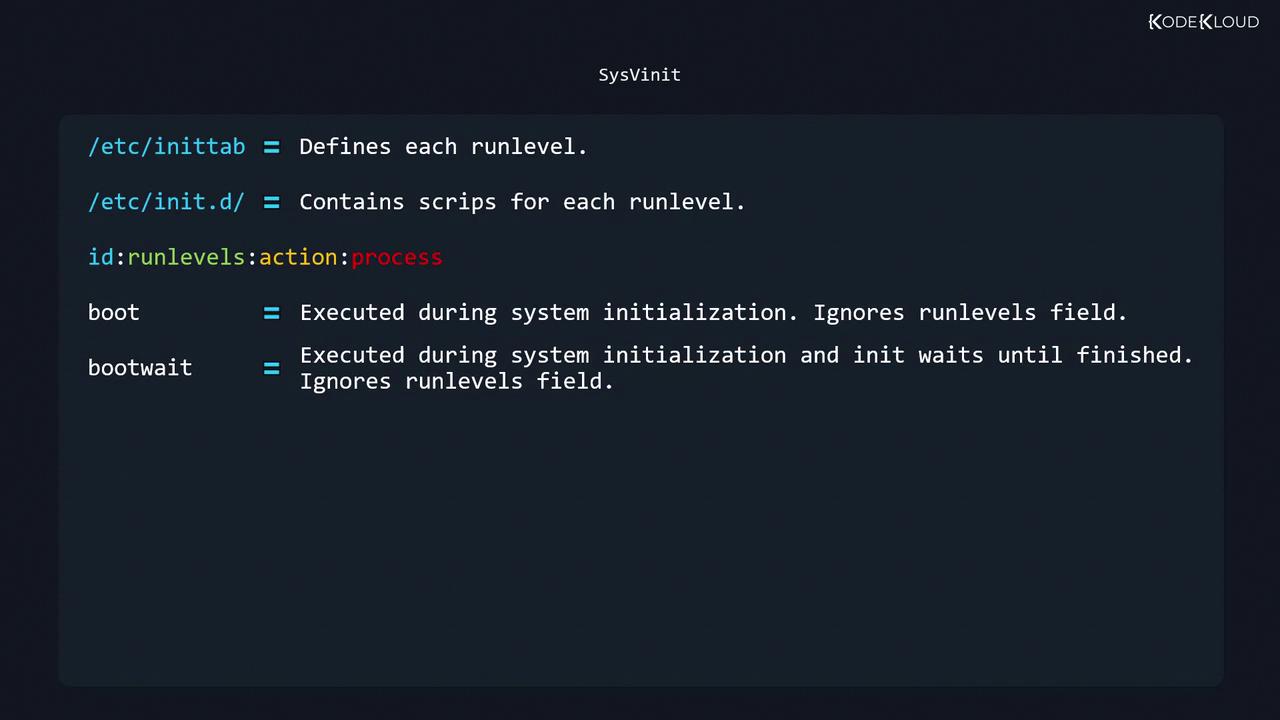
* `/etc/inittab`: Specifies which scripts or processes to start at each runlevel
* `/etc/init.d/`: Contains the actual service scripts
### Common `/etc/inittab` Actions
| Action | Description |
| ----------- | --------------------------------------------------------------------------- |
| sysinit | Run once during system initialization (ignores runlevels) |
| boot | Run at boot time, but init does not wait for completion (ignores runlevels) |
| bootwait | Run at boot time—init waits until it finishes (ignores runlevels) |
| wait | Run when entering listed runlevels—init waits for it to complete |
| respawn | Always restart the process if it terminates |
| ctrlaltdel | Triggered on `SIGINT` (CTRL+ALT+DEL) |
| initdefault | Sets the default runlevel (values 1–5, not 0 or 6) |
## Editing `/etc/inittab`
Before making changes, back up the file:
```bash theme={null}
sudo cp /etc/inittab /etc/inittab.bak
```
Open it in your favorite editor:
```bash theme={null}
sudo vi /etc/inittab
```
A typical configuration might include:
```ini theme={null}
# Set default runlevel to 3 (multi-user, console login)
id:3:initdefault:
# System initialization scripts
si::sysinit:/etc/init.d/rcS
# Single-user mode login
~:S:wait:/sbin/sulogin
# Runlevel scripts
l0:0:wait:/etc/init.d/rc 0
l1:1:wait:/etc/init.d/rc 1
l2:2:wait:/etc/init.d/rc 2
l3:3:wait:/etc/init.d/rc 3
l4:4:wait:/etc/init.d/rc 4
l5:5:wait:/etc/init.d/rc 5
l6:6:wait:/etc/init.d/rc 6
# Handle CTRL+ALT+DEL
ca::ctrlaltdel:/sbin/shutdown -r now
# Virtual consoles for runlevels 2 and 3
1:23:respawn:/sbin/getty tty1 VC linux
2:23:respawn:/sbin/getty tty2 VC linux
# Serial console on runlevel 3
S0:3:respawn:/sbin/getty -L 9600 ttyS0 vt320
```
After editing `/etc/inittab`, reload init’s configuration without rebooting:
```bash theme={null}
sudo telinit q
```
## Init Scripts and Service Directories
Service scripts live in `/etc/init.d/`, while each runlevel directory in `/etc/rc*.d/` contains symlinks:
```bash theme={null}
ls /etc/rc*.d
# rc0.d/ rc1.d/ rc2.d/ rc3.d/ rc4.d/ rc5.d/ rc6.d/
```
Within each `rcN.d` directory, file prefixes determine actions:
| Prefix | Operation |
| ------ | ----------------------------- |
| Snn | Start service when entering N |
| Knn | Stop service when entering N |
Example for runlevel 3:
```bash theme={null}
ls /etc/rc3.d
# K01networking S01apache2 S02ssh ...
```
## Checking and Changing Runlevels
* Show current and previous runlevels:
```bash theme={null}
runlevel
# Output: N 3
```
* Switch to single-user mode (runlevel 1):
```bash theme={null}
sudo telinit 1
```
* Reboot using runlevel 6:
```bash theme={null}
sudo telinit 6
```
* Halt using runlevel 0:
```bash theme={null}
sudo telinit 0
```
Switching runlevels will start or stop multiple services. Always save your work and notify other users before changing to runlevels 0, 1, or 6.
## Further Reading
* [SysV init Manual](https://man7.org/linux/man-pages/man8/init.8.html)
* [Linux Runlevels Explained](https://wiki.archlinux.org/title/Runlevels)