> ## Documentation Index
> Fetch the complete documentation index at: https://notes.kodekloud.com/llms.txt
> Use this file to discover all available pages before exploring further.
# Extended Regular Expressions
> This guide explains using Extended Regular Expressions in Linux for crafting powerful searches with tools like grep.
Extended Regular Expressions (ERE) let you write more expressive patterns without backslash escapes for common operators. In this guide, you’ll learn how to use quantifiers, character classes, grouping, alternation, and negation with GNU grep (and similar tools) to craft powerful searches.
## Using grep -E vs egrep
Both `grep -E` and `egrep` enable ERE syntax, so you don’t need to escape `+`, `?`, `{}`, or `|`:
| Command | Description |
| --------------------- | -------------------------------------------------- |
| `grep -Er '0+' /etc/` | Recursively search for one or more `0` in `/etc/`. |
| `egrep -r '0+' /etc/` | Same as above using `egrep`. |
```bash theme={null}
$ grep -Er '0+' /etc/
$ egrep -r '0+' /etc/
```
Under the hood, `egrep` is equivalent to `grep -E`. Future versions of GNU grep may deprecate `egrep`.
***
## Curly-Brace Quantifiers
Curly braces let you specify exact or range-based repetition counts:
| Syntax | Meaning |
| ------- | ------------------------------- |
| `{n}` | Exactly *n* occurrences |
| `{n,}` | At least *n* occurrences |
| `{,m}` | At most *m* occurrences |
| `{n,m}` | Between *n* and *m* occurrences |
### Examples
```bash theme={null}
# At least three zeros
$ egrep -r '0{3,}' /etc/
# One followed by up to three zeros (matches "1" as well)
$ egrep -r '10{,3}' /etc/
# Exactly three zeros
$ egrep -r '0{3}' /etc/
```
***
## `?` and `*` Quantifiers
* `x?` – *zero or one* `x`
* `x*` – *zero or more* `x`
To match both `disable` and `disabled`, make the final `d` optional:
```bash theme={null}
$ egrep -r 'disable(d)?' /etc/
```
***
## Character Classes and Ranges
Define a set or range of characters using square brackets:
* `[abc]` matches `a`, `b`, or `c`
* `[a-z]` matches any lowercase letter
* `[0-9]` matches any digit
![The image shows a dark-themed interface with a command line prompt and examples of character ranges or sets, such as \[a-z\] and \[0-9\]. The text "KodeKloud" is visible in the corner.](https://kodekloud.com/kk-media/image/upload/v1752881478/notes-assets/images/Linux-System-Administration-for-Beginners-Extended-Regular-Expressions/dark-theme-command-line-character-sets.jpg)
### Match `cat` or `cut`
```bash theme={null}
$ egrep -r 'c[au]t' /etc/
```
***
## Matching Device Files under `/dev`
A simple `'/dev/.*'` pattern is too greedy:
```bash theme={null}
$ egrep -r '/dev/.*' /etc/
```
To restrict matches to letters plus an optional digit:
```bash theme={null}
$ egrep -r '/dev/[a-z]+[0-9]?' /etc/
```
If device names include uppercase letters or multiple segments (e.g., `/dev/tty0p0`), use grouping and repetition to cover all cases.
```bash theme={null}
$ egrep -r '/dev/([a-zA-Z]+[0-9]?)+'
```
***
## Sub-Expressions and Grouping
Parentheses `()` treat a group of tokens as a single unit. In arithmetic:
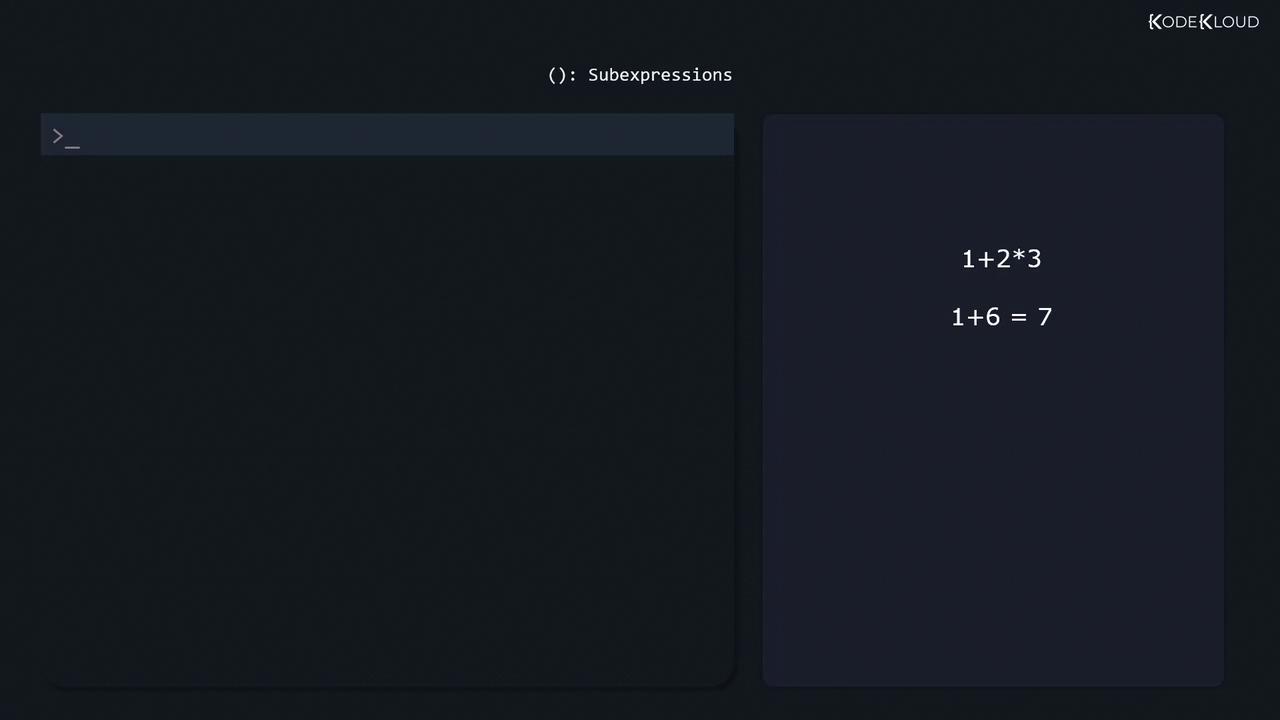
* `1 + 2 * 3 = 1 + (2×3) = 7`
* `(1 + 2) * 3 = 3×3 = 9`
In regex:
```bash theme={null}
# Repeat a letter+digit group one or more times
$ egrep -r '/dev/([a-zA-Z]+[0-9]?)+'
```
***
## Alternation with `|`
Use `|` to match one pattern or another.
```bash theme={null}
# Match "enabled" or "disabled"
$ egrep -r 'enabled|disabled' /etc/
# Case-insensitive mix with optional "d"
$ egrep -ir 'enable(d)?|disable(d)?' /etc/
```
***
## Negated Character Classes
Prefix a class with `^` to invert it:
```bash theme={null}
# "http" not followed by "s"
$ egrep -r 'http[^s]' /etc/
# Slash not followed by a lowercase letter
$ egrep -r '/[^a-z]' /etc/
```
***
## Beyond grep: Other Regex Tools
Most Linux utilities support ERE or similar syntax:
| Tool | Use Case |
| ------------ | ---------------------------- |
| `sed` | Stream editing |
| `awk` | Field-based text processing |
| Text editors | Interactive search & replace |
For interactive testing, try [Regexr](https://regexr.com).
## References
* [GNU grep Manual](https://www.gnu.org/software/grep/manual/)
* [Regular Expressions - MDN](https://developer.mozilla.org/docs/Web/JavaScript/Guide/Regular_Expressions)
* [Regexr Online Tester](https://regexr.com)
Happy pattern crafting!