> ## Documentation Index
> Fetch the complete documentation index at: https://notes.kodekloud.com/llms.txt
> Use this file to discover all available pages before exploring further.
# Introduction
> Introduction to loop engineering for autonomous coding agents, teaching the Try Test Fix Save cycle, scorekeeping, and components like automations, worktrees, skills, connectors, sub agents, and memory
Not long ago, interacting with an AI was a single-step exchange: type a prompt, wait for a reply.
Today we can do something much more powerful. An AI agent can run in a loop: try a change, test it, fix what broke, and save the improvement — repeating that cycle autonomously until the job is done.
This practice is called loop engineering. It’s the craft of designing reliable, autonomous AI coding agents that run a steady cycle:
Try.\
Test.\
Fix.\
Save.
A well-engineered loop stays on track toward a clear objective without continuous supervision. The payoff is practical: instead of directing every step manually, you design the loop to take the steps for you.
This course teaches loop engineering in three parts: the basics, a deep dive into each loop component, and finally — how to assemble a full, working loop you can run yourself.
 What you’ll learn in this lesson
* The definition and purpose of a loop.
* Why the scorekeeper matters for autonomous runs.
* The six core components that make up a loop run.
Course structure at a glance
| Part | Focus | Outcome |
| ----------------------------- | ------------------------------------------------------------------------ | --------------------------------------------------- |
| Part 1 — Fundamentals | What a loop is, the role of the scorekeeper, the Try/Test/Fix/Save cycle | Build a minimal, working loop |
| Part 2 — Component Deep Dives | Automations, worktrees, skills, connectors/plugins, sub-agents, memory | Implement each component independently |
| Part 3 — Integration | Assemble a full loop and run end-to-end | Deploy a reliable loop that saves validated results |
Why start small: the green-first principle
* Aim for a tiny, validated win that saves successfully before adding complexity.
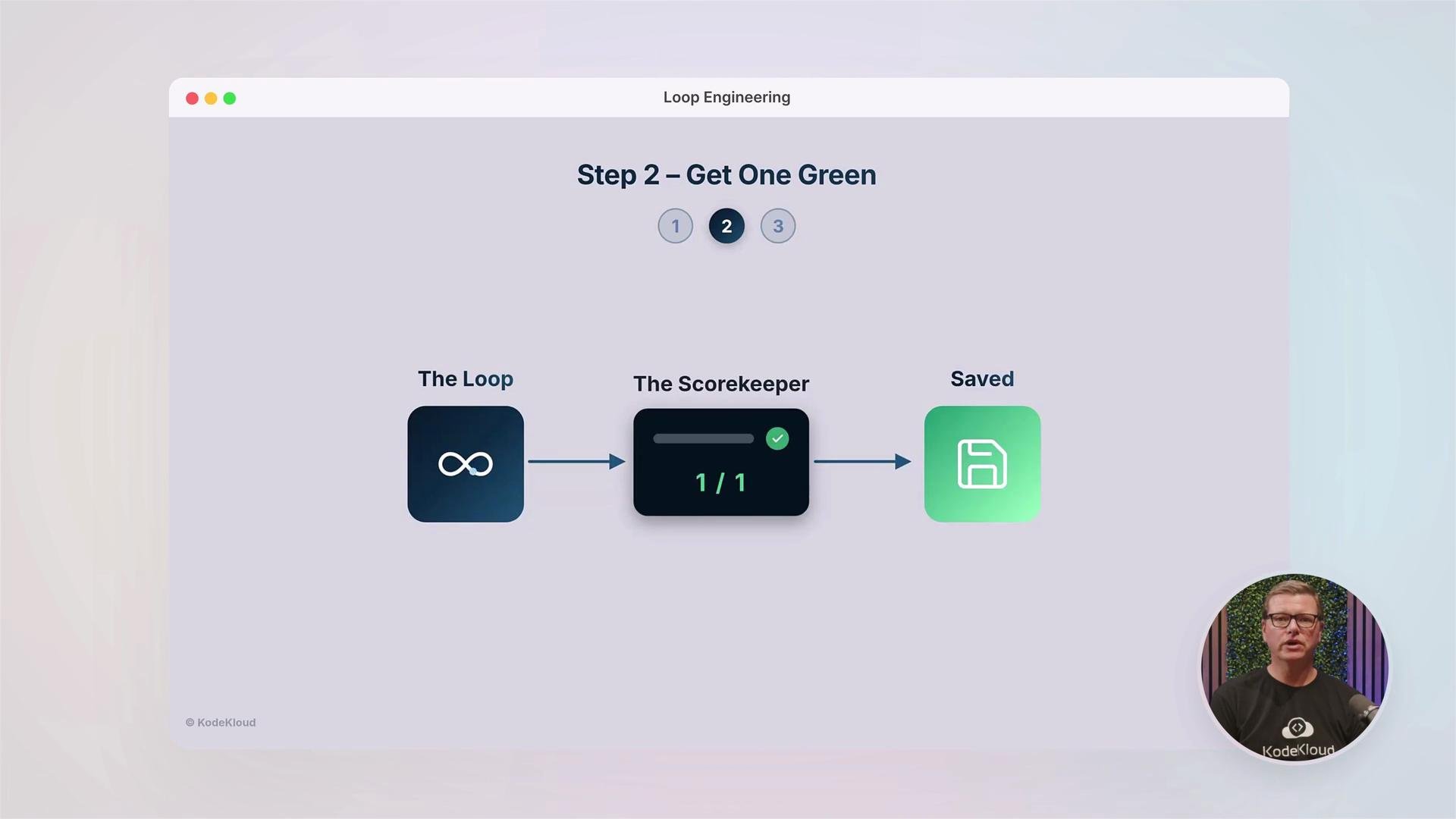
* A working loop with a minimal result ("green") is worth far more than a large plan that never executes.
Start with a small, validated change. Save that success early. This "green-first" approach reduces risk, speeds feedback, and gives you a stable foundation for adding features.
The six components of a loop
* Automations — the runnable scripts and processes that perform tasks.
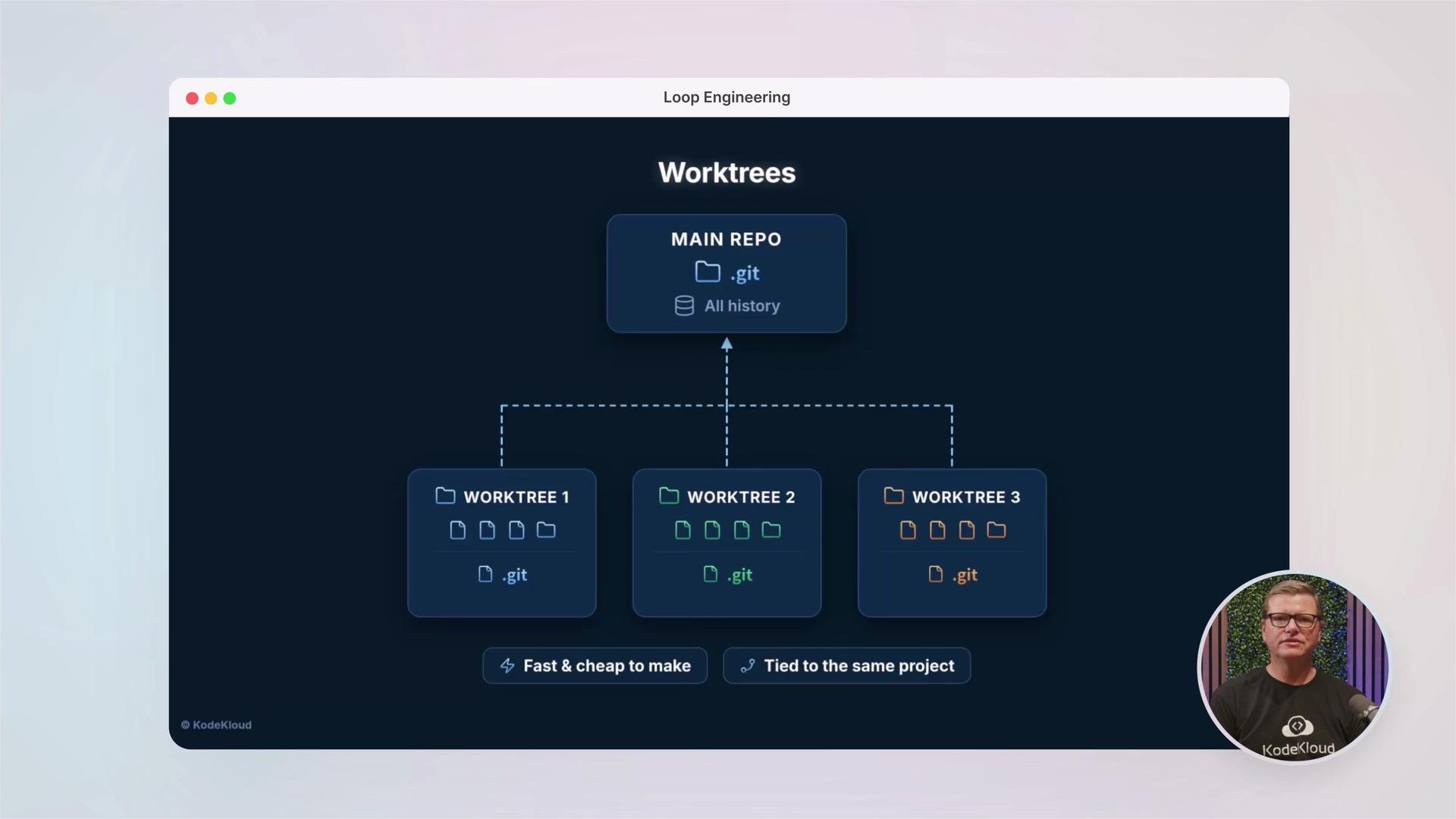
* Worktrees — isolated code snapshots for safe, fast changes (see the diagram above).
* Skills — the agent’s abilities or specialized functions.
* Connectors & Plugins — integrations with external systems and tools.
* Sub-agents — smaller agents that handle subtasks delegated by the main loop.
* Memory — how the loop stores, recalls, and reuses context across runs.
A concise reference table
| Component | Purpose | Example |
| -------------------- | ----------------------------- | --------------------------------- |
| Automations | Execute repeatable steps | CI scripts, testing harnesses |
| Worktrees | Isolate code changes quickly | `git worktree` branches |
| Skills | Encapsulate domain knowledge | formatters, linters, test runners |
| Connectors & Plugins | Integrate external services | GitHub, Slack, cloud APIs |
| Sub-agents | Delegate and parallelize work | test runner agent, deploy agent |
| Memory | Persist context and results | artifacts, vector DBs, logs |
What you’ll learn in this lesson
* The definition and purpose of a loop.
* Why the scorekeeper matters for autonomous runs.
* The six core components that make up a loop run.
Course structure at a glance
| Part | Focus | Outcome |
| ----------------------------- | ------------------------------------------------------------------------ | --------------------------------------------------- |
| Part 1 — Fundamentals | What a loop is, the role of the scorekeeper, the Try/Test/Fix/Save cycle | Build a minimal, working loop |
| Part 2 — Component Deep Dives | Automations, worktrees, skills, connectors/plugins, sub-agents, memory | Implement each component independently |
| Part 3 — Integration | Assemble a full loop and run end-to-end | Deploy a reliable loop that saves validated results |
Why start small: the green-first principle
* Aim for a tiny, validated win that saves successfully before adding complexity.
* A working loop with a minimal result ("green") is worth far more than a large plan that never executes.
Start with a small, validated change. Save that success early. This "green-first" approach reduces risk, speeds feedback, and gives you a stable foundation for adding features.
The six components of a loop
* Automations — the runnable scripts and processes that perform tasks.
* Worktrees — isolated code snapshots for safe, fast changes (see the diagram above).
* Skills — the agent’s abilities or specialized functions.
* Connectors & Plugins — integrations with external systems and tools.
* Sub-agents — smaller agents that handle subtasks delegated by the main loop.
* Memory — how the loop stores, recalls, and reuses context across runs.
A concise reference table
| Component | Purpose | Example |
| -------------------- | ----------------------------- | --------------------------------- |
| Automations | Execute repeatable steps | CI scripts, testing harnesses |
| Worktrees | Isolate code changes quickly | `git worktree` branches |
| Skills | Encapsulate domain knowledge | formatters, linters, test runners |
| Connectors & Plugins | Integrate external services | GitHub, Slack, cloud APIs |
| Sub-agents | Delegate and parallelize work | test runner agent, deploy agent |
| Memory | Persist context and results | artifacts, vector DBs, logs |
 No deep coding background is required — you only need a willingness to think in cycles rather than single steps. Throughout the course, we emphasize practical patterns you can adopt quickly: create small automations, use worktrees to protect your main branch, build a simple scorekeeper, and iterate.
Autonomous loops can make destructive changes if not carefully constrained. Always run loops against isolated worktrees or test environments until you’ve validated safety and correctness.
Next up: we start at the beginning — defining loop engineering precisely and structuring your first loop so it reliably produces and saves a small, verifiable improvement.
Recommended reading and references
* Git worktrees: [https://git-scm.com/docs/git-worktree](https://git-scm.com/docs/git-worktree)
* General concepts on agent loops and autonomous agents: [https://en.wikipedia.org/wiki/Autonomous\_agent](https://en.wikipedia.org/wiki/Autonomous_agent)
No deep coding background is required — you only need a willingness to think in cycles rather than single steps. Throughout the course, we emphasize practical patterns you can adopt quickly: create small automations, use worktrees to protect your main branch, build a simple scorekeeper, and iterate.
Autonomous loops can make destructive changes if not carefully constrained. Always run loops against isolated worktrees or test environments until you’ve validated safety and correctness.
Next up: we start at the beginning — defining loop engineering precisely and structuring your first loop so it reliably produces and saves a small, verifiable improvement.
Recommended reading and references
* Git worktrees: [https://git-scm.com/docs/git-worktree](https://git-scm.com/docs/git-worktree)
* General concepts on agent loops and autonomous agents: [https://en.wikipedia.org/wiki/Autonomous\_agent](https://en.wikipedia.org/wiki/Autonomous_agent)