> ## Documentation Index
> Fetch the complete documentation index at: https://notes.kodekloud.com/llms.txt
> Use this file to discover all available pages before exploring further.
# Course Introduction
> Hands-on course teaching Model Context Protocol to integrate LLMs with external tools and services, build MCP servers, use HTTP or stdio connections, and deploy in Python or Node.js
Ever wished your AI models could access live data, trigger external actions, or integrate with your favorite APIs without complex wiring?
Welcome to the Model Context Protocol (MCP) lesson.
MCP provides a simple, consistent way to connect large language models (LLMs) to external data sources and services, making them more useful and interactive. Whether you're building applications, automating workflows, or experimenting with AI, MCP helps you do more with less effort.
I'm Jeremy Morgan, and I'll guide you through MCP so you can confidently apply it in real projects.
This lesson emphasizes hands-on learning as much as concepts. Each module includes practical labs where you can experiment, break things, and learn by doing—preparing you to solve real-world MCP challenges.
This lesson emphasizes practical labs alongside conceptual material so you can quickly apply MCP concepts to real use cases.
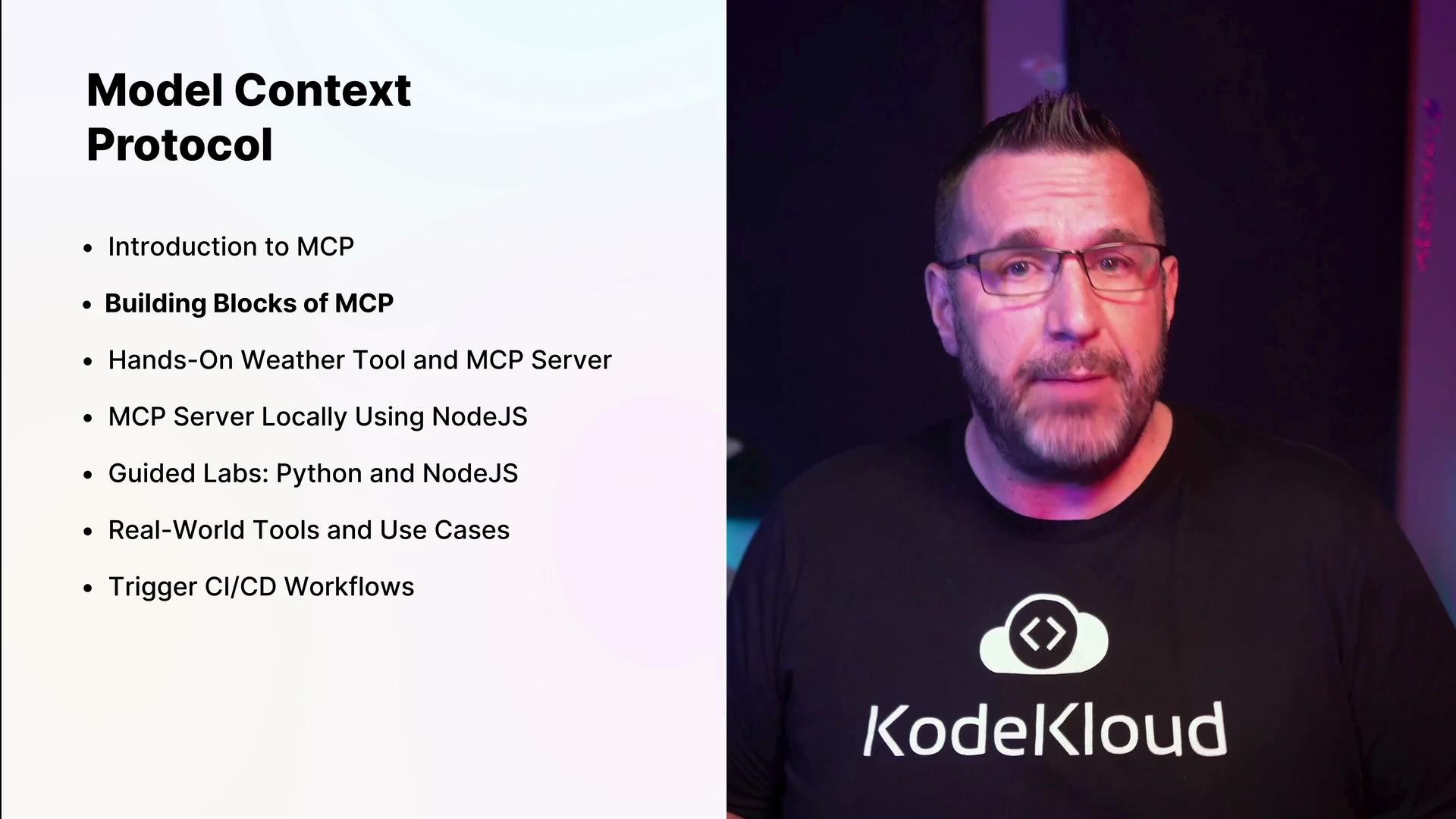
## What we'll cover
| Topic | Description |
| ------------------- | ----------------------------------------------------------------------------------------- |
| Introduction to MCP | What MCP is, why it matters, and the core challenges it solves for LLM integrations. |
| MCP building blocks | Tools, resource types, and where prompts fit into the MCP architecture. |
| Hands-on labs | Run a sample MCP tool (Weather tool) and build a minimal MCP server from scratch. |
| Connection methods | Tradeoffs between HTTP and stdio connections and how they affect deployment and testing. |
| Language stacks | Guided labs for building and deploying MCP servers in Python and Node.js. |
| Integrations | Connecting MCP to Claude, Google Calendar, Postman, CI/CD pipelines, Terraform, and more. |
| Ecosystem | Finding, validating, and reusing community-built MCP servers and adapters. |
We'll begin with the fundamentals—the building blocks and how prompts and tools interact in MCP.
 ## Getting hands-on: your first MCP tool and a minimal server
Early in the course you'll run your first MCP tool (the Weather tool) and build a minimal MCP server so you can see how the protocol accepts tool invocations and returns structured responses.
Example: install Node dependencies
```bash theme={null}
npm install
```
You’ll iterate on this server, learning how to:
* Declare tools and schemas the model can call.
* Format structured responses that the MCP client expects.
* Log, test, and debug tool invocations locally.
## Setting up a Python development environment
If you prefer Python, use this compact workflow to create and activate a virtual environment, install the MCP package, and inspect project files:
```bash theme={null}
python3 -m venv venv
source venv/bin/activate
pip install mcp
# Example project directory contents
cd code/
ls
# main.py
```
## Core concepts and connection methods
After the basics you'll dive deeper into running MCP servers locally and the connection options available:
| Connection Method | When to use | Pros | Cons |
| ----------------- | ----------------------------------------- | --------------------------------------------------------- | ---------------------------------------------------- |
| `stdio` | Local development, single-process testing | Simple, no HTTP server required; good for quick iteration | Limited visibility, not ideal for remote deployment |
| `HTTP` | Production or multi-process deployments | Standard web tooling, easier to test with Postman and CI | Requires server setup and more robust error handling |
Hands-on labs will guide you through both methods and best practices for testing and debugging.
## Leveraging MCP in daily workflows
This course shows concrete examples of integrating MCP with tools and platforms developers use every day:
* Claude (Anthropic) for advanced LLMs: [Claude](https://www.anthropic.com/product/claude)
* Google Calendar for scheduling and event lookups: [Google Calendar](https://calendar.google.com/)
* Postman for testing HTTP-connected MCP servers: [Postman](https://www.postman.com/)
* CI/CD and GitHub Actions for automated tests and deployments: [GitHub Actions](https://docs.github.com/en/actions)
* Terraform for provisioning cloud resources as triggers or data sources: [Terraform](https://www.terraform.io/)
Example: local JSON configuration showing how you might reference a Google Calendar MCP adapter and a GitHub Action trigger:
```json theme={null}
{
"args": ["@cocal/google-calendar-mcp"],
"env": {
"GOOGLE_OAUTH_CREDENTIALS": "/Users/jeremy/demos/mcpstuff/google-calendar-mcp/credentials.json"
},
"github-action-trigger-mcp": {
"command": "npx",
"args": ["-y", "@nextdrive/github-action-trigger-mcp"],
"env": {
"GITHUB_PERSONAL_ACCESS_TOKEN": ""
}
}
}
```
Never commit credentials or OAuth files to source control. Store sensitive values in secure stores or CI secrets and reference them via environment variables.
## Example lab flow (high level)
1. Run the Weather tool locally and observe the model calling the tool.
2. Build a minimal MCP server that accepts tool requests and returns structured responses.
3. Switch connection modes (stdio → HTTP) and validate behavior with Postman or curl.
4. Add authentication and secure credentials using environment variables or secret managers.
5. Integrate a third-party adapter (e.g., Google Calendar) and test end-to-end.
## Community and support
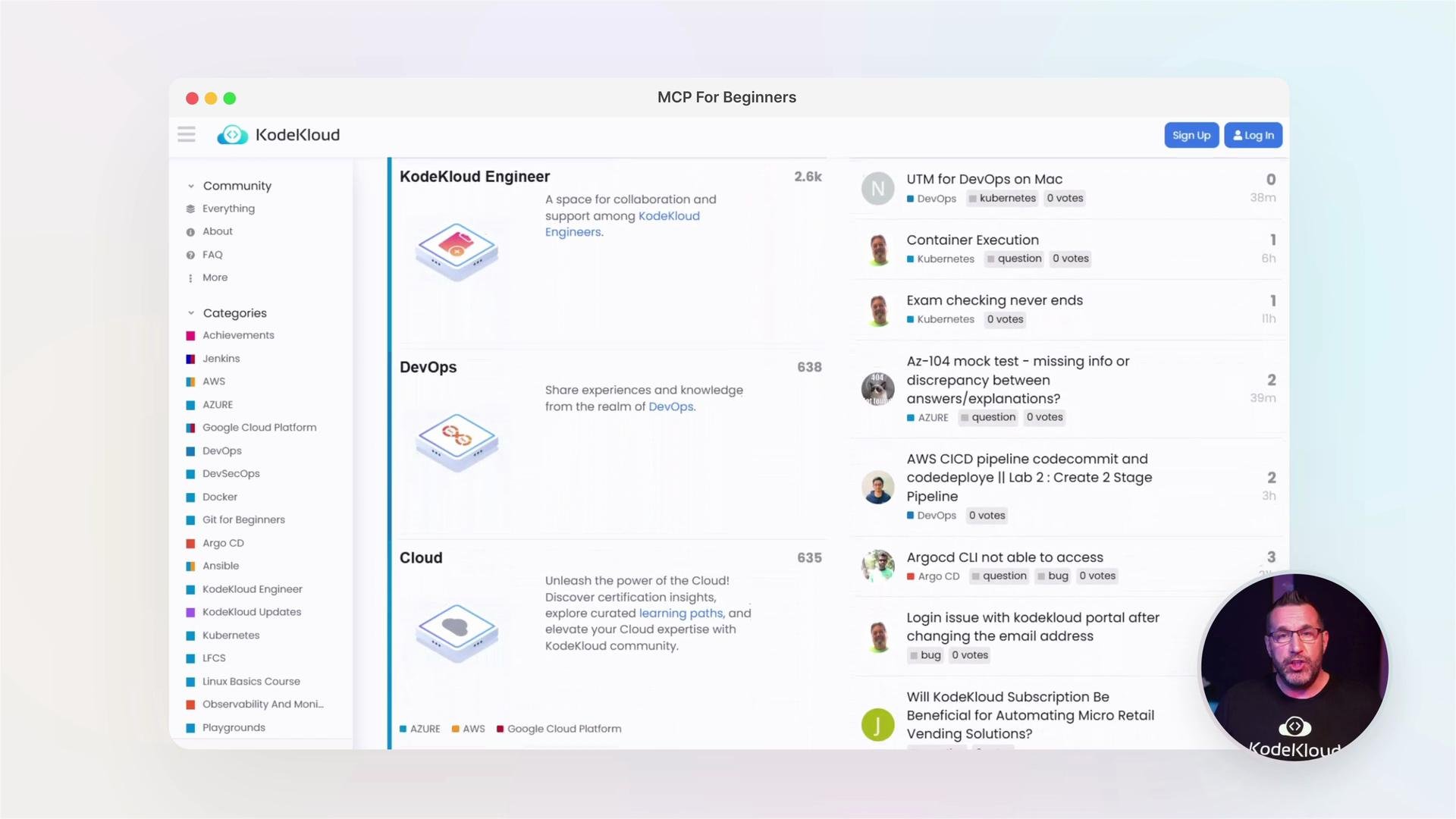
At KodeKloud we encourage collaboration—ask questions, share discoveries, and learn with others in the forums and resource hubs. These channels are ideal for getting help, exchanging MCP patterns, and finding real-world examples you can adapt.
## Getting hands-on: your first MCP tool and a minimal server
Early in the course you'll run your first MCP tool (the Weather tool) and build a minimal MCP server so you can see how the protocol accepts tool invocations and returns structured responses.
Example: install Node dependencies
```bash theme={null}
npm install
```
You’ll iterate on this server, learning how to:
* Declare tools and schemas the model can call.
* Format structured responses that the MCP client expects.
* Log, test, and debug tool invocations locally.
## Setting up a Python development environment
If you prefer Python, use this compact workflow to create and activate a virtual environment, install the MCP package, and inspect project files:
```bash theme={null}
python3 -m venv venv
source venv/bin/activate
pip install mcp
# Example project directory contents
cd code/
ls
# main.py
```
## Core concepts and connection methods
After the basics you'll dive deeper into running MCP servers locally and the connection options available:
| Connection Method | When to use | Pros | Cons |
| ----------------- | ----------------------------------------- | --------------------------------------------------------- | ---------------------------------------------------- |
| `stdio` | Local development, single-process testing | Simple, no HTTP server required; good for quick iteration | Limited visibility, not ideal for remote deployment |
| `HTTP` | Production or multi-process deployments | Standard web tooling, easier to test with Postman and CI | Requires server setup and more robust error handling |
Hands-on labs will guide you through both methods and best practices for testing and debugging.
## Leveraging MCP in daily workflows
This course shows concrete examples of integrating MCP with tools and platforms developers use every day:
* Claude (Anthropic) for advanced LLMs: [Claude](https://www.anthropic.com/product/claude)
* Google Calendar for scheduling and event lookups: [Google Calendar](https://calendar.google.com/)
* Postman for testing HTTP-connected MCP servers: [Postman](https://www.postman.com/)
* CI/CD and GitHub Actions for automated tests and deployments: [GitHub Actions](https://docs.github.com/en/actions)
* Terraform for provisioning cloud resources as triggers or data sources: [Terraform](https://www.terraform.io/)
Example: local JSON configuration showing how you might reference a Google Calendar MCP adapter and a GitHub Action trigger:
```json theme={null}
{
"args": ["@cocal/google-calendar-mcp"],
"env": {
"GOOGLE_OAUTH_CREDENTIALS": "/Users/jeremy/demos/mcpstuff/google-calendar-mcp/credentials.json"
},
"github-action-trigger-mcp": {
"command": "npx",
"args": ["-y", "@nextdrive/github-action-trigger-mcp"],
"env": {
"GITHUB_PERSONAL_ACCESS_TOKEN": ""
}
}
}
```
Never commit credentials or OAuth files to source control. Store sensitive values in secure stores or CI secrets and reference them via environment variables.
## Example lab flow (high level)
1. Run the Weather tool locally and observe the model calling the tool.
2. Build a minimal MCP server that accepts tool requests and returns structured responses.
3. Switch connection modes (stdio → HTTP) and validate behavior with Postman or curl.
4. Add authentication and secure credentials using environment variables or secret managers.
5. Integrate a third-party adapter (e.g., Google Calendar) and test end-to-end.
## Community and support
At KodeKloud we encourage collaboration—ask questions, share discoveries, and learn with others in the forums and resource hubs. These channels are ideal for getting help, exchanging MCP patterns, and finding real-world examples you can adapt.
 ## Links and references
* MCP best practices and protocol patterns (covered in course labs)
* [Claude (Anthropic)](https://www.anthropic.com/product/claude)
* [Google Calendar](https://calendar.google.com/)
* [Postman](https://www.postman.com/)
* [Terraform](https://www.terraform.io/)
* [GitHub Actions](https://docs.github.com/en/actions)
Let's dive in and unlock the full potential of the Model Context Protocol.
## Links and references
* MCP best practices and protocol patterns (covered in course labs)
* [Claude (Anthropic)](https://www.anthropic.com/product/claude)
* [Google Calendar](https://calendar.google.com/)
* [Postman](https://www.postman.com/)
* [Terraform](https://www.terraform.io/)
* [GitHub Actions](https://docs.github.com/en/actions)
Let's dive in and unlock the full potential of the Model Context Protocol.