> ## Documentation Index
> Fetch the complete documentation index at: https://notes.kodekloud.com/llms.txt
> Use this file to discover all available pages before exploring further.
# Demo Building MCP Servers with Postman
> How to generate, inspect, run, and integrate a local MCP server from a Postman collection to expose APIs like Hacker News to LLMs and tool hosts.
Use the Postman MCP Server Generator to turn a Postman collection into a small local MCP server that exposes the APIs and tools you select. This lets a local LLM or tool host call those endpoints via the MCP protocol. In this demo we use the Hacker News API as an example because it requires no API key and is easy to test.
What you'll learn:
* How to generate a local MCP server from a Postman collection
* How to inspect the generated Node.js project and its files
* How to install dependencies, provide environment variables, and run the server
* How to point an LLM/tool host at the local MCP server so it discovers tools
 ## 1 — Pick a Postman collection and generate the project
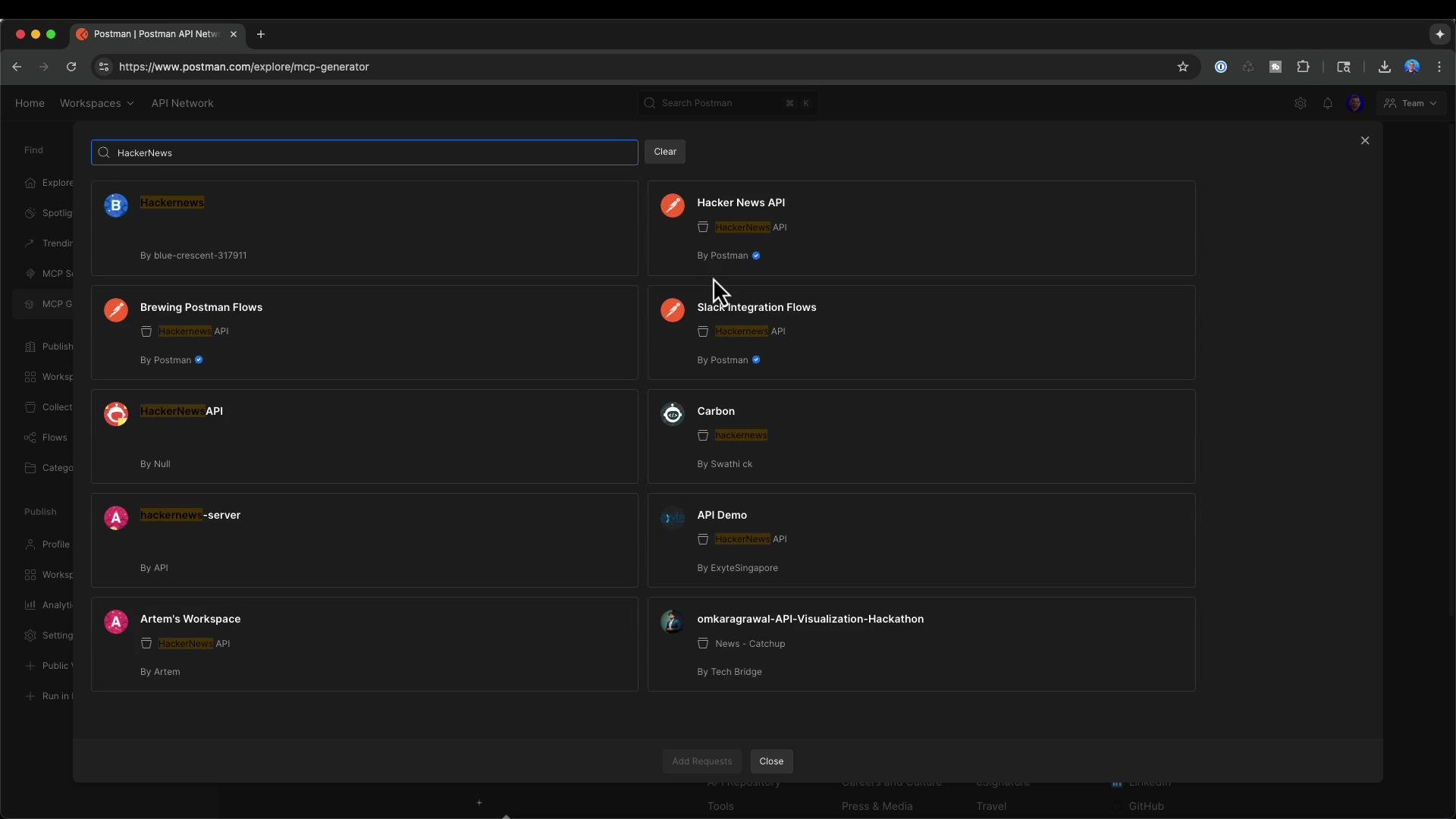
Open the Postman MCP generator at postman.com/explore/mcp-generator, choose the Hacker News API collection (or any collection you control), and select the requests you want exposed via the MCP server. Typical Hacker News endpoints you might include are:
```http theme={null}
GET {{url}}/v0/beststories.json?print=pretty
GET {{url}}/v0/newstories.json?print=pretty
GET {{url}}/v0/topstories.json?print=pretty
GET https://hacker-news.firebaseio.com/v0/item/{{item-id}}.json?print=pretty
```
Click Generate. Postman will produce a ZIP containing a small Node.js project that implements an MCP server. The generator supports including tools from multiple APIs in one process — for example, you could include both Hacker News and Discord tools together.
## 2 — Inspect the generated project
Unzip the download and open the folder in your editor (Visual Studio Code is shown below). The generator produces a focused project you can review and modify before running.
## 1 — Pick a Postman collection and generate the project
Open the Postman MCP generator at postman.com/explore/mcp-generator, choose the Hacker News API collection (or any collection you control), and select the requests you want exposed via the MCP server. Typical Hacker News endpoints you might include are:
```http theme={null}
GET {{url}}/v0/beststories.json?print=pretty
GET {{url}}/v0/newstories.json?print=pretty
GET {{url}}/v0/topstories.json?print=pretty
GET https://hacker-news.firebaseio.com/v0/item/{{item-id}}.json?print=pretty
```
Click Generate. Postman will produce a ZIP containing a small Node.js project that implements an MCP server. The generator supports including tools from multiple APIs in one process — for example, you could include both Hacker News and Discord tools together.
## 2 — Inspect the generated project
Unzip the download and open the folder in your editor (Visual Studio Code is shown below). The generator produces a focused project you can review and modify before running.
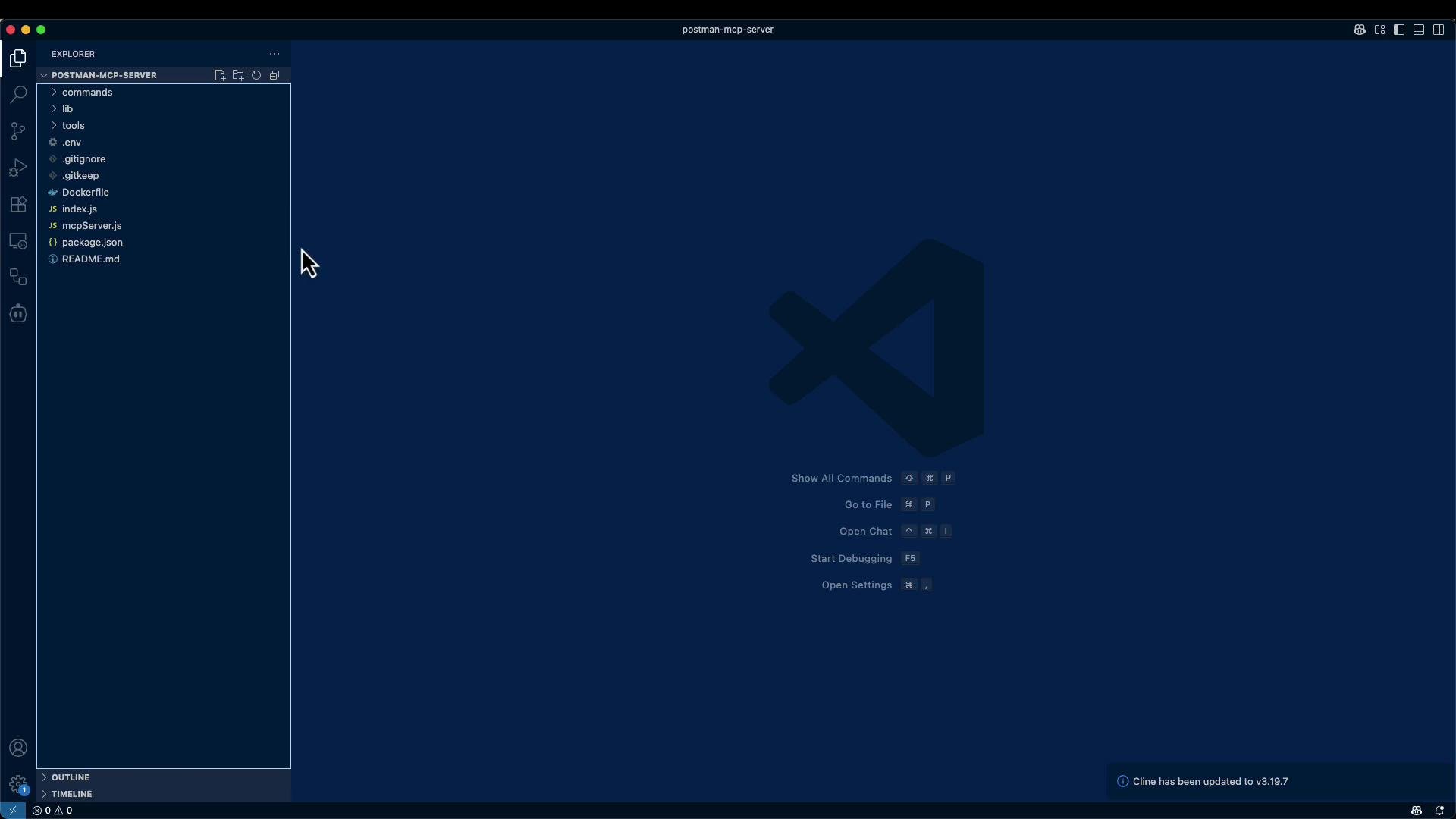 Typical files in a generated project:
| File | Purpose |
| -------------- | ----------------------------------------------------------------- |
| `index.js` | Small CLI helper — e.g., list tools or run a single tool |
| `mcpServer.js` | MCP server entrypoint — the process that listens for MCP requests |
| `package.json` | Project metadata and dependency list |
| `Dockerfile` | Optional containerization and runtime instructions |
| `README.md` | Setup, environment variable examples, and usage notes |
Example Dockerfile included with the generator:
```dockerfile theme={null}
FROM node:22.12-alpine AS builder
WORKDIR /app
COPY package.json package-lock.json ./
RUN npm install
COPY . .
ENTRYPOINT ["node", "mcpServer.js"]
```
A cleaned and typical `package.json` (the generator may include additional fields):
```json theme={null}
{
"name": "postman-mcp-generator-mcp",
"version": "1.0.0",
"description": "A simple MCP server with packaged tools",
"main": "index.js",
"type": "module",
"scripts": {
"list-tools": "node index.js tools"
},
"dependencies": {
"@modelcontextprotocol/sdk": "^1.9.0",
"commander": "^13.1.0",
"dotenv": "^16.4.7",
"express": "^5.1.0"
},
"engines": {
"node": ">=16.0.0"
},
"author": "Postman, Inc.",
"license": "MIT"
}
```
## 3 — Install dependencies and configure secrets
Read the included README for exact setup details. In short, from the project root:
```bash theme={null}
npm install
```
The generator typically provides a sample `.env` or documents the environment variables required by each workspace/tool. Example `.env` entries:
```env theme={null}
# Workspace API Keys
HACKER_NEWS_API_API_KEY=
DISCORD_API_API_KEY=
```
Inside each tool file the code will reference environment variables, for example:
```javascript theme={null}
// environment variables are used inside of each tool file
const apiKey = process.env.ACME_API_KEY;
```
Make sure to populate `.env` with any API keys or secrets before starting the server.
## 4 — Run the MCP server locally
From the project directory you can run the server directly:
```bash theme={null}
node mcpServer.js
```
When integrating the server with a tool host you may need absolute paths and the full Node executable path. Useful commands:
```bash theme={null}
which node
node --version
realpath mcpServer.js
```
Example output you might see after `npm install`:
```text theme={null}
added 90 packages, and audited 91 packages in 2s
18 packages are looking for funding
run `npm fund` for details
found 0 vulnerabilities
```
## 5 — MCP request and tool discovery
With the MCP server running, it will expose the configured tools. A typical MCP request to fetch a single Hacker News story looks like this:
```json theme={null}
{
"method": "tools/call",
"params": {
"name": "get_story",
"arguments": {
"itemId": "44628930"
}
}
}
```
To integrate with an LLM host or tool manager, configure a tool entry that runs the Node executable and passes the `mcpServer.js` path as an argument. Use the `which node` and `realpath mcpServer.js` outputs to fill in the command and arguments in your host configuration.
Example host configuration (conceptual):
* Command: `/usr/local/bin/node`
* Arguments: `/full/path/to/postman-mcp-server/mcpServer.js`
After restarting your host, the new MCP tools (for example, Hacker News — Fetch Top Stories and Get Story) should appear in the host’s tool list. You can then call tools via MCP — for instance, request Top Stories to get story IDs, then call Get Story with a chosen `itemId`.
You can run the generated MCP server locally (or in Docker). The Postman MCP generator currently produces local servers — it does not publish a remotely reachable server for you. If you need a remote endpoint, deploy the generated project to your preferred hosting environment or container platform.
## 6 — End-to-end checklist
1. Use Postman’s MCP generator to select APIs and generate a project.
2. Download and unzip the generated project.
3. Inspect and optionally edit `mcpServer.js`, `index.js`, and individual tool files.
4. Create or populate `.env` with required API keys and secrets.
5. Run `npm install`, then start the server with `node mcpServer.js` (or build and run via Docker).
6. Point your LLM/tool host to the Node command and the `mcpServer.js` path; restart the host to discover tools.
7. Call tools via MCP (e.g., fetch top stories, then fetch individual stories by `itemId`).
## Links and references
* Postman MCP Generator: [https://www.postman.com/explore/MCP-generator](https://www.postman.com/explore/MCP-generator)
* Hacker News API: [https://github.com/HackerNews/API](https://github.com/HackerNews/API)
This workflow makes it simple to expose curated Postman endpoints as MCP tools so local LLMs and tool hosts can call them directly.
Typical files in a generated project:
| File | Purpose |
| -------------- | ----------------------------------------------------------------- |
| `index.js` | Small CLI helper — e.g., list tools or run a single tool |
| `mcpServer.js` | MCP server entrypoint — the process that listens for MCP requests |
| `package.json` | Project metadata and dependency list |
| `Dockerfile` | Optional containerization and runtime instructions |
| `README.md` | Setup, environment variable examples, and usage notes |
Example Dockerfile included with the generator:
```dockerfile theme={null}
FROM node:22.12-alpine AS builder
WORKDIR /app
COPY package.json package-lock.json ./
RUN npm install
COPY . .
ENTRYPOINT ["node", "mcpServer.js"]
```
A cleaned and typical `package.json` (the generator may include additional fields):
```json theme={null}
{
"name": "postman-mcp-generator-mcp",
"version": "1.0.0",
"description": "A simple MCP server with packaged tools",
"main": "index.js",
"type": "module",
"scripts": {
"list-tools": "node index.js tools"
},
"dependencies": {
"@modelcontextprotocol/sdk": "^1.9.0",
"commander": "^13.1.0",
"dotenv": "^16.4.7",
"express": "^5.1.0"
},
"engines": {
"node": ">=16.0.0"
},
"author": "Postman, Inc.",
"license": "MIT"
}
```
## 3 — Install dependencies and configure secrets
Read the included README for exact setup details. In short, from the project root:
```bash theme={null}
npm install
```
The generator typically provides a sample `.env` or documents the environment variables required by each workspace/tool. Example `.env` entries:
```env theme={null}
# Workspace API Keys
HACKER_NEWS_API_API_KEY=
DISCORD_API_API_KEY=
```
Inside each tool file the code will reference environment variables, for example:
```javascript theme={null}
// environment variables are used inside of each tool file
const apiKey = process.env.ACME_API_KEY;
```
Make sure to populate `.env` with any API keys or secrets before starting the server.
## 4 — Run the MCP server locally
From the project directory you can run the server directly:
```bash theme={null}
node mcpServer.js
```
When integrating the server with a tool host you may need absolute paths and the full Node executable path. Useful commands:
```bash theme={null}
which node
node --version
realpath mcpServer.js
```
Example output you might see after `npm install`:
```text theme={null}
added 90 packages, and audited 91 packages in 2s
18 packages are looking for funding
run `npm fund` for details
found 0 vulnerabilities
```
## 5 — MCP request and tool discovery
With the MCP server running, it will expose the configured tools. A typical MCP request to fetch a single Hacker News story looks like this:
```json theme={null}
{
"method": "tools/call",
"params": {
"name": "get_story",
"arguments": {
"itemId": "44628930"
}
}
}
```
To integrate with an LLM host or tool manager, configure a tool entry that runs the Node executable and passes the `mcpServer.js` path as an argument. Use the `which node` and `realpath mcpServer.js` outputs to fill in the command and arguments in your host configuration.
Example host configuration (conceptual):
* Command: `/usr/local/bin/node`
* Arguments: `/full/path/to/postman-mcp-server/mcpServer.js`
After restarting your host, the new MCP tools (for example, Hacker News — Fetch Top Stories and Get Story) should appear in the host’s tool list. You can then call tools via MCP — for instance, request Top Stories to get story IDs, then call Get Story with a chosen `itemId`.
You can run the generated MCP server locally (or in Docker). The Postman MCP generator currently produces local servers — it does not publish a remotely reachable server for you. If you need a remote endpoint, deploy the generated project to your preferred hosting environment or container platform.
## 6 — End-to-end checklist
1. Use Postman’s MCP generator to select APIs and generate a project.
2. Download and unzip the generated project.
3. Inspect and optionally edit `mcpServer.js`, `index.js`, and individual tool files.
4. Create or populate `.env` with required API keys and secrets.
5. Run `npm install`, then start the server with `node mcpServer.js` (or build and run via Docker).
6. Point your LLM/tool host to the Node command and the `mcpServer.js` path; restart the host to discover tools.
7. Call tools via MCP (e.g., fetch top stories, then fetch individual stories by `itemId`).
## Links and references
* Postman MCP Generator: [https://www.postman.com/explore/MCP-generator](https://www.postman.com/explore/MCP-generator)
* Hacker News API: [https://github.com/HackerNews/API](https://github.com/HackerNews/API)
This workflow makes it simple to expose curated Postman endpoints as MCP tools so local LLMs and tool hosts can call them directly.