> ## Documentation Index
> Fetch the complete documentation index at: https://notes.kodekloud.com/llms.txt
> Use this file to discover all available pages before exploring further.
# Overview What Problems Does MCP Solve
> Explains how the Model Connector Protocol standardizes integrations, reduces duplicated connectors, and enables secure, composable access to diverse data and services for AI models.
In this lesson we explain why the Model Connector Protocol (MCP) matters and the concrete problems it solves when connecting AI models to real‑world data and services.
At a high level, organizations trying to make models useful across many systems face recurring challenges:
* Information silos: data lives in disconnected repositories and tools.
* Integration complexity: each data source requires custom connector logic or bespoke API work.
* Limited context: models lack up‑to‑date, relevant information (e.g., LLM knowledge cutoffs).
* Development overhead: building and maintaining bespoke connectors is costly.
* Scalability barriers: adding new data sources or services is error‑prone and slow.
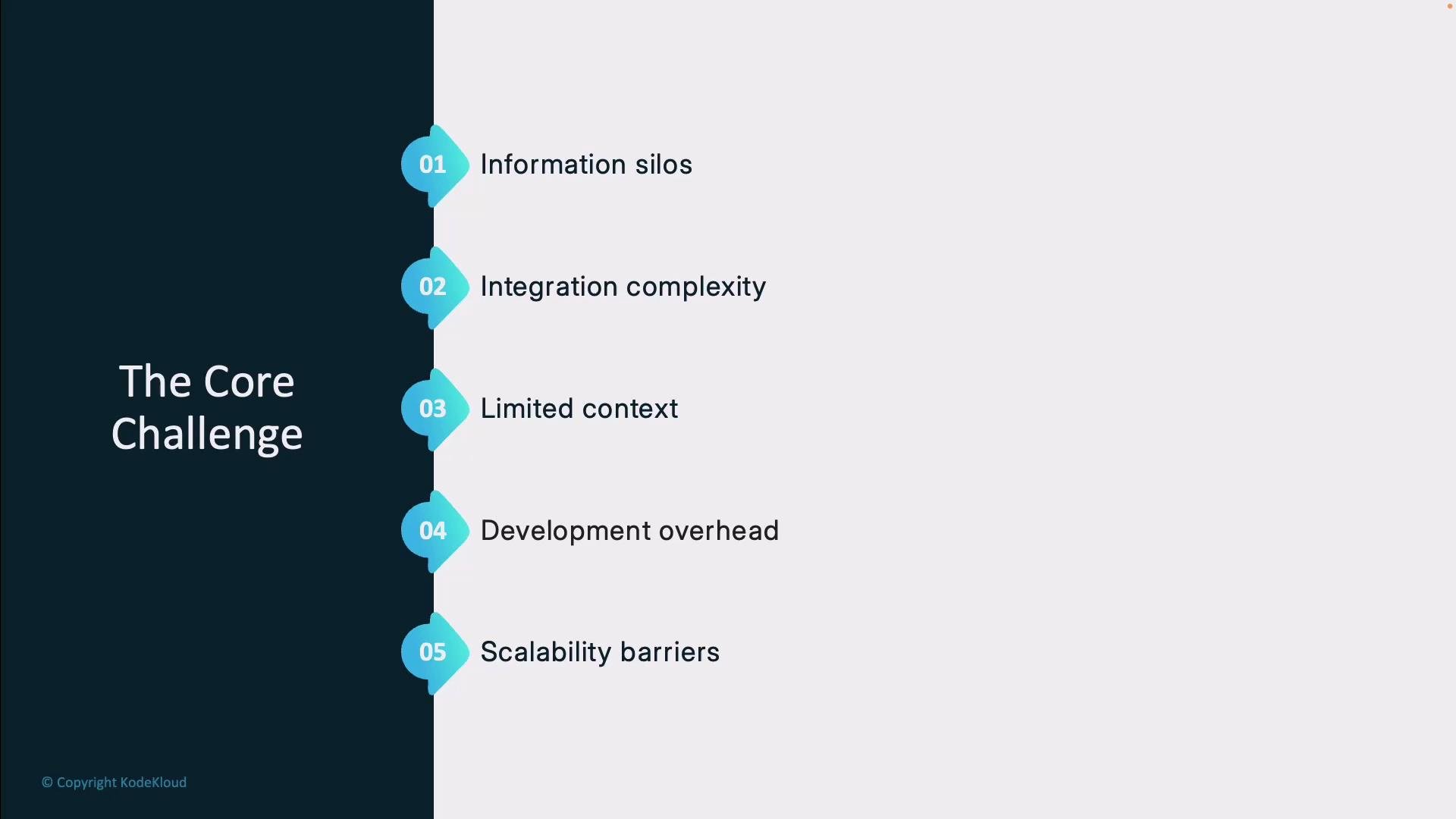 These factors make it tedious to add a new tool to environments with many existing systems. Every integration—databases, email providers, CRMs, or third‑party APIs—often requires different authentication flows, query formats, and error handling strategies.
## Traditional approach
Historically, teams built custom integrations for each service. In the typical workflow:
1. A user request is parsed for intent.
2. Custom code authenticates against the remote system.
3. The code formats a service‑specific query (SQL, REST, GraphQL, etc.).
4. Results are processed and transformed into a response.
This approach works functionally, but it duplicates effort across connectors and creates high maintenance costs as APIs and services evolve.
These factors make it tedious to add a new tool to environments with many existing systems. Every integration—databases, email providers, CRMs, or third‑party APIs—often requires different authentication flows, query formats, and error handling strategies.
## Traditional approach
Historically, teams built custom integrations for each service. In the typical workflow:
1. A user request is parsed for intent.
2. Custom code authenticates against the remote system.
3. The code formats a service‑specific query (SQL, REST, GraphQL, etc.).
4. Results are processed and transformed into a response.
This approach works functionally, but it duplicates effort across connectors and creates high maintenance costs as APIs and services evolve.
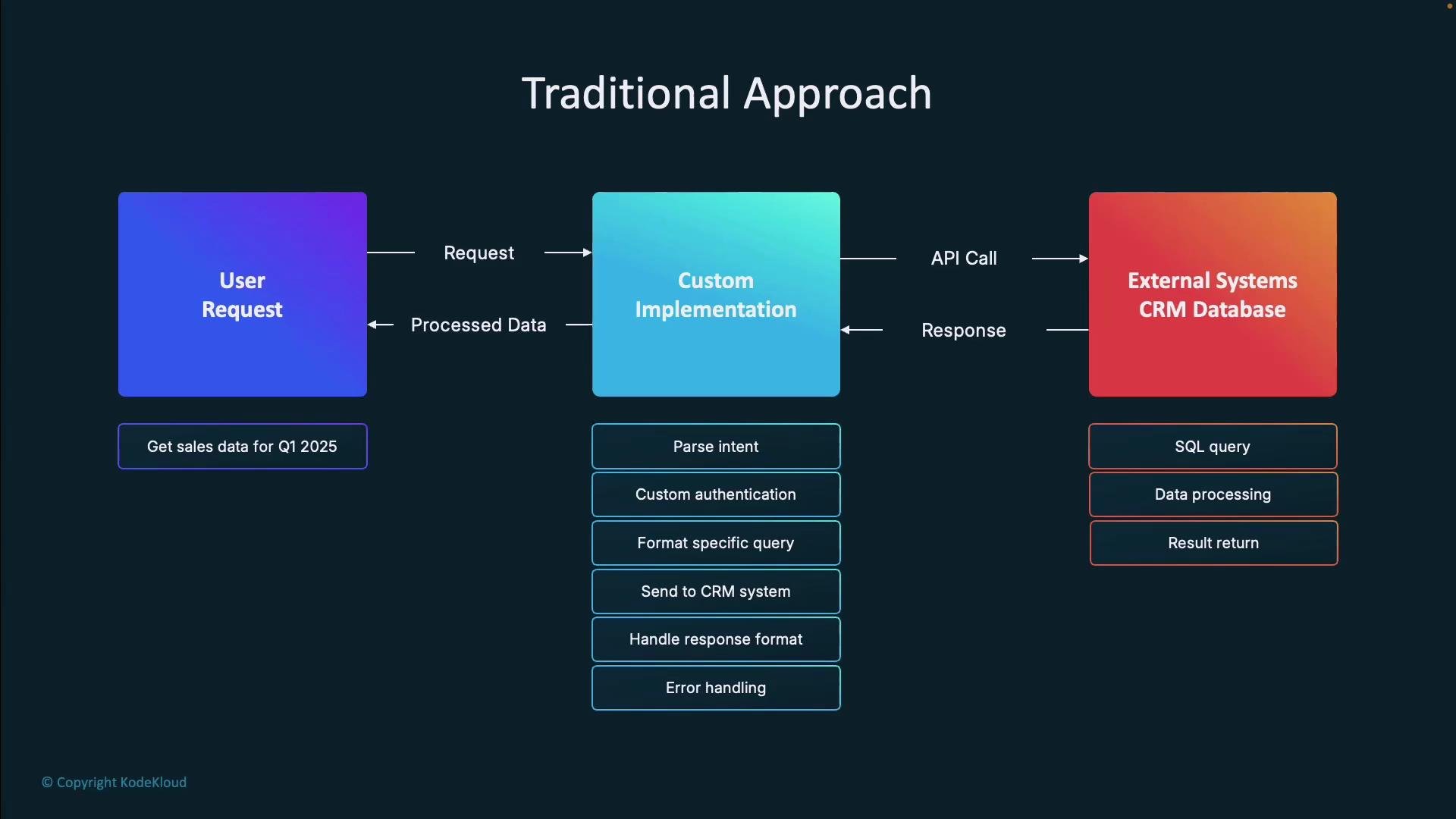 Because each service has unique protocols and error semantics, teams end up writing duplicated authentication code, context management logic, and adapter error handling. Cross‑tool workflows are limited, and replacing or adding services often introduces regressions.
## How MCP changes the picture
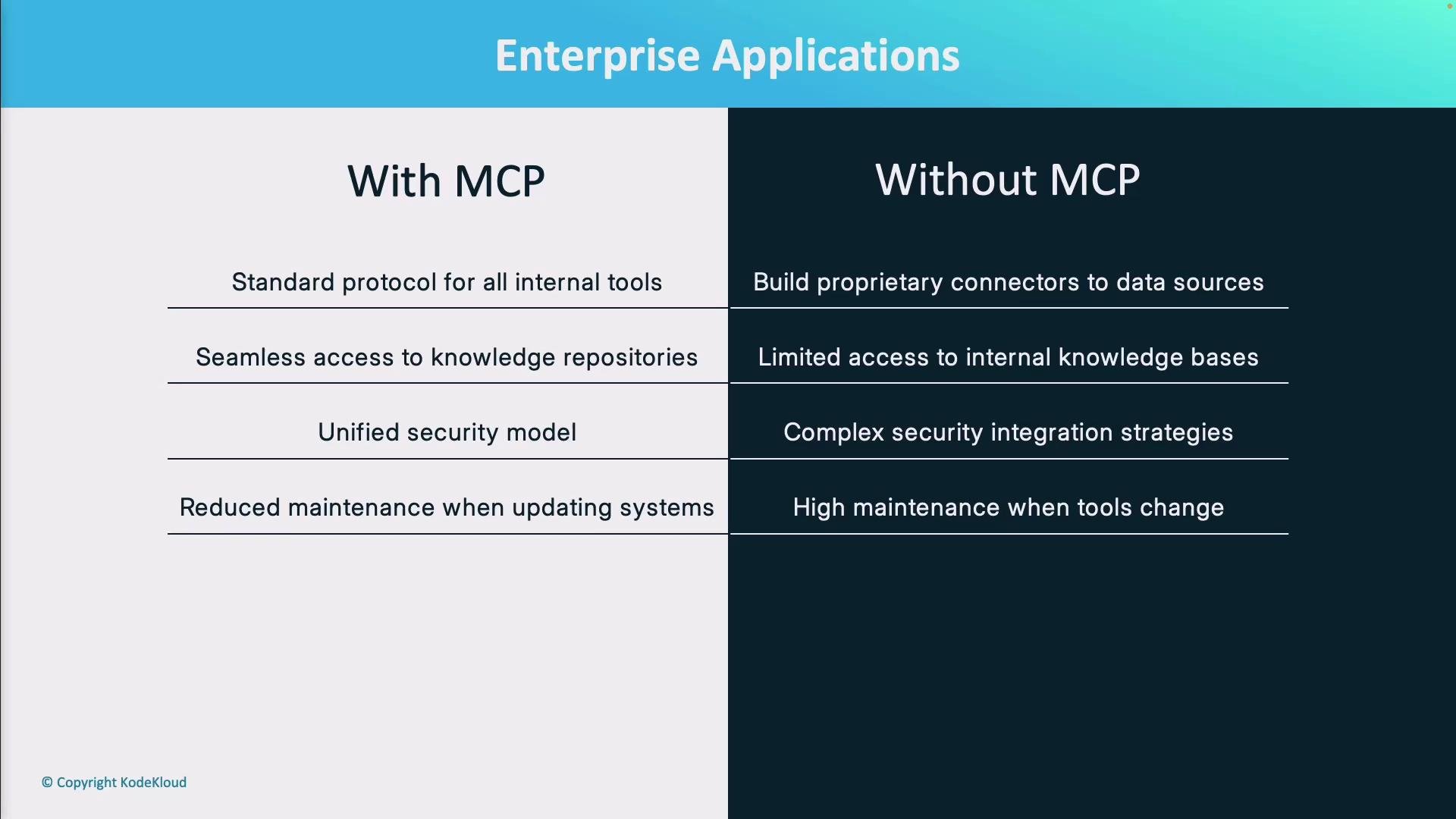
MCP provides a standardized data‑exchange protocol and a common interface for integrations. Instead of many one‑off connectors, capabilities are exposed through a single, consistent protocol and set of primitives. Key benefits:
* Standardized connector interface so drivers behave like interchangeable puzzle pieces.
* Protocol‑level authentication and consistent error handling semantics.
* Unified context management enabling models to access relevant data from multiple sources consistently.
* Easier extensibility: add new data sources via an MCP server without changing client logic.
* Reduced maintenance overhead: protocol updates are absorbed at the MCP layer rather than across many adapters.
MCP also supports two‑way communication: models can retrieve information and trigger actions (for example, query sales data then initiate a workflow), enabling models to act as active agents.
Developer simplicity is a core benefit: write an integration for MCP once, then reuse it across models and clients.
## Problems vs. MCP advantages
| Problem in traditional stacks | How MCP helps |
| ---------------------------------------------------- | ---------------------------------------------------------------------------- |
| Disparate auth flows and duplicated credential logic | Protocol‑level authentication and a consistent security model |
| Custom query formatting per API | Standardized request/response semantics and adapters that normalize payloads |
| Scattered context and state handling | Unified context management across sources |
| High maintenance when APIs change | Centralized protocol updates reduce per‑adapter churn |
| Difficulty composing cross‑tool actions | Two‑way, discoverable capabilities enable composition and orchestration |
## Security and deployment models
MCP supports flexible deployment models tailored to trust and privacy needs:
* Local‑first MCP servers: data can remain on a user’s device (laptop, phone) unless explicitly shared — ideal for privacy‑sensitive workflows.
* Remote MCP modules: run in trusted remote environments when centralized access or compute is required.
Be deliberate about trust boundaries: local MCP servers keep data on the device, while remote MCP endpoints may require explicit data sharing and authorization. Design your deployment model to match your security and compliance requirements.
## Developer experience
MCP simplifies integration work and shortens time to value for teams:
* Build once: write an MCP adapter and reuse it for many models and clients.
* Unified authentication: a single protocol handles compatible auth flows.
* Consistent error and context handling: surface errors and context uniformly at the protocol layer.
Practical developer benefits include faster onboarding for new services, fewer regression risks, and clearer boundaries between model logic and I/O adapters.
Because each service has unique protocols and error semantics, teams end up writing duplicated authentication code, context management logic, and adapter error handling. Cross‑tool workflows are limited, and replacing or adding services often introduces regressions.
## How MCP changes the picture
MCP provides a standardized data‑exchange protocol and a common interface for integrations. Instead of many one‑off connectors, capabilities are exposed through a single, consistent protocol and set of primitives. Key benefits:
* Standardized connector interface so drivers behave like interchangeable puzzle pieces.
* Protocol‑level authentication and consistent error handling semantics.
* Unified context management enabling models to access relevant data from multiple sources consistently.
* Easier extensibility: add new data sources via an MCP server without changing client logic.
* Reduced maintenance overhead: protocol updates are absorbed at the MCP layer rather than across many adapters.
MCP also supports two‑way communication: models can retrieve information and trigger actions (for example, query sales data then initiate a workflow), enabling models to act as active agents.
Developer simplicity is a core benefit: write an integration for MCP once, then reuse it across models and clients.
## Problems vs. MCP advantages
| Problem in traditional stacks | How MCP helps |
| ---------------------------------------------------- | ---------------------------------------------------------------------------- |
| Disparate auth flows and duplicated credential logic | Protocol‑level authentication and a consistent security model |
| Custom query formatting per API | Standardized request/response semantics and adapters that normalize payloads |
| Scattered context and state handling | Unified context management across sources |
| High maintenance when APIs change | Centralized protocol updates reduce per‑adapter churn |
| Difficulty composing cross‑tool actions | Two‑way, discoverable capabilities enable composition and orchestration |
## Security and deployment models
MCP supports flexible deployment models tailored to trust and privacy needs:
* Local‑first MCP servers: data can remain on a user’s device (laptop, phone) unless explicitly shared — ideal for privacy‑sensitive workflows.
* Remote MCP modules: run in trusted remote environments when centralized access or compute is required.
Be deliberate about trust boundaries: local MCP servers keep data on the device, while remote MCP endpoints may require explicit data sharing and authorization. Design your deployment model to match your security and compliance requirements.
## Developer experience
MCP simplifies integration work and shortens time to value for teams:
* Build once: write an MCP adapter and reuse it for many models and clients.
* Unified authentication: a single protocol handles compatible auth flows.
* Consistent error and context handling: surface errors and context uniformly at the protocol layer.
Practical developer benefits include faster onboarding for new services, fewer regression risks, and clearer boundaries between model logic and I/O adapters.
 ## MCP in action — representative use cases
Common MCP deployments and what they enable:
| Use case | What MCP enables |
| ------------------------------ | ------------------------------------------------------------------------------------------ |
| Desktop clients (local access) | Securely surface local files and tools to models without uploading data remotely |
| Developer platforms | Auto‑discoverable actions and capabilities that can be invoked by tooling or models |
| Enterprise assistants | Safe access to internal knowledge bases for customer service and internal help desks |
| Data analysis workflows | Secure dataset access and visualization tooling so an LLM can fetch data and render charts |
| Development environments | IDE integration with Git, docs, and databases to accelerate coding workflows |
## MCP in action — representative use cases
Common MCP deployments and what they enable:
| Use case | What MCP enables |
| ------------------------------ | ------------------------------------------------------------------------------------------ |
| Desktop clients (local access) | Securely surface local files and tools to models without uploading data remotely |
| Developer platforms | Auto‑discoverable actions and capabilities that can be invoked by tooling or models |
| Enterprise assistants | Safe access to internal knowledge bases for customer service and internal help desks |
| Data analysis workflows | Secure dataset access and visualization tooling so an LLM can fetch data and render charts |
| Development environments | IDE integration with Git, docs, and databases to accelerate coding workflows |
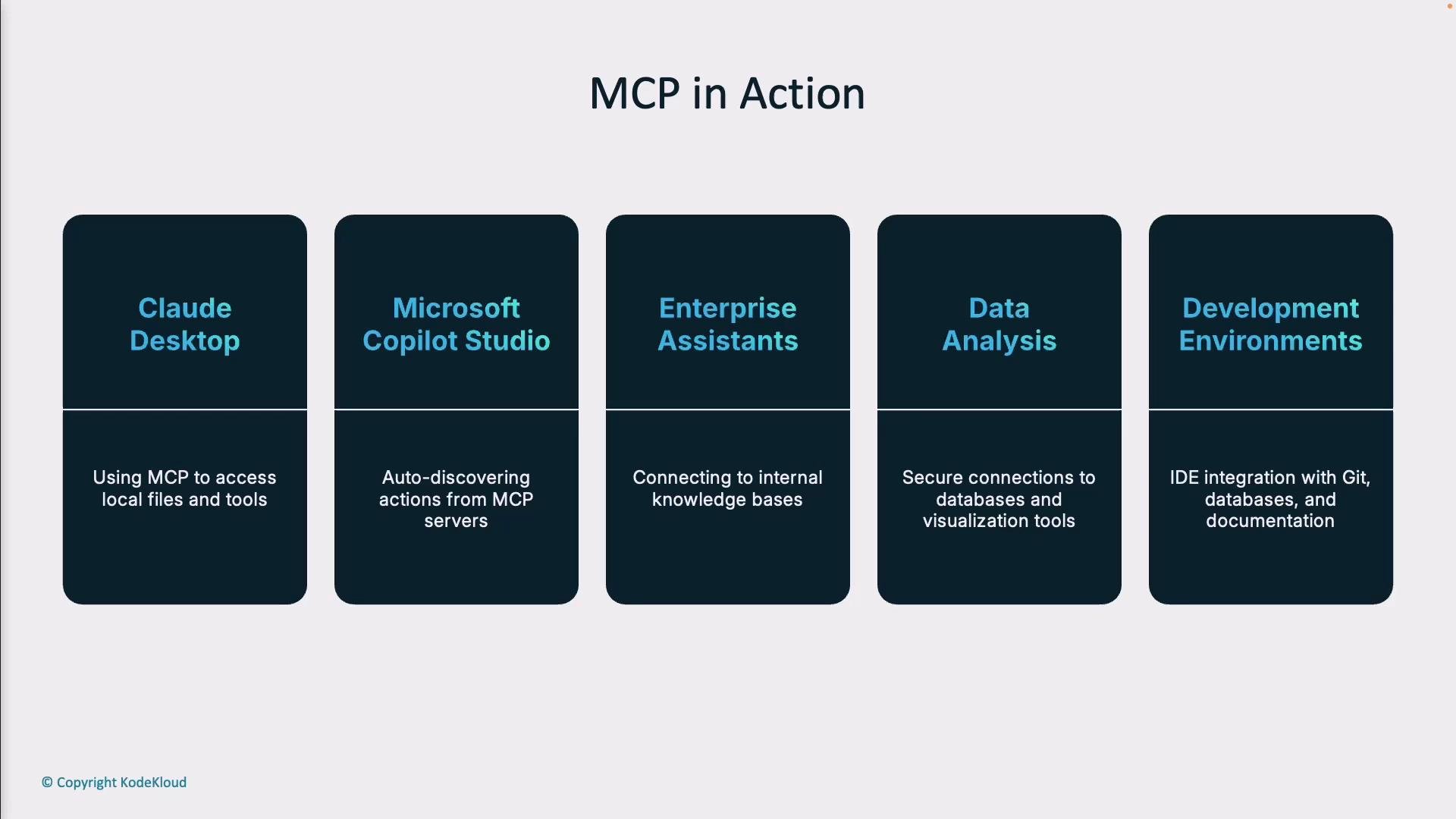 These examples illustrate how MCP turns isolated connectors into discoverable, composable capabilities that models and clients can use consistently.
## Conclusion
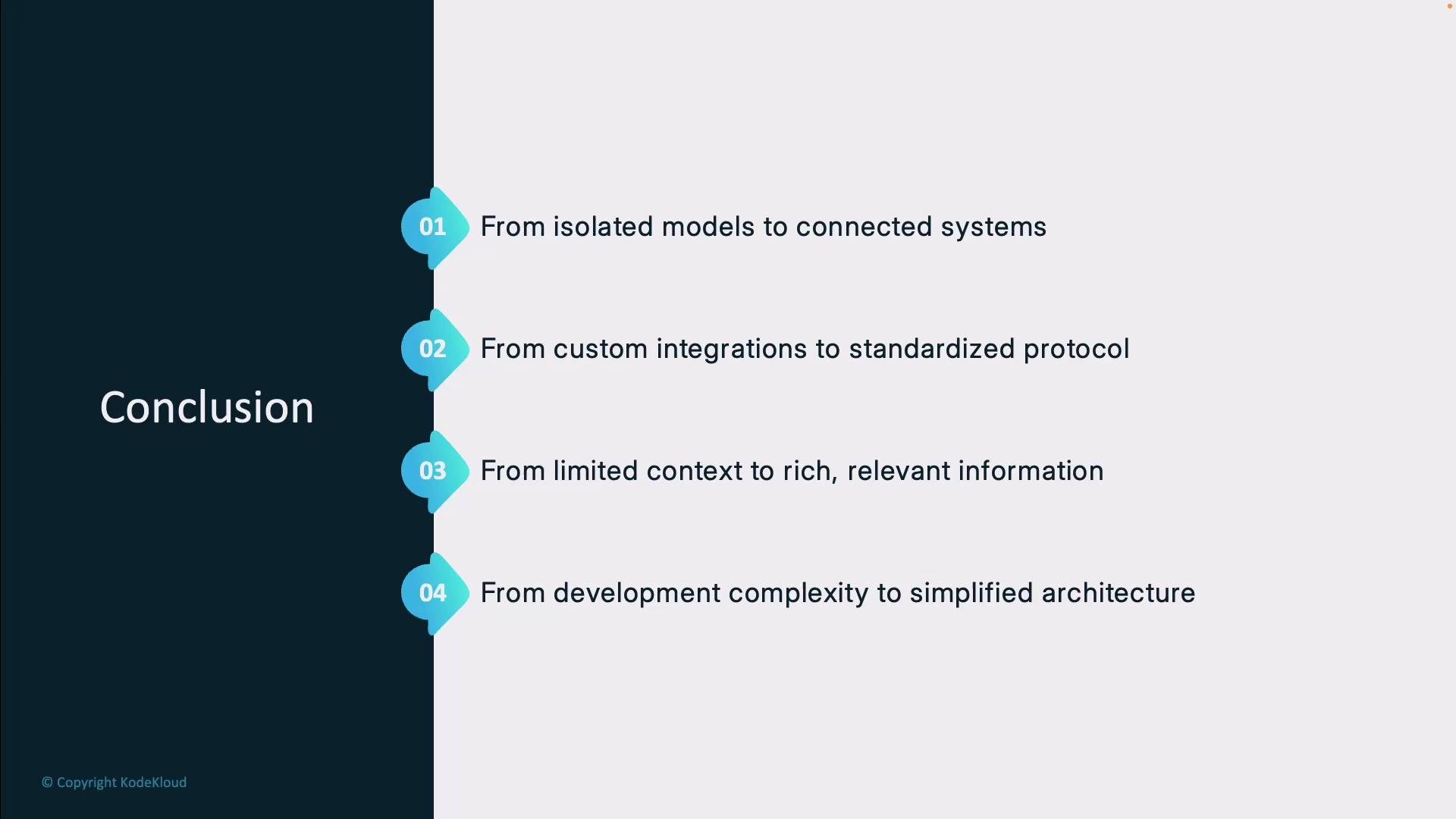
MCP represents a shift from isolated models and custom integrations to connected systems using standardized protocols. The practical outcomes are:
* Richer model context with access to relevant, up‑to‑date information.
* Simplified developer workflows and fewer duplicate adapters.
* Consistent security and error handling across integrations.
* Lower operational maintenance and easier extensibility.
As MCP adoption grows across platforms, it is positioned to become a standard mechanism for AI systems to interact with services and knowledge sources.
These examples illustrate how MCP turns isolated connectors into discoverable, composable capabilities that models and clients can use consistently.
## Conclusion
MCP represents a shift from isolated models and custom integrations to connected systems using standardized protocols. The practical outcomes are:
* Richer model context with access to relevant, up‑to‑date information.
* Simplified developer workflows and fewer duplicate adapters.
* Consistent security and error handling across integrations.
* Lower operational maintenance and easier extensibility.
As MCP adoption grows across platforms, it is positioned to become a standard mechanism for AI systems to interact with services and knowledge sources.
 This lesson includes practical examples and follow‑up modules showing how to implement MCP adapters and deploy MCP servers so you can see these benefits applied to real integrations.
## Links and further reading
* MCP concepts and design patterns (search for "Model Connector Protocol" and "local‑first connectors")
* Local‑first software: mental model and tradeoffs
* Guides on secure API design and protocol versioning
(Use these references to explore deployment choices, adapter design patterns, and how to secure MCP endpoints in production.)
This lesson includes practical examples and follow‑up modules showing how to implement MCP adapters and deploy MCP servers so you can see these benefits applied to real integrations.
## Links and further reading
* MCP concepts and design patterns (search for "Model Connector Protocol" and "local‑first connectors")
* Local‑first software: mental model and tradeoffs
* Guides on secure API design and protocol versioning
(Use these references to explore deployment choices, adapter design patterns, and how to secure MCP endpoints in production.)