> ## Documentation Index
> Fetch the complete documentation index at: https://notes.kodekloud.com/llms.txt
> Use this file to discover all available pages before exploring further.
# Steps Involved in Fine Tuning a Model
> This guide details the process of fine-tuning an OpenAI model, covering data preparation, validation, training, and model usage.
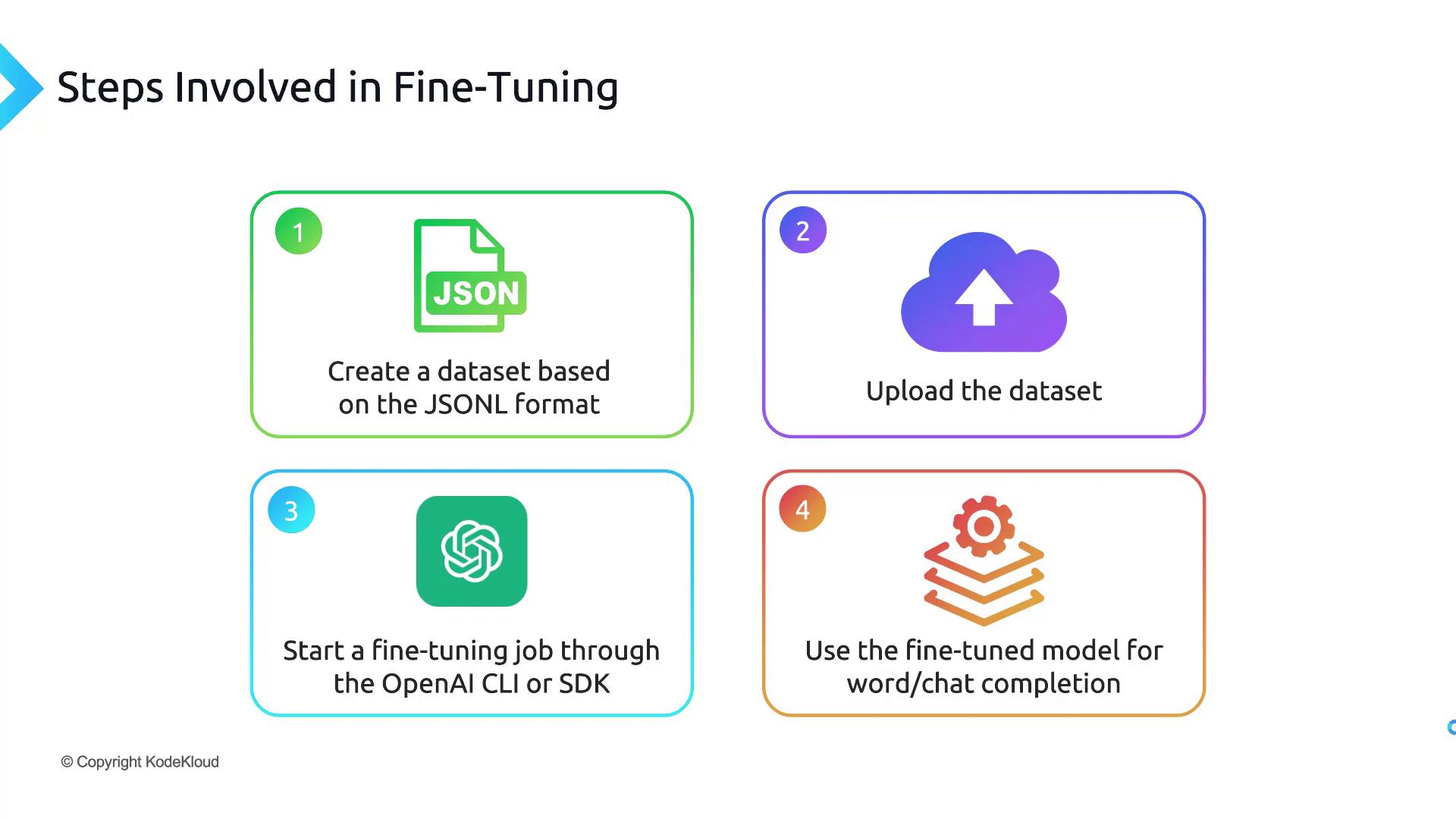
Fine-tuning an OpenAI model involves four core phases: preparing your data, uploading & validating it, launching a training job, and then calling your custom model. This guide walks through each step, from creating a JSONL dataset to selecting a cost-effective base model.
***
## 1. Prepare Your Dataset in JSONL Format
OpenAI fine-tuning requires a line-delimited JSON (JSONL) file. Each line should be a valid JSON object with two keys—`prompt` and `completion`—terminated by a stop token (e.g., `END`).
Ensure each JSON object is newline-delimited (no commas between lines) and ends with your chosen stop token.
Example `qna.jsonl`:
```jsonl theme={null}
{"prompt": "Question: What is AI? ->", "completion": "AI stands for artificial intelligence.\nEND"}
{"prompt": "Question: Define machine learning ->", "completion": "Machine learning is a subset of AI focused on data-driven models.\nEND"}
```
Fields:
* **prompt**: The user’s input or instruction.
* **completion**: The desired response, ending with `END`.
You can handcraft this file or generate it via scripts or even using a base model like ChatGPT, then export it to `.jsonl`.
***
## 2. Upload & Validate Your JSONL Dataset
Before training, preprocess and upload your dataset using the OpenAI CLI:
```bash theme={null}
pip install --upgrade openai
openai tools fine_tunes.prepare_data -f qna.jsonl
```
This command:
* Checks for JSONL formatting issues.
* Removes duplicate entries.
* Produces a cleaned file named `qna_prepared.jsonl`.
***
## 3. Launch & Monitor the Fine-Tuning Job
Submit the prepared dataset to fine-tune a base model (e.g., `davinci`):
```bash theme={null}
openai api fine_tunes.create \
-t qna_prepared.jsonl \
-m davinci
```
You’ll receive a `fine_tune_job_id`. Track progress with:
```bash theme={null}
openai api fine_tunes.follow -i
```
Job durations vary based on data size and model choice—it can take minutes or hours.
***
## 4. Query Your New Fine-Tuned Model
After completion, you’ll get a model ID like `davinci:ft-your-org-2024-06-01-00-00-00`. Test it via the Completions API:
```bash theme={null}
openai api completions.create \
-m \
-p "Question: What is AI? ->" \
--stop "END"
```
Use this same pattern for tasks such as summarization, classification, or conversational agents.
***
## 5. Base Model Selection & Cost Comparison
Choosing the right base model balances performance and budget. Review the table below:
| Base Model | Price (1K tokens) | Context Window | Ideal Use Case |
| ---------- | ----------------- | -------------- | ----------------------- |
| Ada | \$0.0004 | 2,048 tokens | Simple classification |
| Babbage | \$0.0005 | 2,048 tokens | Moderate Q\&A |
| Curie | \$0.0020 | 2,048 tokens | Summarization & chat |
| Davinci | \$0.0200 | 4,096 tokens | Complex reasoning tasks |
Fine-tuning costs include both training and usage. Always check the [OpenAI pricing page](https://openai.com/pricing) and monitor your token consumption to avoid unexpected charges.
***
## Links and References
* OpenAI Fine-Tuning Guide: [https://platform.openai.com/docs/guides/fine-tuning](https://platform.openai.com/docs/guides/fine-tuning)
* OpenAI Pricing: [https://openai.com/pricing](https://openai.com/pricing)
* JSONL Specification: [https://jsonlines.org/](https://jsonlines.org/)
* OpenAI CLI Reference: [https://github.com/openai/openai-cli](https://github.com/openai/openai-cli)
With this end-to-end workflow—dataset preparation, validation, training, and model invocation—you’re ready to fine-tune any future OpenAI model for your custom use cases.