This article teaches how to use the OpenAI ChatCompletion API in Jupyter Notebook for generating product descriptions and HTML snippets.
In this hands-on tutorial, you’ll learn how to leverage the OpenAI ChatCompletion API inside a Jupyter Notebook to generate product descriptions, concise summaries, and HTML snippets. By the end, you’ll have a reusable Python helper function and three prompt patterns for marketing automation.
Begin by importing the required libraries and setting your API key as an environment variable.
Copy
import osimport openai# Securely load your API key; do NOT hardcode in notebooks shared publiclyopenai.api_key = os.getenv("OPENAI_API_KEY")# Uncomment the line below if you prefer to paste your key directly:# openai.api_key = "<YOUR_API_KEY>"
Never commit your API key to source control. Use environment variables or a secrets manager to keep credentials safe.
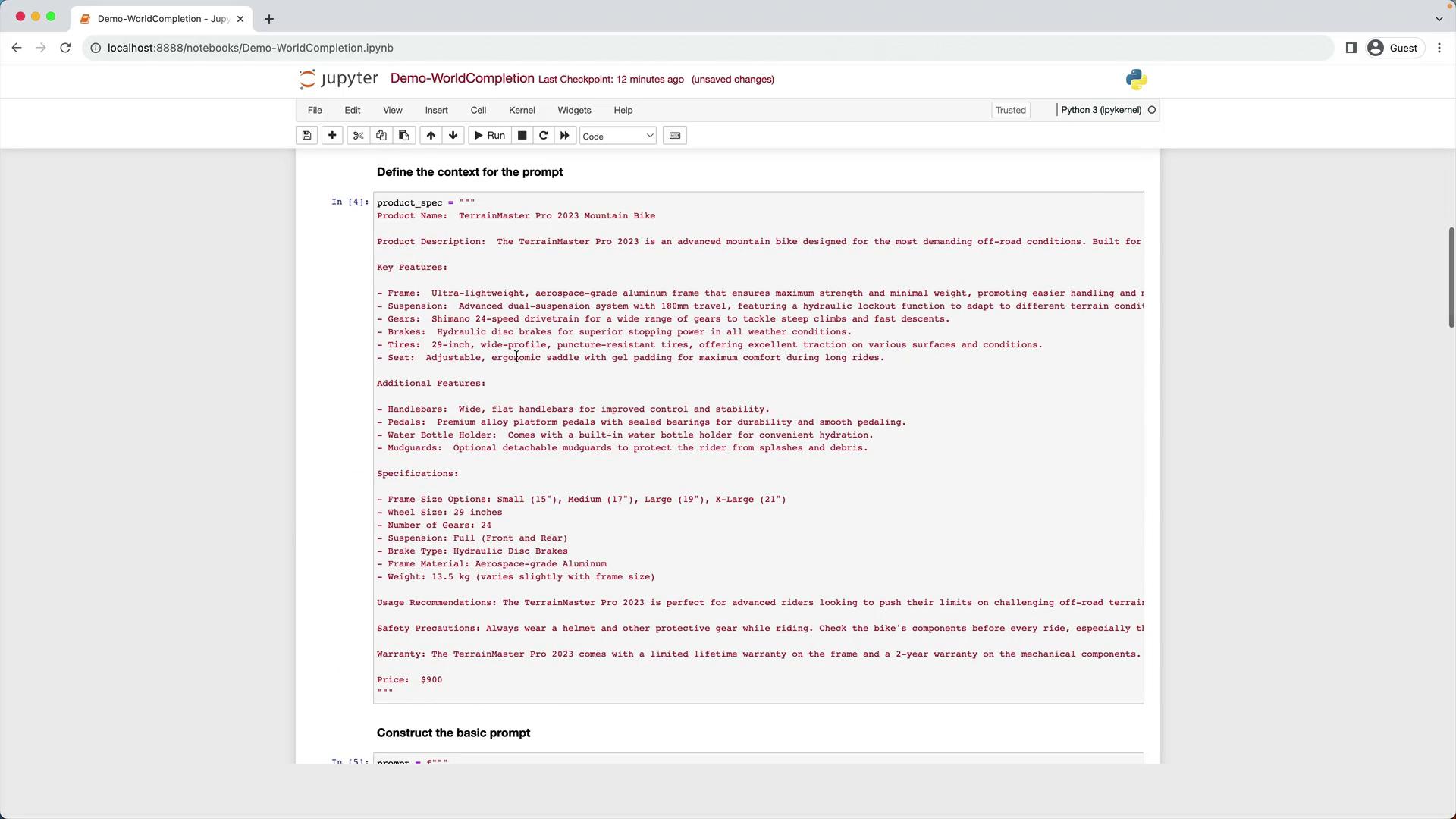
We’ll use a multi-line string as our product spec for a fictional TerrainMaster Pro 2023 Mountain Bike:
Copy
product_spec = """Product Name: TerrainMaster Pro 2023 Mountain BikeProduct Description: The TerrainMaster Pro 2023 is an advanced mountain bike designed for the most demanding off-road conditions.Key Features:- Frame: Aerospace-grade aluminum frame for maximum strength and minimal weight.- Suspension: Dual-suspension system with 180mm travel and hydraulic lockout.- Gears: Shimano 24-speed drivetrain.- Brakes: Hydraulic disc brakes.- Tires: 29-inch, wide-profile, puncture-resistant tires.- Seat: Ergonomic saddle with gel padding.Additional Features:- Handlebars: Wide, flat handlebars for improved control.- Pedals: Alloy platform pedals with sealed bearings.- Water Bottle Holder: Built-in for convenient hydration.- Mudguards: Optional detachable mudguards.Specifications:- Frame Size: Small (15"), Medium (17"), Large (19"), X-Large (21").- Wheel Size: 29 inches.- Suspension: Full (front and rear).- Brake Type: Hydraulic Disc.- Frame Material: Aerospace-grade Aluminum.- Weight: 13.5 kg (varies with frame size).Usage Recommendations: Ideal for advanced riders on challenging off-road terrain.Safety Precautions: Always wear protective gear and inspect components before riding.Warranty: Limited lifetime frame warranty; 2-year warranty on other components.Price: $900"""
4. Example 1: Generating a Full Product Description
Use the full specification to generate a detailed website description.
Copy
prompt = f"""Your task is to help the marketing team create a description for a product website based on the product spec.Write a description using the information provided in the specifications delimited by triple backticks.Technical specifications:```{product_spec}```"""response = get_word_completion(prompt)print(response)```text---## 5. Example 2: Creating a Concise VersionTo craft a shorter pitch for a landing page, simply instruct the model to be concise.```pythonprompt = f"""Your task is to help the marketing team create a description for a product website based on the product spec.Write a concise description from the specifications delimited by triple backticks.Technical specifications:```{product_spec}```"""response = get_word_completion(prompt)print(response)
6. Example 3: Generating HTML with a Specifications Table
Ask GPT-3.5 Turbo to output a complete HTML snippet, including:
An <h1> with the product name
A <div> styled in 12pt FireBrick font for the description
A titled table (Product Specifications) with two columns: name & value
Table CSS: DarkSlateGray text, 100% width, 12pt font
Copy
prompt = f"""Your task is to help the marketing team create HTML for a product website based on the product spec.- Add a <h1> header with the product name.- Wrap the description in a <div> styled with font-size:12pt; color:FireBrick.- Include a 'Product Specifications' table: - Two columns: specification name | value - Table style: color DarkSlateGray; width 100%; font-size 12ptProduct specifications:```{product_spec}```"""response = get_word_completion(prompt)print(response)```text---## 7. Previewing HTML in Jupyter NotebookRender the generated HTML inline using `IPython.display`:```pythonfrom IPython.display import display, HTMLdisplay(HTML(response))
You’ve now implemented a flexible word completion demo! Next up, we’ll explore GPT-3.5 Turbo’s code-completion capabilities.