> ## Documentation Index
> Fetch the complete documentation index at: https://notes.kodekloud.com/llms.txt
> Use this file to discover all available pages before exploring further.
# A Closer Look at OpenAI API
> This article explores the OpenAI API, its architecture, and how to use tokens and parameters for effective interaction.
In this lesson, we’ll explore the OpenAI platform and its modular architecture. You’ll learn how each component fits together to deliver Generative AI as a Service and where tokens and API parameters come into play.
## OpenAI Platform Architecture
The OpenAI platform provides a seamless developer experience through four core layers:
| Component | Responsibility | Examples |
| -------------------- | ---------------------------------------------------------------------- | ----------------------------- |
| Foundation Models | Pretrained language and vision AI | `gpt-4`, `text-embedding-3` |
| Services Layer | API request orchestration, model management, user access, and security | Authentication, rate limiting |
| RESTful API Endpoint | Scalable HTTP interface for model inference and management | `POST /v1/completions` |
| Official SDKs & CLI | Client libraries and utilities for integration | OpenAI Python client, CLI |
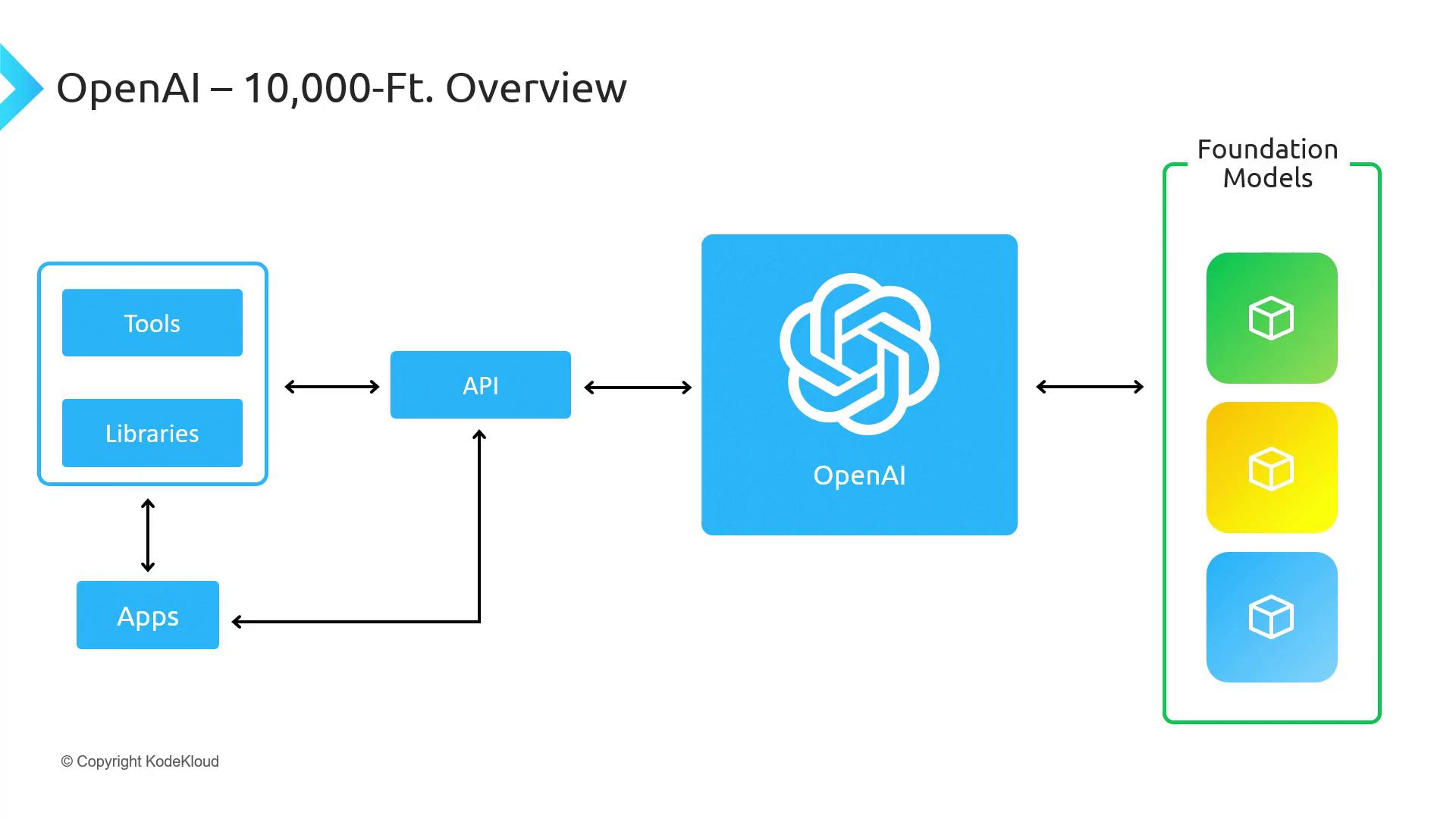
Customer applications—whether your web app, mobile client, or backend service—interact with these layers by calling the RESTful API directly or using one of the managed SDKs.
## Understanding Tokens and API Parameters
When you send a request to the OpenAI API, there are several parameters you can tune. The most important among them are:
* **Model**: Choose which foundation model to use.
* **Prompt**: The text input that the model will complete.
* **Max tokens**: Limits the length of the generated response.
* **Temperature**: Controls randomness in output (0.0–1.0).
* **Top\_p**: Enables nucleus sampling for probabilistic curation.
Every API call consumes tokens based on the length of your prompt and the response. Monitor your usage in the [OpenAI dashboard](https://platform.openai.com/account/usage) to manage costs.
### Example: Text Completion Request
```bash theme={null}
curl https://api.openai.com/v1/completions \
-H "Authorization: Bearer $OPENAI_API_KEY" \
-H "Content-Type: application/json" \
-d '{
"model": "gpt-4",
"prompt": "Explain the principle of recursion in computer science.",
"max_tokens": 150,
"temperature": 0.7
}'
```
### Parsing the Response
A typical response object contains:
| Field | Description |
| --------- | -------------------------------------------------------------------------------- |
| `id` | Unique identifier for the request |
| `choices` | Array of completion options (usually one) |
| `usage` | Token consumption details (`prompt_tokens`, `completion_tokens`, `total_tokens`) |
```json theme={null}
{
"id": "cmpl-6abc123",
"object": "text_completion",
"created": 1675072800,
"model": "gpt-4",
"choices": [
{
"text": "Recursion in computer science refers to a function calling itself... ",
"index": 0,
"finish_reason": "stop"
}
],
"usage": {
"prompt_tokens": 10,
"completion_tokens": 20,
"total_tokens": 30
}
}
```
## Links and References
* [OpenAI API Documentation](https://platform.openai.com/docs/)
* [OpenAI Pricing](https://openai.com/pricing/)
* [Token Calculator](https://platform.openai.com/tokenizer)