> ## Documentation Index
> Fetch the complete documentation index at: https://notes.kodekloud.com/llms.txt
> Use this file to discover all available pages before exploring further.
# Understanding OpenAI API Parameters
> Learn to control OpenAI API chat completions by adjusting parameters for creativity, length, and repetition through programming and the OpenAI Playground.
Controlling the behavior of your chat completions starts with setting the right parameters. In this guide, you’ll learn how to influence creativity, length, repetition, and more—both programmatically and via the OpenAI Playground.
## Quickstart Example
```python theme={null}
import os
import openai
openai.api_key = os.getenv("OPENAI_API_KEY")
completion = openai.ChatCompletion.create(
model="gpt-3.5-turbo",
messages=[
{"role": "system", "content": "You are a helpful assistant."},
{"role": "user", "content": "Hello!"}
]
)
print(completion.choices[0].message)
```
This snippet covers:
1. Importing libraries
2. Loading your API key
3. Calling the chat completion endpoint
4. Printing the assistant’s reply
While `model` and `messages` are the only required fields, the full API offers many more knobs.
## Core Parameters
### 1. model and messages
* **model**: Choose an engine (e.g. `gpt-3.5-turbo`, `gpt-4`).
* **messages**: An ordered list of `{role, content}` objects. Roles include:
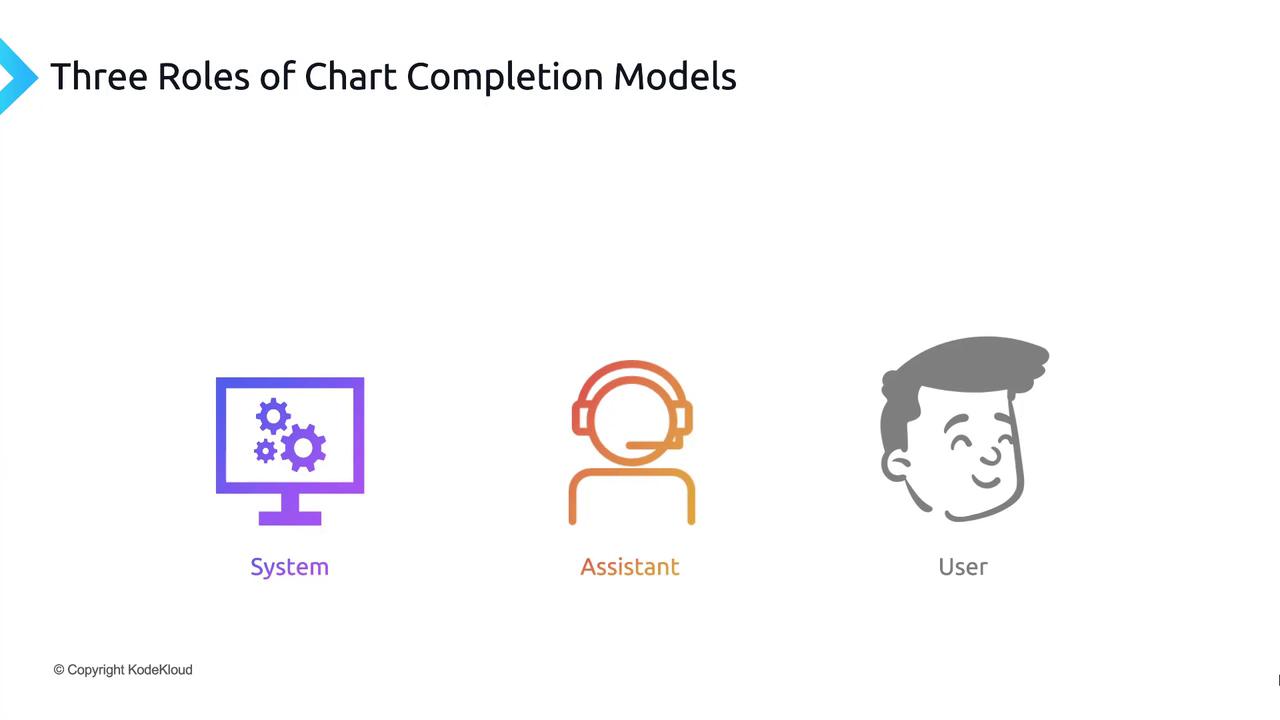
| Role | Purpose |
| --------- | --------------------------------------------------- |
| system | Sets assistant behavior (e.g. `"You are a tutor."`) |
| user | Represents user questions or commands |
| assistant | Contains previous assistant responses |
### 2. Randomness & Diversity: temperature vs. top\_p
Both control how “creative” the output can be. Adjust **one** at a time for best results.
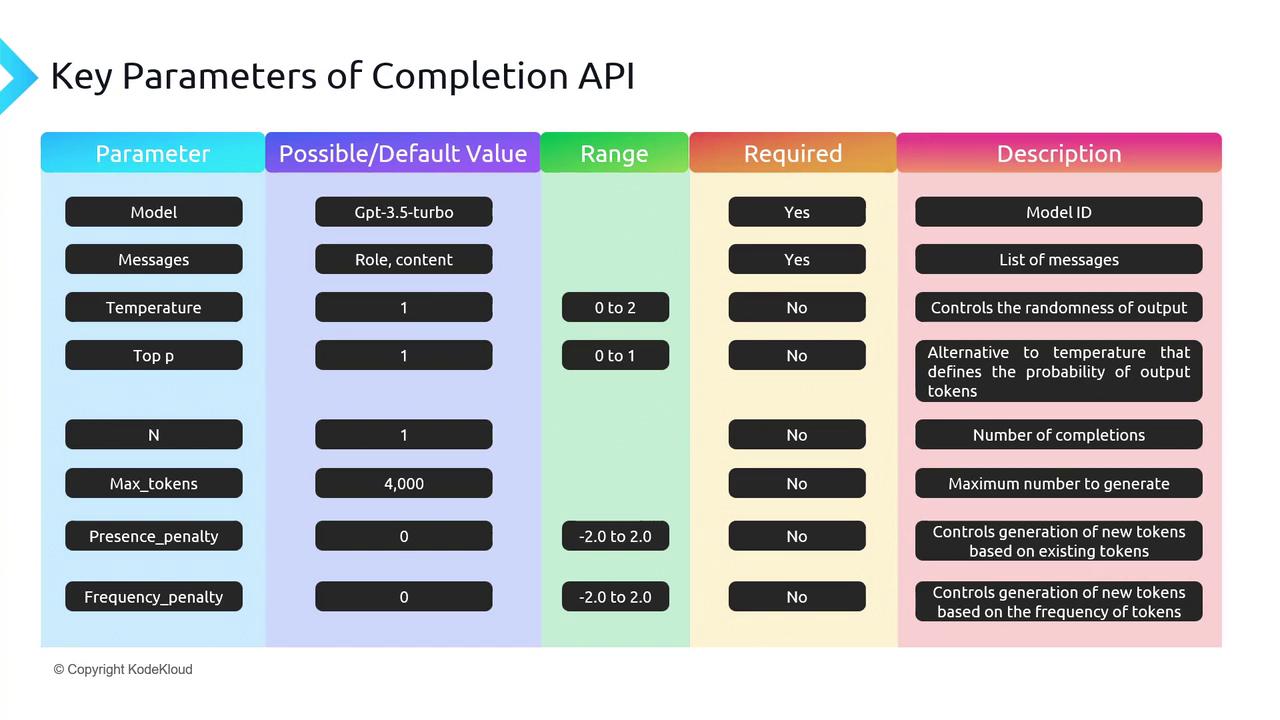
* **temperature** (0–2, default 1):
* Lower → more focused, deterministic (e.g. 0–0.2)
* Higher → more creative, random (e.g. 0.8–2)
* **top\_p** (0–1, default 1):
* Also called “nucleus sampling.”
* Model only considers tokens whose cumulative probability ≤ top\_p.
If you need repeatable outputs, set `temperature=0` and `top_p=0`. For open-ended tasks, start with `temperature=0.7` and `top_p=0.9`.
### 3. n (number of completions)
Generate multiple replies in one API call. Default is `n=1`. Raising `n` can help you compare variations but increases token usage.
### 4. max\_tokens
Limits the length of the completion. Remember:
* `prompt_tokens + max_tokens` ≤ model context window (e.g. 4096 for `gpt-3.5-turbo`).
If you exceed the context window, the API will return an error. Always calculate prompt size before setting `max_tokens`.
### 5. presence\_penalty vs. frequency\_penalty
Prevent the model from repeating itself:
* **presence\_penalty** (–2.0 to 2.0): Encourages new topics by penalizing tokens that have appeared at all.
* **frequency\_penalty** (–2.0 to 2.0): Penalizes tokens proportionally to how often they’ve already appeared.
## Interactive Exploration with the Playground
Experiment with all of these settings in real time:
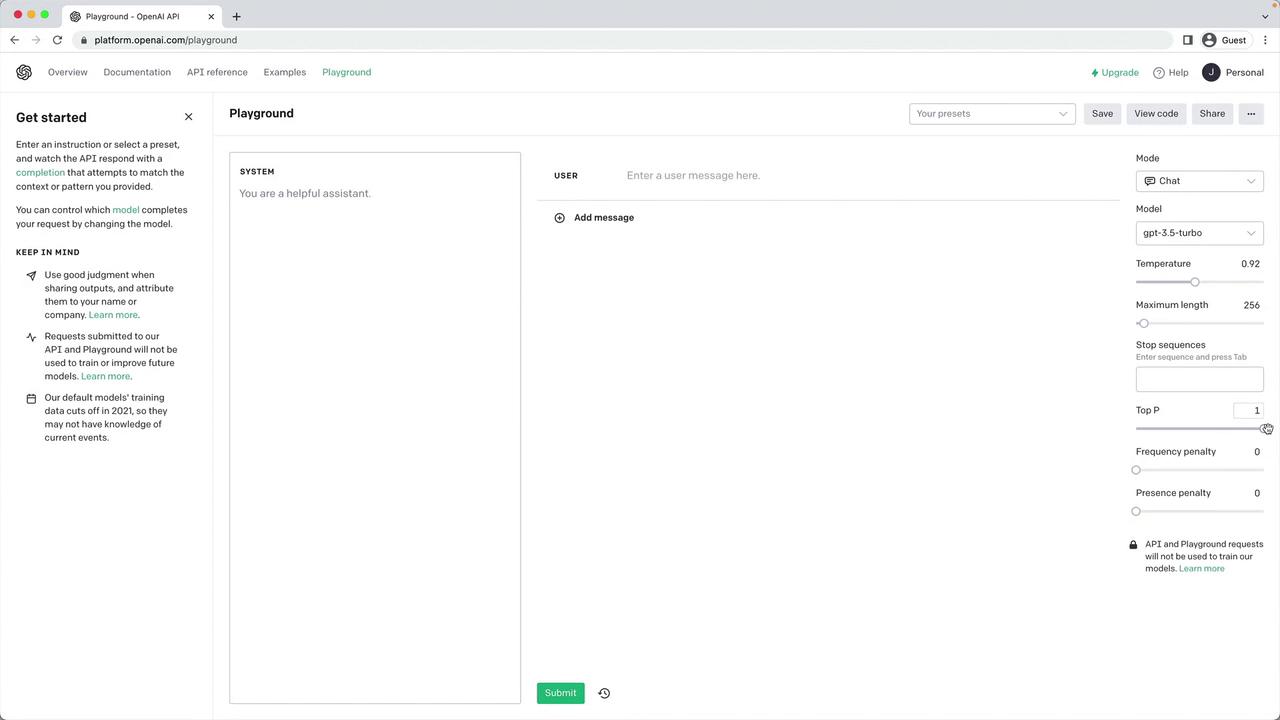
Head over to the [OpenAI Playground](https://platform.openai.com/playground) to tweak parameters and see instant feedback.
## Example: Deterministic vs. Creative Runs
Below is a side-by-side comparison showing how `temperature` and `top_p` affect output style:
```python theme={null}
import os
import openai
openai.api_key = os.getenv("OPENAI_API_KEY")
p_model = "gpt-3.5-turbo"
p_messages = [
{"role": "system", "content": "You are an assistant to write poems"},
{"role": "user", "content": "Write a short poem on the Taj Mahal in one stanza."}
]
p_n = 1
p_max_tokens = 100
p_presence_penalty = 0.0
p_frequency_penalty = 0.0
# Deterministic output
completion = openai.ChatCompletion.create(
model=p_model,
messages=p_messages,
n=p_n,
max_tokens=p_max_tokens,
temperature=0.0,
top_p=0.0,
presence_penalty=p_presence_penalty,
frequency_penalty=p_frequency_penalty,
)
print("Deterministic →", completion.choices[0].message.content)
# Creative output
completion = openai.ChatCompletion.create(
model=p_model,
messages=p_messages,
n=p_n,
max_tokens=p_max_tokens,
temperature=1.5,
top_p=1.0,
presence_penalty=p_presence_penalty,
frequency_penalty=p_frequency_penalty,
)
print("Creative →", completion.choices[0].message.content)
```
By comparing these runs, you’ll see the poem’s structure and word choice change dramatically.
## Summary Table of Key Parameters
| Parameter | Range | Default | Description |
| ------------------ | ----------- | ------- | ---------------------------------------------- |
| model | string | — | Model to use (`gpt-3.5-turbo`, `gpt-4`, etc.) |
| messages | list | — | Conversation history as `[{role, content}, …]` |
| temperature | 0–2 | 1 | Controls randomness |
| top\_p | 0–1 | 1 | Nucleus sampling threshold |
| n | int | 1 | Number of completions |
| max\_tokens | int | (model) | Max tokens in the completion |
| presence\_penalty | –2.0 to 2.0 | 0 | Penalize new tokens based on prior presence |
| frequency\_penalty | –2.0 to 2.0 | 0 | Penalize tokens based on prior frequency |
## Links and References
* [OpenAI API Reference](https://platform.openai.com/docs/api-reference/chat)
* [OpenAI Playground](https://platform.openai.com/playground)
* [OpenAI Python Library](https://github.com/openai/openai-python)
Next up: using these parameters to automate full blog-post generation—stay tuned!