> ## Documentation Index
> Fetch the complete documentation index at: https://notes.kodekloud.com/llms.txt
> Use this file to discover all available pages before exploring further.
# Demo Building Dynamic Context with Custom Data Part 1
> This tutorial creates a dynamic context for a chatbot using custom data from the Oscar Awards dataset.
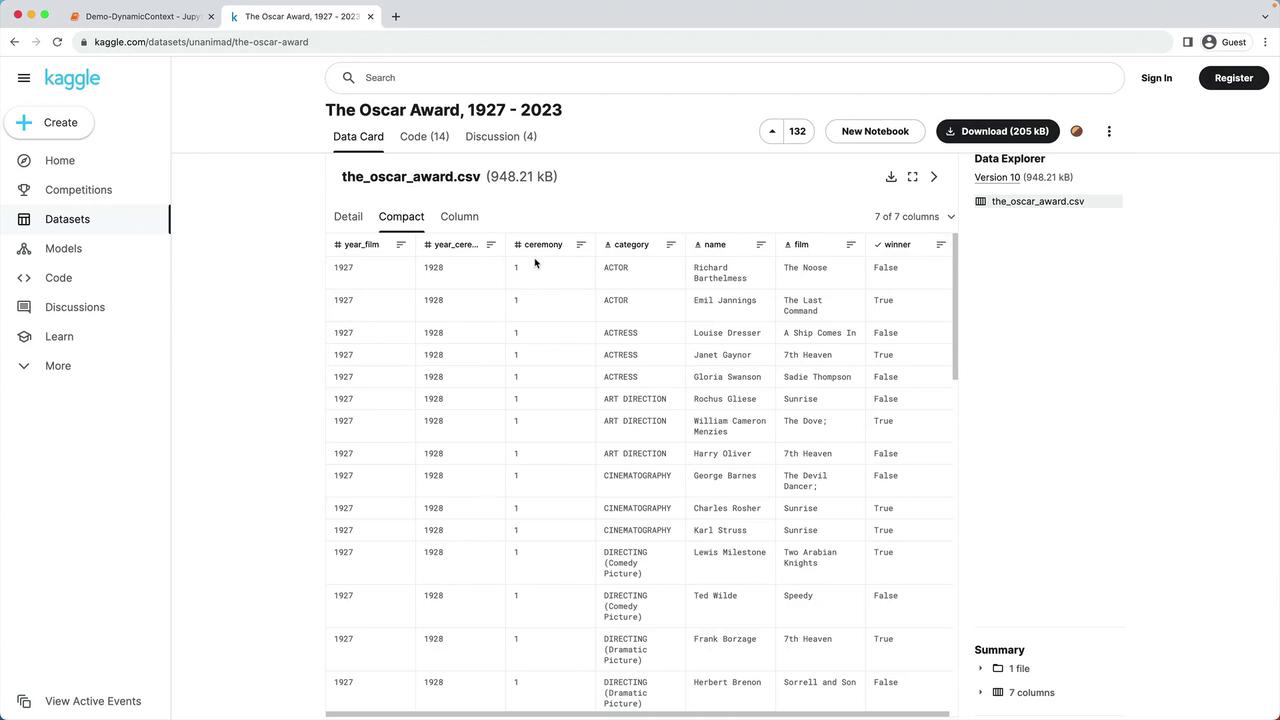
In this tutorial, we’ll create a **dynamic context** for a chatbot by enriching prompts with custom data. We’re using the [“Oscar Award, 1927 – 2023” dataset from Kaggle][Kaggle Dataset], which includes every nominee and winner by year, ceremony number, category, nominee name, film, and winner status.
## 1. Environment Setup
First, install dependencies and configure your API key.
```bash theme={null}
pip install pandas numpy openai
```
Make sure your `OPENAI_API_KEY` is set in the environment:
```bash theme={null}
export OPENAI_API_KEY="your_api_key_here"
```
Then, load the Python modules and define helper functions:
```python theme={null}
import os
import pandas as pd
import numpy as np
import openai
# Load API key
openai.api_key = os.getenv("OPENAI_API_KEY")
```
### Helper Functions
```python theme={null}
def text_embedding(text) -> list[float]:
"""
Generate embeddings using OpenAI.
"""
response = openai.Embedding.create(
model="text-embedding-ada-002",
input=text
)
return response["data"][0]["embedding"]
def get_word_completion(prompt: str) -> str:
"""
Query GPT-3.5 Turbo for Oscar-related questions.
"""
messages = [
{"role": "system", "content": "You answer questions about the 95th Oscar awards."},
{"role": "user", "content": prompt},
]
response = openai.ChatCompletion.create(
model="gpt-3.5-turbo",
messages=messages,
max_tokens=3000,
n=1
)
return response.choices[0].message.content
```
## 2. Loading and Preprocessing the Oscar Dataset
The lab environment already includes `data/oscars.csv`. Let’s read and trim it:
```python theme={null}
# Load the dataset
df = pd.read_csv("data/oscars.csv")
df.head()
```
We focus only on the 2023 ceremony, remove missing film entries, and standardize categories to lowercase.
| Step | Operation | Code Example |
| ------------------ | -------------------------------- | --------------------------------------------- |
| Filter by year | Keep only 2023 ceremony | `df = df[df["year_ceremony"] == 2023]` |
| Drop missing films | Remove rows where `film` is null | `df = df.dropna(subset=["film"])` |
| Normalize category | Lowercase all category names | `df["category"] = df["category"].str.lower()` |
```python theme={null}
# 1. Keep only the 2023 ceremony
df = df[df["year_ceremony"] == 2023]
# 2. Remove entries with no film listed
df = df.dropna(subset=["film"])
# 3. Convert category names to lowercase
df["category"] = df["category"].str.lower()
print(df.shape) # Expect (121, 7)
```
## 3. Creating Dynamic Context Sentences
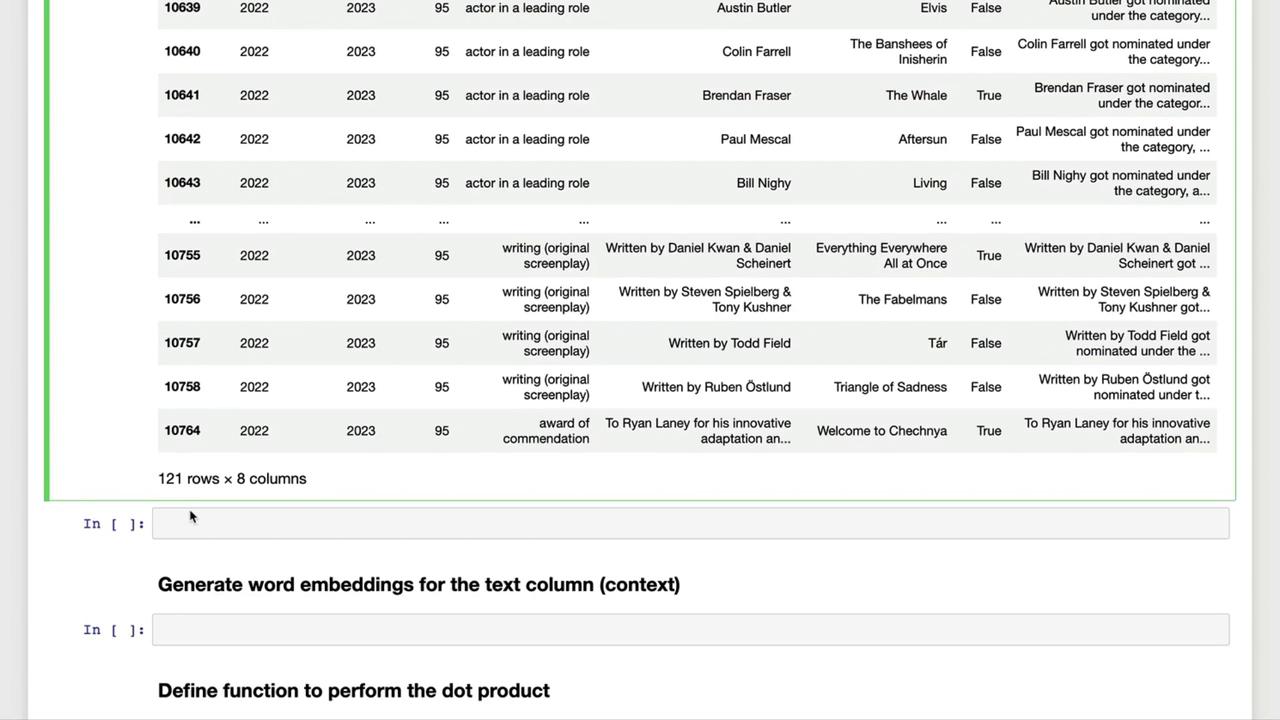
Next, we generate a self-contained sentence for each nomination, combining name, category, film title, and win status.
```python theme={null}
def make_context(row) -> str:
status = "and won the award" if row["winner"] else "but did not win"
return (
f"{row['name']} got nominated under the category {row['category']} "
f"for the film {row['film']} {status}"
)
df["text"] = df.apply(make_context, axis=1)
df.head(3)
```
### Example Context Sentences
```python theme={null}
# Example entry #12
print(df["text"].iloc[11])
# Ana de Armas got nominated under the category actress in a leading role
# Example entry #101
print(df["text"].iloc[100])
# Viktor Prášil, Frank Kruse, Markus Stemler, Lars Ginzel and Stefan Korte
# got nominated under the category sound for the film All Quiet on the Western Front
# but did not win
```
## 4. Next Steps
With the `text` column in place, you can now:
* Generate embeddings for each sentence
* Compute similarity scores via dot-product matching
* Build dynamic prompts by selecting the most relevant contexts
In **Part 2**, we’ll dive into [OpenAI Embeddings] and similarity matching to power intelligent chatbot responses.
***
## Links and References
* [Kaggle Dataset]: https://www.kaggle.com/datasets/sohier/film-awards
* [OpenAI Embeddings]: https://platform.openai.com/docs/guides/embeddings
* [GPT-3.5 Turbo]: https://platform.openai.com/docs/models/gpt-3-5