> ## Documentation Index
> Fetch the complete documentation index at: https://notes.kodekloud.com/llms.txt
> Use this file to discover all available pages before exploring further.
# Introduction
> This article explores container security fundamentals and key areas related to container management on Azure.
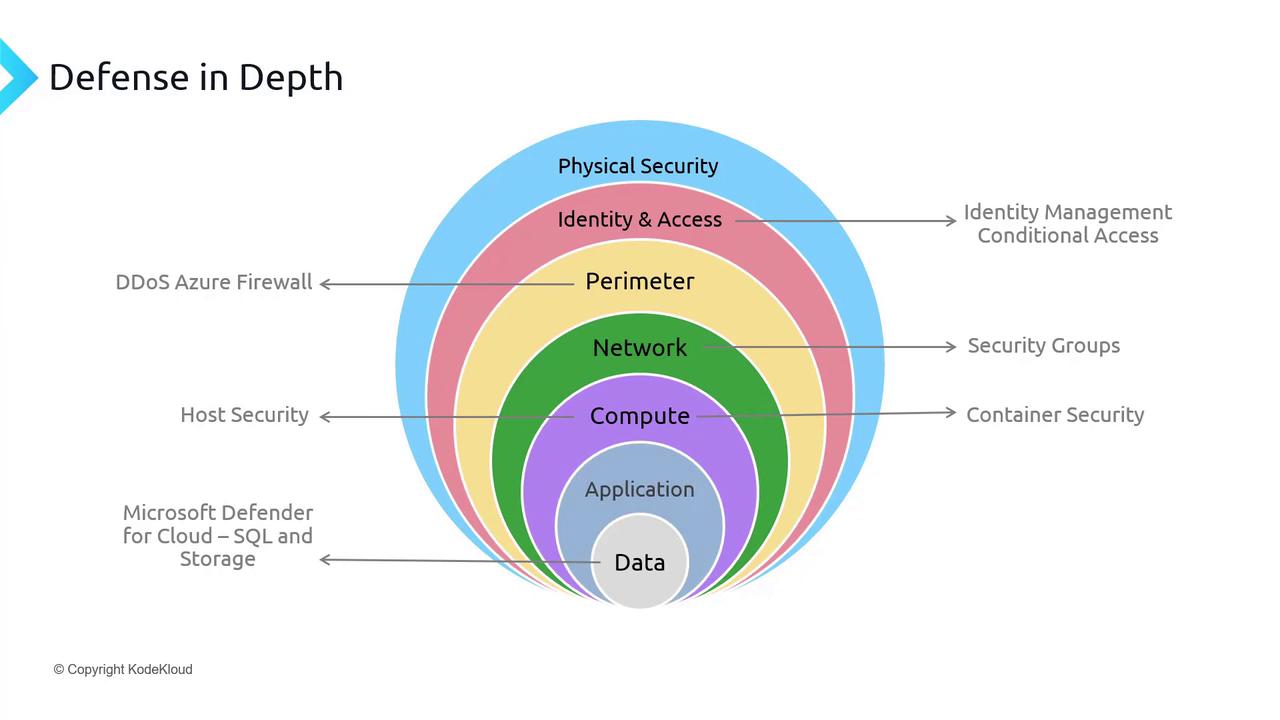
In this article, we explore the fundamentals of container security. Before diving into container-specific topics, it's important to revisit our layered defense strategy. This strategy encompasses multiple security measures including:
* Physical Security
* Identity and Access Management
* Perimeter Security
* Network Security
* Host Security within Compute
Our current focus is on securing compute resources with an emphasis on container security, while future discussions will broaden to cover application and data security.
## Module Overview
This module provides an in-depth look at several key areas related to container security and container management on Azure:
* **Virtual Machines versus Containers:** Gain a foundational understanding of how containers differ from virtual machines—essential knowledge for those new to the concept.
* **Azure Container Instances:** Learn how to run containers in a serverless environment.
* **Azure Container Registry:** Discover how to manage and secure your container images using a private registry.
* **Enabling Azure Container Registry Authentication:** Understand the methods to authenticate and safeguard access to your container registry.
* **Azure Kubernetes Service (AKS):** Explore the robust container orchestration capabilities provided by AKS.
* **AKS Architecture:** Dive into the structural design and components that form the backbone of AKS.
* **AKS Networking:** Examine networking setups, policies, and connectivity options within AKS clusters.
* **AKS Storage:** Discover storage solutions for managing persistent data in AKS.
* **Secure Authentication to AKS Using Active Directory or Azure Active Directory:** Learn how to implement secure authentication mechanisms for your AKS clusters.
Begin your journey by exploring the differences between virtual machines and containers. This foundational topic is critical for understanding the shift towards container-based security practices.