> ## Documentation Index
> Fetch the complete documentation index at: https://notes.kodekloud.com/llms.txt
> Use this file to discover all available pages before exploring further.
# Environment Variables Secrets and Credentials in Jenkins
> Explains Jenkins environment variables, secure credentials management, and how to bind secrets into pipelines using withCredentials to avoid exposing sensitive data.
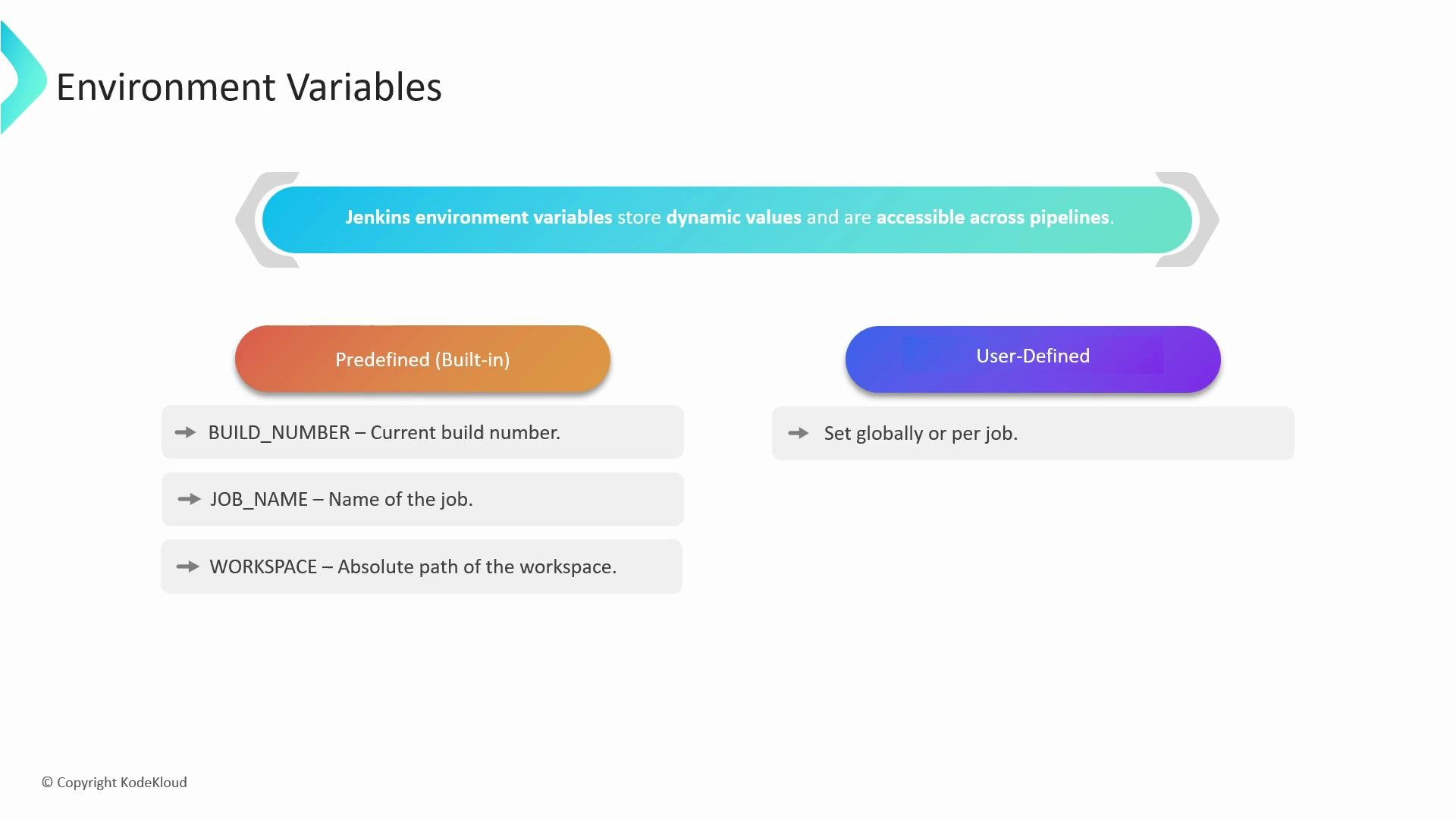
In this lesson we cover how Jenkins exposes environment variables and how to manage secrets and credentials securely. Environment variables store dynamic values—paths, versions, IDs, and tokens—that pipelines and jobs can reference during builds.
There are two main categories of environment variables in Jenkins:
| Category | Description | Examples / Notes |
| --------------------- | ------------------------------------------------------------------------------------------------------------------------------------------------------ | --------------------------------------------------- |
| Predefined (built-in) | Variables Jenkins sets automatically for each build. Useful for metadata and workspace info. | `BUILD_NUMBER`, `JOB_NAME`, `WORKSPACE` |
| User-defined | Set globally (Manage Jenkins > Configure System) or per job/pipeline. Available to Declarative and Scripted Pipelines and Freestyle jobs once defined. | Set via the UI or `environment` block in a pipeline |
 Example — Declarative Pipeline with a global `GREETING` environment variable that prints together with the build number:
```groovy theme={null}
pipeline {
agent any
environment {
GREETING = "Hello, world!"
}
stages {
stage('Simple Print') {
steps {
// Reference environment variables with ${...}
echo "${GREETING} Build number: ${BUILD_NUMBER}"
}
}
}
}
```
Accessing environment variables:
* In shell steps and many Pipeline steps use the `${VAR}` (dollar-curly) syntax, e.g. `${GREETING}`.
* Inside Groovy Pipeline code you can access the same variables via the `env` map, e.g. `env.BUILD_NUMBER` or `${env.BUILD_NUMBER}` in strings.
Best practice: prefer `env.VAR` in scripted logic and `${VAR}` in step strings to make intent clear.
Secure handling of secrets
When integrating Jenkins with external services (artifact repositories, cloud providers, APIs, databases), never embed secrets directly in job definitions or source-controlled pipeline files. Use Jenkins' credentials store to manage sensitive data.
Jenkins credentials UI (example):
Example — Declarative Pipeline with a global `GREETING` environment variable that prints together with the build number:
```groovy theme={null}
pipeline {
agent any
environment {
GREETING = "Hello, world!"
}
stages {
stage('Simple Print') {
steps {
// Reference environment variables with ${...}
echo "${GREETING} Build number: ${BUILD_NUMBER}"
}
}
}
}
```
Accessing environment variables:
* In shell steps and many Pipeline steps use the `${VAR}` (dollar-curly) syntax, e.g. `${GREETING}`.
* Inside Groovy Pipeline code you can access the same variables via the `env` map, e.g. `env.BUILD_NUMBER` or `${env.BUILD_NUMBER}` in strings.
Best practice: prefer `env.VAR` in scripted logic and `${VAR}` in step strings to make intent clear.
Secure handling of secrets
When integrating Jenkins with external services (artifact repositories, cloud providers, APIs, databases), never embed secrets directly in job definitions or source-controlled pipeline files. Use Jenkins' credentials store to manage sensitive data.
Jenkins credentials UI (example):
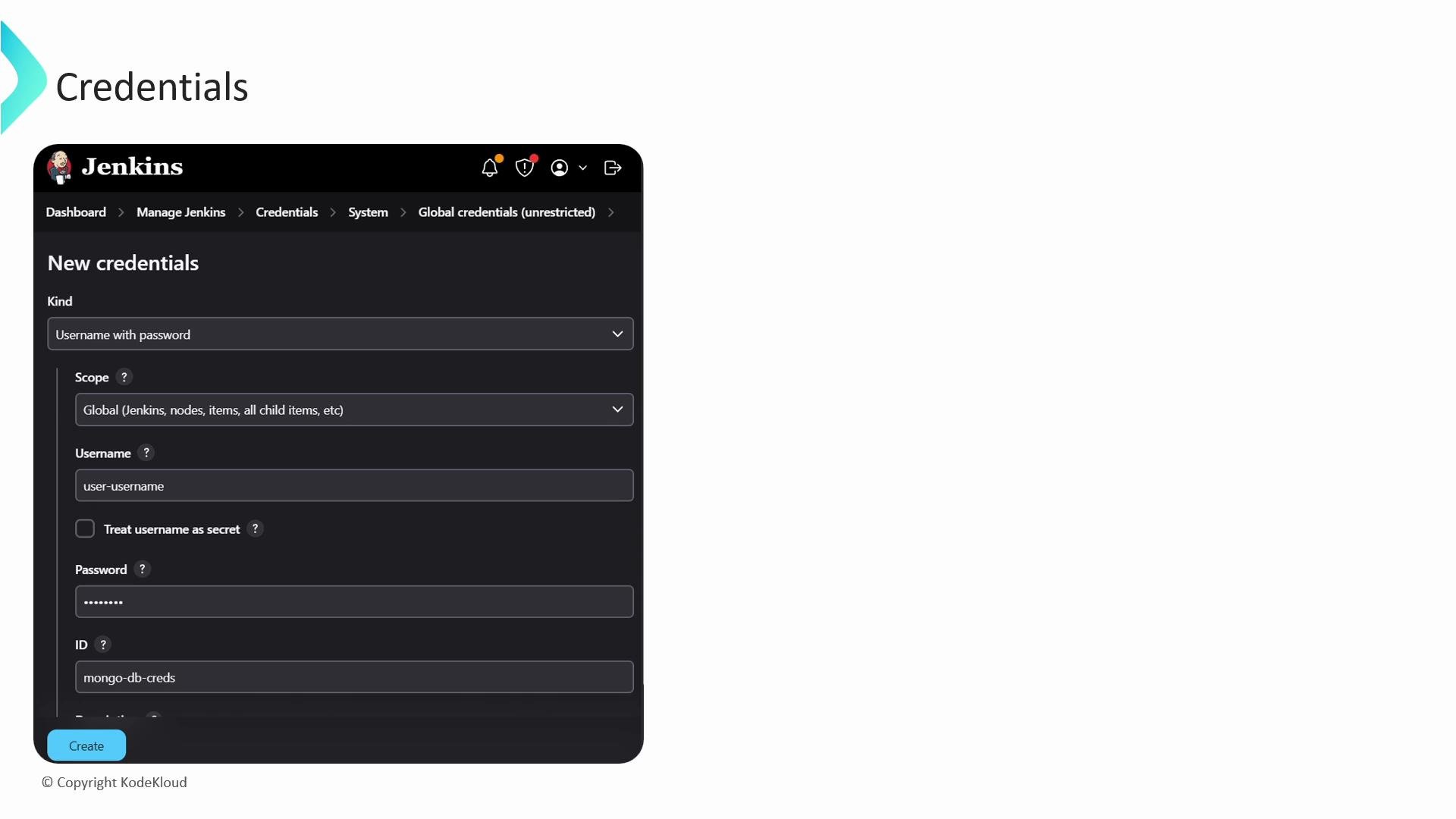 Common credential kinds supported by Jenkins:
| Credential Kind | Use Case / Example |
| ----------------------------- | ------------------------------------------------------- |
| Secret text | API tokens and personal access tokens (e.g. `GH_TOKEN`) |
| Username + password | Basic auth for services or DB credentials |
| Secret file | Upload a PEM, config, or other file used at runtime |
| SSH Username with private key | SSH keys for cloning or remote access |
| Certificate | PKCS#12 certificates (optionally with a password) |
Plugins may add additional credential types. Credentials are encrypted on the Jenkins controller and referenced in Pipelines by their credential IDs. Give each credential a meaningful, unique ID (for example, `mongo-db-creds`).
Binding credentials in pipelines
Use the `withCredentials` step to fetch and expose credentials only for the lifetime of a block. Example: bind a username/password credential into environment variables and use them in a shell command:
```groovy theme={null}
pipeline {
agent any
stages {
stage('MongoDB Backup') {
steps {
withCredentials([usernamePassword(
credentialsId: 'mongo-db-creds',
usernameVariable: 'MONGO_USER',
passwordVariable: 'MONGO_PASSWORD'
)]) {
sh """
mongodump --host mongodb.example.com --port 27017 \\
--username "${MONGO_USER}" \\
--password "${MONGO_PASSWORD}" \\
--db mydatabase --out /path/to/backup
"""
}
}
}
}
}
```
How it works:
* `withCredentials` looks up the credential by `credentialsId` and injects the data into the specified environment variables (`MONGO_USER`, `MONGO_PASSWORD`) only for the enclosed block.
* After the block ends, those environment variables are removed — reducing risk of accidental leakage.
Never print secrets or credentials to logs. Avoid `echo` or `sh` commands that expose `MONGO_PASSWORD` or any secret in build output. Use credential masking features and avoid storing secrets in plain text.
Summary
* Use built-in environment variables for job metadata and the `environment` block or global settings for custom values.
* Store all sensitive data in Jenkins Credentials and reference them by ID with `withCredentials`.
* Prefer runtime binding and limit the scope where secrets are available to reduce exposure.
Links and references
* [Jenkins Credentials Documentation](https://www.jenkins.io/doc/book/using/using-credentials/)
* [withCredentials step (Pipeline Plugin)](https://www.jenkins.io/doc/pipeline/steps/credentials-binding/)
* [Creating a GitHub personal access token](https://docs.github.com/en/authentication/keeping-your-account-and-data-secure/creating-a-personal-access-token)
Common credential kinds supported by Jenkins:
| Credential Kind | Use Case / Example |
| ----------------------------- | ------------------------------------------------------- |
| Secret text | API tokens and personal access tokens (e.g. `GH_TOKEN`) |
| Username + password | Basic auth for services or DB credentials |
| Secret file | Upload a PEM, config, or other file used at runtime |
| SSH Username with private key | SSH keys for cloning or remote access |
| Certificate | PKCS#12 certificates (optionally with a password) |
Plugins may add additional credential types. Credentials are encrypted on the Jenkins controller and referenced in Pipelines by their credential IDs. Give each credential a meaningful, unique ID (for example, `mongo-db-creds`).
Binding credentials in pipelines
Use the `withCredentials` step to fetch and expose credentials only for the lifetime of a block. Example: bind a username/password credential into environment variables and use them in a shell command:
```groovy theme={null}
pipeline {
agent any
stages {
stage('MongoDB Backup') {
steps {
withCredentials([usernamePassword(
credentialsId: 'mongo-db-creds',
usernameVariable: 'MONGO_USER',
passwordVariable: 'MONGO_PASSWORD'
)]) {
sh """
mongodump --host mongodb.example.com --port 27017 \\
--username "${MONGO_USER}" \\
--password "${MONGO_PASSWORD}" \\
--db mydatabase --out /path/to/backup
"""
}
}
}
}
}
```
How it works:
* `withCredentials` looks up the credential by `credentialsId` and injects the data into the specified environment variables (`MONGO_USER`, `MONGO_PASSWORD`) only for the enclosed block.
* After the block ends, those environment variables are removed — reducing risk of accidental leakage.
Never print secrets or credentials to logs. Avoid `echo` or `sh` commands that expose `MONGO_PASSWORD` or any secret in build output. Use credential masking features and avoid storing secrets in plain text.
Summary
* Use built-in environment variables for job metadata and the `environment` block or global settings for custom values.
* Store all sensitive data in Jenkins Credentials and reference them by ID with `withCredentials`.
* Prefer runtime binding and limit the scope where secrets are available to reduce exposure.
Links and references
* [Jenkins Credentials Documentation](https://www.jenkins.io/doc/book/using/using-credentials/)
* [withCredentials step (Pipeline Plugin)](https://www.jenkins.io/doc/pipeline/steps/credentials-binding/)
* [Creating a GitHub personal access token](https://docs.github.com/en/authentication/keeping-your-account-and-data-secure/creating-a-personal-access-token)