> ## Documentation Index
> Fetch the complete documentation index at: https://notes.kodekloud.com/llms.txt
> Use this file to discover all available pages before exploring further.
# Pipeline and Jenkinsfile
> Guide to Jenkins Pipelines and Jenkinsfile, explaining stages, steps, Declarative versus Scripted styles, examples, benefits over Freestyle jobs, and migration best practices
Let's take a concise tour of Jenkins Pipeline projects and the Jenkinsfile that defines them. This guide explains what a pipeline is, how stages and steps map to real work, the two Jenkinsfile styles (Declarative vs Scripted), and why modern CI/CD favors pipelines over Freestyle jobs.
A Jenkins Pipeline is a versioned, code-defined workflow for automating build, test, and deployment tasks. Think of it as a recipe for your CI/CD process—stages organize related work, steps are the commands you run, and parallel stages help speed up execution for independent tasks (for example, running linting and unit tests at the same time).
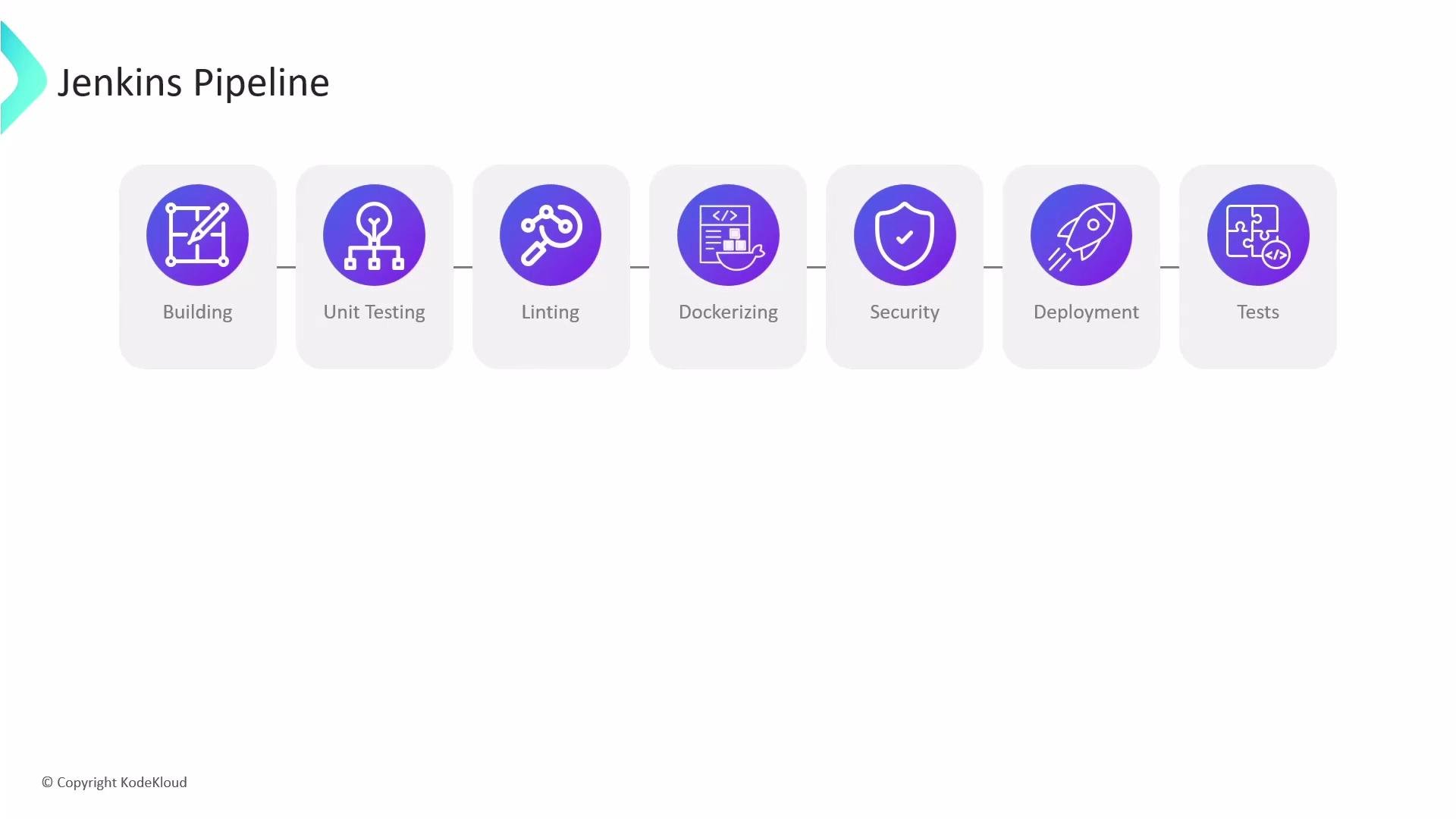 Key concepts
* Stage: a logical grouping of steps (e.g., Build, Test, Deploy).
* Step: an individual command or action executed within a stage.
* Agent: the executor where steps run (for example: `agent any`, `agent { docker { ... } }`).
* Parallel: run independent tasks concurrently to reduce overall pipeline duration.
* Jenkinsfile: the repository file that defines the pipeline using a Groovy-based DSL.
Example Declarative Jenkinsfile
Below is a simple Declarative Jenkinsfile that demonstrates a common four-stage pipeline: Build, Unit Test, Dockerize, and Deploy.
```groovy theme={null}
pipeline {
agent any
stages {
stage('Build') {
steps {
sh 'mvn package'
}
}
stage('Unit Test') {
steps {
sh 'mvn test'
}
}
stage('Dockerize') {
steps {
sh 'docker build -t imageName:version .'
sh 'docker push imageName:version'
}
}
stage('Deploy') {
steps {
sh 'kubectl apply -f deployment.yaml'
}
}
}
}
```
Notes on this example:
* `agent any` instructs Jenkins to run the pipeline on any available agent.
* Each `stage` groups related `steps`—those `sh` shells could be replaced with plugin-provided steps.
* Store this `Jenkinsfile` alongside your application code so it is versioned with the project.
Why use a Jenkinsfile?
* Code-as-configuration: the pipeline lives in your repository and is reviewable.
* Portability: the same script can be run across different environments.
* Extensibility: plugins and shared libraries extend pipeline capabilities.
* Resilience: pipelines are designed to survive controller restarts and support manual approvals and human interactions.
Pipeline styles: Scripted vs Declarative
Key concepts
* Stage: a logical grouping of steps (e.g., Build, Test, Deploy).
* Step: an individual command or action executed within a stage.
* Agent: the executor where steps run (for example: `agent any`, `agent { docker { ... } }`).
* Parallel: run independent tasks concurrently to reduce overall pipeline duration.
* Jenkinsfile: the repository file that defines the pipeline using a Groovy-based DSL.
Example Declarative Jenkinsfile
Below is a simple Declarative Jenkinsfile that demonstrates a common four-stage pipeline: Build, Unit Test, Dockerize, and Deploy.
```groovy theme={null}
pipeline {
agent any
stages {
stage('Build') {
steps {
sh 'mvn package'
}
}
stage('Unit Test') {
steps {
sh 'mvn test'
}
}
stage('Dockerize') {
steps {
sh 'docker build -t imageName:version .'
sh 'docker push imageName:version'
}
}
stage('Deploy') {
steps {
sh 'kubectl apply -f deployment.yaml'
}
}
}
}
```
Notes on this example:
* `agent any` instructs Jenkins to run the pipeline on any available agent.
* Each `stage` groups related `steps`—those `sh` shells could be replaced with plugin-provided steps.
* Store this `Jenkinsfile` alongside your application code so it is versioned with the project.
Why use a Jenkinsfile?
* Code-as-configuration: the pipeline lives in your repository and is reviewable.
* Portability: the same script can be run across different environments.
* Extensibility: plugins and shared libraries extend pipeline capabilities.
* Resilience: pipelines are designed to survive controller restarts and support manual approvals and human interactions.
Pipeline styles: Scripted vs Declarative
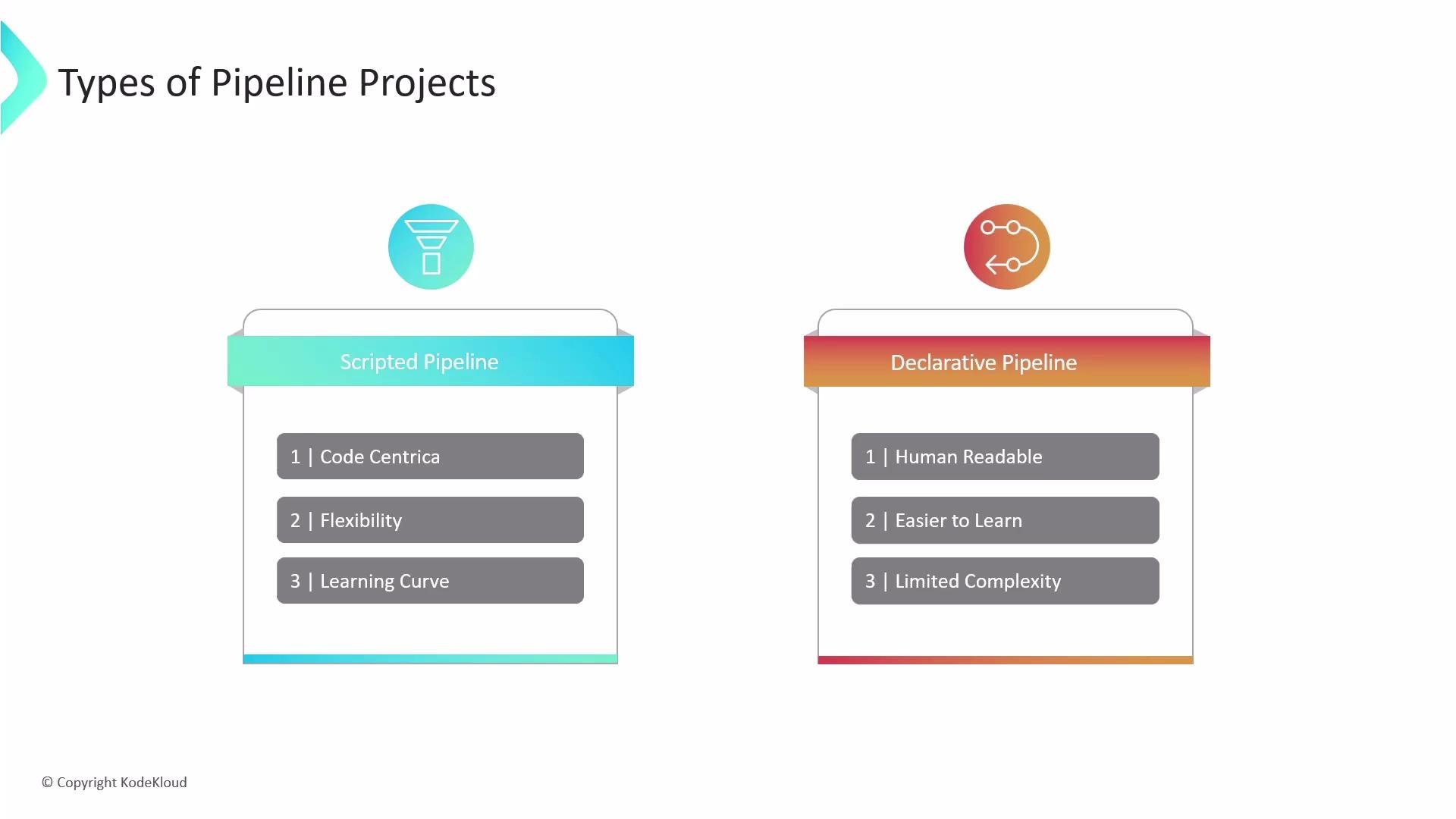 Which style should you choose? Use the table below to compare the two.
| Style | When to use | Pros | Cons |
| ------------- | ----------------------------------------------------------------------------- | ------------------------------------------------------ | --------------------------------------------- |
| `Declarative` | Standard CI/CD pipelines where readability and maintainability are priorities | Human-readable, opinionated structure, easier to learn | Can be restrictive for highly dynamic logic |
| `Scripted` | Complex, programmatic pipelines requiring advanced Groovy logic | Maximum flexibility and control | Steeper learning curve; you write Groovy code |
* Scripted Pipeline: code-centric and effectively a Groovy program (often using `node { ... }`). Use this for complex conditionals, dynamic stage generation, or other advanced runtime constructs.
* Declarative Pipeline: starts with `pipeline { ... }` and is intentionally structured for clarity and standardization; best for most teams and simpler CI/CD flows.
Pipelines vs Freestyle jobs
Which style should you choose? Use the table below to compare the two.
| Style | When to use | Pros | Cons |
| ------------- | ----------------------------------------------------------------------------- | ------------------------------------------------------ | --------------------------------------------- |
| `Declarative` | Standard CI/CD pipelines where readability and maintainability are priorities | Human-readable, opinionated structure, easier to learn | Can be restrictive for highly dynamic logic |
| `Scripted` | Complex, programmatic pipelines requiring advanced Groovy logic | Maximum flexibility and control | Steeper learning curve; you write Groovy code |
* Scripted Pipeline: code-centric and effectively a Groovy program (often using `node { ... }`). Use this for complex conditionals, dynamic stage generation, or other advanced runtime constructs.
* Declarative Pipeline: starts with `pipeline { ... }` and is intentionally structured for clarity and standardization; best for most teams and simpler CI/CD flows.
Pipelines vs Freestyle jobs
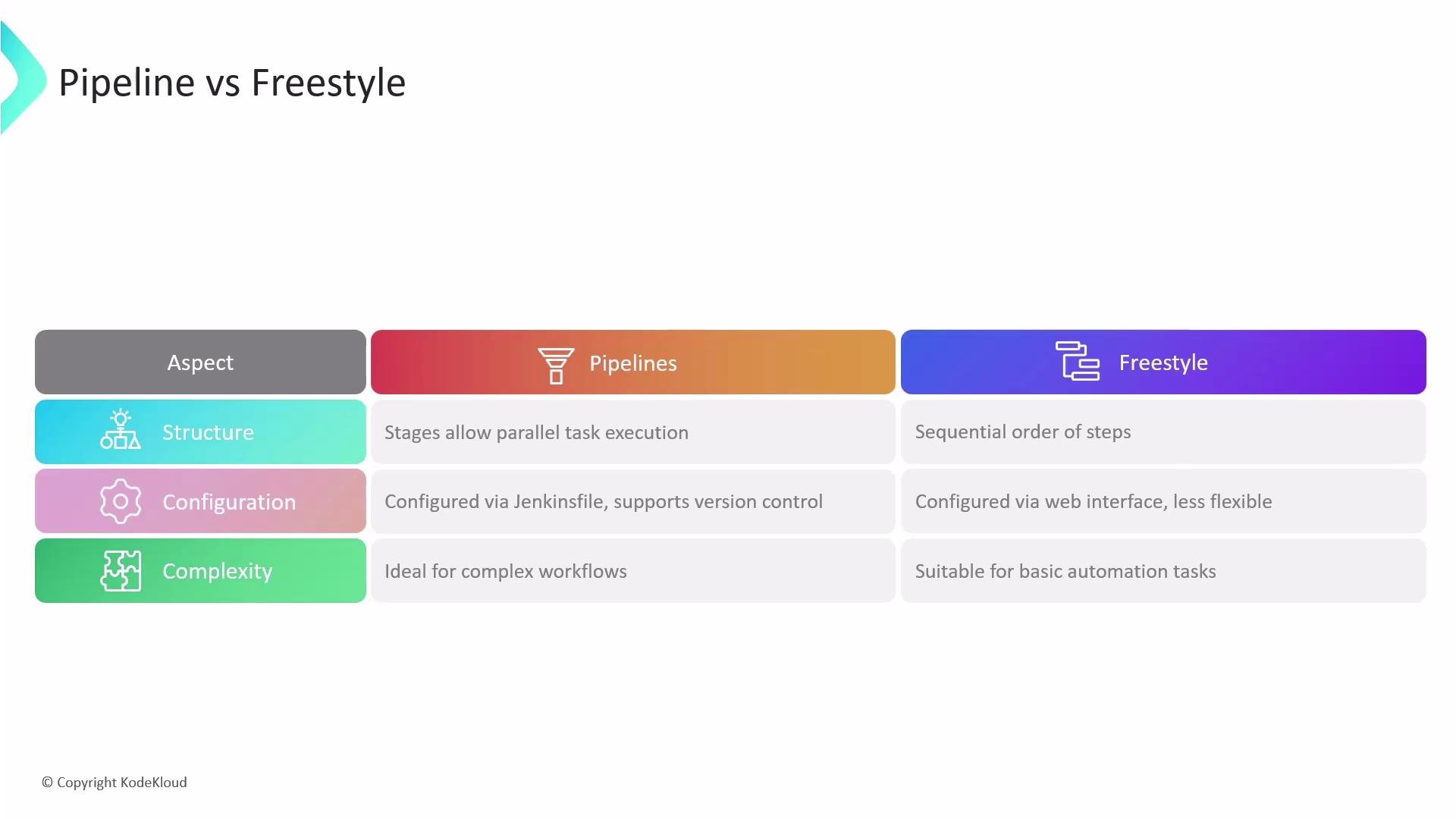 Pipelines have largely superseded Freestyle jobs for modern CI/CD. The following table highlights the differences.
| Aspect | Pipeline | Freestyle |
| --------------- | ------------------------------------------------------ | ---------------------------- |
| Definition | `Jenkinsfile` stored in repo | Configured in Jenkins UI |
| Execution model | Stages, parallelism, durable execution | Sequential build steps |
| Version control | Yes (in-repo) | No (job config in Jenkins) |
| Best fit | Complex workflows, orchestration, multi-stage releases | Simple tasks or one-off jobs |
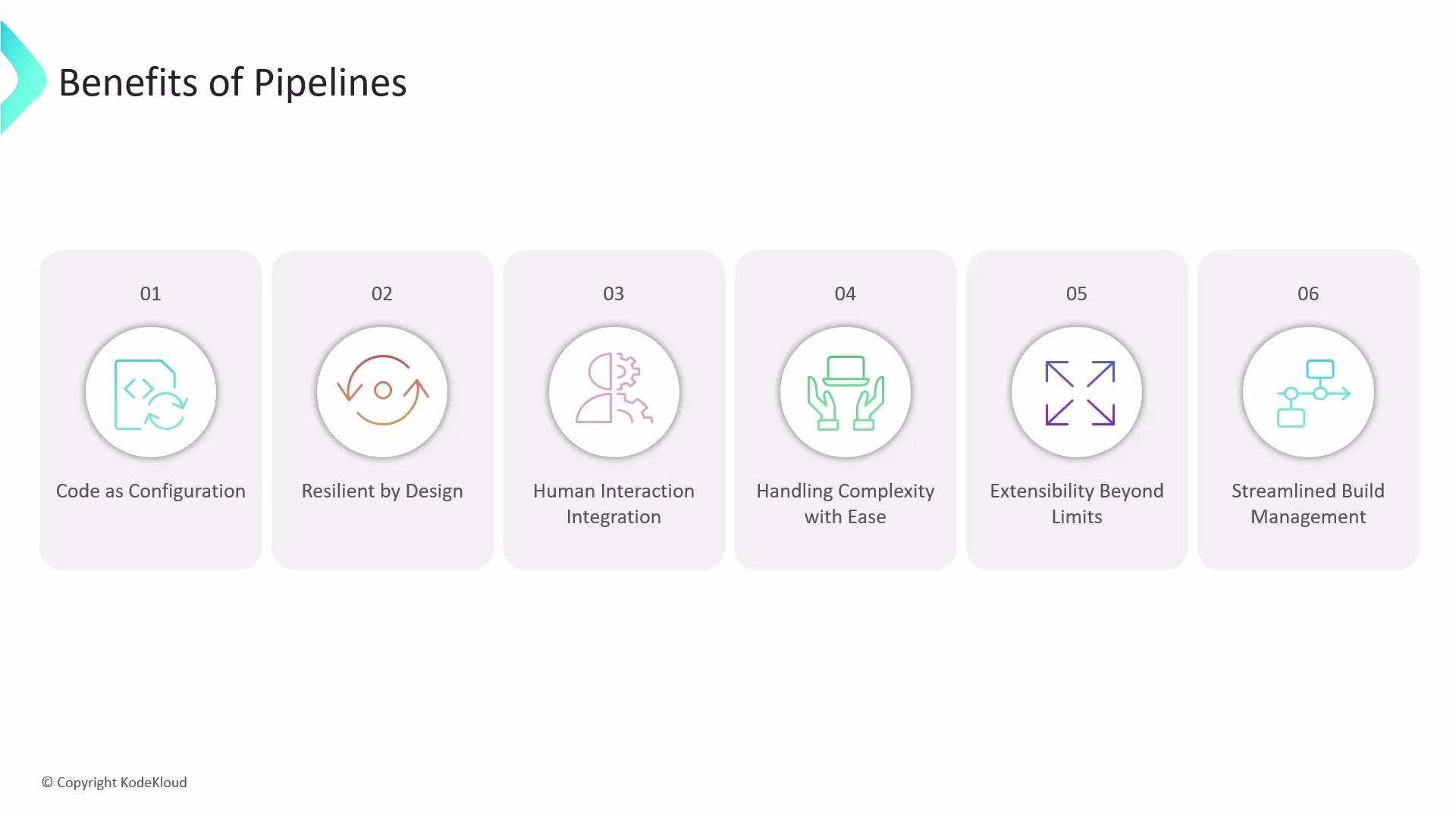
Benefits of using pipelines
* Version-controlled configuration and easier code review
* Resilient execution across controller restarts
* Built-in support for human interactions (approvals, input steps)
* Extensible with plugins and shared libraries
* Better orchestration: parallel stages, conditional logic, forking/joining
Pipelines have largely superseded Freestyle jobs for modern CI/CD. The following table highlights the differences.
| Aspect | Pipeline | Freestyle |
| --------------- | ------------------------------------------------------ | ---------------------------- |
| Definition | `Jenkinsfile` stored in repo | Configured in Jenkins UI |
| Execution model | Stages, parallelism, durable execution | Sequential build steps |
| Version control | Yes (in-repo) | No (job config in Jenkins) |
| Best fit | Complex workflows, orchestration, multi-stage releases | Simple tasks or one-off jobs |
Benefits of using pipelines
* Version-controlled configuration and easier code review
* Resilient execution across controller restarts
* Built-in support for human interactions (approvals, input steps)
* Extensible with plugins and shared libraries
* Better orchestration: parallel stages, conditional logic, forking/joining
 Store your Jenkinsfile alongside your application code in the same repository. This enables versioning, code review, and reproducible CI/CD pipelines that travel with your code.
Getting started and next steps
* Start by converting simple Freestyle jobs to small Declarative Jenkinsfiles in the repo.
* Iterate: add stages, split long-running tasks into parallel jobs, and introduce manual approval gates where needed.
* Explore shared libraries to centralize common pipeline logic across projects.
* When you need dynamic behavior or runtime code generation, consider Scripted pipelines or a hybrid approach (Declarative with `script {}` blocks).
Links and references
* Jenkins Pipeline documentation: [https://www.jenkins.io/doc/book/pipeline/](https://www.jenkins.io/doc/book/pipeline/)
* Declarative Pipeline syntax: [https://www.jenkins.io/doc/book/pipeline/syntax/](https://www.jenkins.io/doc/book/pipeline/syntax/)
* Shared Libraries: [https://www.jenkins.io/doc/book/pipeline/shared-libraries/](https://www.jenkins.io/doc/book/pipeline/shared-libraries/)
In this article we covered pipeline fundamentals—stages and steps, declarative vs scripted styles, and why pipelines often replace Freestyle jobs in modern CI/CD workflows. Recommended follow-ups: real-world pipeline patterns, handling parallelism, and designing resilient error handling and retry strategies.
Store your Jenkinsfile alongside your application code in the same repository. This enables versioning, code review, and reproducible CI/CD pipelines that travel with your code.
Getting started and next steps
* Start by converting simple Freestyle jobs to small Declarative Jenkinsfiles in the repo.
* Iterate: add stages, split long-running tasks into parallel jobs, and introduce manual approval gates where needed.
* Explore shared libraries to centralize common pipeline logic across projects.
* When you need dynamic behavior or runtime code generation, consider Scripted pipelines or a hybrid approach (Declarative with `script {}` blocks).
Links and references
* Jenkins Pipeline documentation: [https://www.jenkins.io/doc/book/pipeline/](https://www.jenkins.io/doc/book/pipeline/)
* Declarative Pipeline syntax: [https://www.jenkins.io/doc/book/pipeline/syntax/](https://www.jenkins.io/doc/book/pipeline/syntax/)
* Shared Libraries: [https://www.jenkins.io/doc/book/pipeline/shared-libraries/](https://www.jenkins.io/doc/book/pipeline/shared-libraries/)
In this article we covered pipeline fundamentals—stages and steps, declarative vs scripted styles, and why pipelines often replace Freestyle jobs in modern CI/CD workflows. Recommended follow-ups: real-world pipeline patterns, handling parallelism, and designing resilient error handling and retry strategies.