> ## Documentation Index
> Fetch the complete documentation index at: https://notes.kodekloud.com/llms.txt
> Use this file to discover all available pages before exploring further.
# Types of Jenkins Projects
> Overview of Jenkins project types and guidance on when to use Freestyle, Pipeline, Multibranch, Maven, Matrix, and Organization Folders, with migration recommendations
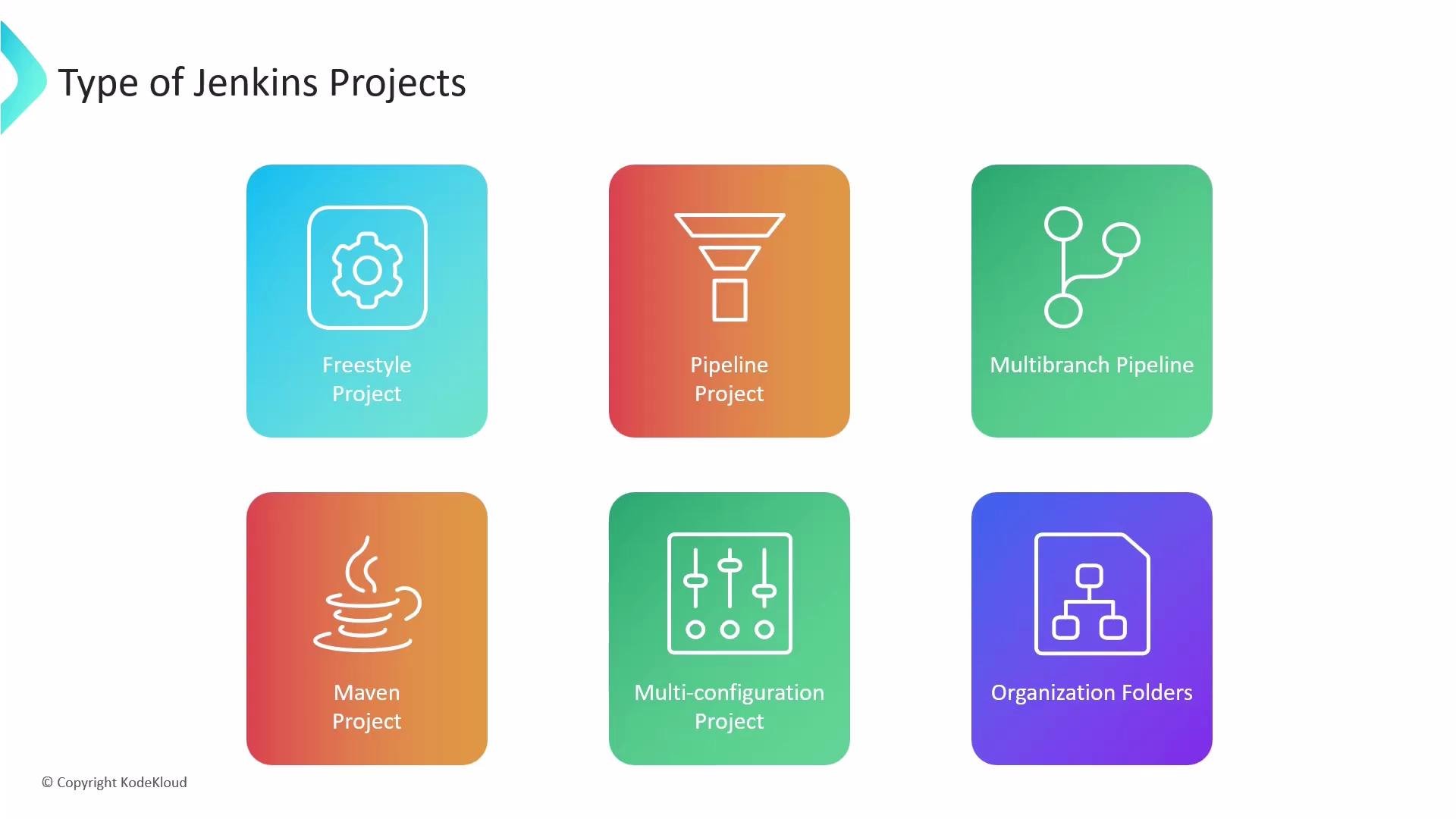
Jenkins supports several core project types (commonly called "jobs") to automate builds, tests, and deployments. Choosing the right project type impacts maintainability, reproducibility, and how easily teams can adopt pipeline-as-code. Below is a concise overview of the main Jenkins project types and when to use each.
* Freestyle Project — The simplest, UI-configured job for sequential build steps and small automation tasks.
* Pipeline Project — A pipeline defined in code (typically a `Jenkinsfile`) that supports stages, parallelism, and conditional logic. Available in both Declarative and Scripted syntaxes.
* Multibranch Pipeline — Automatically detects branches in a repository and runs a `Jenkinsfile` for each branch; ideal for workflows with multiple active branches.
* Maven Project — Specialized for Maven-based Java builds: Jenkins detects `pom.xml` and runs standard Maven goals with lifecycle integration.
* Multi-configuration Project (Matrix Project) — Executes the same build across a matrix of axes (for example: OS, JDK, dependency versions).
* Organization Folders — A hierarchical grouping mechanism that auto-discovers repositories and creates jobs (such as multibranch pipelines) for each repository.
 | Project Type | Purpose | When to Use |
| --------------------------- | ------------------------------------------------------------------- | --------------------------------------------------------------------------------- |
| Freestyle Project | UI-driven job with sequential build steps | Small, one-off tasks or quick automation where pipeline-as-code is not required |
| Pipeline Project | Code-defined CI/CD pipelines using a `Jenkinsfile` | Complex workflows needing stages, parallelism, and versioned pipeline definitions |
| Multibranch Pipeline | Per-branch pipelines created automatically from repository branches | Repositories with multiple active branches, each with its own `Jenkinsfile` |
| Maven Project | Maven-specific build support and lifecycle integration | Java projects that follow Maven conventions (`pom.xml`) |
| Multi-configuration Project | Run builds across combinations of environment axes | Matrix testing across OS/JDK/dependency variants |
| Organization Folders | Auto-discover and organize many repositories and their pipelines | Large organizations managing many repos and teams |
Some Jenkins installations expose additional project types or UI features via plugins. When auditing or migrating pipelines, list installed plugins to identify available job types and any extended behavior.
## Freestyle Projects (overview and example)
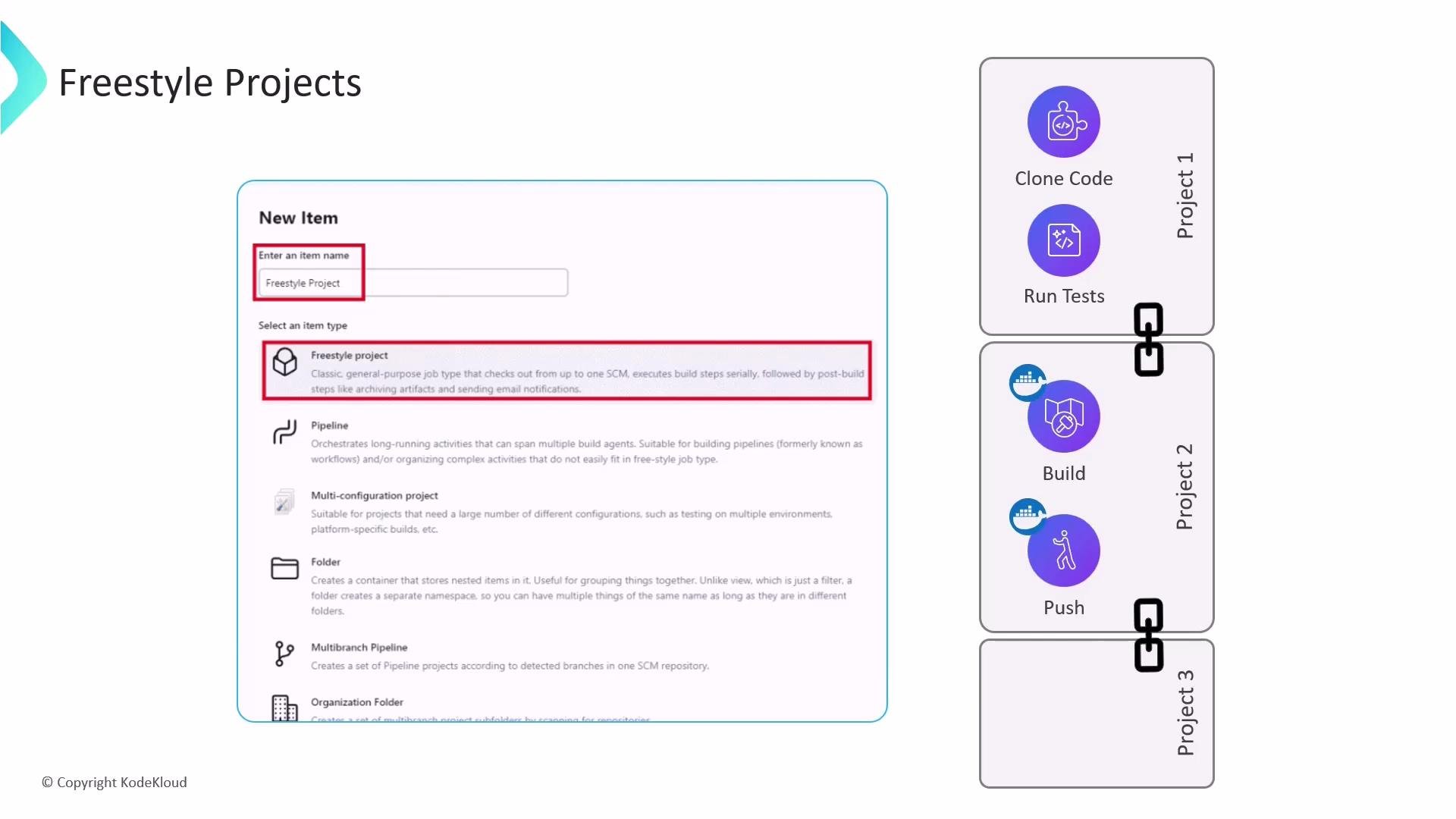
Freestyle projects are the traditional Jenkins jobs that let you configure a sequence of build steps through the web UI. Typical steps include SCM checkout, shell or batch commands, test runners, build tasks (e.g., Docker build), and artifact publishing. Because configuration is stored in the Jenkins UI, freestyle jobs are quick to create but are not defined as code.
Common patterns:
* A job that clones a repository and runs unit tests.
* A job that builds a Docker image and pushes it to a container registry.
* A downstream job that deploys previously built artifacts.
Freestyle jobs can be chained using upstream/downstream triggers to approximate pipeline behavior, but each job remains an independent configuration.
| Project Type | Purpose | When to Use |
| --------------------------- | ------------------------------------------------------------------- | --------------------------------------------------------------------------------- |
| Freestyle Project | UI-driven job with sequential build steps | Small, one-off tasks or quick automation where pipeline-as-code is not required |
| Pipeline Project | Code-defined CI/CD pipelines using a `Jenkinsfile` | Complex workflows needing stages, parallelism, and versioned pipeline definitions |
| Multibranch Pipeline | Per-branch pipelines created automatically from repository branches | Repositories with multiple active branches, each with its own `Jenkinsfile` |
| Maven Project | Maven-specific build support and lifecycle integration | Java projects that follow Maven conventions (`pom.xml`) |
| Multi-configuration Project | Run builds across combinations of environment axes | Matrix testing across OS/JDK/dependency variants |
| Organization Folders | Auto-discover and organize many repositories and their pipelines | Large organizations managing many repos and teams |
Some Jenkins installations expose additional project types or UI features via plugins. When auditing or migrating pipelines, list installed plugins to identify available job types and any extended behavior.
## Freestyle Projects (overview and example)
Freestyle projects are the traditional Jenkins jobs that let you configure a sequence of build steps through the web UI. Typical steps include SCM checkout, shell or batch commands, test runners, build tasks (e.g., Docker build), and artifact publishing. Because configuration is stored in the Jenkins UI, freestyle jobs are quick to create but are not defined as code.
Common patterns:
* A job that clones a repository and runs unit tests.
* A job that builds a Docker image and pushes it to a container registry.
* A downstream job that deploys previously built artifacts.
Freestyle jobs can be chained using upstream/downstream triggers to approximate pipeline behavior, but each job remains an independent configuration.
 ### When freestyle is appropriate
* Quick, simple automation tasks that don’t require versioned pipelines.
* Prototyping or ad-hoc jobs where speed of setup matters.
* Teams not yet ready to adopt pipeline-as-code or when legacy constraints prevent moving to `Jenkinsfile`.
## Limitations of Freestyle Projects
Freestyle jobs are reliable for small tasks but show important limitations for modern CI/CD:
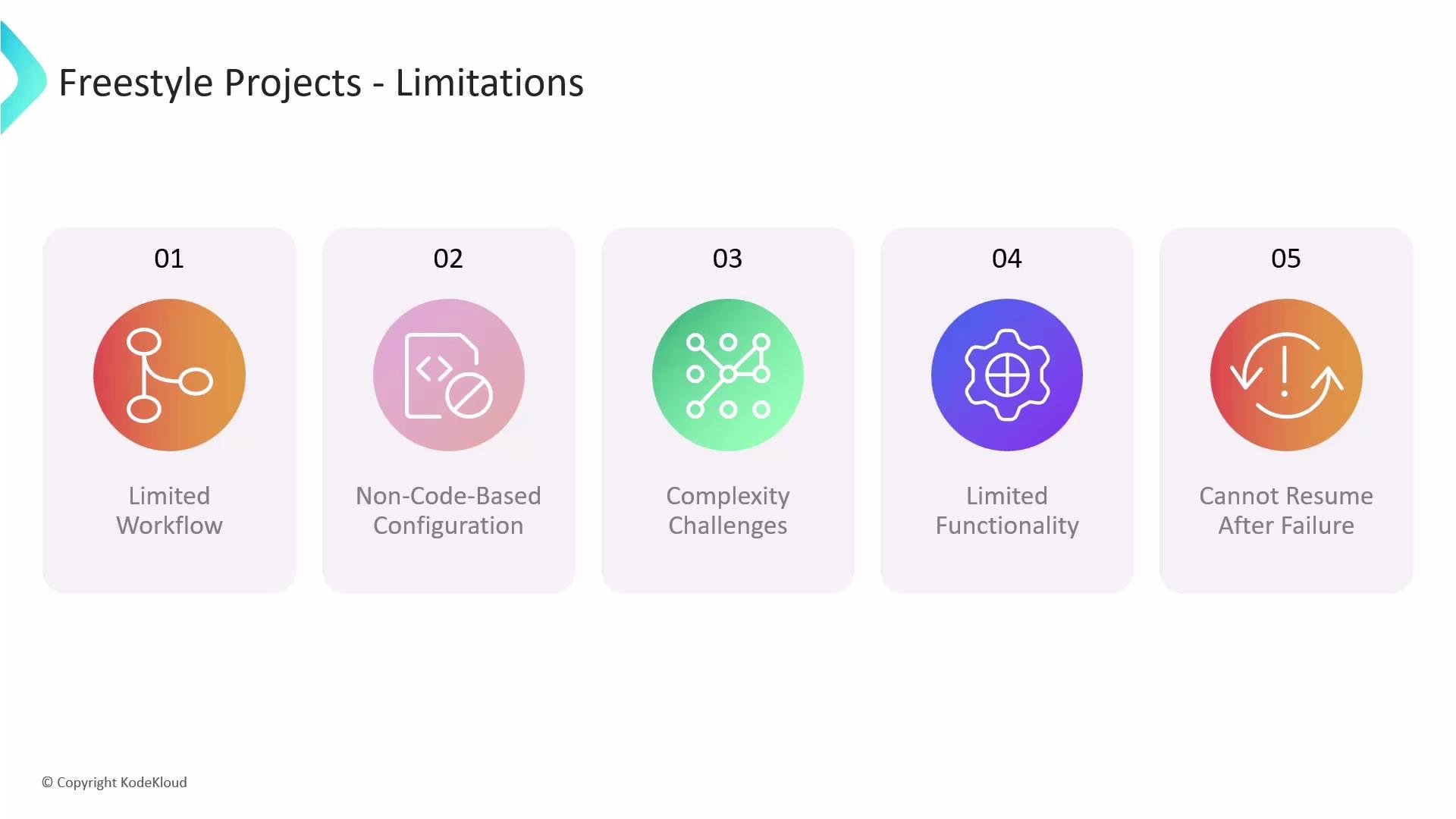
1. Limited workflow expressiveness — Build steps run sequentially; advanced branching, parallel execution, and conditional flow require fragile workarounds.
2. Non-code-based configuration — Job settings live in Jenkins UI, making versioning, peer review, and reproducible rollbacks difficult.
3. Maintainability challenges — As the number of freestyle jobs grows, tracking dependencies and global changes becomes error-prone.
4. Limited built-in functionality for advanced pipeline needs — Many delivery patterns (e.g., durable checkout, checkpointing, complex parallelism) are easier with Pipeline projects.
5. No automatic resume after controller failure — Freestyle jobs typically cannot resume where they left off after a controller restart; Pipeline (with durable steps) can do better.
### When freestyle is appropriate
* Quick, simple automation tasks that don’t require versioned pipelines.
* Prototyping or ad-hoc jobs where speed of setup matters.
* Teams not yet ready to adopt pipeline-as-code or when legacy constraints prevent moving to `Jenkinsfile`.
## Limitations of Freestyle Projects
Freestyle jobs are reliable for small tasks but show important limitations for modern CI/CD:
1. Limited workflow expressiveness — Build steps run sequentially; advanced branching, parallel execution, and conditional flow require fragile workarounds.
2. Non-code-based configuration — Job settings live in Jenkins UI, making versioning, peer review, and reproducible rollbacks difficult.
3. Maintainability challenges — As the number of freestyle jobs grows, tracking dependencies and global changes becomes error-prone.
4. Limited built-in functionality for advanced pipeline needs — Many delivery patterns (e.g., durable checkout, checkpointing, complex parallelism) are easier with Pipeline projects.
5. No automatic resume after controller failure — Freestyle jobs typically cannot resume where they left off after a controller restart; Pipeline (with durable steps) can do better.
 Freestyle projects are generally considered legacy for complex CI/CD. For maintainability, reproducibility, and advanced workflow control, prefer `Pipeline` or `Multibranch Pipeline` with a versioned `Jenkinsfile`.
## Recommendation and next steps
* For modern CI/CD adopt pipeline-as-code: create `Jenkinsfile` in source control and use Pipeline or Multibranch Pipeline projects.
* Use Freestyle only for short-lived or simple tasks where converting to a `Jenkinsfile` is not feasible.
* When migrating, inventory installed plugins and existing freestyle jobs to identify automation that should become code-defined pipelines.
Links and references:
* [Jenkins Pipeline (official docs)](https://www.jenkins.io/doc/book/pipeline/)
* [Jenkins Multibranch Pipeline](https://www.jenkins.io/doc/book/pipeline/multibranch/)
* [Jenkins Plugin Index](https://plugins.jenkins.io/)
Freestyle projects are generally considered legacy for complex CI/CD. For maintainability, reproducibility, and advanced workflow control, prefer `Pipeline` or `Multibranch Pipeline` with a versioned `Jenkinsfile`.
## Recommendation and next steps
* For modern CI/CD adopt pipeline-as-code: create `Jenkinsfile` in source control and use Pipeline or Multibranch Pipeline projects.
* Use Freestyle only for short-lived or simple tasks where converting to a `Jenkinsfile` is not feasible.
* When migrating, inventory installed plugins and existing freestyle jobs to identify automation that should become code-defined pipelines.
Links and references:
* [Jenkins Pipeline (official docs)](https://www.jenkins.io/doc/book/pipeline/)
* [Jenkins Multibranch Pipeline](https://www.jenkins.io/doc/book/pipeline/multibranch/)
* [Jenkins Plugin Index](https://plugins.jenkins.io/)