> ## Documentation Index
> Fetch the complete documentation index at: https://notes.kodekloud.com/llms.txt
> Use this file to discover all available pages before exploring further.
# Demo Audit Jenkins 2
> Demo showing how to audit Jenkins, add a multibranch pipeline, add a secret binding, and regenerate GitHub Actions workflow snippets with redacted secrets
In this lesson we update the Jenkins instance, add a Multi-branch Pipeline, create a secret binding in an existing job, and re-run the audit to see how the audit summary and generated artifacts change.
What you'll see in this demo:
* Creating a Multi-branch Pipeline that discovers Jenkinsfiles in multiple branches.
* Indexing output from Jenkins showing discovered branches.
* Adding a secret via the job's Environment → Bindings and using it in a shell step.
* Re-running the `gh actions-importer audit jenkins` command and inspecting the updated audit summary and generated GitHub Actions workflow snippets.
Relevant references:
* [Jenkins Pipeline (Multibranch)](https://www.jenkins.io/doc/book/pipeline/multibranch/)
* [GitHub Actions documentation](https://docs.github.com/actions)
* gh actions-importer: use the tool's CLI to audit and migrate Jenkins jobs to GitHub Actions.
***
## Initial state: existing Jenkins jobs and previous audit
There were four Jenkins jobs discovered by the previous audit. One job was in a pending state (likely an agent issue); it was cancelled so it wouldn't interfere with the demo.
For reference, here is the trimmed audit summary from the previous run:
```markdown theme={null}
Summary for [Jenkins instance](http://139.84.149.83:8080/)
- GitHub Actions Importer version: **1.3.22397 (b4d19e0745a2d2c3db575188f98101dd1f9b4a53)**
- Performed at: **5/21/25 at 18:19**
## Pipelines
Total: **4**
- Successful: **1 (25%)**
- Partially successful: **2 (50%)**
- Unsupported: **1 (25%)**
- Failed: **0 (0%)**
### Job types
Supported: **3 (75%)**
- flow-definition: **2**
- project: **1**
Unsupported: **1 (25%)**
- scripted: **1**
### Build steps
...
```
***
## Create a Multi-branch Pipeline
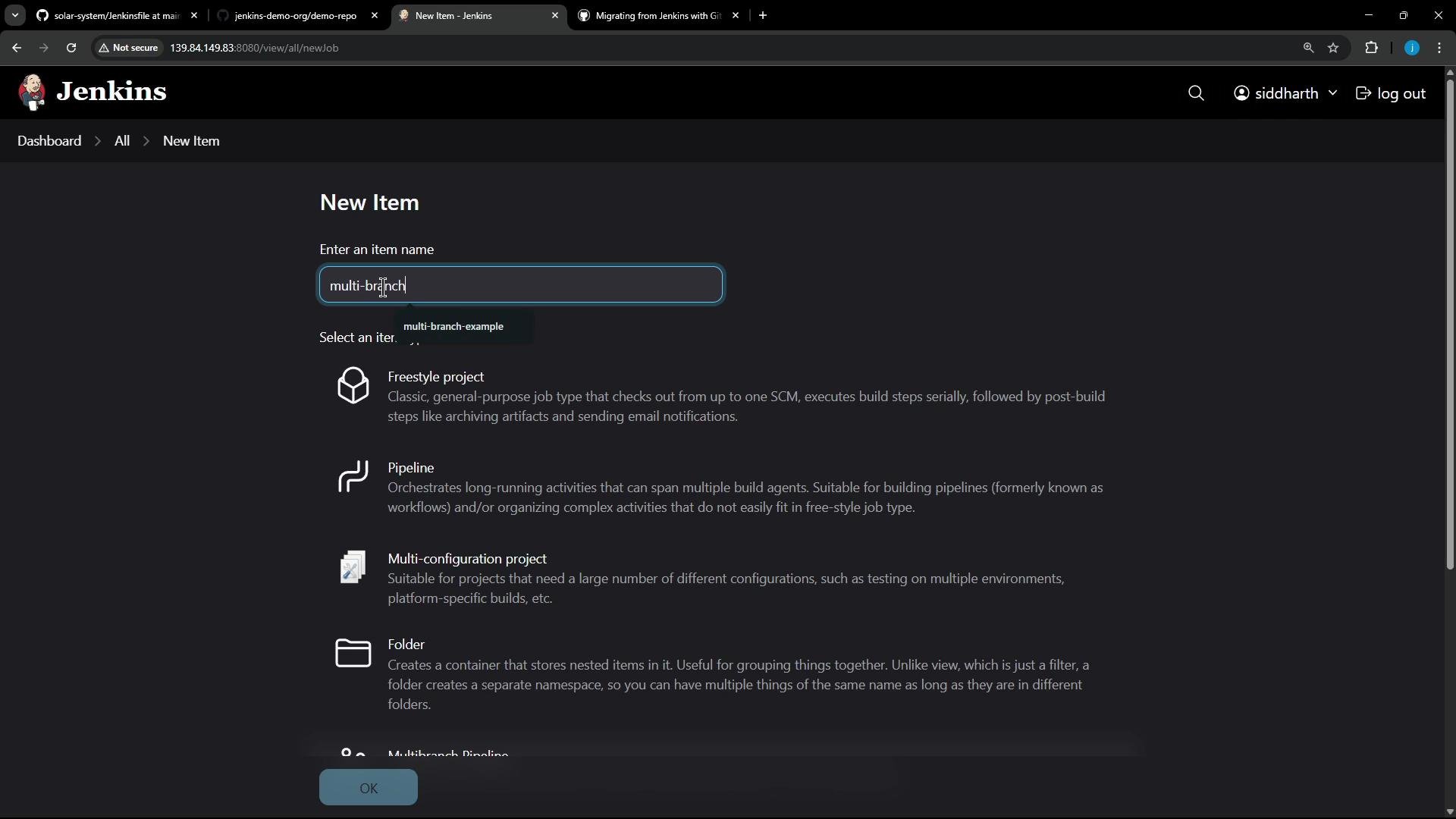
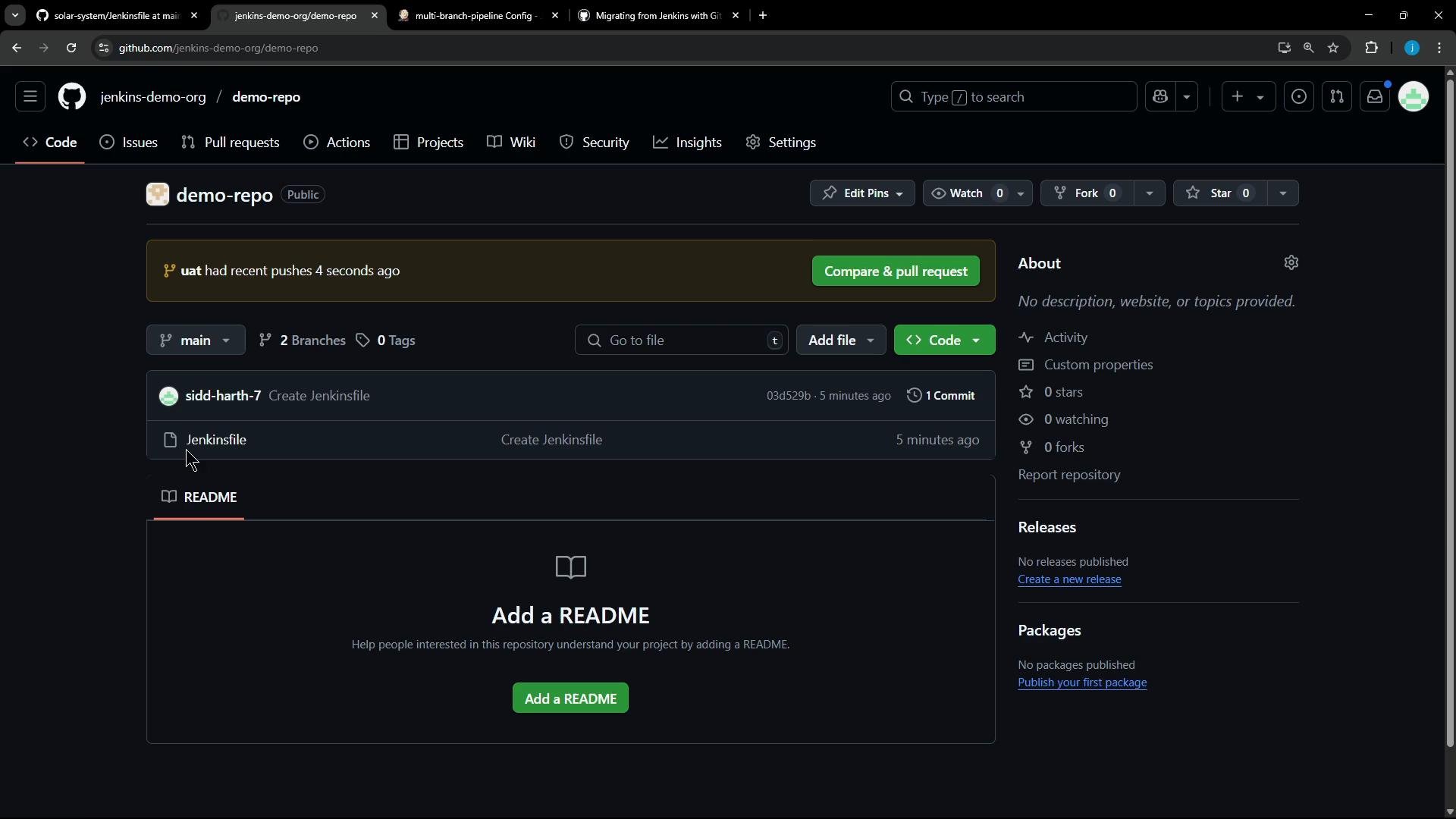
We created a new GitHub repo `jenkins-demo-org/demo-repo` containing two branches: `main` and `uat`. Each branch contains a Jenkinsfile — `main` includes a single stage, while `uat` contains two stages. To add the multi-branch job in Jenkins, choose **New Item → Multi-branch Pipeline** and point the Branch Source to the GitHub repository.
 The demo repository in GitHub:
 Example Jenkinsfile (used in both branches, with `uat` containing Stage-2):
```groovy theme={null}
pipeline {
agent any
stages {
stage('Stage-1') {
steps {
echo "stage-1"
}
}
stage('Stage-2') {
steps {
echo "stage-2"
}
}
}
}
```
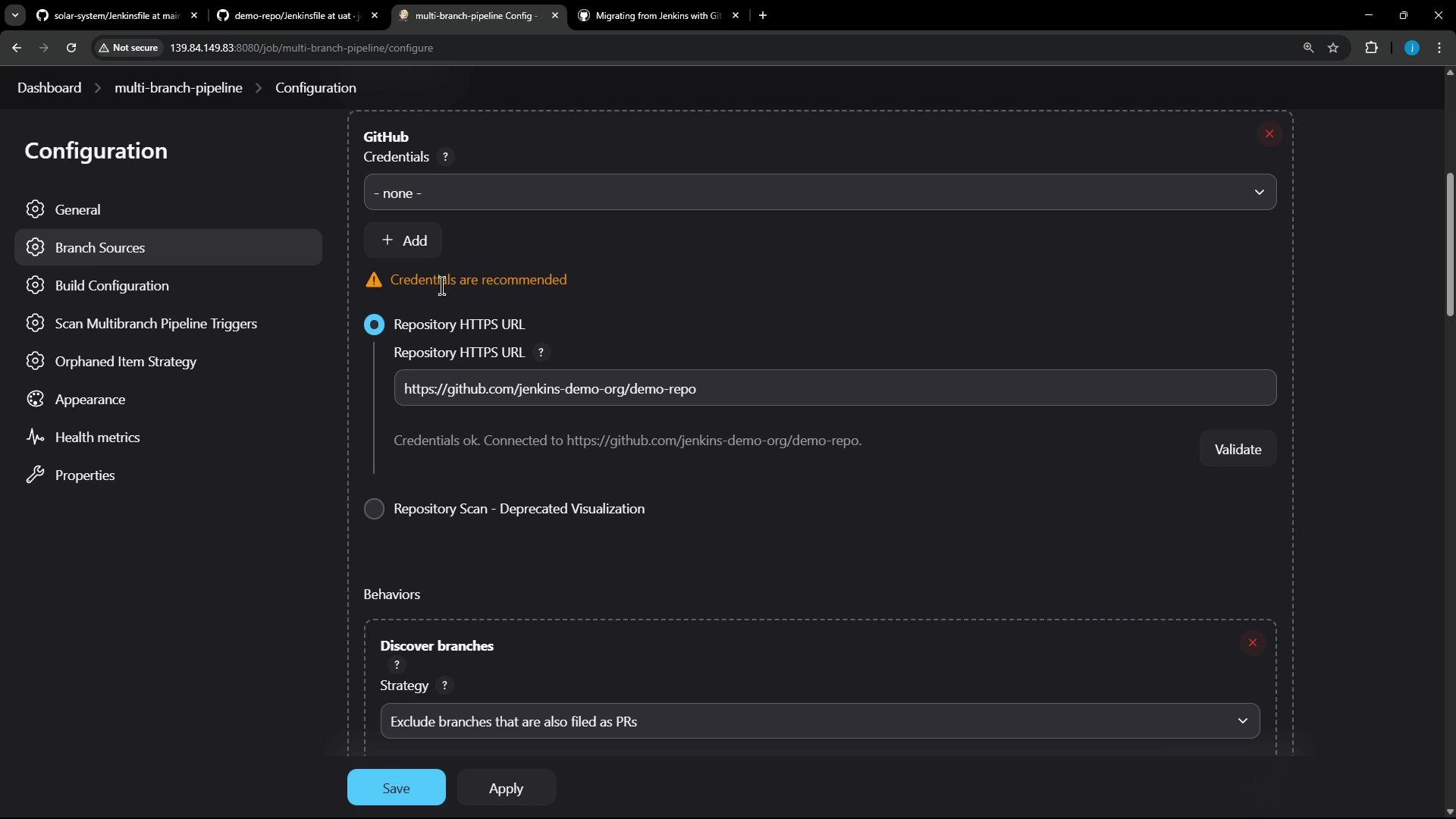
In the Multi-branch Pipeline configuration we pointed Branch Source to the GitHub repository and validated the connection. This repo is public, so no Jenkins credentials were required when validating the branch source.
Example Jenkinsfile (used in both branches, with `uat` containing Stage-2):
```groovy theme={null}
pipeline {
agent any
stages {
stage('Stage-1') {
steps {
echo "stage-1"
}
}
stage('Stage-2') {
steps {
echo "stage-2"
}
}
}
}
```
In the Multi-branch Pipeline configuration we pointed Branch Source to the GitHub repository and validated the connection. This repo is public, so no Jenkins credentials were required when validating the branch source.
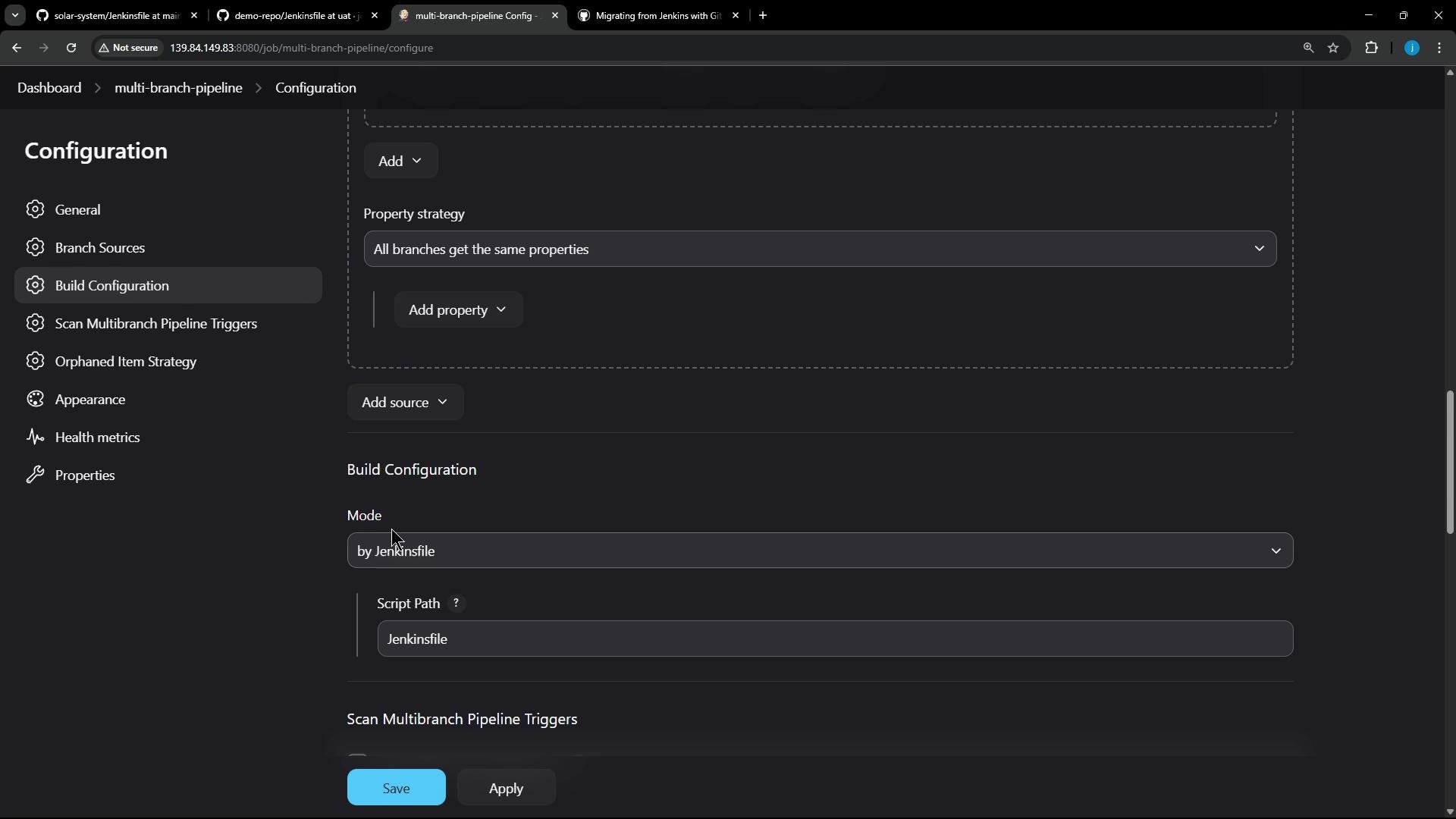
 We left other settings at defaults and saved the job. Jenkins scanned the repository and indexed both branches, reporting that each branch contained a Jenkinsfile and was scheduled for indexing:
 Indexing console output:
```text theme={null}
Examining jenkins-demo-org/demo-repo
Checking branches...
Getting remote branches...
Checking branch main
'Jenkinsfile' found
Met criteria
Scheduled build for branch: main
Checking branch uat
'Jenkinsfile' found
Met criteria
Scheduled build for branch: uat
2 branches were processed
Finished examining jenkins-demo-org/demo-repo
[Thu May 22 09:22:59 UTC 2025] Finished branch indexing. Indexing took 2.2 sec
Finished: SUCCESS
```
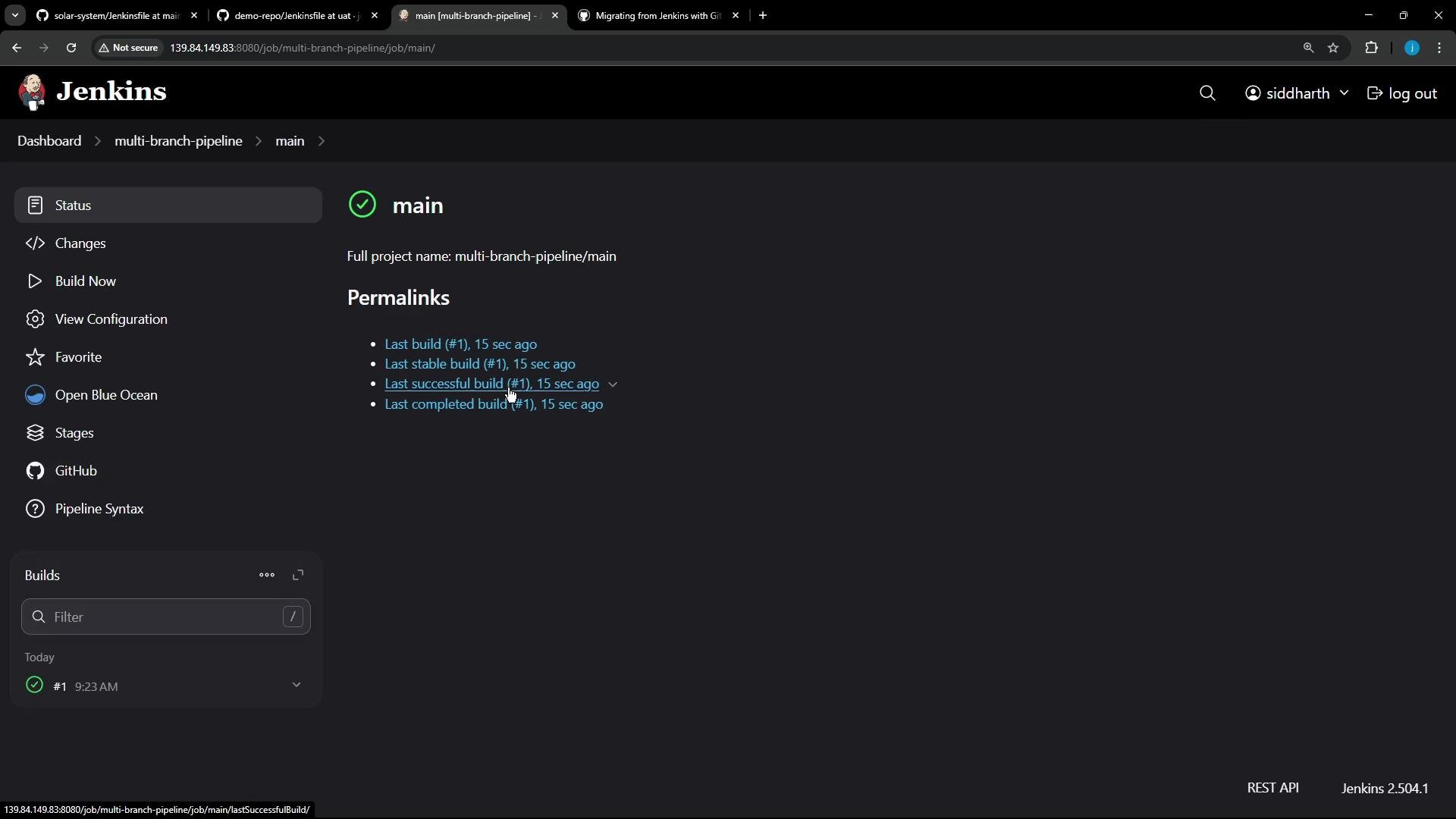
After indexing, the `main` branch showed a successful build:
Indexing console output:
```text theme={null}
Examining jenkins-demo-org/demo-repo
Checking branches...
Getting remote branches...
Checking branch main
'Jenkinsfile' found
Met criteria
Scheduled build for branch: main
Checking branch uat
'Jenkinsfile' found
Met criteria
Scheduled build for branch: uat
2 branches were processed
Finished examining jenkins-demo-org/demo-repo
[Thu May 22 09:22:59 UTC 2025] Finished branch indexing. Indexing took 2.2 sec
Finished: SUCCESS
```
After indexing, the `main` branch showed a successful build:
 ***
## Add a secret binding to an existing job
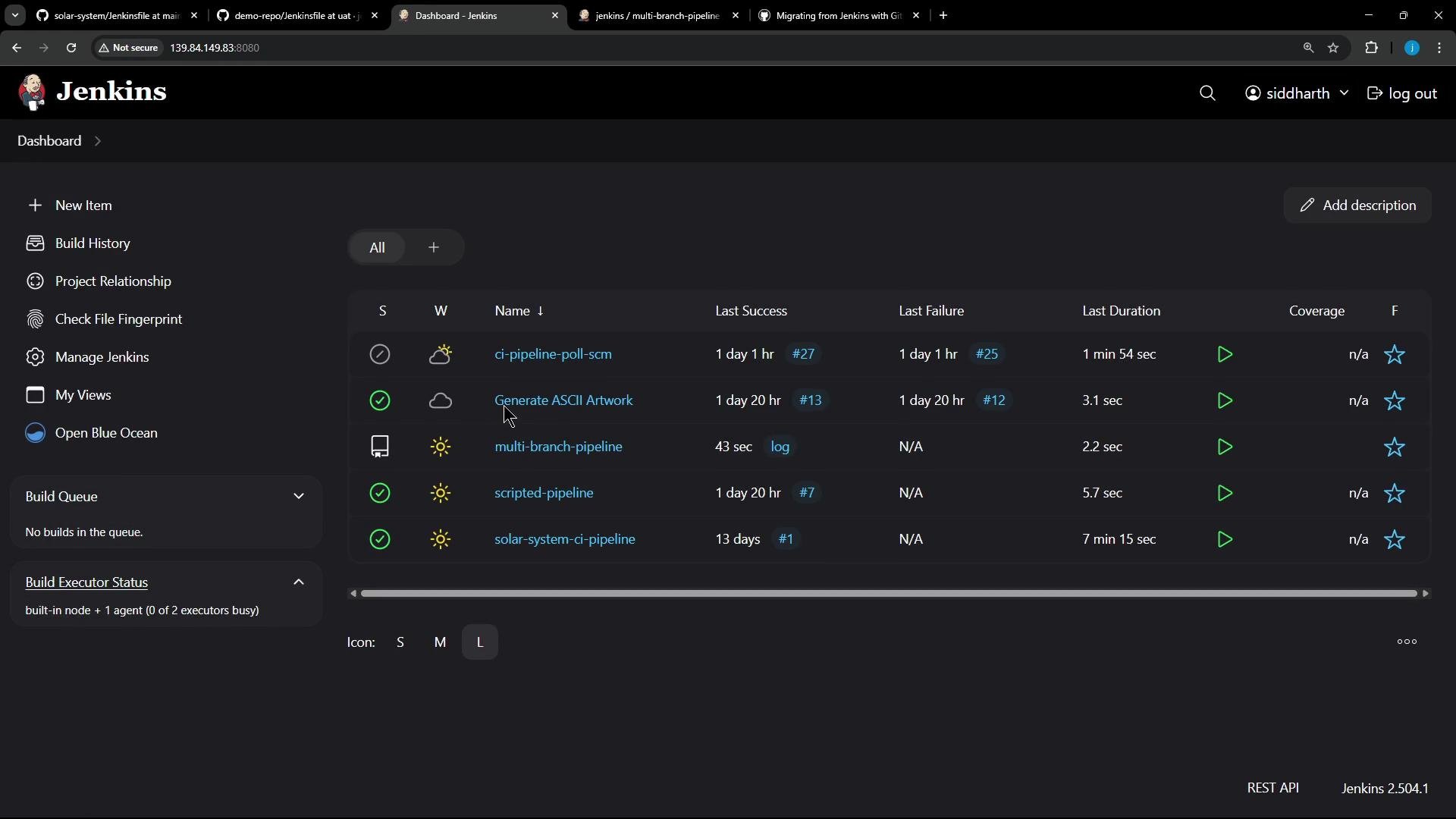
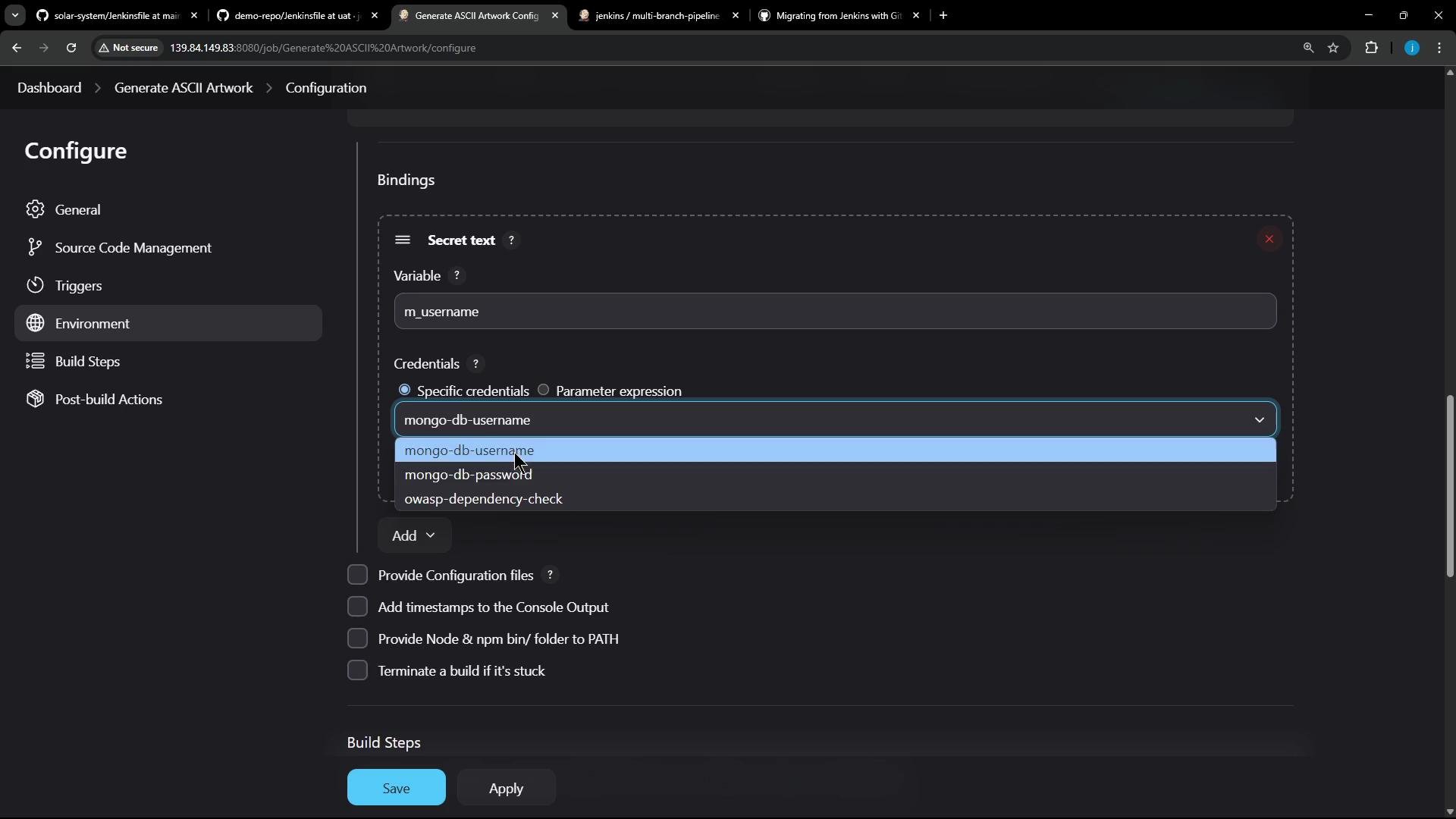
Next, we switched to an existing job (Generate ASCII Artwork) and added a secret via Configure → Environment → Bindings. We added a **Secret text** binding named `m_username` and selected an existing stored credential (`mongo-db-password`) for the demo.
***
## Add a secret binding to an existing job
Next, we switched to an existing job (Generate ASCII Artwork) and added a secret via Configure → Environment → Bindings. We added a **Secret text** binding named `m_username` and selected an existing stored credential (`mongo-db-password`) for the demo.
 Bindings configured in the job:
 We used that variable inside a shell build step. The original demo script had syntax issues; below is an improved and safer version suitable for a shell build step:
```bash theme={null}
#!/bin/bash
# Build a message by invoking ADVICESLIP API
curl -s https://api.adviceslip.com/advice > advice.json
cat advice.json
# Test to make sure the advice message has more than 5 words.
jq -r .slip.advice < advice.json > advice.message
if [ $(wc -w < advice.message) -gt 5 ]; then
echo "Advice has more than 5 words"
else
echo "Advice - $(cat advice.message) has 5 or fewer words"
fi
# Deploy (example)
echo "$m_username"
sudo apt-get update && sudo apt-get install -y cowsay
echo "$PATH"
export PATH="$PATH:/usr/games:/usr/local/games"
```
Notes:
* Use `jq` to extract structured JSON fields reliably.
* Avoid printing secrets to logs in production — the example echoes the secret only for demonstration.
***
## Re-run the audit
After saving the new multi-branch job and the updated job with a secret binding, we re-ran the audit to refresh the report and capture the new job and secret binding.
Run the audit:
```bash theme={null}
gh actions-importer audit jenkins --output-dir tmp/audit
```
Trimmed terminal session showing the audit run and redaction:
```bash theme={null}
root@jenkins:/home# gh actions-importer audit jenkins --output-dir tmp/audit
# ... tool runs ...
[2025-05-22 09:25:57] tmp/audit/workflow_usage.csv
[2025-05-22 09:25:57] tmp/audit/audit_summary.md
[2025-05-22 09:26:18] Secrets redacted in file(s):
[2025-05-22 09:26:18] tmp/audit/Generate_ASCII_Artwork/.github/workflows/generate_ascii_artwork.yml
[2025-05-22 09:26:18] tmp/audit/Generate_ASCII_Artwork/config.json
[2025-05-22 09:26:18] tmp/audit/multi-branch-pipeline/main/config.json
[2025-05-22 09:26:18] tmp/audit/multi-branch-pipeline/uat/config.json
[2025-05-22 09:26:18] tmp/audit/multi-branch-pipeline/config.json
Redacting secrets: |---------------------------------------|
root@jenkins:/home# (took 46s)
```
The updated audit summary now includes the new multi-branch job and the secret binding detection:
```markdown theme={null}
Summary for [Jenkins instance](http://139.84.149.83:8080/)
- GitHub Actions Importer version: **1.3.22397 (b4d19e0745a2d2c3db575188f98101dd1f9b4a53)**
- Performed at: **5/22/25 at 09:25**
## Pipelines
Total: **5**
- Successful: **2 (40%)**
- Partially successful: **2 (40%)**
- Unsupported: **1 (20%)**
- Failed: **0 (0%)**
### Job types
Supported: **4 (80%)**
- flow-definition: **2**
- project: **1**
- org.jenkinsci.plugins.workflow.multibranch: **1**
Unsupported: **1 (20%)**
...
```
Summary table: Before vs After (high level)
| Metric | Before (5/21/25 18:19) | After (5/22/25 09:25) |
| ----------------------- | ---------------------- | ------------------------------------------------- |
| Total pipelines | 4 | 5 |
| Successful | 1 (25%) | 2 (40%) |
| Partially successful | 2 (50%) | 2 (40%) |
| Unsupported | 1 (25%) | 1 (20%) |
| Multi-branch discovered | No | Yes (org.jenkinsci.plugins.workflow\.multibranch) |
***
## Generated GitHub Actions workflow and secret mapping
The import tool redacted secrets and generated workflow YAML for the Jenkins jobs it can map. It detected the `m_username` secret and mapped it to a repository/organization-level secret in the generated workflow. You (or a repo administrator) must create that secret in GitHub (repo/org/environment level) so the workflow can use it at runtime.
Example generated workflow snippet (secrets must be created in GitHub prior to running the workflow):
```yaml theme={null}
name: Generate_ASCII_Artwork
on:
workflow_dispatch:
env:
m_username: "${{ secrets.MONGO_DB_PASSWORD_M_USERNAME }}"
jobs:
build:
runs-on:
- ubuntu-latest
steps:
- name: checkout
uses: actions/checkout@v4.1.0
- name: run command
shell: bash
run: |
# Build a message by invoking ADVICESLIP API
curl -s https://api.adviceslip.com/advice > advice.json
cat advice.json
# Test to make sure the advice message has more than 5 words.
jq -r .slip.advice < advice.json > advice.message
if [ $(wc -w < advice.message) -gt 5 ]; then
echo "Advice has more than 5 words"
else
echo "Advice - $(cat advice.message) has 5 or fewer words"
fi
# Deploy
echo "$m_username"
sudo apt-get update && sudo apt-get install -y cowsay
```
Important: The tool maps many Jenkins credential types to appropriate GitHub Actions equivalents and creates references in the generated workflows, but it does not create the repository/org secrets for you — you must create those secrets manually in GitHub.
The audit tool maps many Jenkins credential types to GitHub Actions equivalents, but referenced secrets must be created in GitHub (repo/org/environment level) before the workflow runs.
***
That's it for this lesson — the updated audit summary and generated artifacts reflect the newly added multi-branch pipeline and the secret binding added to the existing job.
We used that variable inside a shell build step. The original demo script had syntax issues; below is an improved and safer version suitable for a shell build step:
```bash theme={null}
#!/bin/bash
# Build a message by invoking ADVICESLIP API
curl -s https://api.adviceslip.com/advice > advice.json
cat advice.json
# Test to make sure the advice message has more than 5 words.
jq -r .slip.advice < advice.json > advice.message
if [ $(wc -w < advice.message) -gt 5 ]; then
echo "Advice has more than 5 words"
else
echo "Advice - $(cat advice.message) has 5 or fewer words"
fi
# Deploy (example)
echo "$m_username"
sudo apt-get update && sudo apt-get install -y cowsay
echo "$PATH"
export PATH="$PATH:/usr/games:/usr/local/games"
```
Notes:
* Use `jq` to extract structured JSON fields reliably.
* Avoid printing secrets to logs in production — the example echoes the secret only for demonstration.
***
## Re-run the audit
After saving the new multi-branch job and the updated job with a secret binding, we re-ran the audit to refresh the report and capture the new job and secret binding.
Run the audit:
```bash theme={null}
gh actions-importer audit jenkins --output-dir tmp/audit
```
Trimmed terminal session showing the audit run and redaction:
```bash theme={null}
root@jenkins:/home# gh actions-importer audit jenkins --output-dir tmp/audit
# ... tool runs ...
[2025-05-22 09:25:57] tmp/audit/workflow_usage.csv
[2025-05-22 09:25:57] tmp/audit/audit_summary.md
[2025-05-22 09:26:18] Secrets redacted in file(s):
[2025-05-22 09:26:18] tmp/audit/Generate_ASCII_Artwork/.github/workflows/generate_ascii_artwork.yml
[2025-05-22 09:26:18] tmp/audit/Generate_ASCII_Artwork/config.json
[2025-05-22 09:26:18] tmp/audit/multi-branch-pipeline/main/config.json
[2025-05-22 09:26:18] tmp/audit/multi-branch-pipeline/uat/config.json
[2025-05-22 09:26:18] tmp/audit/multi-branch-pipeline/config.json
Redacting secrets: |---------------------------------------|
root@jenkins:/home# (took 46s)
```
The updated audit summary now includes the new multi-branch job and the secret binding detection:
```markdown theme={null}
Summary for [Jenkins instance](http://139.84.149.83:8080/)
- GitHub Actions Importer version: **1.3.22397 (b4d19e0745a2d2c3db575188f98101dd1f9b4a53)**
- Performed at: **5/22/25 at 09:25**
## Pipelines
Total: **5**
- Successful: **2 (40%)**
- Partially successful: **2 (40%)**
- Unsupported: **1 (20%)**
- Failed: **0 (0%)**
### Job types
Supported: **4 (80%)**
- flow-definition: **2**
- project: **1**
- org.jenkinsci.plugins.workflow.multibranch: **1**
Unsupported: **1 (20%)**
...
```
Summary table: Before vs After (high level)
| Metric | Before (5/21/25 18:19) | After (5/22/25 09:25) |
| ----------------------- | ---------------------- | ------------------------------------------------- |
| Total pipelines | 4 | 5 |
| Successful | 1 (25%) | 2 (40%) |
| Partially successful | 2 (50%) | 2 (40%) |
| Unsupported | 1 (25%) | 1 (20%) |
| Multi-branch discovered | No | Yes (org.jenkinsci.plugins.workflow\.multibranch) |
***
## Generated GitHub Actions workflow and secret mapping
The import tool redacted secrets and generated workflow YAML for the Jenkins jobs it can map. It detected the `m_username` secret and mapped it to a repository/organization-level secret in the generated workflow. You (or a repo administrator) must create that secret in GitHub (repo/org/environment level) so the workflow can use it at runtime.
Example generated workflow snippet (secrets must be created in GitHub prior to running the workflow):
```yaml theme={null}
name: Generate_ASCII_Artwork
on:
workflow_dispatch:
env:
m_username: "${{ secrets.MONGO_DB_PASSWORD_M_USERNAME }}"
jobs:
build:
runs-on:
- ubuntu-latest
steps:
- name: checkout
uses: actions/checkout@v4.1.0
- name: run command
shell: bash
run: |
# Build a message by invoking ADVICESLIP API
curl -s https://api.adviceslip.com/advice > advice.json
cat advice.json
# Test to make sure the advice message has more than 5 words.
jq -r .slip.advice < advice.json > advice.message
if [ $(wc -w < advice.message) -gt 5 ]; then
echo "Advice has more than 5 words"
else
echo "Advice - $(cat advice.message) has 5 or fewer words"
fi
# Deploy
echo "$m_username"
sudo apt-get update && sudo apt-get install -y cowsay
```
Important: The tool maps many Jenkins credential types to appropriate GitHub Actions equivalents and creates references in the generated workflows, but it does not create the repository/org secrets for you — you must create those secrets manually in GitHub.
The audit tool maps many Jenkins credential types to GitHub Actions equivalents, but referenced secrets must be created in GitHub (repo/org/environment level) before the workflow runs.
***
That's it for this lesson — the updated audit summary and generated artifacts reflect the newly added multi-branch pipeline and the secret binding added to the existing job.