> ## Documentation Index
> Fetch the complete documentation index at: https://notes.kodekloud.com/llms.txt
> Use this file to discover all available pages before exploring further.
# Demo Custom Transformer OWASP Dependency Check 1
> Migrating a Jenkins OWASP Dependency-Check step into a GitHub Actions workflow, inspecting Jenkins JSON with helper transformers and mapping CLI flags and publisher logic to Actions
In this lesson we inspect the OWASP Dependency-Check stage from a Jenkins pipeline and demonstrate how to migrate it into a GitHub Actions workflow. We'll:
* Review the migrated workflow that the importer produced.
* Identify Dependency-Check-related steps that lacked matching transformers.
* Use a helper transformer to print the Jenkins JSON for those steps.
* Map the Jenkins configuration to an appropriate GitHub Action that runs OWASP Dependency-Check.
Overview: the migrated workflow already contains environment variables and a runner configuration. The first job installs dependencies:
```yaml theme={null}
name: ci-pipeline-poll-scm
on:
env:
MONGO_URI: mongodb+srv://supercluster.d83jj.mongodb.net/superData
MONGO_USERNAME: superuser
MONGO_PASSWORD: "${{ secrets.mongo_db_password }}"
jobs:
Installing_Dependencies:
name: Installing Dependencies
runs-on:
ubuntu-latest
container:
image: node:24
# This item has no matching transformer
docker:
key: args
value:
isLiteral: true
value: "-u root:root"
steps:
- name: Checkout
uses: actions/checkout@v4
- name: Install dependencies
shell: bash
run: npm install --no-audit
```
A dry-run of the actions-importer confirms the GitHub Actions workflow file was generated:
```bash theme={null}
root@jenkins in /home via 💎
> gh actions-importer dry-run jenkins --source-url http://139.84.149.83:8080/job/ci-pipeline-poll-scm/ --output-dir tmp/dry-run --custom-transformers ss-pipeline-transformer.rb
[2025-05-22 18:54:06] Logs: 'tmp/dry-run-log/valet-20250522_185406.log'
[2025-05-22 18:54:07] Output file(s):
[2025-05-22 18:54:07] tmp/dry-run/ci-pipeline-poll-scm/.github/workflows/ci-pipeline-poll-scm.yml
root@jenkins in /home via 💎 took 15s
```
The pipeline includes an NPM dependency audit job and an OWASP Dependency-Check job. Both migrated, but the Dependency-Check step (and the Dependency-Check publisher) had no matching transformers in the default migration. To implement a correct translation, inspect the JSON representation emitted by the importer for those Jenkins identifiers.
Use a helper transformer that prints the item JSON for multiple identifiers. For example:
```ruby theme={null}
transform "sleep", "dependencyCheck", "dependencyCheckPublisher" do |item|
puts "JSON for identifier: #{item}"
end
```
Run the importer with the helper transformer to emit the JSON for the dependencyCheck and dependencyCheckPublisher items. Example (abridged) output:
```bash theme={null}
root@jenkins in /home via ◇
> gh actions-importer dry-run jenkins --source-url http://139.84.149.83:8080/job/ci-pipeline-poll-scm/ --output-dir tmp/dry-run --custom-transformers ss-pipeline-transformer.rb --custom-transformers helper-transformer.rb
[2025-05-22 19:01:42] Logs: 'tmp/dry-run/log/valet-20250522-190142.log'
JSON for identifier: {"name"=>"dependencyCheck", "arguments"=>[{"key"=>"additionalArguments", "value"=>{"isLiteral"=>true, "value"=>"\n --scan './' \n --out ./ \n --format ALL \n --disableYarnAudit \n --prettyPrint --failOnCVSS 9"}}, {"key"=>"nvdCredentialsId", "value"=>{"isLiteral"=>true, "value"=>"owasp-dependency-check"}}, {"key"=>"odcInstallation", "value"=>{"isLiteral"=>true, "value"=>"OWASP-DepCheck-10"}}]}
JSON for identifier: {"name"=>"dependencyCheckPublisher", "arguments"=>[{"key"=>"failedTotalCritical", "value"=>{"isLiteral"=>true, "value"=>1}}, {"key"=>"pattern", "value"=>{"isLiteral"=>true, "value"=>"dependency-check-report.xml"}}, {"key"=>"stopBuild", "value"=>{"isLiteral"=>true, "value"=>true}}]}
[2025-05-22 19:01:43] Output file(s):
[2025-05-22 19:01:43] tmp/dry-run/ci-pipeline-poll-scm/.github/workflows/ci-pipeline-poll-scm.yml
root@jenkins in /home via ◇ took 20s
```
The important fields from the emitted JSON for the `dependencyCheck` step are:
```json theme={null}
{
"name": "dependencyCheck",
"arguments": [
{
"key": "additionalArguments",
"value": {
"isLiteral": true,
"value": "\n --scan './' \n --out './' \n --format 'ALL' \n --disableYarnAudit \n --prettyPrint --failOnCVSS 9"
}
},
{
"key": "nvdCredentialsId",
"value": {
"isLiteral": true,
"value": "owasp-dependency-check"
}
},
{
"key": "odcInstallation",
"value": {
"isLiteral": true,
"value": "OWASP-DepCheck-10"
}
}
]
}
```
Notes on the fields:
* `additionalArguments` contains the CLI flags passed to OWASP Dependency-Check. Key items: `--scan` (path), `--out` (output path), `--format` (report formats), and `--failOnCVSS 9` (fail build for CVSS ≥ 9).
* `nvdCredentialsId` and `odcInstallation` are Jenkins-specific entries referencing credentials and installer configurations used to accelerate NVD downloads or select a preinstalled Dependency-Check binary. These typically do not translate directly to ephemeral GitHub Actions runners.
CVSS score ranges are commonly used to gate failures. For reference, scores ≥ 9 are considered Critical, and scores between 7 and 8.9 are High:
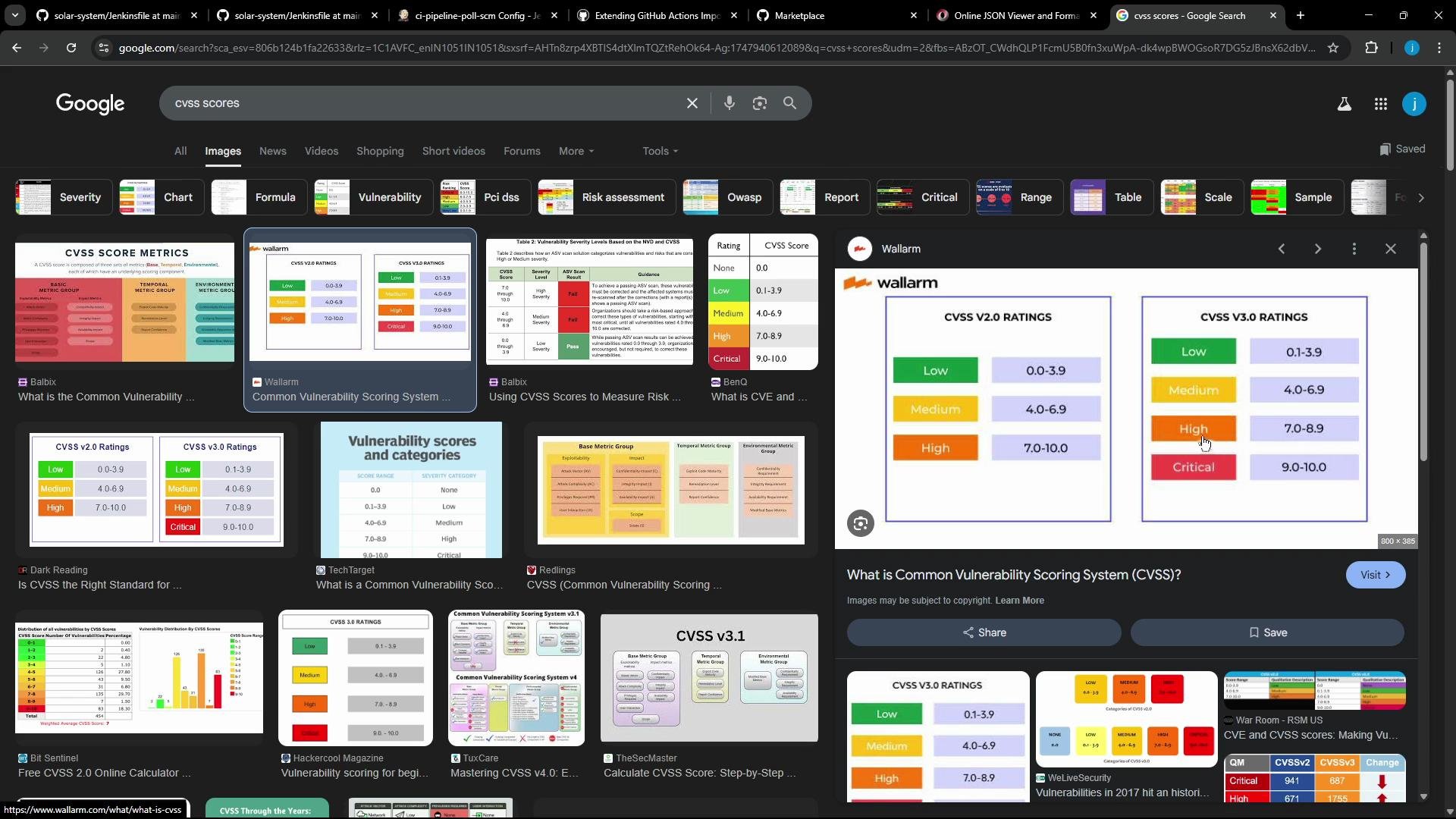 Jenkins' `nvdCredentialsId` and `odcInstallation` point to server-side configuration. When migrating to Actions, prefer a maintained Action or Docker image that packages Dependency-Check. If you need authenticated or mirrored NVD access, you'll need to provide credentials or a custom DB image to the Action.
Because GitHub Actions runners are ephemeral, the typical approach is to use an existing Action that runs Dependency-Check inside a Docker image. The GitHub Marketplace project dependency-check/dependency-check-action runs OWASP Dependency-Check in a container and exposes inputs for common CLI options.
A mapped GitHub Actions job that runs Dependency-Check might look like this:
```yaml theme={null}
on: [push]
jobs:
depchecktest:
runs-on: ubuntu-latest
name: depcheck_test
steps:
- name: Checkout
uses: actions/checkout@v4
- name: Build project (example: Maven)
run: mvn -B -DskipTests clean package
- name: Run OWASP Dependency-Check
uses: dependency-check/dependency-check-action@main
id: depcheck
with:
project: 'test'
path: '.'
format: 'HTML'
out: 'reports' # default is 'reports'
args: >
--failOnCVSS 9
--enableRetired
- name: Upload Dependency-Check report
uses: actions/upload-artifact@v3
with:
name: depcheck-report
path: ${{ github.workspace }}/reports
```
Key mapping decisions (Jenkins → GitHub Actions):
| Jenkins field / CLI flag | Purpose | GitHub Action mapping / notes |
| ------------------------------------- | -------------------------------------- | ----------------------------------------------------------------------------------------------------------------------- |
| `--scan` | Path(s) to scan | Action input `path` (or pass via `args`) |
| `--out` | Output directory | Action input `out` |
| `--format` | Report format(s) (XML/HTML/ALL) | Action input `format` |
| `--failOnCVSS ` | Fail build if highest CVSS ≥ score | Pass as `args: --failOnCVSS 9` or implement follow-up checks |
| `nvdCredentialsId`, `odcInstallation` | Jenkins-specific credentials/installer | Usually omitted; the Action provides the runtime. Use custom runner or additional Action inputs for special NVD access. |
If your Jenkins pipeline relied on a pre-downloaded NVD DB (via `odcInstallation`) or private NVD credentials, you must plan how to supply that to Actions: either use a self-hosted runner with the database pre-populated or configure the Action to use an authenticated/mirrored NVD feed. Otherwise scans may be slower or behave differently.
Best practices when migrating Dependency-Check:
* Translate CLI flags (`--scan`, `--out`, `--format`, `--failOnCVSS`) into the Action's `with` inputs or into `args`.
* Upload generated reports with `actions/upload-artifact@v3` so they are available in the Actions UI.
* For "publisher" logic (e.g., "fail build if N critical vulnerabilities"), convert to `--failOnCVSS` or implement a follow-up step that parses the XML report and fails the job based on thresholds from the Jenkins `dependencyCheckPublisher` config.
Next steps (next lesson/article):
* Implement a custom transformer that extracts `format`, `failOnCVSS`, `--scan` path, and other important flags from the Jenkins JSON and emits a corresponding GitHub Actions step.
* Translate the Dependency-Check publisher config: detect the XML `pattern`, and translate the "fail build if N criticals" logic into Action flags or a separate report-parsing step.
Links and references:
* dependency-check Action (GitHub Marketplace): [https://github.com/dependency-check/dependency-check-action](https://github.com/dependency-check/dependency-check-action)
* GitHub Actions docs: [https://docs.github.com/actions](https://docs.github.com/actions)
* OWASP Dependency-Check: [https://owasp.org/www-project-dependency-check/](https://owasp.org/www-project-dependency-check/)
* CVSS information: [https://www.first.org/cvss/](https://www.first.org/cvss/)
That's all for now.
Jenkins' `nvdCredentialsId` and `odcInstallation` point to server-side configuration. When migrating to Actions, prefer a maintained Action or Docker image that packages Dependency-Check. If you need authenticated or mirrored NVD access, you'll need to provide credentials or a custom DB image to the Action.
Because GitHub Actions runners are ephemeral, the typical approach is to use an existing Action that runs Dependency-Check inside a Docker image. The GitHub Marketplace project dependency-check/dependency-check-action runs OWASP Dependency-Check in a container and exposes inputs for common CLI options.
A mapped GitHub Actions job that runs Dependency-Check might look like this:
```yaml theme={null}
on: [push]
jobs:
depchecktest:
runs-on: ubuntu-latest
name: depcheck_test
steps:
- name: Checkout
uses: actions/checkout@v4
- name: Build project (example: Maven)
run: mvn -B -DskipTests clean package
- name: Run OWASP Dependency-Check
uses: dependency-check/dependency-check-action@main
id: depcheck
with:
project: 'test'
path: '.'
format: 'HTML'
out: 'reports' # default is 'reports'
args: >
--failOnCVSS 9
--enableRetired
- name: Upload Dependency-Check report
uses: actions/upload-artifact@v3
with:
name: depcheck-report
path: ${{ github.workspace }}/reports
```
Key mapping decisions (Jenkins → GitHub Actions):
| Jenkins field / CLI flag | Purpose | GitHub Action mapping / notes |
| ------------------------------------- | -------------------------------------- | ----------------------------------------------------------------------------------------------------------------------- |
| `--scan` | Path(s) to scan | Action input `path` (or pass via `args`) |
| `--out` | Output directory | Action input `out` |
| `--format` | Report format(s) (XML/HTML/ALL) | Action input `format` |
| `--failOnCVSS ` | Fail build if highest CVSS ≥ score | Pass as `args: --failOnCVSS 9` or implement follow-up checks |
| `nvdCredentialsId`, `odcInstallation` | Jenkins-specific credentials/installer | Usually omitted; the Action provides the runtime. Use custom runner or additional Action inputs for special NVD access. |
If your Jenkins pipeline relied on a pre-downloaded NVD DB (via `odcInstallation`) or private NVD credentials, you must plan how to supply that to Actions: either use a self-hosted runner with the database pre-populated or configure the Action to use an authenticated/mirrored NVD feed. Otherwise scans may be slower or behave differently.
Best practices when migrating Dependency-Check:
* Translate CLI flags (`--scan`, `--out`, `--format`, `--failOnCVSS`) into the Action's `with` inputs or into `args`.
* Upload generated reports with `actions/upload-artifact@v3` so they are available in the Actions UI.
* For "publisher" logic (e.g., "fail build if N critical vulnerabilities"), convert to `--failOnCVSS` or implement a follow-up step that parses the XML report and fails the job based on thresholds from the Jenkins `dependencyCheckPublisher` config.
Next steps (next lesson/article):
* Implement a custom transformer that extracts `format`, `failOnCVSS`, `--scan` path, and other important flags from the Jenkins JSON and emits a corresponding GitHub Actions step.
* Translate the Dependency-Check publisher config: detect the XML `pattern`, and translate the "fail build if N criticals" logic into Action flags or a separate report-parsing step.
Links and references:
* dependency-check Action (GitHub Marketplace): [https://github.com/dependency-check/dependency-check-action](https://github.com/dependency-check/dependency-check-action)
* GitHub Actions docs: [https://docs.github.com/actions](https://docs.github.com/actions)
* OWASP Dependency-Check: [https://owasp.org/www-project-dependency-check/](https://owasp.org/www-project-dependency-check/)
* CVSS information: [https://www.first.org/cvss/](https://www.first.org/cvss/)
That's all for now.