> ## Documentation Index
> Fetch the complete documentation index at: https://notes.kodekloud.com/llms.txt
> Use this file to discover all available pages before exploring further.
# Course Introduction
> Guide to migrating CI/CD pipelines from Jenkins to GitHub Actions with practical patterns, examples, secrets handling, tooling, and hands-on labs to modernize workflows
In this lesson you will learn how to migrate CI/CD workflows from Jenkins to GitHub Actions. This course is built to help teams move from legacy Jenkins pipelines to modern, GitHub-native workflows with minimal friction.
What you'll gain:
* Practical, hands-on labs to experiment and learn by doing.
* Clear migration patterns and real-world examples to convert Jenkins jobs into GitHub Actions workflows.
* Strategies for handling secrets, artifacts, plugins, and environment variables during migration.
Welcome to the [Jenkins to GitHub Actions migration course](https://learn.kodekloud.com/user/courses/migrating-jenkins-pipelines-to-github-actions). I'm Siddharth, and I’ll walk you through migrating pipelines, mapping constructs, and automating repetitive steps.
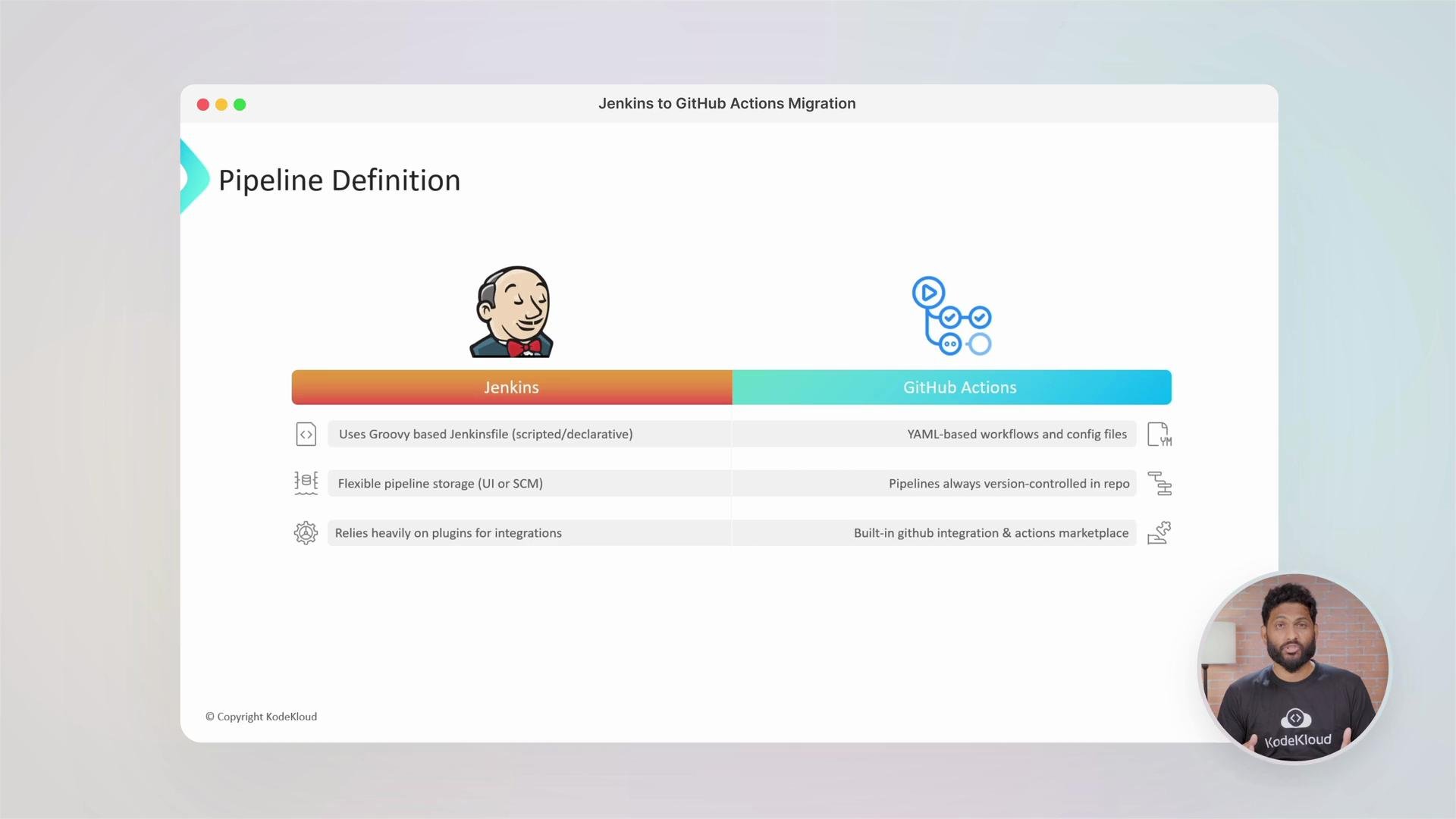 We’ll cover the pros and cons of each platform, key differences you need to be aware of, and common migration pitfalls to avoid.
## Why migrate from Jenkins to GitHub Actions
* Native integration with GitHub repositories, pull requests, and the Actions Marketplace.
* Workflows defined in YAML stored in the repository for visibility and versioning.
* Reduced operational overhead — no need to manage Jenkins masters or plugin compatibility.
* Flexible runners: use GitHub-hosted runners or self-hosted runners for custom workloads.
## Course structure (what we'll cover)
1. Jenkins fundamentals and what to migrate
2. GitHub Actions basics and YAML workflow patterns
3. Mapping Jenkins pipeline constructs to Actions jobs/steps
4. Handling secrets, artifacts, and environment variables
5. Tools and automation to accelerate migration
6. Labs: migrate a simple pipeline, then a complex pipeline with plugins and conditional logic
Before you begin, ensure you have:
* Access to the source Jenkins pipelines (Jenkinsfile or job configuration).
* A GitHub repository where you can store workflows (`.github/workflows/`).
* Permissions to create Actions and add secrets in the target repository.
## Deep dive: Jenkins — what to look for
When assessing Jenkins pipelines, inventory:
* Pipeline type: Declarative or Scripted (Groovy).
* Steps that call shell commands, invoke Docker, or use specific plugins.
* How secrets and credentials are stored (Jenkins credentials store).
* Artifact storage locations (Nexus, Artifactory, S3).
* Custom plugins that may not have direct GitHub Action equivalents.
Example Jenkins pipeline (Declarative):
```groovy theme={null}
// Jenkins (Declarative Pipeline)
pipeline {
agent any
stages {
stage('Build') {
steps {
sh 'make build'
}
}
stage('Test') {
steps {
sh 'make test'
}
}
}
}
```
Quick job run result example:
```text theme={null}
Results - <1s
> Job completed at Tue May 20 12:59:51 UTC 2025 — Print Message
```
Important: Jenkins plugins may implement complex behavior (credential masking, custom credential types, or specialized SCM integrations). When a plugin lacks an Actions equivalent, plan for manual translation or replacement with a community GitHub Action or a small custom action.
## GitHub Actions fundamentals
GitHub Actions uses YAML workflows stored in `.github/workflows/`. Workflows are composed of jobs, each running on a runner (`runs-on`) and containing steps. Steps can use actions from the Marketplace or run arbitrary shell commands.
Minimal, complete CI workflow example:
```yaml theme={null}
name: CI
# Controls when the workflow will run
on:
push:
branches: ["main"]
pull_request:
branches: ["main"]
# Allows you to run this workflow manually from the Actions tab
workflow_dispatch:
jobs:
build:
# The type of runner that the job will run on
runs-on: ubuntu-latest
# Steps represent a sequence of tasks executed as part of the job
steps:
# Checks out your repository under $GITHUB_WORKSPACE, so your job can access it
- name: Checkout repository
uses: actions/checkout@v4
# Example: set up Node.js, install dependencies, run tests
- name: Set up Node.js
uses: actions/setup-node@v4
with:
node-version: "18"
- name: Install dependencies
run: npm ci
- name: Run tests
run: npm test
```
## Mapping Jenkins concepts to GitHub Actions
The following table summarizes common Jenkins concepts and their GitHub Actions equivalents to help plan your migration.
| Jenkins concept | GitHub Actions equivalent | Notes / Example |
| ---------------------------------- | ------------------------------------------------------------- | ----------------------------------------------------------------------------- |
| Jenkinsfile (Groovy) | Workflow YAML (`.github/workflows/*.yml`) | Convert Declarative stages to jobs/steps. |
| Agent (`agent any` / Docker agent) | `runs-on` and container support (`container:`) | Use `container:` for running steps inside a container. |
| Credentials / Secret Text | GitHub Secrets (`Settings → Secrets and variables → Actions`) | Access via `secrets.MY_SECRET` in workflows. |
| Plugins (e.g., Slack, Artifactory) | Marketplace Actions or API calls | Many integrations exist; otherwise call vendor APIs. |
| Multi-branch jobs | `on: pull_request` / branch filters in `on:` | Branch filters and PR triggers are built-in. |
| Post-build actions | Separate jobs triggered by `needs:` or `if:` conditions | Use `needs:` to control job order and `if:` expressions for conditional runs. |
## Example: Jenkins -> GitHub Actions direct conversion
Given the Jenkins Declarative pipeline above, the equivalent GitHub Actions workflow looks like:
```yaml theme={null}
# GitHub Actions equivalent
jobs:
build:
runs-on: ubuntu-latest
steps:
- name: Checkout repository
uses: actions/checkout@v4
- name: Build
run: make build
- name: Test
run: make test
```
This straightforward mapping covers many simple pipelines. For pipelines with parallel stages, credentials, or specialized plugins, you’ll expand jobs, use `needs` for dependencies, and reference `secrets` or marketplace actions.
## Tools and automation to accelerate migration
There are community and vendor tools that can assist in converting Jenkins pipelines or exporting job definitions, but results vary depending on pipeline complexity.
Key utilities and approaches:
* Use the GitHub Marketplace to find Actions that replace Jenkins plugins.
* Employ the `gh` CLI to create workflows, manage secrets, and interact with repos programmatically.
* For large fleets, write scripts to translate common patterns (e.g., shell steps) into YAML templates you can reuse.
Install or update the GitHub CLI (`gh`) using one of these package managers:
```bash theme={null}
# Homebrew (macOS / Linux)
brew install gh
brew upgrade gh
# MacPorts (macOS)
sudo port selfupdate
sudo port install gh
# Conda
conda install -c conda-forge gh
conda update -c conda-forge gh
```
Useful `gh` commands:
* `gh auth login` — authenticate to GitHub.
* `gh secret set` — add repository secrets.
* `gh repo clone` / `gh workflow` — manage workflows and repos from scripts.
## Migration checklist
* [ ] Inventory all Jenkins jobs, pipelines, and plugins.
* [ ] Identify secrets and set them in GitHub Actions secrets.
* [ ] Map artifact stores and update publishing steps (e.g., to S3, Artifactory).
* [ ] Convert build and test steps to Actions jobs/steps.
* [ ] Replace or reimplement plugin functionality with Marketplace Actions or API calls.
* [ ] Create tests and smoke checks in GitHub Actions before decommissioning Jenkins.
## Links and references
* [GitHub Actions documentation](https://docs.github.com/en/actions)
* [GitHub Marketplace](https://github.com/marketplace)
* [GitHub CLI (`gh`)](https://cli.github.com/)
* [Jenkins documentation](https://www.jenkins.io/doc/)
At the end of this course you’ll be able to confidently migrate Jenkins pipelines to GitHub Actions, reduce operational overhead, and modernize CI/CD workflows.
If you're ready to get started, [enroll now](https://learn.kodekloud.com/user/courses/migrating-jenkins-pipelines-to-github-actions) and join the learning community at KodeKloud.
We’ll cover the pros and cons of each platform, key differences you need to be aware of, and common migration pitfalls to avoid.
## Why migrate from Jenkins to GitHub Actions
* Native integration with GitHub repositories, pull requests, and the Actions Marketplace.
* Workflows defined in YAML stored in the repository for visibility and versioning.
* Reduced operational overhead — no need to manage Jenkins masters or plugin compatibility.
* Flexible runners: use GitHub-hosted runners or self-hosted runners for custom workloads.
## Course structure (what we'll cover)
1. Jenkins fundamentals and what to migrate
2. GitHub Actions basics and YAML workflow patterns
3. Mapping Jenkins pipeline constructs to Actions jobs/steps
4. Handling secrets, artifacts, and environment variables
5. Tools and automation to accelerate migration
6. Labs: migrate a simple pipeline, then a complex pipeline with plugins and conditional logic
Before you begin, ensure you have:
* Access to the source Jenkins pipelines (Jenkinsfile or job configuration).
* A GitHub repository where you can store workflows (`.github/workflows/`).
* Permissions to create Actions and add secrets in the target repository.
## Deep dive: Jenkins — what to look for
When assessing Jenkins pipelines, inventory:
* Pipeline type: Declarative or Scripted (Groovy).
* Steps that call shell commands, invoke Docker, or use specific plugins.
* How secrets and credentials are stored (Jenkins credentials store).
* Artifact storage locations (Nexus, Artifactory, S3).
* Custom plugins that may not have direct GitHub Action equivalents.
Example Jenkins pipeline (Declarative):
```groovy theme={null}
// Jenkins (Declarative Pipeline)
pipeline {
agent any
stages {
stage('Build') {
steps {
sh 'make build'
}
}
stage('Test') {
steps {
sh 'make test'
}
}
}
}
```
Quick job run result example:
```text theme={null}
Results - <1s
> Job completed at Tue May 20 12:59:51 UTC 2025 — Print Message
```
Important: Jenkins plugins may implement complex behavior (credential masking, custom credential types, or specialized SCM integrations). When a plugin lacks an Actions equivalent, plan for manual translation or replacement with a community GitHub Action or a small custom action.
## GitHub Actions fundamentals
GitHub Actions uses YAML workflows stored in `.github/workflows/`. Workflows are composed of jobs, each running on a runner (`runs-on`) and containing steps. Steps can use actions from the Marketplace or run arbitrary shell commands.
Minimal, complete CI workflow example:
```yaml theme={null}
name: CI
# Controls when the workflow will run
on:
push:
branches: ["main"]
pull_request:
branches: ["main"]
# Allows you to run this workflow manually from the Actions tab
workflow_dispatch:
jobs:
build:
# The type of runner that the job will run on
runs-on: ubuntu-latest
# Steps represent a sequence of tasks executed as part of the job
steps:
# Checks out your repository under $GITHUB_WORKSPACE, so your job can access it
- name: Checkout repository
uses: actions/checkout@v4
# Example: set up Node.js, install dependencies, run tests
- name: Set up Node.js
uses: actions/setup-node@v4
with:
node-version: "18"
- name: Install dependencies
run: npm ci
- name: Run tests
run: npm test
```
## Mapping Jenkins concepts to GitHub Actions
The following table summarizes common Jenkins concepts and their GitHub Actions equivalents to help plan your migration.
| Jenkins concept | GitHub Actions equivalent | Notes / Example |
| ---------------------------------- | ------------------------------------------------------------- | ----------------------------------------------------------------------------- |
| Jenkinsfile (Groovy) | Workflow YAML (`.github/workflows/*.yml`) | Convert Declarative stages to jobs/steps. |
| Agent (`agent any` / Docker agent) | `runs-on` and container support (`container:`) | Use `container:` for running steps inside a container. |
| Credentials / Secret Text | GitHub Secrets (`Settings → Secrets and variables → Actions`) | Access via `secrets.MY_SECRET` in workflows. |
| Plugins (e.g., Slack, Artifactory) | Marketplace Actions or API calls | Many integrations exist; otherwise call vendor APIs. |
| Multi-branch jobs | `on: pull_request` / branch filters in `on:` | Branch filters and PR triggers are built-in. |
| Post-build actions | Separate jobs triggered by `needs:` or `if:` conditions | Use `needs:` to control job order and `if:` expressions for conditional runs. |
## Example: Jenkins -> GitHub Actions direct conversion
Given the Jenkins Declarative pipeline above, the equivalent GitHub Actions workflow looks like:
```yaml theme={null}
# GitHub Actions equivalent
jobs:
build:
runs-on: ubuntu-latest
steps:
- name: Checkout repository
uses: actions/checkout@v4
- name: Build
run: make build
- name: Test
run: make test
```
This straightforward mapping covers many simple pipelines. For pipelines with parallel stages, credentials, or specialized plugins, you’ll expand jobs, use `needs` for dependencies, and reference `secrets` or marketplace actions.
## Tools and automation to accelerate migration
There are community and vendor tools that can assist in converting Jenkins pipelines or exporting job definitions, but results vary depending on pipeline complexity.
Key utilities and approaches:
* Use the GitHub Marketplace to find Actions that replace Jenkins plugins.
* Employ the `gh` CLI to create workflows, manage secrets, and interact with repos programmatically.
* For large fleets, write scripts to translate common patterns (e.g., shell steps) into YAML templates you can reuse.
Install or update the GitHub CLI (`gh`) using one of these package managers:
```bash theme={null}
# Homebrew (macOS / Linux)
brew install gh
brew upgrade gh
# MacPorts (macOS)
sudo port selfupdate
sudo port install gh
# Conda
conda install -c conda-forge gh
conda update -c conda-forge gh
```
Useful `gh` commands:
* `gh auth login` — authenticate to GitHub.
* `gh secret set` — add repository secrets.
* `gh repo clone` / `gh workflow` — manage workflows and repos from scripts.
## Migration checklist
* [ ] Inventory all Jenkins jobs, pipelines, and plugins.
* [ ] Identify secrets and set them in GitHub Actions secrets.
* [ ] Map artifact stores and update publishing steps (e.g., to S3, Artifactory).
* [ ] Convert build and test steps to Actions jobs/steps.
* [ ] Replace or reimplement plugin functionality with Marketplace Actions or API calls.
* [ ] Create tests and smoke checks in GitHub Actions before decommissioning Jenkins.
## Links and references
* [GitHub Actions documentation](https://docs.github.com/en/actions)
* [GitHub Marketplace](https://github.com/marketplace)
* [GitHub CLI (`gh`)](https://cli.github.com/)
* [Jenkins documentation](https://www.jenkins.io/doc/)
At the end of this course you’ll be able to confidently migrate Jenkins pipelines to GitHub Actions, reduce operational overhead, and modernize CI/CD workflows.
If you're ready to get started, [enroll now](https://learn.kodekloud.com/user/courses/migrating-jenkins-pipelines-to-github-actions) and join the learning community at KodeKloud.