> ## Documentation Index
> Fetch the complete documentation index at: https://notes.kodekloud.com/llms.txt
> Use this file to discover all available pages before exploring further.
# Demo Convert Solar system pipeline to GA Workflow 1
> Guide to manually converting a Jenkins CI pipeline for the Solar System repo into a GitHub Actions workflow, including examples, mapping considerations, secrets handling, and test/runtime solutions
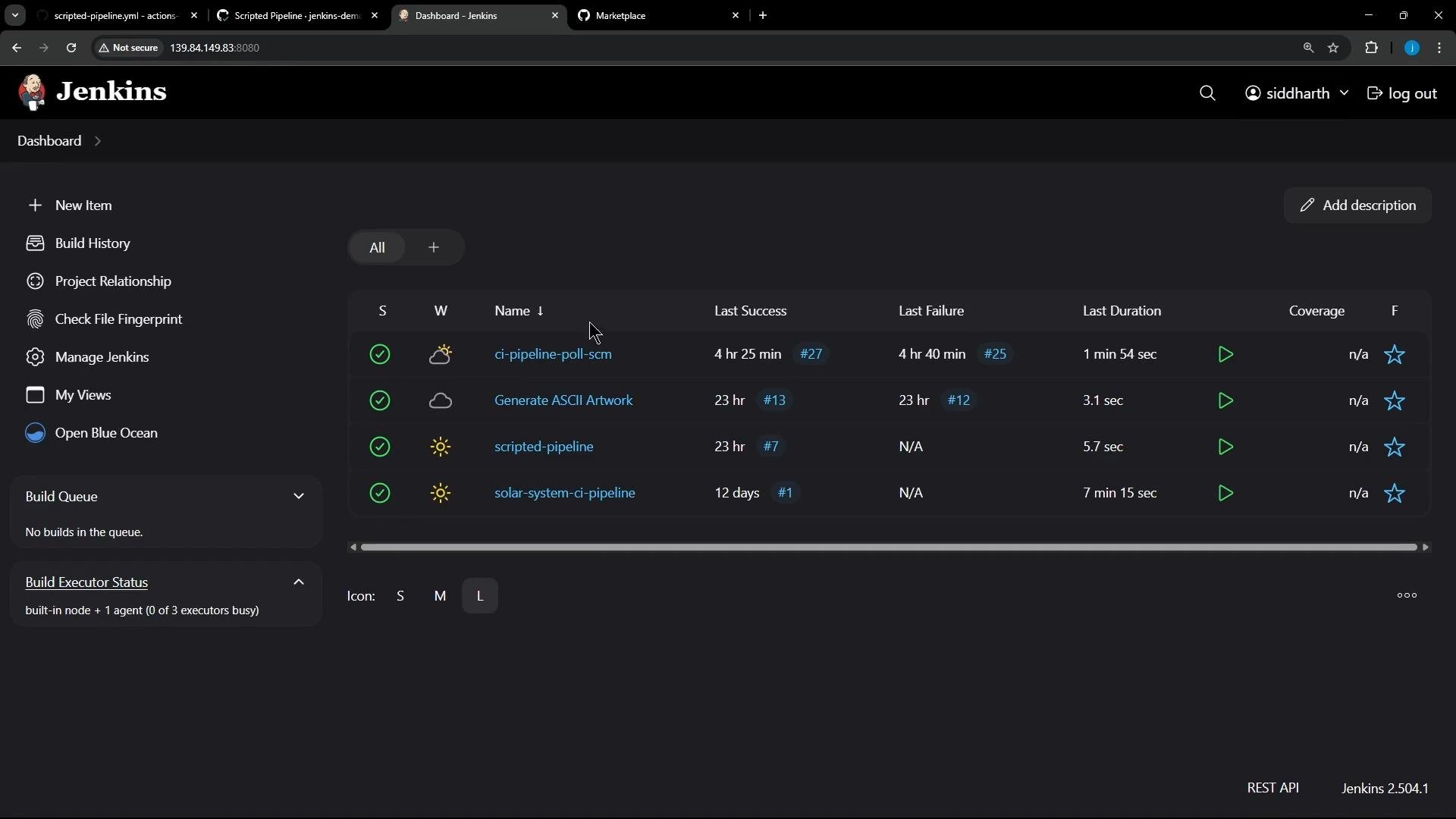
In this lesson we'll convert the Solar System CI pipeline from Jenkins into a GitHub Actions workflow. This guide assumes you have basic familiarity with GitHub Actions; two concise workflow examples are provided first to illustrate syntax and common patterns. After that we walk through a minimal, practical conversion of the Jenkins pipeline and cover mapping considerations (tools, agents, credentials, and test runtime).
Quick note: this is a manual, minimal conversion to get the CI pipeline running in GitHub Actions. Later lessons will show using the GitHub Actions importer to automate parts of this migration.
 ## Two quick GitHub Actions examples
Example: minimal scripted-style workflow
```yaml theme={null}
name: Scripted Pipeline
on:
workflow_dispatch:
jobs:
Greet:
runs-on: ubuntu-latest
steps:
- run: echo 'Hello, World!'
Build:
runs-on: ubuntu-latest
steps:
- run: |
echo 'Pretending to build...'
sleep 5s # simulate work
Result:
runs-on: ubuntu-latest
needs: [Build]
steps:
- run: |
echo "Job completed at $(date)"
```
Example: using shell commands and an external API inside a job
```yaml theme={null}
name: Generate ASCII Artwork
on:
workflow_dispatch:
jobs:
build-ascii:
runs-on: ubuntu-latest
steps:
- run: |
# Build a message by invoking ADVICESLIP API
curl -s https://api.adviceslip.com/advice > advice.json
cat advice.json
# Test to make sure the advice message has more than 5 words.
cat advice.json | jq -r .slip.advice > advice.message
if [ $(wc -w < advice.message) -gt 5 ]; then
echo "Advice has more than 5 words"
else
echo "Advice - $(cat advice.message) has fewer than 6 words"
fi
# Deploy (install cowsay and render)
sudo apt-get update -y && sudo apt-get install cowsay -y
export PATH="$PATH:/usr/games:/usr/local/games"
cat advice.message | cowsay -f $(ls /usr/share/cowsay/cows | shuf -n 1)
```
## Locate the Jenkins pipeline and repository
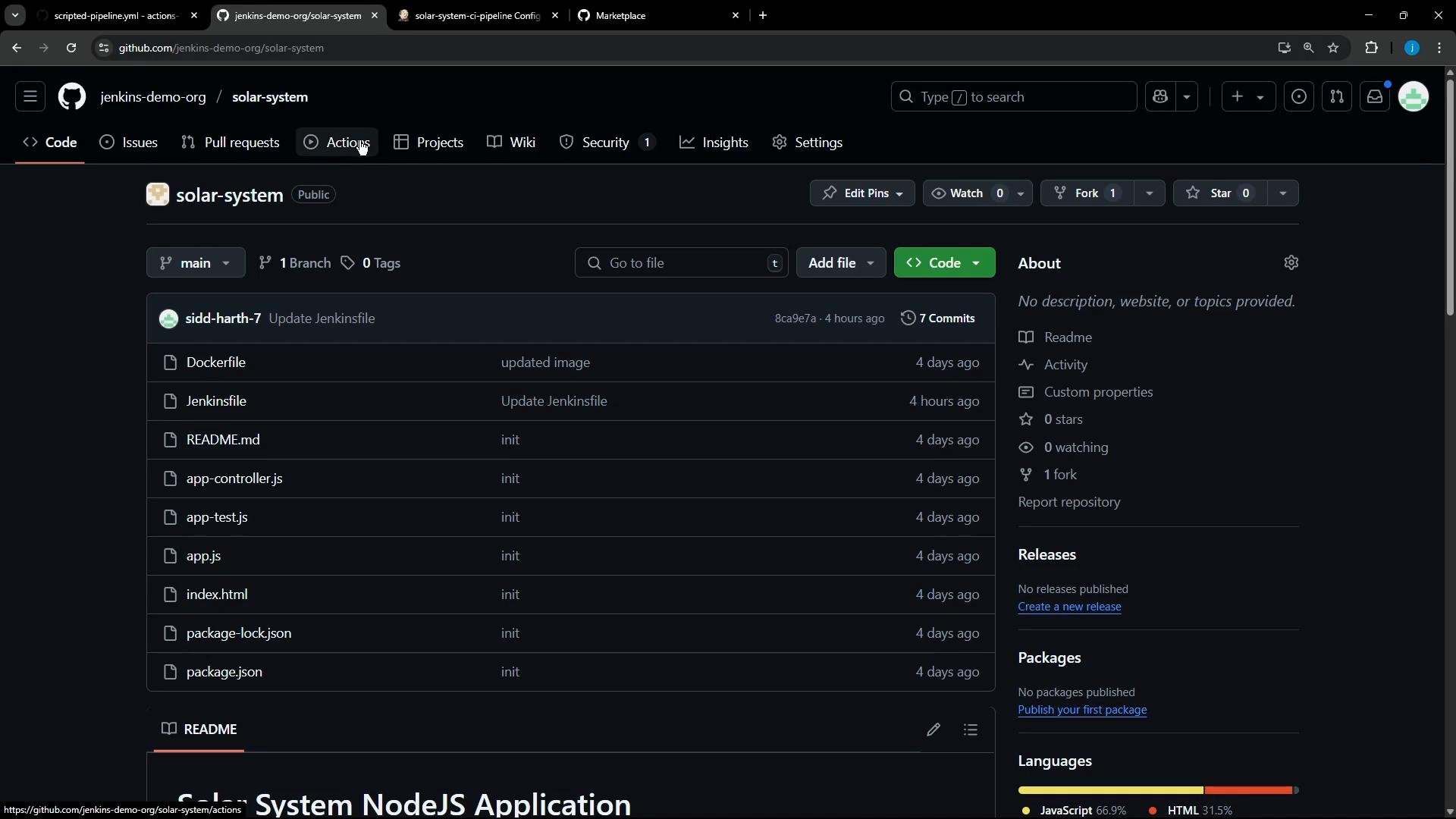
The Jenkins job we're migrating is a manual-trigger job (no SCM webhook triggers). It is stored in this GitHub repository:
* Repository: `https://github.com/jenkins-demo-org/solar-system`
* Branch: `main`
Open the repository in GitHub and create a new workflow file under `.github/workflows/`.
## Two quick GitHub Actions examples
Example: minimal scripted-style workflow
```yaml theme={null}
name: Scripted Pipeline
on:
workflow_dispatch:
jobs:
Greet:
runs-on: ubuntu-latest
steps:
- run: echo 'Hello, World!'
Build:
runs-on: ubuntu-latest
steps:
- run: |
echo 'Pretending to build...'
sleep 5s # simulate work
Result:
runs-on: ubuntu-latest
needs: [Build]
steps:
- run: |
echo "Job completed at $(date)"
```
Example: using shell commands and an external API inside a job
```yaml theme={null}
name: Generate ASCII Artwork
on:
workflow_dispatch:
jobs:
build-ascii:
runs-on: ubuntu-latest
steps:
- run: |
# Build a message by invoking ADVICESLIP API
curl -s https://api.adviceslip.com/advice > advice.json
cat advice.json
# Test to make sure the advice message has more than 5 words.
cat advice.json | jq -r .slip.advice > advice.message
if [ $(wc -w < advice.message) -gt 5 ]; then
echo "Advice has more than 5 words"
else
echo "Advice - $(cat advice.message) has fewer than 6 words"
fi
# Deploy (install cowsay and render)
sudo apt-get update -y && sudo apt-get install cowsay -y
export PATH="$PATH:/usr/games:/usr/local/games"
cat advice.message | cowsay -f $(ls /usr/share/cowsay/cows | shuf -n 1)
```
## Locate the Jenkins pipeline and repository
The Jenkins job we're migrating is a manual-trigger job (no SCM webhook triggers). It is stored in this GitHub repository:
* Repository: `https://github.com/jenkins-demo-org/solar-system`
* Branch: `main`
Open the repository in GitHub and create a new workflow file under `.github/workflows/`.
 ## Review the Jenkinsfile: what to map
Inspect the Jenkinsfile to identify stages, tools, agents, and credentials. Here is a simplified excerpt showing the key structure and stages to map to Actions:
```groovy theme={null}
pipeline {
agent { label 'us-west-1-ubuntu-22' }
tools { nodejs 'nodejs-22-6-0' }
environment {
MONGO_URI = "mongodb+srv://supercluster.d83jj.mongodb.net/superData"
MONGO_DB_CREDS = credentials('mongo-db-credentials')
MONGO_USERNAME = credentials('mongo-db-username')
MONGO_PASSWORD = credentials('mongo-db-password')
}
stages {
stage('Installing Dependencies') {
agent { docker { image 'node:24'; args '-u root:root' } }
steps { sh 'npm install --no-audit' }
}
stage('Dependency Scanning') { /* ... */ }
stage('Unit Testing') {
agent { docker { image 'node:24'; args '-u root:root' } }
options { retry(2) }
steps {
sh 'npm test'
junit allowEmptyResults: true, testResults: 'test-results.xml'
}
}
stage('Code Coverage') { /* ... */ }
stage('Build Publish Image') { /* ... */ }
stage('Trivy Vulnerability Scanner') { /* ... */ }
}
}
```
### Key mapping considerations
* Jenkins stages can be mapped to:
* Separate GitHub Actions jobs — good for parallelism and isolation, and for using `needs:` to control ordering.
* Steps inside a single job — keeps everything on the same runner sequentially, useful if you need a consistent environment between stages.
* Jenkins `tools` and `agent { docker { image } }` choices:
* Use `actions/setup-node` to install Node on the runner, or
* Use `container: node:24` at the job level to run all steps inside that Docker image (closer to Jenkins Docker agent behavior).
* Jenkins credentials become GitHub Secrets (repository or org-level). Use `secrets.` in Actions to pass them as environment variables.
* Test reports: in Jenkins the pipeline used `junit`. In Actions you can upload `test-results.xml` as an artifact and/or use community actions to parse JUnit output and annotate the run.
## Recommended mapping table
| Jenkins concept | GitHub Actions equivalent | Notes / example |
| ---------------------- | ------------------------------------------------ | ---------------------------------------------------------------------------------- |
| `agent` / runner label | `runs-on` (job) | `runs-on: ubuntu-latest` or specific self-hosted runner. |
| Docker agent | `container:` (job level) | `container: node:24` runs every step inside the image. |
| Tool installers (Node) | `actions/setup-node@v4` | `uses: actions/setup-node@v4` with `node-version`. |
| Jenkins credentials | GitHub Secrets | Settings → Secrets & variables → Actions; reference as `${{ secrets.MONGO_URI }}`. |
| `junit` test results | `actions/upload-artifact` or test report parsers | Upload `test-results.xml` and/or use actions to annotate results. |
| Stage ordering | `needs:` (job-level dependency) | Use `needs: [test]` to order jobs. |
## Minimal functional conversion
A minimal conversion that mirrors Jenkins "Installing Dependencies" and "Unit Testing" as steps in a single GitHub Actions job looks like this. Save as `.github/workflows/solar-system-ci.yml`:
```yaml theme={null}
name: Solar System CI
on:
push:
workflow_dispatch:
jobs:
install_and_test:
runs-on: ubuntu-latest
# Optionally run the whole job inside a container (similar to Jenkins docker agent):
# container: node:24
steps:
- name: Checkout repository
uses: actions/checkout@v4
- name: List repository files
run: ls -ltr
- name: Set up Node.js
uses: actions/setup-node@v4
with:
node-version: '22'
- name: Install dependencies
run: npm install --no-audit
- name: Run unit tests
run: npm test
```
Notes:
* To run the job inside the same Node Docker image used by Jenkins, uncomment `container: node:24`. Then all steps execute inside that container.
* The app’s unit tests may require MongoDB connection details. In Jenkins these were injected via credentials — in Actions you must supply equivalent secrets (see the callout below).
Store sensitive values like `MONGO_URI`, `MONGO_USERNAME`, and `MONGO_PASSWORD` as GitHub Secrets (Repository → Settings → Secrets & variables → Actions). Reference them in the workflow with `env:` or per-step `env:` using the `secrets.` context (for example `env: MONGO_URI: ${{ secrets.MONGO_URI }}`).
### Example: passing secrets to the job
```yaml theme={null}
jobs:
install_and_test:
runs-on: ubuntu-latest
env:
MONGO_URI: ${{ secrets.MONGO_URI }}
MONGO_USERNAME: ${{ secrets.MONGO_USERNAME }}
MONGO_PASSWORD: ${{ secrets.MONGO_PASSWORD }}
steps:
- name: Checkout repository
uses: actions/checkout@v4
# ...
```
## Common runtime failure: undefined DB URI
When this workflow was first executed, the `npm test` step failed because the MongoDB URI was not supplied. Example trimmed output:
```text theme={null}
Run npm test
> Solar System@6.7.6 test
> mocha app-test.js --timeout 10000 --reporter mocha-junit-reporter --exit
error!! MongooseError: The `uri` parameter to `openUri()` must be a string, got "undefined".
Make sure the first parameter to `mongoose.connect()` or `mongoose.createConnection()` is a string.
Server successfully running on port - 3000
Error: Process completed with exit code 8.
```
Why this happened:
* The tests attempt to connect to MongoDB via a URI provided by environment variables. The workflow did not inject those secrets, so `mongoose.connect()` received `undefined` and the test runner exited with a non-zero code.
How to fix this:
* Add the required secrets to the repository or organization (recommended for real credentials), or
* Use a GitHub Actions service container to run a temporary MongoDB instance for tests, or
* Mock the database connections in tests so they do not require a running DB.
Example service container (run MongoDB as a service container for the job):
```yaml theme={null}
jobs:
install_and_test:
runs-on: ubuntu-latest
services:
mongo:
image: mongo:6
ports:
- 27017:27017
env:
MONGO_URI: mongodb://localhost:27017/superData
steps:
- uses: actions/checkout@v4
- name: Set up Node
uses: actions/setup-node@v4
with:
node-version: '22'
- name: Install deps
run: npm install --no-audit
- name: Run tests
run: npm test
```
## Converting remaining stages
Convert the remaining Jenkins stages (dependency scanning, coverage, image build & publish, Trivy scanning) into discrete jobs. Recommendations:
* Model each logical Jenkins stage as an Actions job for clarity and failure isolation:
* `dependency-scan` (uses language-specific scanners),
* `unit-test` (JUnit reporting, upload test artifacts),
* `coverage` (upload coverage artifacts, publish to coverage services),
* `build-and-publish-image` (build Docker image, push to registry using secrets),
* `trivy-scan` (scan image artifacts; fail on high-severity vulnerabilities).
* Use `needs:` to preserve ordering (e.g., `coverage` should `need: [unit-test]`, and `build-and-publish-image` should `need: [coverage]`).
* Use `actions/upload-artifact` for test reports and coverage files, or use community actions to parse JUnit and produce GitHub annotations.
## Links and references
* GitHub Actions docs: [https://docs.github.com/actions](https://docs.github.com/actions)
* actions/checkout: [https://github.com/actions/checkout](https://github.com/actions/checkout)
* actions/setup-node: [https://github.com/actions/setup-node](https://github.com/actions/setup-node)
* actions/upload-artifact: [https://github.com/actions/upload-artifact](https://github.com/actions/upload-artifact)
* Trivy (Aqua Security): [https://github.com/aquasecurity/trivy](https://github.com/aquasecurity/trivy)
* Mocha: [https://mochajs.org/](https://mochajs.org/)
* Mongoose: [https://mongoosejs.com/](https://mongoosejs.com/)
* MongoDB: [https://www.mongodb.com/](https://www.mongodb.com/)
That's all for this lesson. A follow-up article will show:
* Wiring up repository/organization secrets,
* Adding JUnit parsing and annotations,
* Converting the remainder of the Jenkins pipeline with `needs:` and containerized jobs,
* Using the GitHub Actions importer to help automate the migration.
## Review the Jenkinsfile: what to map
Inspect the Jenkinsfile to identify stages, tools, agents, and credentials. Here is a simplified excerpt showing the key structure and stages to map to Actions:
```groovy theme={null}
pipeline {
agent { label 'us-west-1-ubuntu-22' }
tools { nodejs 'nodejs-22-6-0' }
environment {
MONGO_URI = "mongodb+srv://supercluster.d83jj.mongodb.net/superData"
MONGO_DB_CREDS = credentials('mongo-db-credentials')
MONGO_USERNAME = credentials('mongo-db-username')
MONGO_PASSWORD = credentials('mongo-db-password')
}
stages {
stage('Installing Dependencies') {
agent { docker { image 'node:24'; args '-u root:root' } }
steps { sh 'npm install --no-audit' }
}
stage('Dependency Scanning') { /* ... */ }
stage('Unit Testing') {
agent { docker { image 'node:24'; args '-u root:root' } }
options { retry(2) }
steps {
sh 'npm test'
junit allowEmptyResults: true, testResults: 'test-results.xml'
}
}
stage('Code Coverage') { /* ... */ }
stage('Build Publish Image') { /* ... */ }
stage('Trivy Vulnerability Scanner') { /* ... */ }
}
}
```
### Key mapping considerations
* Jenkins stages can be mapped to:
* Separate GitHub Actions jobs — good for parallelism and isolation, and for using `needs:` to control ordering.
* Steps inside a single job — keeps everything on the same runner sequentially, useful if you need a consistent environment between stages.
* Jenkins `tools` and `agent { docker { image } }` choices:
* Use `actions/setup-node` to install Node on the runner, or
* Use `container: node:24` at the job level to run all steps inside that Docker image (closer to Jenkins Docker agent behavior).
* Jenkins credentials become GitHub Secrets (repository or org-level). Use `secrets.` in Actions to pass them as environment variables.
* Test reports: in Jenkins the pipeline used `junit`. In Actions you can upload `test-results.xml` as an artifact and/or use community actions to parse JUnit output and annotate the run.
## Recommended mapping table
| Jenkins concept | GitHub Actions equivalent | Notes / example |
| ---------------------- | ------------------------------------------------ | ---------------------------------------------------------------------------------- |
| `agent` / runner label | `runs-on` (job) | `runs-on: ubuntu-latest` or specific self-hosted runner. |
| Docker agent | `container:` (job level) | `container: node:24` runs every step inside the image. |
| Tool installers (Node) | `actions/setup-node@v4` | `uses: actions/setup-node@v4` with `node-version`. |
| Jenkins credentials | GitHub Secrets | Settings → Secrets & variables → Actions; reference as `${{ secrets.MONGO_URI }}`. |
| `junit` test results | `actions/upload-artifact` or test report parsers | Upload `test-results.xml` and/or use actions to annotate results. |
| Stage ordering | `needs:` (job-level dependency) | Use `needs: [test]` to order jobs. |
## Minimal functional conversion
A minimal conversion that mirrors Jenkins "Installing Dependencies" and "Unit Testing" as steps in a single GitHub Actions job looks like this. Save as `.github/workflows/solar-system-ci.yml`:
```yaml theme={null}
name: Solar System CI
on:
push:
workflow_dispatch:
jobs:
install_and_test:
runs-on: ubuntu-latest
# Optionally run the whole job inside a container (similar to Jenkins docker agent):
# container: node:24
steps:
- name: Checkout repository
uses: actions/checkout@v4
- name: List repository files
run: ls -ltr
- name: Set up Node.js
uses: actions/setup-node@v4
with:
node-version: '22'
- name: Install dependencies
run: npm install --no-audit
- name: Run unit tests
run: npm test
```
Notes:
* To run the job inside the same Node Docker image used by Jenkins, uncomment `container: node:24`. Then all steps execute inside that container.
* The app’s unit tests may require MongoDB connection details. In Jenkins these were injected via credentials — in Actions you must supply equivalent secrets (see the callout below).
Store sensitive values like `MONGO_URI`, `MONGO_USERNAME`, and `MONGO_PASSWORD` as GitHub Secrets (Repository → Settings → Secrets & variables → Actions). Reference them in the workflow with `env:` or per-step `env:` using the `secrets.` context (for example `env: MONGO_URI: ${{ secrets.MONGO_URI }}`).
### Example: passing secrets to the job
```yaml theme={null}
jobs:
install_and_test:
runs-on: ubuntu-latest
env:
MONGO_URI: ${{ secrets.MONGO_URI }}
MONGO_USERNAME: ${{ secrets.MONGO_USERNAME }}
MONGO_PASSWORD: ${{ secrets.MONGO_PASSWORD }}
steps:
- name: Checkout repository
uses: actions/checkout@v4
# ...
```
## Common runtime failure: undefined DB URI
When this workflow was first executed, the `npm test` step failed because the MongoDB URI was not supplied. Example trimmed output:
```text theme={null}
Run npm test
> Solar System@6.7.6 test
> mocha app-test.js --timeout 10000 --reporter mocha-junit-reporter --exit
error!! MongooseError: The `uri` parameter to `openUri()` must be a string, got "undefined".
Make sure the first parameter to `mongoose.connect()` or `mongoose.createConnection()` is a string.
Server successfully running on port - 3000
Error: Process completed with exit code 8.
```
Why this happened:
* The tests attempt to connect to MongoDB via a URI provided by environment variables. The workflow did not inject those secrets, so `mongoose.connect()` received `undefined` and the test runner exited with a non-zero code.
How to fix this:
* Add the required secrets to the repository or organization (recommended for real credentials), or
* Use a GitHub Actions service container to run a temporary MongoDB instance for tests, or
* Mock the database connections in tests so they do not require a running DB.
Example service container (run MongoDB as a service container for the job):
```yaml theme={null}
jobs:
install_and_test:
runs-on: ubuntu-latest
services:
mongo:
image: mongo:6
ports:
- 27017:27017
env:
MONGO_URI: mongodb://localhost:27017/superData
steps:
- uses: actions/checkout@v4
- name: Set up Node
uses: actions/setup-node@v4
with:
node-version: '22'
- name: Install deps
run: npm install --no-audit
- name: Run tests
run: npm test
```
## Converting remaining stages
Convert the remaining Jenkins stages (dependency scanning, coverage, image build & publish, Trivy scanning) into discrete jobs. Recommendations:
* Model each logical Jenkins stage as an Actions job for clarity and failure isolation:
* `dependency-scan` (uses language-specific scanners),
* `unit-test` (JUnit reporting, upload test artifacts),
* `coverage` (upload coverage artifacts, publish to coverage services),
* `build-and-publish-image` (build Docker image, push to registry using secrets),
* `trivy-scan` (scan image artifacts; fail on high-severity vulnerabilities).
* Use `needs:` to preserve ordering (e.g., `coverage` should `need: [unit-test]`, and `build-and-publish-image` should `need: [coverage]`).
* Use `actions/upload-artifact` for test reports and coverage files, or use community actions to parse JUnit and produce GitHub annotations.
## Links and references
* GitHub Actions docs: [https://docs.github.com/actions](https://docs.github.com/actions)
* actions/checkout: [https://github.com/actions/checkout](https://github.com/actions/checkout)
* actions/setup-node: [https://github.com/actions/setup-node](https://github.com/actions/setup-node)
* actions/upload-artifact: [https://github.com/actions/upload-artifact](https://github.com/actions/upload-artifact)
* Trivy (Aqua Security): [https://github.com/aquasecurity/trivy](https://github.com/aquasecurity/trivy)
* Mocha: [https://mochajs.org/](https://mochajs.org/)
* Mongoose: [https://mongoosejs.com/](https://mongoosejs.com/)
* MongoDB: [https://www.mongodb.com/](https://www.mongodb.com/)
That's all for this lesson. A follow-up article will show:
* Wiring up repository/organization secrets,
* Adding JUnit parsing and annotations,
* Converting the remainder of the Jenkins pipeline with `needs:` and containerized jobs,
* Using the GitHub Actions importer to help automate the migration.