> ## Documentation Index
> Fetch the complete documentation index at: https://notes.kodekloud.com/llms.txt
> Use this file to discover all available pages before exploring further.
# Demo Convert multi stage Jenkins Job to a GitHub Actions Workflow
> Convert a multi-stage Jenkins scripted pipeline into an equivalent GitHub Actions workflow using jobs and needs to preserve sequential staging and execution
In this guide you'll convert a multi-stage Jenkins *scripted* pipeline into an equivalent GitHub Actions workflow that preserves the same pipeline semantics: Greet → Build → Result. We'll use the same repository and trigger the workflow manually via `workflow_dispatch`.
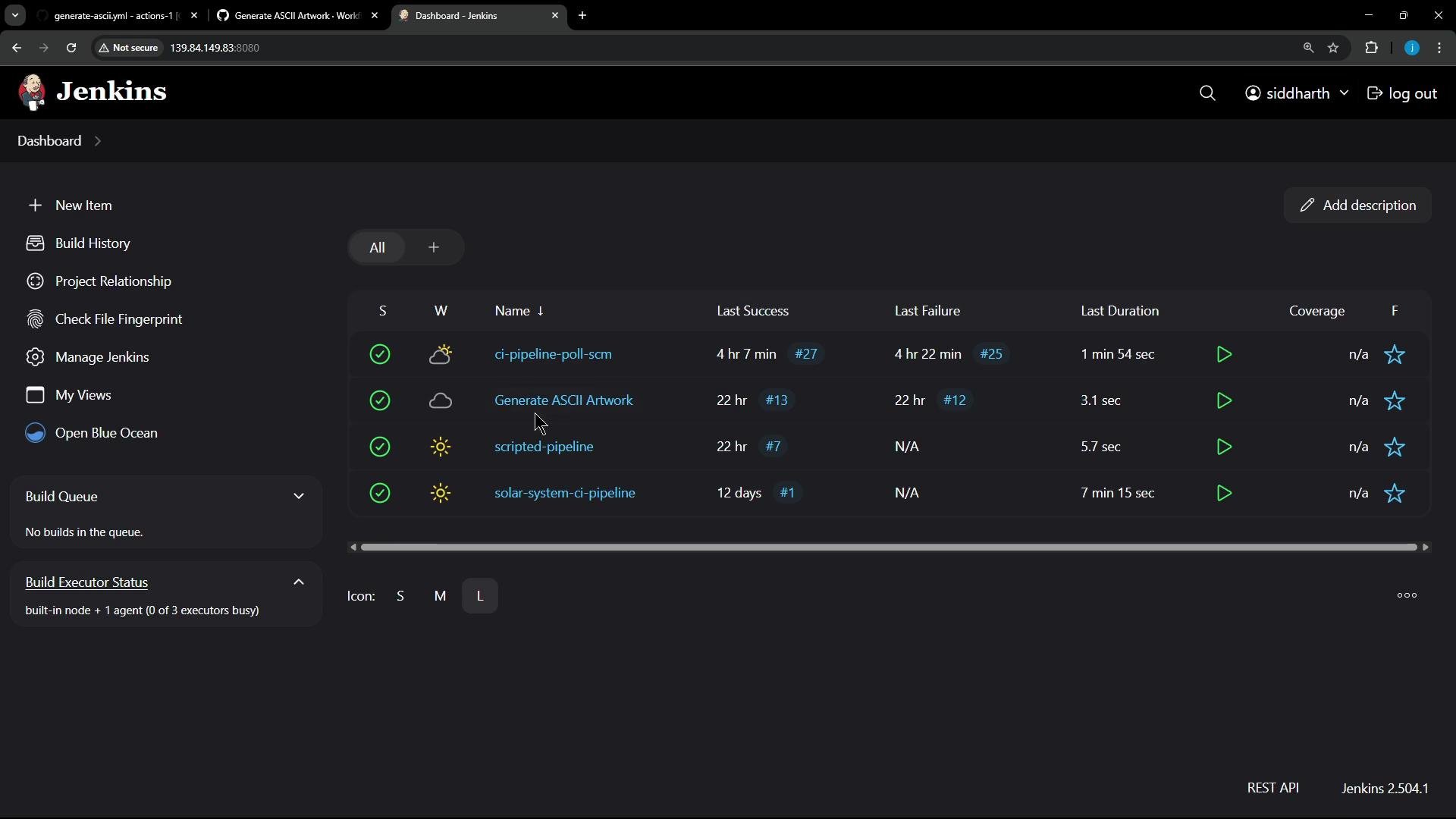 Original Jenkins scripted pipeline (runs on any available agent):
```groovy theme={null}
node { // Runs on any available agent
stage('Greet') {
echo 'Hello, World!'
}
stage('Build') {
echo 'Pretending to build...'
sleep 5 // Simulate work
}
stage('Results') {
def now = new Date()
echo "Job completed at ${now}"
}
}
```
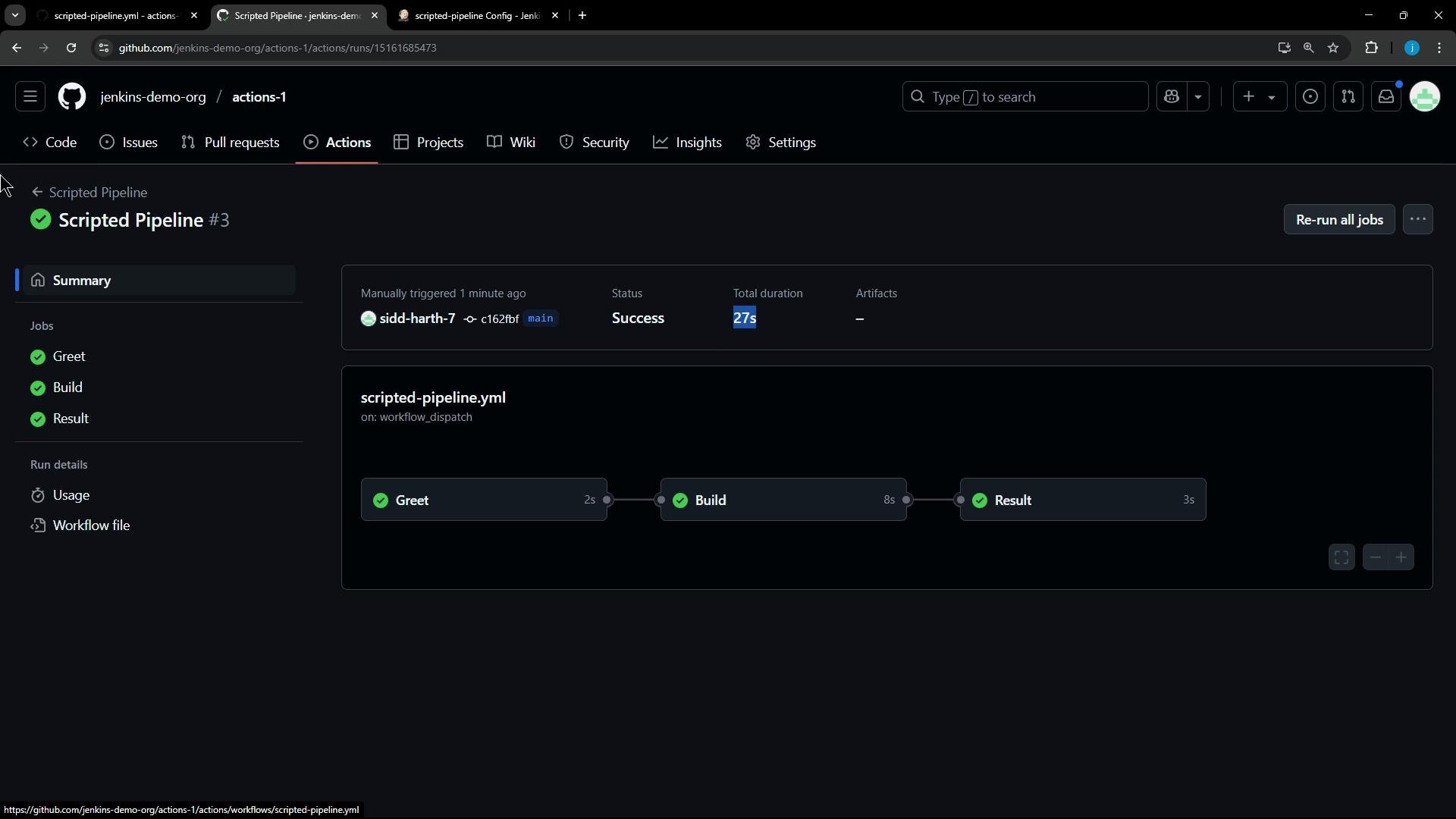
Goal: model these three Jenkins stages as three GitHub Actions jobs named `Greet`, `Build`, and `Result`. Each job will run on an `ubuntu-latest` runner. By default GitHub Actions runs jobs in parallel; to preserve sequential behavior use the `needs` keyword to declare dependencies.
Job mapping (Jenkins stage → GitHub Actions job):
| Jenkins Stage | GitHub Actions Job | Purpose |
| ------------- | ------------------ | ----------------------------- |
| `Greet` | `Greet` | Print greeting message |
| `Build` | `Build` | Simulate a build step (sleep) |
| `Results` | `Result` | Emit completion timestamp |
Save the following workflow as `.github/workflows/scripted-pipeline.yml`:
```yaml theme={null}
name: Scripted Pipeline
on:
workflow_dispatch:
jobs:
Greet:
runs-on: ubuntu-latest
steps:
- name: Greet
run: echo 'Hello, World!'
Build:
runs-on: ubuntu-latest
needs: Greet
steps:
- name: Build (simulate)
run: |-
echo 'Pretending to build...'
sleep 5s # Simulate work
Result:
runs-on: ubuntu-latest
needs: Build
steps:
- name: Results
run: echo "Job completed at $(date)"
```
Quick tips:
* YAML comments use `#`. `//` is NOT valid YAML and will break the workflow.
* When using `sleep` in a shell step prefer an explicit time unit like `5s` for portability.
* Use `needs` to control job ordering; omit it to allow jobs to run in parallel.
If you prefer `Greet` and `Build` to run in parallel (and still have `Result` run after `Build`), remove the `needs: Greet` line from the `Build` job:
```yaml theme={null}
name: Scripted Pipeline (Parallel Greet & Build)
on:
workflow_dispatch:
jobs:
Greet:
runs-on: ubuntu-latest
steps:
- name: Greet
run: echo 'Hello, World!'
Build:
runs-on: ubuntu-latest
# no needs -> runs in parallel with Greet
steps:
- name: Build (simulate)
run: |-
echo 'Pretending to build...'
sleep 5s # Simulate work
Result:
runs-on: ubuntu-latest
needs: Build
steps:
- name: Results
run: echo "Job completed at $(date)"
```
Behavioral notes:
* With `needs` chaining (Greet → Build → Result), jobs execute serially; the total workflow time includes runner startup + each job's runtime.
* Allowing parallel jobs can reduce wall-clock time but consumes more concurrent runners.
* If you want to avoid multiple runner spin-ups, combine multiple stages into a single job (multiple `steps`) to reuse the same runner instance.
Example of the workflow result in the GitHub Actions UI (Greet, Build, Result):
Original Jenkins scripted pipeline (runs on any available agent):
```groovy theme={null}
node { // Runs on any available agent
stage('Greet') {
echo 'Hello, World!'
}
stage('Build') {
echo 'Pretending to build...'
sleep 5 // Simulate work
}
stage('Results') {
def now = new Date()
echo "Job completed at ${now}"
}
}
```
Goal: model these three Jenkins stages as three GitHub Actions jobs named `Greet`, `Build`, and `Result`. Each job will run on an `ubuntu-latest` runner. By default GitHub Actions runs jobs in parallel; to preserve sequential behavior use the `needs` keyword to declare dependencies.
Job mapping (Jenkins stage → GitHub Actions job):
| Jenkins Stage | GitHub Actions Job | Purpose |
| ------------- | ------------------ | ----------------------------- |
| `Greet` | `Greet` | Print greeting message |
| `Build` | `Build` | Simulate a build step (sleep) |
| `Results` | `Result` | Emit completion timestamp |
Save the following workflow as `.github/workflows/scripted-pipeline.yml`:
```yaml theme={null}
name: Scripted Pipeline
on:
workflow_dispatch:
jobs:
Greet:
runs-on: ubuntu-latest
steps:
- name: Greet
run: echo 'Hello, World!'
Build:
runs-on: ubuntu-latest
needs: Greet
steps:
- name: Build (simulate)
run: |-
echo 'Pretending to build...'
sleep 5s # Simulate work
Result:
runs-on: ubuntu-latest
needs: Build
steps:
- name: Results
run: echo "Job completed at $(date)"
```
Quick tips:
* YAML comments use `#`. `//` is NOT valid YAML and will break the workflow.
* When using `sleep` in a shell step prefer an explicit time unit like `5s` for portability.
* Use `needs` to control job ordering; omit it to allow jobs to run in parallel.
If you prefer `Greet` and `Build` to run in parallel (and still have `Result` run after `Build`), remove the `needs: Greet` line from the `Build` job:
```yaml theme={null}
name: Scripted Pipeline (Parallel Greet & Build)
on:
workflow_dispatch:
jobs:
Greet:
runs-on: ubuntu-latest
steps:
- name: Greet
run: echo 'Hello, World!'
Build:
runs-on: ubuntu-latest
# no needs -> runs in parallel with Greet
steps:
- name: Build (simulate)
run: |-
echo 'Pretending to build...'
sleep 5s # Simulate work
Result:
runs-on: ubuntu-latest
needs: Build
steps:
- name: Results
run: echo "Job completed at $(date)"
```
Behavioral notes:
* With `needs` chaining (Greet → Build → Result), jobs execute serially; the total workflow time includes runner startup + each job's runtime.
* Allowing parallel jobs can reduce wall-clock time but consumes more concurrent runners.
* If you want to avoid multiple runner spin-ups, combine multiple stages into a single job (multiple `steps`) to reuse the same runner instance.
Example of the workflow result in the GitHub Actions UI (Greet, Build, Result):
 Console log snippets (what you should see in each job's log):
* Greet job:
```bash theme={null}
Run echo 'Hello, World!'
Hello, World!
```
* Build job:
```bash theme={null}
Run echo 'Pretending to build...'
Pretending to build...
# pause for ~5 seconds
```
* Result job:
```bash theme={null}
Run echo "Job completed at $(date)"
Job completed at Wed May 21 12:05:44 UTC 2025
```
Summary and next steps:
* Convert Jenkins stages into GitHub Actions jobs and use `needs` to preserve sequencing.
* Omit `needs` to allow parallel execution where appropriate.
* Validate YAML syntax (`#` comments) and shell step behavior (explicit `sleep` units).
* For further optimization, consider merging stages into a single job to reduce runner provisioning time.
Helpful links and references:
* [GitHub Actions documentation](https://docs.github.com/actions)
* [Jenkins Documentation](https://www.jenkins.io/doc/)
Console log snippets (what you should see in each job's log):
* Greet job:
```bash theme={null}
Run echo 'Hello, World!'
Hello, World!
```
* Build job:
```bash theme={null}
Run echo 'Pretending to build...'
Pretending to build...
# pause for ~5 seconds
```
* Result job:
```bash theme={null}
Run echo "Job completed at $(date)"
Job completed at Wed May 21 12:05:44 UTC 2025
```
Summary and next steps:
* Convert Jenkins stages into GitHub Actions jobs and use `needs` to preserve sequencing.
* Omit `needs` to allow parallel execution where appropriate.
* Validate YAML syntax (`#` comments) and shell step behavior (explicit `sleep` units).
* For further optimization, consider merging stages into a single job to reduce runner provisioning time.
Helpful links and references:
* [GitHub Actions documentation](https://docs.github.com/actions)
* [Jenkins Documentation](https://www.jenkins.io/doc/)