> ## Documentation Index
> Fetch the complete documentation index at: https://notes.kodekloud.com/llms.txt
> Use this file to discover all available pages before exploring further.
# Mapping Jenkins Directives to GitHub Actions Workflow
> Guide mapping Jenkins Declarative Pipeline directives to equivalent GitHub Actions workflow constructs with examples and migration tips.
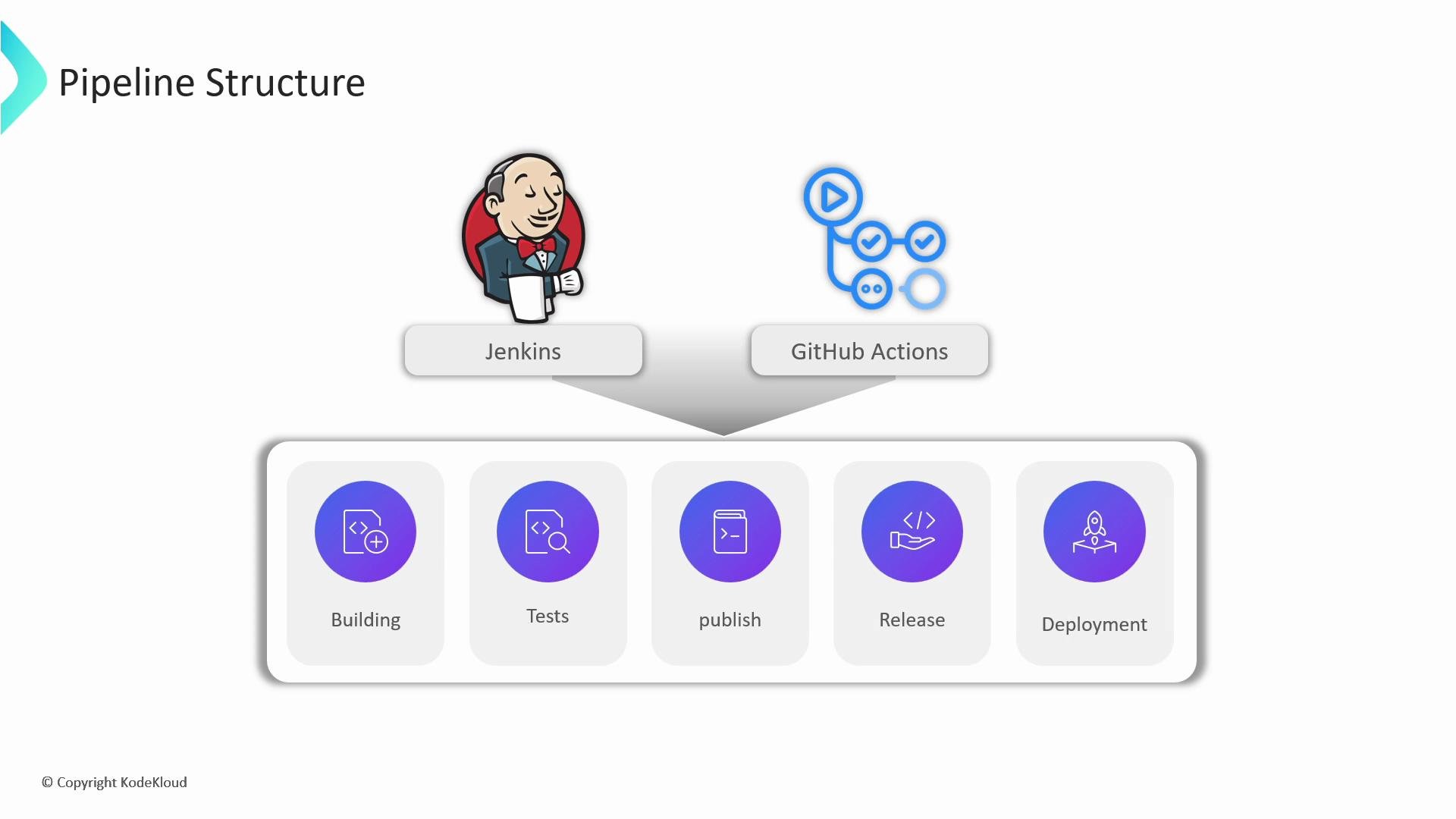
GitHub Actions and Jenkins share many CI/CD concepts, so migrating pipelines is usually a matter of translating declarative constructs. This guide compares common Jenkins Declarative Pipeline directives with their GitHub Actions equivalents and provides concise, copy-ready examples to accelerate migration.
 Overview
* Jenkins Declarative Pipelines are Groovy-based and organized into top-level sections such as `agent`, `environment`, and `stages`.
* GitHub Actions workflows use YAML organized under `on`, `jobs`, `env`, `defaults`, and `permissions`.
* Conceptual mappings:
* Jenkins `stages` → GitHub Actions `jobs`
* Jenkins `steps` → GitHub Actions `steps` (nested under a `job`)
* Jenkins `agent` → GitHub Actions `runs-on` (and optionally `container`)
Quick mapping table
| Jenkins concept | GitHub Actions equivalent | Notes / example |
| --------------------- | ----------------------------------------: | ---------------------------------------------------------- |
| `pipeline` / `stages` | `workflow` / `jobs` | Jobs run independently; use job dependencies to sequence. |
| `agent` | `runs-on` / `container` | Example: `runs-on: ubuntu-latest` or `container: node:18`. |
| `environment` | `env` | Use workflow-level or job-level `env`. |
| `withCredentials` | `${{ secrets.* }}` | Store secrets in repo/org settings. |
| `when` | `if` | `if` works at job or step level. |
| Parallel stages | parallel `jobs` or `strategy.matrix` | Matrix runs are ideal for multiple configs. |
| Triggers / `cron` | `on` (schedule, push, workflow\_dispatch) | Use `on.schedule` for cron-based runs. |
Links and references
* Jenkins Declarative Pipeline: [https://www.jenkins.io/doc/book/pipeline/](https://www.jenkins.io/doc/book/pipeline/)
* GitHub Actions: [https://docs.github.com/actions](https://docs.github.com/actions)
1. Top-level pipeline → jobs
Jenkins declarative pipeline (Groovy):
```groovy theme={null}
pipeline {
agent any
stages {
stage('Build') {
steps {
sh 'npm install'
}
}
stage('Test') {
steps {
sh 'npm test'
}
}
}
}
```
Equivalent GitHub Actions workflow (YAML):
```yaml theme={null}
name: CI
on: [push, pull_request]
jobs:
build:
runs-on: ubuntu-latest
steps:
- name: Check out code
uses: actions/checkout@v4
- name: Install dependencies
run: npm install
- name: Run tests
run: npm test
```
Jenkins stages are often sequential by default. In GitHub Actions, implement sequential phases by introducing job dependencies (using `needs`), or keep multiple sequential steps inside one `job`.
2. Agents, runners, and containers
Mappings at a glance:
* Jenkins `agent any` → `runs-on: ubuntu-latest`
* Jenkins `agent { label 'docker' }` → `runs-on: [self-hosted, docker]`
* Jenkins `agent { docker { image 'alpine' } }` → `container: alpine` (inside a job)
Jenkins example:
```groovy theme={null}
pipeline {
agent { docker { image 'node:18' } }
stages {
stage('Test') {
steps {
sh 'node -v'
}
}
}
}
```
GitHub Actions equivalent (runs the job inside a Node container on a GitHub-hosted runner):
```yaml theme={null}
jobs:
build:
runs-on: ubuntu-22.04
container:
image: node:18
steps:
- uses: actions/checkout@v4
- name: Print Node version
run: node -v
```
Explanation:
* `runs-on` provisions the VM environment; `container` launches the specified container image inside that VM. All steps run within the container.
3. Environment variables
Jenkins:
```groovy theme={null}
pipeline {
agent any
environment {
NODE_ENV = 'production'
}
stages {
stage('Build') {
steps {
sh 'echo $NODE_ENV'
}
}
}
}
```
GitHub Actions (workflow-level and job-level `env`):
```yaml theme={null}
env:
NODE_ENV: production
jobs:
build:
runs-on: ubuntu-latest
env:
APP_VERSION: "1.0.0"
steps:
- name: Print envs
run: |
echo "NODE_ENV=$NODE_ENV"
echo "APP_VERSION=$APP_VERSION"
```
Notes:
* Use `env` at the workflow level to set variables available to all jobs, and at job or step level for narrower scope.
4. Credentials and secrets
Jenkins with `withCredentials`:
```groovy theme={null}
withCredentials([usernamePassword(credentialsId: 'db-creds', usernameVariable: 'DB_USER', passwordVariable: 'DB_PASS')]) {
sh 'echo "User: $DB_USER"'
}
```
GitHub Actions (use repository or organization `secrets`):
```yaml theme={null}
jobs:
deploy:
runs-on: ubuntu-latest
steps:
- name: Deploy step
env:
DB_USER: ${{ secrets.DB_USER }}
DB_PASS: ${{ secrets.DB_PASS }}
run: |
echo "User: $DB_USER"
# Use $DB_PASS securely in commands that accept stdin or env vars
```
Never print secrets to logs. In GitHub Actions, reference secrets using `${{ secrets.YOUR_SECRET }}` and avoid echoing them. Masked secrets are protected, but logging them exposes risk.
5. Conditional execution
Jenkins example using `when`:
```groovy theme={null}
stage('Deploy') {
when {
branch 'main'
}
steps {
sh 'deploy-script.sh'
}
}
```
GitHub Actions uses `if` at the job or step level:
```yaml theme={null}
jobs:
deploy:
runs-on: ubuntu-latest
if: github.ref == 'refs/heads/main'
steps:
- name: Deploy
run: ./deploy-script.sh
```
Example: condition on PR comment body
```yaml theme={null}
jobs:
conditional:
runs-on: ubuntu-latest
if: contains(github.event.comment.body, '/deploy')
steps:
- run: echo "Deploy triggered by comment"
```
6. Parallelism and matrix builds
Jenkins parallel stages:
```groovy theme={null}
stage('Parallel Jobs') {
parallel {
stage('Build Frontend') {
steps { sh 'npm install' }
}
stage('Build Backend') {
steps { sh 'mvn -DskipTests package' }
}
}
}
```
GitHub Actions matrix strategy: run the same job across multiple OSes and Node versions
```yaml theme={null}
jobs:
test:
runs-on: ${{ matrix.os }}
strategy:
matrix:
os: [ubuntu-latest, windows-latest]
node: [16, 18]
steps:
- uses: actions/checkout@v4
- name: Print matrix
run: echo "OS: ${{ matrix.os }}, Node: ${{ matrix.node }}"
```
Notes:
* GitHub Actions runs jobs in parallel by default. Use `strategy.matrix` for multiple configurations inside one logical job.
7. Triggers
Jenkins triggers example (cron):
```groovy theme={null}
pipeline {
agent any
triggers {
cron('H 2 * * *') // Run daily at ~2:00 AM (Jenkins H token)
}
stages { ... }
}
```
GitHub Actions equivalents:
* Scheduled runs:
```yaml theme={null}
on:
schedule:
- cron: '0 2 * * *' # Run at 02:00 UTC daily
```
* Manual trigger (adds "Run workflow" button):
```yaml theme={null}
on:
workflow_dispatch: {}
```
* Event-based triggers with filters:
```yaml theme={null}
on:
push:
branches: [ main ]
pull_request:
branches: [ main ]
issue_comment:
types: [created]
```
Summary and migration checklist
| Step | Action |
| ---------------------------- | -------------------------------------------------------------------------------------- |
| Convert high-level structure | Map Jenkins `stages` to GitHub `jobs`; use `needs` to sequence jobs. |
| Choose runners | Replace `agent` with `runs-on` and `container` as required. |
| Move secrets | Migrate credentials to GitHub `secrets` and reference with `${{ secrets.* }}`. |
| Translate conditional logic | Convert `when` blocks to `if:` expressions at job/step level. |
| Parallelize | Use multiple jobs or `strategy.matrix` for parallel/matrix runs. |
| Set triggers | Replace Jenkins `triggers` with `on: schedule`, `workflow_dispatch`, or event filters. |
These mappings cover the core patterns you’ll use when migrating Jenkins Declarative Pipelines to GitHub Actions workflows. For advanced migrations (pipeline libraries, custom shared libraries, or scripted pipelines), consider breaking large Groovy logic into smaller scripts or actions and leveraging reusable workflows in GitHub Actions.
Further reading
* GitHub Actions concepts: [https://docs.github.com/actions/learn-github-actions/introduction-to-github-actions](https://docs.github.com/actions/learn-github-actions/introduction-to-github-actions)
* Jenkins Pipeline Syntax: [https://www.jenkins.io/doc/book/pipeline/syntax/](https://www.jenkins.io/doc/book/pipeline/syntax/)
Overview
* Jenkins Declarative Pipelines are Groovy-based and organized into top-level sections such as `agent`, `environment`, and `stages`.
* GitHub Actions workflows use YAML organized under `on`, `jobs`, `env`, `defaults`, and `permissions`.
* Conceptual mappings:
* Jenkins `stages` → GitHub Actions `jobs`
* Jenkins `steps` → GitHub Actions `steps` (nested under a `job`)
* Jenkins `agent` → GitHub Actions `runs-on` (and optionally `container`)
Quick mapping table
| Jenkins concept | GitHub Actions equivalent | Notes / example |
| --------------------- | ----------------------------------------: | ---------------------------------------------------------- |
| `pipeline` / `stages` | `workflow` / `jobs` | Jobs run independently; use job dependencies to sequence. |
| `agent` | `runs-on` / `container` | Example: `runs-on: ubuntu-latest` or `container: node:18`. |
| `environment` | `env` | Use workflow-level or job-level `env`. |
| `withCredentials` | `${{ secrets.* }}` | Store secrets in repo/org settings. |
| `when` | `if` | `if` works at job or step level. |
| Parallel stages | parallel `jobs` or `strategy.matrix` | Matrix runs are ideal for multiple configs. |
| Triggers / `cron` | `on` (schedule, push, workflow\_dispatch) | Use `on.schedule` for cron-based runs. |
Links and references
* Jenkins Declarative Pipeline: [https://www.jenkins.io/doc/book/pipeline/](https://www.jenkins.io/doc/book/pipeline/)
* GitHub Actions: [https://docs.github.com/actions](https://docs.github.com/actions)
1. Top-level pipeline → jobs
Jenkins declarative pipeline (Groovy):
```groovy theme={null}
pipeline {
agent any
stages {
stage('Build') {
steps {
sh 'npm install'
}
}
stage('Test') {
steps {
sh 'npm test'
}
}
}
}
```
Equivalent GitHub Actions workflow (YAML):
```yaml theme={null}
name: CI
on: [push, pull_request]
jobs:
build:
runs-on: ubuntu-latest
steps:
- name: Check out code
uses: actions/checkout@v4
- name: Install dependencies
run: npm install
- name: Run tests
run: npm test
```
Jenkins stages are often sequential by default. In GitHub Actions, implement sequential phases by introducing job dependencies (using `needs`), or keep multiple sequential steps inside one `job`.
2. Agents, runners, and containers
Mappings at a glance:
* Jenkins `agent any` → `runs-on: ubuntu-latest`
* Jenkins `agent { label 'docker' }` → `runs-on: [self-hosted, docker]`
* Jenkins `agent { docker { image 'alpine' } }` → `container: alpine` (inside a job)
Jenkins example:
```groovy theme={null}
pipeline {
agent { docker { image 'node:18' } }
stages {
stage('Test') {
steps {
sh 'node -v'
}
}
}
}
```
GitHub Actions equivalent (runs the job inside a Node container on a GitHub-hosted runner):
```yaml theme={null}
jobs:
build:
runs-on: ubuntu-22.04
container:
image: node:18
steps:
- uses: actions/checkout@v4
- name: Print Node version
run: node -v
```
Explanation:
* `runs-on` provisions the VM environment; `container` launches the specified container image inside that VM. All steps run within the container.
3. Environment variables
Jenkins:
```groovy theme={null}
pipeline {
agent any
environment {
NODE_ENV = 'production'
}
stages {
stage('Build') {
steps {
sh 'echo $NODE_ENV'
}
}
}
}
```
GitHub Actions (workflow-level and job-level `env`):
```yaml theme={null}
env:
NODE_ENV: production
jobs:
build:
runs-on: ubuntu-latest
env:
APP_VERSION: "1.0.0"
steps:
- name: Print envs
run: |
echo "NODE_ENV=$NODE_ENV"
echo "APP_VERSION=$APP_VERSION"
```
Notes:
* Use `env` at the workflow level to set variables available to all jobs, and at job or step level for narrower scope.
4. Credentials and secrets
Jenkins with `withCredentials`:
```groovy theme={null}
withCredentials([usernamePassword(credentialsId: 'db-creds', usernameVariable: 'DB_USER', passwordVariable: 'DB_PASS')]) {
sh 'echo "User: $DB_USER"'
}
```
GitHub Actions (use repository or organization `secrets`):
```yaml theme={null}
jobs:
deploy:
runs-on: ubuntu-latest
steps:
- name: Deploy step
env:
DB_USER: ${{ secrets.DB_USER }}
DB_PASS: ${{ secrets.DB_PASS }}
run: |
echo "User: $DB_USER"
# Use $DB_PASS securely in commands that accept stdin or env vars
```
Never print secrets to logs. In GitHub Actions, reference secrets using `${{ secrets.YOUR_SECRET }}` and avoid echoing them. Masked secrets are protected, but logging them exposes risk.
5. Conditional execution
Jenkins example using `when`:
```groovy theme={null}
stage('Deploy') {
when {
branch 'main'
}
steps {
sh 'deploy-script.sh'
}
}
```
GitHub Actions uses `if` at the job or step level:
```yaml theme={null}
jobs:
deploy:
runs-on: ubuntu-latest
if: github.ref == 'refs/heads/main'
steps:
- name: Deploy
run: ./deploy-script.sh
```
Example: condition on PR comment body
```yaml theme={null}
jobs:
conditional:
runs-on: ubuntu-latest
if: contains(github.event.comment.body, '/deploy')
steps:
- run: echo "Deploy triggered by comment"
```
6. Parallelism and matrix builds
Jenkins parallel stages:
```groovy theme={null}
stage('Parallel Jobs') {
parallel {
stage('Build Frontend') {
steps { sh 'npm install' }
}
stage('Build Backend') {
steps { sh 'mvn -DskipTests package' }
}
}
}
```
GitHub Actions matrix strategy: run the same job across multiple OSes and Node versions
```yaml theme={null}
jobs:
test:
runs-on: ${{ matrix.os }}
strategy:
matrix:
os: [ubuntu-latest, windows-latest]
node: [16, 18]
steps:
- uses: actions/checkout@v4
- name: Print matrix
run: echo "OS: ${{ matrix.os }}, Node: ${{ matrix.node }}"
```
Notes:
* GitHub Actions runs jobs in parallel by default. Use `strategy.matrix` for multiple configurations inside one logical job.
7. Triggers
Jenkins triggers example (cron):
```groovy theme={null}
pipeline {
agent any
triggers {
cron('H 2 * * *') // Run daily at ~2:00 AM (Jenkins H token)
}
stages { ... }
}
```
GitHub Actions equivalents:
* Scheduled runs:
```yaml theme={null}
on:
schedule:
- cron: '0 2 * * *' # Run at 02:00 UTC daily
```
* Manual trigger (adds "Run workflow" button):
```yaml theme={null}
on:
workflow_dispatch: {}
```
* Event-based triggers with filters:
```yaml theme={null}
on:
push:
branches: [ main ]
pull_request:
branches: [ main ]
issue_comment:
types: [created]
```
Summary and migration checklist
| Step | Action |
| ---------------------------- | -------------------------------------------------------------------------------------- |
| Convert high-level structure | Map Jenkins `stages` to GitHub `jobs`; use `needs` to sequence jobs. |
| Choose runners | Replace `agent` with `runs-on` and `container` as required. |
| Move secrets | Migrate credentials to GitHub `secrets` and reference with `${{ secrets.* }}`. |
| Translate conditional logic | Convert `when` blocks to `if:` expressions at job/step level. |
| Parallelize | Use multiple jobs or `strategy.matrix` for parallel/matrix runs. |
| Set triggers | Replace Jenkins `triggers` with `on: schedule`, `workflow_dispatch`, or event filters. |
These mappings cover the core patterns you’ll use when migrating Jenkins Declarative Pipelines to GitHub Actions workflows. For advanced migrations (pipeline libraries, custom shared libraries, or scripted pipelines), consider breaking large Groovy logic into smaller scripts or actions and leveraging reusable workflows in GitHub Actions.
Further reading
* GitHub Actions concepts: [https://docs.github.com/actions/learn-github-actions/introduction-to-github-actions](https://docs.github.com/actions/learn-github-actions/introduction-to-github-actions)
* Jenkins Pipeline Syntax: [https://www.jenkins.io/doc/book/pipeline/syntax/](https://www.jenkins.io/doc/book/pipeline/syntax/)